

Let us say there exist a RESTful Web Service, e.g. Web API service, and you want to create a new MVC application that consume this Web Service. I designed a simple way to achieve the goal.
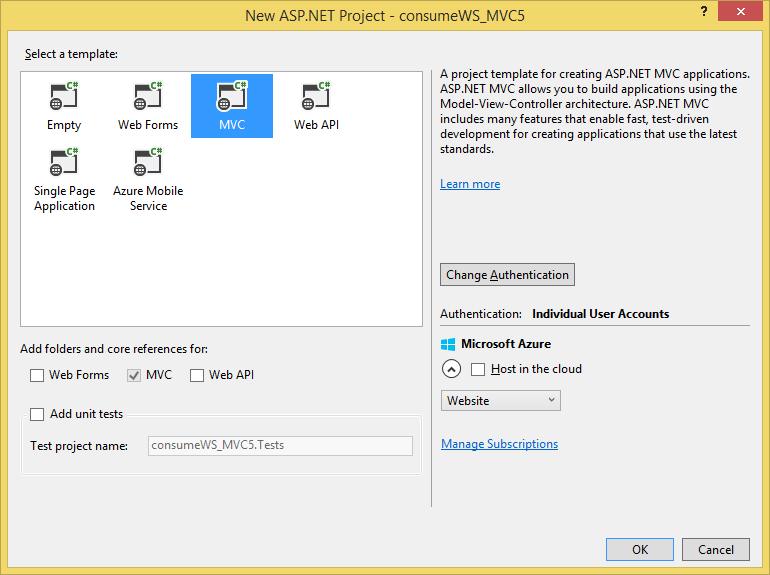
From Visual Studio wizard create a new MVC 5 Project.
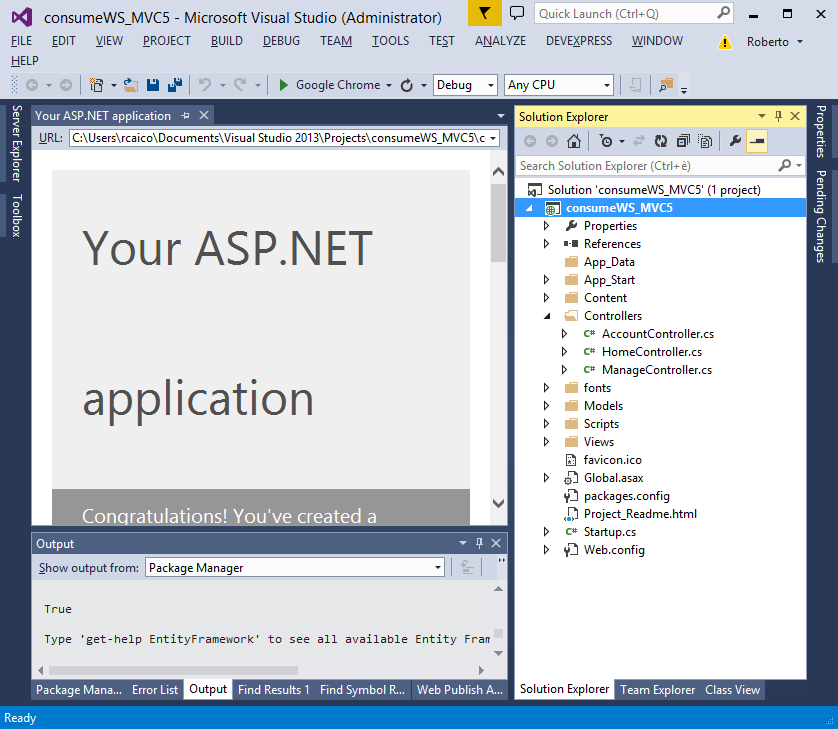
And all inherits from Controller.
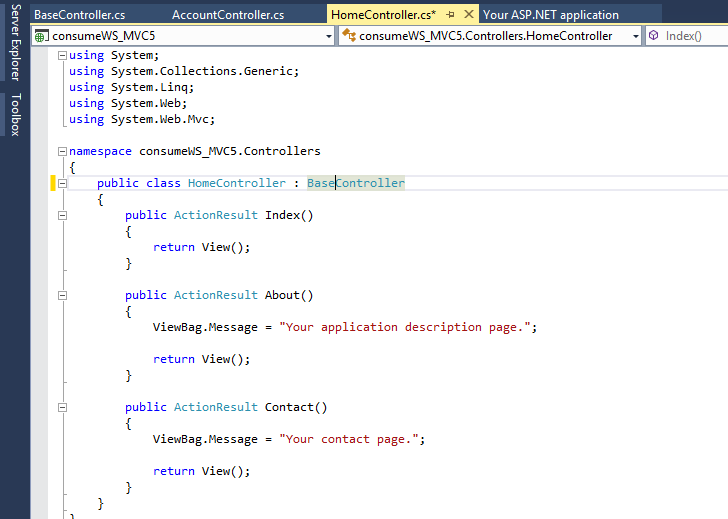
Now create a new MVC 5 controller and name it: “BaseController”.

Change the generalization of the other controllers and implement the BaseController. I have shown it in the following screenshot under Home Controller,
Suppose now there exist a web API service,

And you want contact this for get your Business Object Info as :
- Products Detail: localhost:50665\api\Products
- Orders Detail: localhost:50665\api\Orders
- Customers Detail: localhost:50665\api\Customers
- Invoice Detail: localhost:50665\api\Document\GetInvoice?num=1
So, I think I found a very easy way,
I created Base Controller, a generic method (GetWSObject) for contacting the WebService from all Controller and returned my desired object as a dynamic object:
- public async Task < T > GetWSObject < T > (string uriActionString)
- {
- T returnValue =
- default (T);
- try
- {
- using(var client = new HttpClient())
- {
- client.BaseAddress = new Uri(@ "http://localhost:50665/");
- client.DefaultRequestHeaders.Accept.Clear();
- client.DefaultRequestHeaders.Accept.Add(new MediaTypeWithQualityHeaderValue("application/json"));
- HttpResponseMessage response = await client.GetAsync(uriActionString);
- response.EnsureSuccessStatusCode();
- returnValue = JsonConvert.DeserializeObject < T > (((HttpResponseMessage) response).Content.ReadAsStringAsync().Result);
- }
- return returnValue;
- }
- catch (Exception e)
- {
- throw (e);
- }
- }
The method takes the uriActionString as an input parameter and returns the result dynamically deserialized as my business model object .
So, for example, if you want to take the detail for Product with id=11 and show this in your MVC application in the HomeControllers (that implement the BaseController) you can create the following ActionResult:
- public async Task < ActionResult > ViewProduct(int Id)
- {
- ViewBag.Message = "Your products page.";
- Product product = new Product();
- string urlAction = String.Format("/api/Products/{0}", Id);
- product = await GetWSObject < Product > (urlAction);
- return View(product);
- }
With 2 lines you get the result and you have a Product object to pass (e.g.) in your View as a viewmodel.
Pankaj DahalePosted Apr 20, 2017, 6:14 AM
How to use same approach for post using web api?
veera muthuPosted Jan 30, 2017, 1:35 AM
It is very good.if i need to consume or call public free web api like google maps,What i need to do?
Roberto CaicoPosted Jan 18, 2016, 3:02 AM
It is a web api call, but architecture stay the same in each case.
Pradeep SahooPosted Jan 17, 2016, 1:30 AM
Is it a web api call or a web service call, webservice url ends with .asmx- Thanks for sharing
Santhakumar MunuswamyPosted Dec 4, 2015, 7:33 AM
Good one
Mukesh KumarPosted Dec 4, 2015, 1:44 AM
Good One
Sridhar SharmaPosted Dec 4, 2015, 1:36 AM
Nice Share Thanks :)
Ankur MistryPosted Dec 3, 2015, 12:44 PM
Nice
Humayun Kabir MamunPosted Dec 3, 2015, 12:28 AM
Nice...
DhanasekarPosted Dec 3, 2015, 12:00 AM
Thanks For sharing
Jaipal ReddyPosted Dec 2, 2015, 11:16 PM
Thanks for share. .
sreenivasa kPosted Dec 2, 2015, 2:27 PM
good