

Learn how to connect to an AWS EC2 instance using SSH.
1. Go to AWS EC2 service > Instances > Select your instance and click on connect.

2. Click on SSH client.
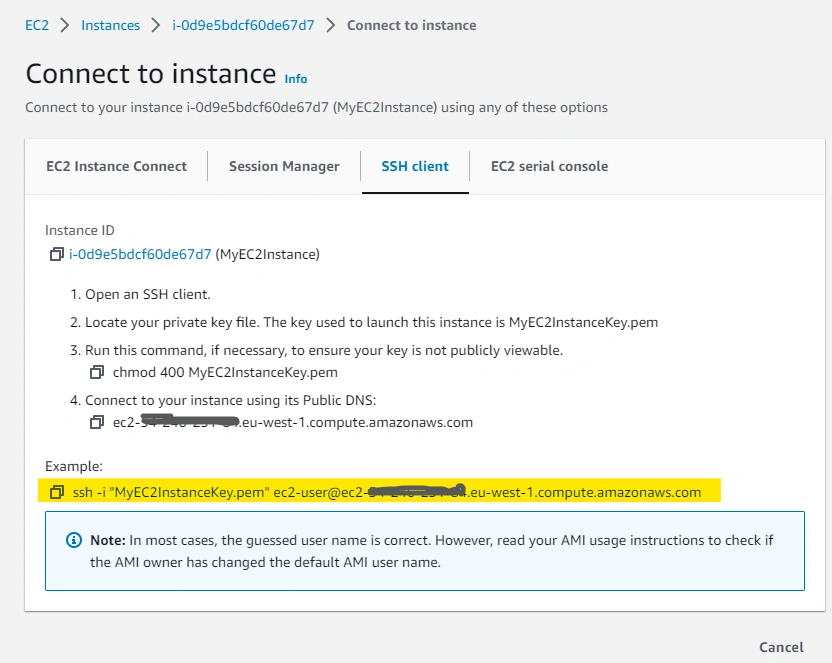
3. Copy the command mentioned in the Example and save it. We will use it later.
Here, MyEC2InstanceKey.pem, Is the key used to launch this instance, and ec2-user is the default user to connect this instance
4. Now, Open an SSH client
- If you use Windows 10/11 or Windows Server 2019 or above, you can use Windows Powershell Terminal.
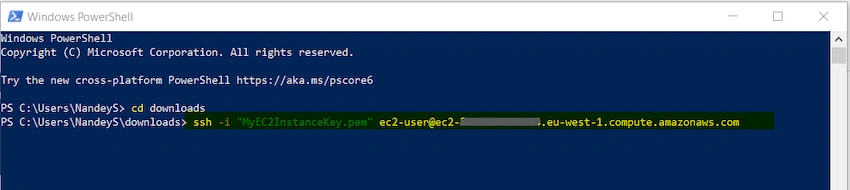
5. Locate your private key file in the command shell, paste the command we copied in step 3, and press Enter.
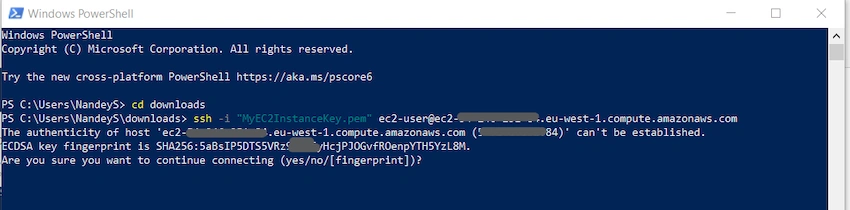
6. Below message will be prompt, type yes and press Enter.
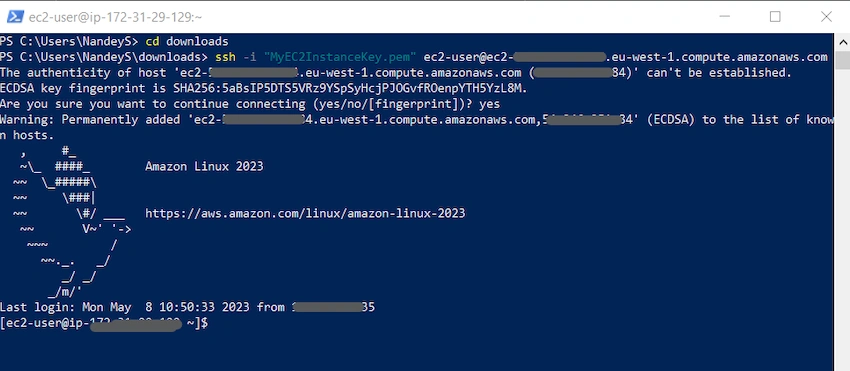
7. You will get the below message once the instance is connected successfully.
Happy Learning :)
Join the conversation! Your thoughts help the community grow.