
We developers work hard to write code but these QA guys find bugs in our code. We don’t have any choice but to find and fix the bug ASAP. After all this hard work, we push everything to production, then new questions arise from people - why is this page slow? why is this operation taking time? why this and that? To answer these questions, we need a proper logging mechanism to identify and it takes hours of coding and analysis. What if we had a mechanism to track this with fewer hours of code to analyze and more time to fix it? Application insights come into the picture to solve our logging work with best analysis tools.
What is required to proceed?We need an Azure subscription to start with Application Insights to our applications. All the logs are recorded here and we can see our data.
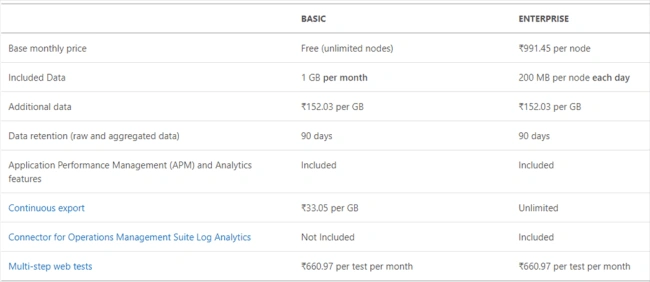
How costly is this?For the first 1GB, it is free and after that, it costs INR. 152 per GB.
To use AppInsigts, should the application be in Azure?
Not at all. Your application could be running in your local development environment or hosted in some third party hosting environments or Azure or AWS or Google Cloud, no matter where it is running, it will log the data. But we require the internet to log into the server. To use this feature, we need to configure the Application Insigts in our application and put some code depending on our language.
No, it supports most commonly used languages. Please refer to App Insights support for more details.
Create a project.
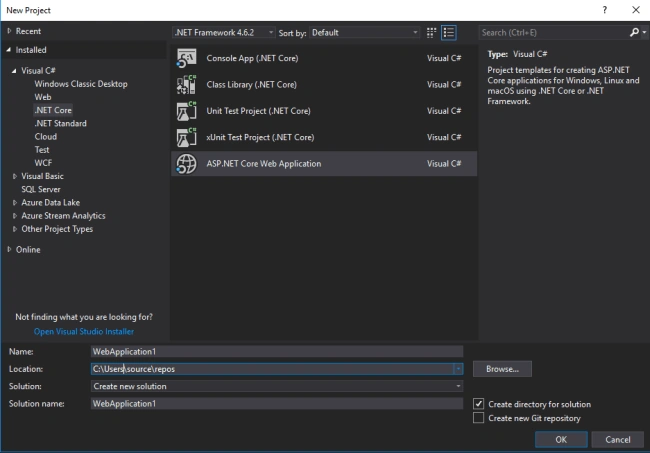
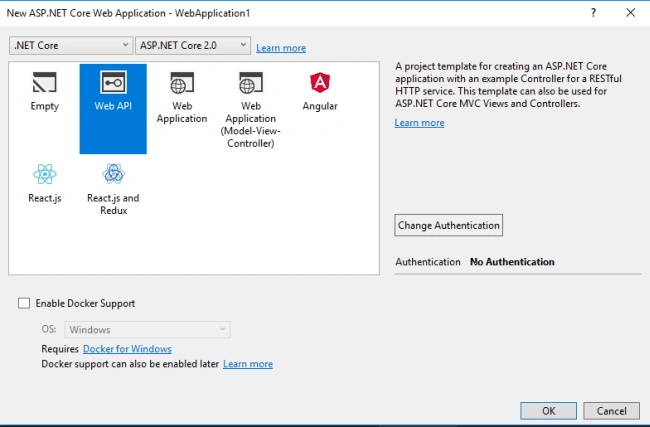
Select WebAPI and click OK.
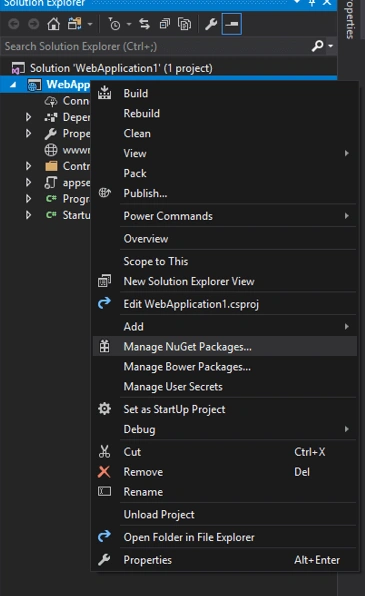
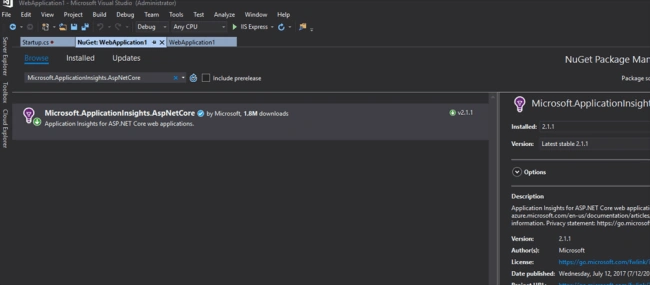
Open the Solution Explorer. Right-click on the web project, click Manage NuGet Packages.
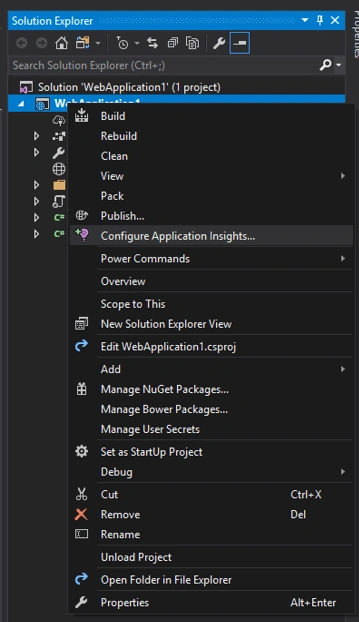
Right-click on the web project and click on Confiure Application Insights.
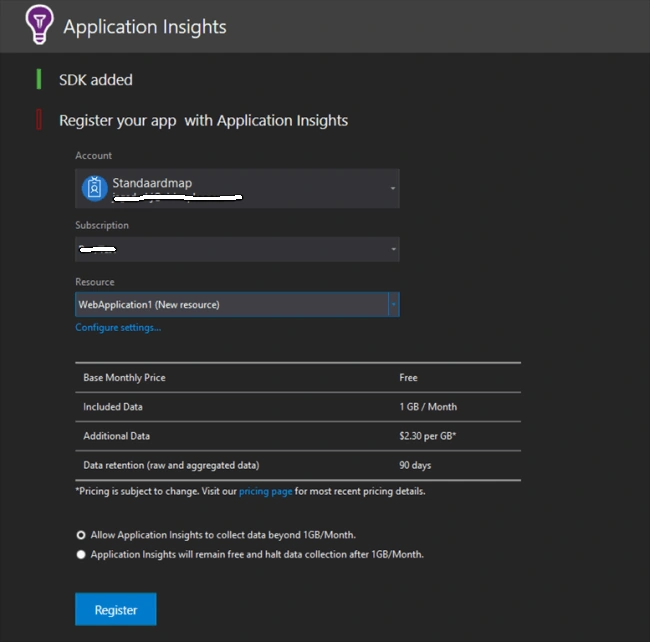
- "ApplicationInsights": {
- "InstrumentationKey": "your key"
- }
- public class Startup
- {
- public Startup(IHostingEnvironment env)
- {
- var builder = new ConfigurationBuilder()
- .SetBasePath(env.ContentRootPath)
- .AddJsonFile("appsettings.json", optional: false, reloadOnChange: true)
- .AddJsonFile($"appsettings.{env.EnvironmentName}.json", optional: true)
- .AddEnvironmentVariables();
- if (env.IsDevelopment())
- {
- builder.AddApplicationInsightsSettings(developerMode: true);
- }
- Configuration = builder.Build();
- }
- public IConfiguration Configuration { get; }
- // This method gets called by the runtime. Use this method to add services to the container.
- public void ConfigureServices(IServiceCollection services)
- {
- services.AddApplicationInsightsTelemetry(Configuration);
- services.AddMvc();
- }
- // This method gets called by the runtime. Use this method to configure the HTTP request pipeline.
- public void Configure(IApplicationBuilder app, IHostingEnvironment env)
- {
- if (env.IsDevelopment())
- {
- app.UseDeveloperExceptionPage();
- }
- app.UseMvc();
- }
- }
If you're using version 2.0, you must not include the following.
- app.UseApplicationInsightsRequestTelemetry();
- and app.UseApplicationInsightsExceptionTelemetry(); since they are managed internally.
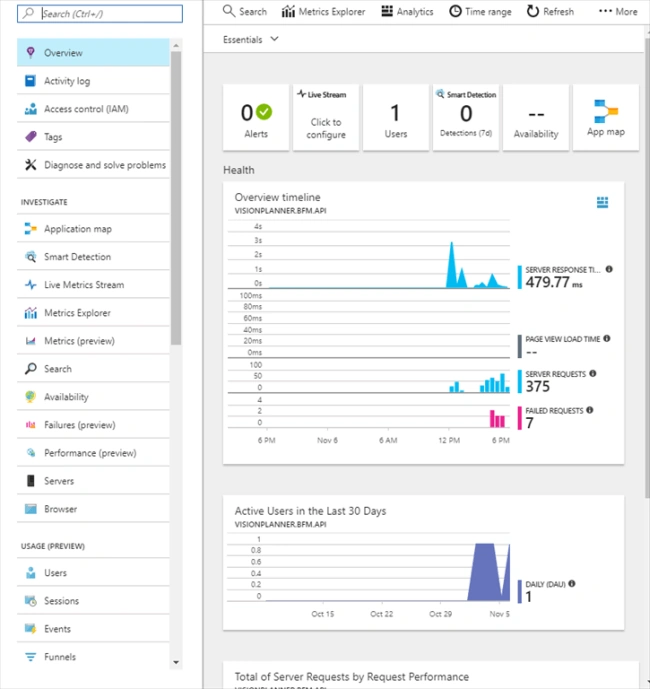
A big yes, but we didn't write any code to catch the exceptions and request logs. How will it work?
shailendra rampalPosted Jun 20, 2019, 3:35 AM
This is very helpful, Thank you so much ! :)
Kaushik DonkenaPosted Nov 21, 2017, 2:44 PM
Very useful. Thanks, keep sharing good stuff like this
Rafnas T PPosted Nov 19, 2017, 1:36 AM
Nice share, keep sharing..