

Content
Debugging is a tool that is very useful for every developer. Developers can't even think of programming without debugging in this era.
In debugging, you just put the breakpoint anywhere in your code and check the value using the "immediate window" or hover the mouse over a variable/object. You also use F10/F11 to move forward.
Why we need Conditional Debugging
Just take a real scenario where you wrote some code in a loop that executes 10 times but for the 9th iteration something unwanted happens like an error, wrong result, exception and so on then what will you do?
For the earlier conditional debugging feature, to reach the 9th iteration you use F5 from iteration 1 to iteration 9 but using conditional debugging you can easily get directly to the 9th iteration.
To explain it visually see the following code: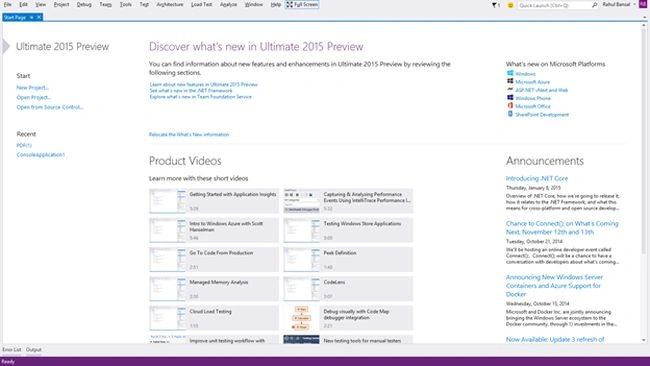
Open Visual Studio 2015 and select "File" -> "New" -> "WebSite" and fill in the WebSite name as "WebSite1".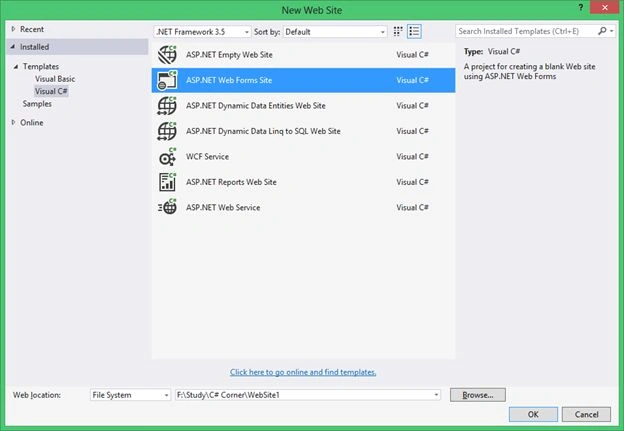
After creating the WebSite, I will create a Page named "Default.aspx".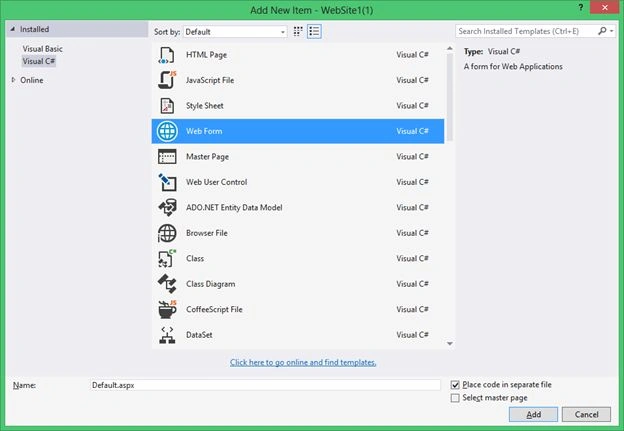
Now I will create a "for" loop that will execute 10 times.
- protected void Page_Load(object sender, EventArgs e)
- {
- for (int i = 1; i <= 10; i++)
- {
- //Do the code
- }
- }
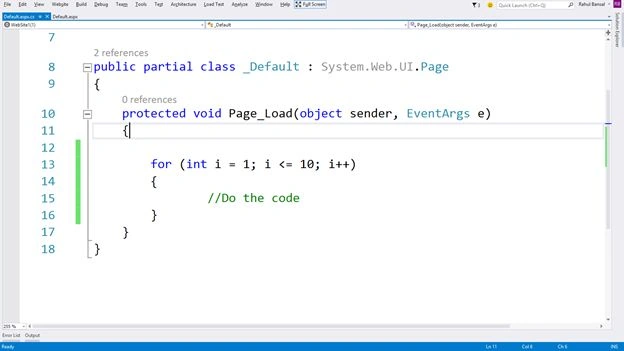
1. Now I will put a breakpoint on the left side.
2. Then click on the "settings" icon to specify the condition.
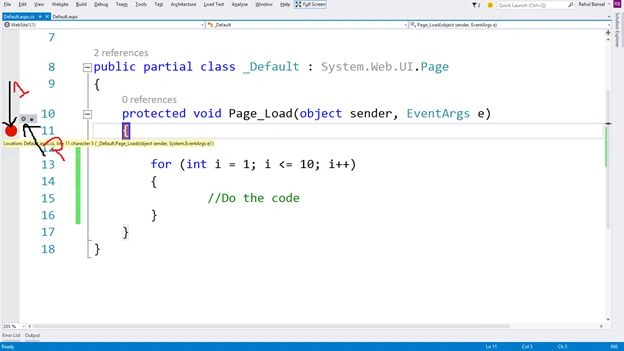
A popup window named "Breakpoint Settings" will open like:
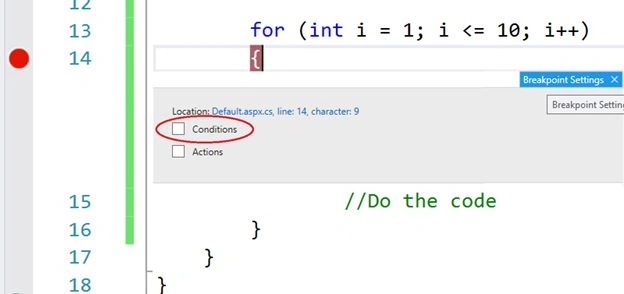
Click on the check box of Conditions, set the condition using an expression like i==9 and press Enter.
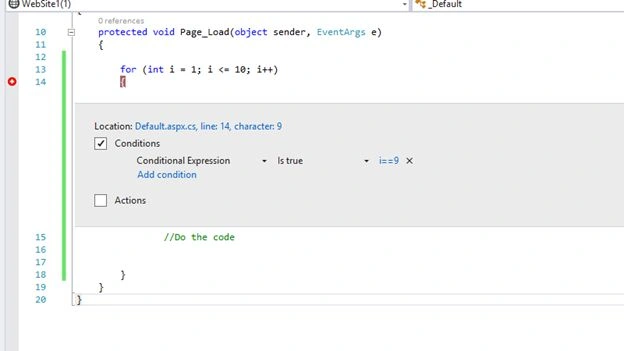
When I run the page using F5, the breakpoint will only be hit for the true condition and that is i==9.
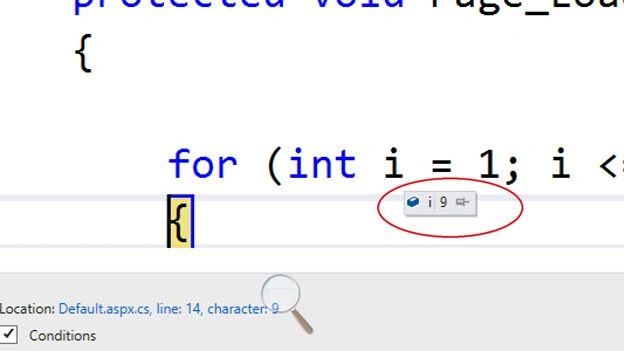
As you can see in the preceding image, the breakpoint works on the 9th iteration.
Conclusion
Now you understand about the Conditional debugging and I hope you will use it when debugging.
Prasham SabadraPosted Feb 26, 2015, 5:35 PM
Nice article. Thanks.
Akhil GargPosted Jan 25, 2015, 2:38 AM
Good Info !!
Mukesh Kumar TiwariPosted Jan 23, 2015, 7:39 AM
Really very useful for programmers....
Guest UserPosted Jan 23, 2015, 2:55 AM
Yes, right Rahul, my bad in using two curly braces :)
Rahul BansalPosted Jan 23, 2015, 2:00 AM
Thanks Sumit, but variable will be use like {i} not {{i}} to print in Output window
Guest UserPosted Jan 23, 2015, 1:41 AM
good one. another thought i've is to use Actions checkbox, ex- you can select and mention value of variable like {{i}} to print in Output window. This is useful when we're debugging for threads also
Vishal JadhavPosted Jan 22, 2015, 11:17 PM
Thanx sir.
Arweb AroshanzamirPosted Jan 22, 2015, 4:18 PM
very informative ...thanks
Jagdev MishraPosted Jan 22, 2015, 7:38 AM
good sir
Manish Kumar ChoudharyPosted Jan 22, 2015, 7:07 AM
Nice one..