

Note: this article is published on 10/20/2024.
This is a seres of articles about Angular Installation, Upgrading.
- Angular Installation and Environment Setup
- Update Angular For Environment And Project
- Update nx-angular:
- Update nx-Angular from 12 to 17 (1) --- Initial Point
- Update nx-Angular from 12 to 17 (2) --- in a nx environment
- Update nx-Angular from 12 to 17 (3) --- to Latest or Version by Version?
- Update nx-Angular from 12 to 17 (4) --- Debugging (1)
- Update nx-Angular from 12 to 17 (5) --- Debugging (2)
- Update nx-Angular from 12 to 17 (6) --- .Net updating vs. Angular updating --- this article
A - Introduction
This article is to discuss some major errors incurred in this upgrading process.
The content of this article:
- A - Introduction
- B - .Net Upgrading Process
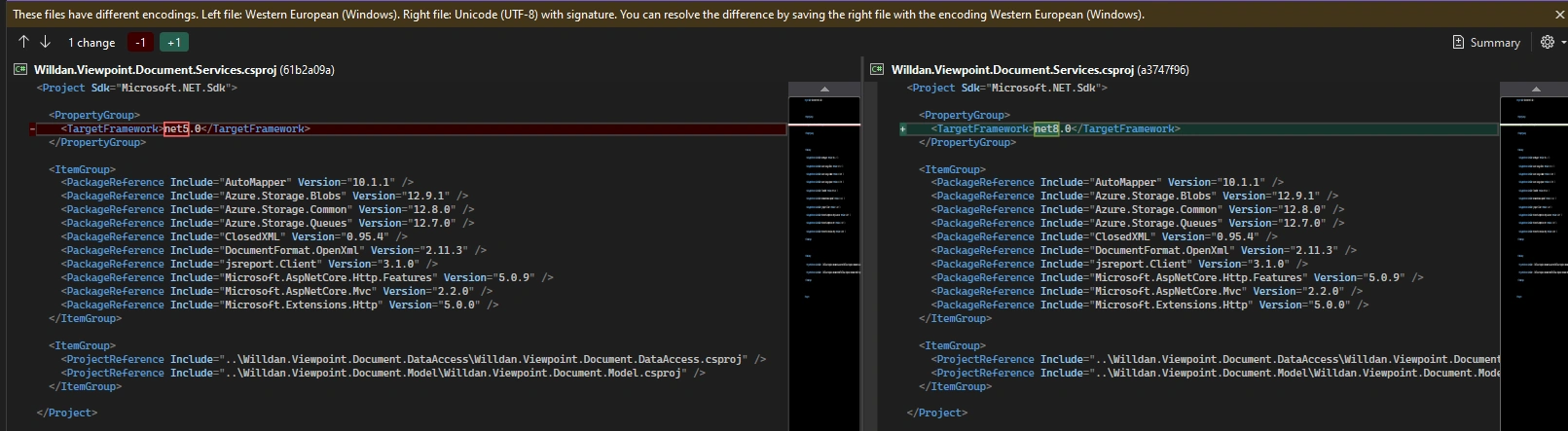
- Update .Net version
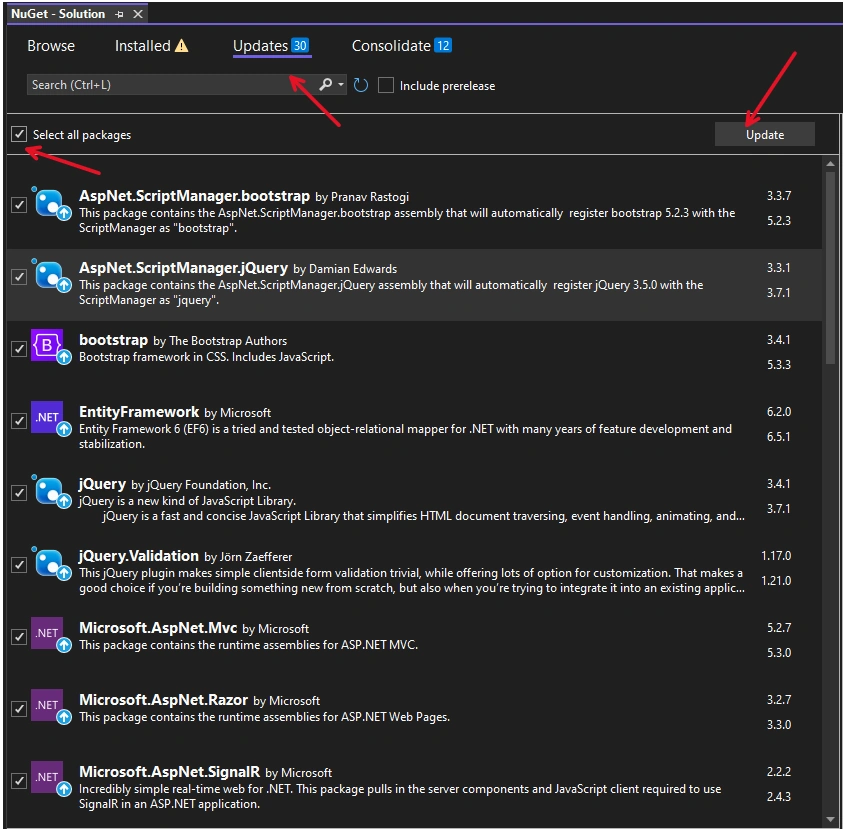
- Update package References
- Compiling
- C - nx-Angular Upgrading Process:
- Updates dependencies in package.json and generates a migrations.json file
- Installs the new dependencies
- Executes the migration scripts based on migrations.json
- Compiling
- D - Comparison between .Net Upgrading and nx-Angular Upgrading
B - .Net Upgrading Process:
There are three steps:
- Update .Net version
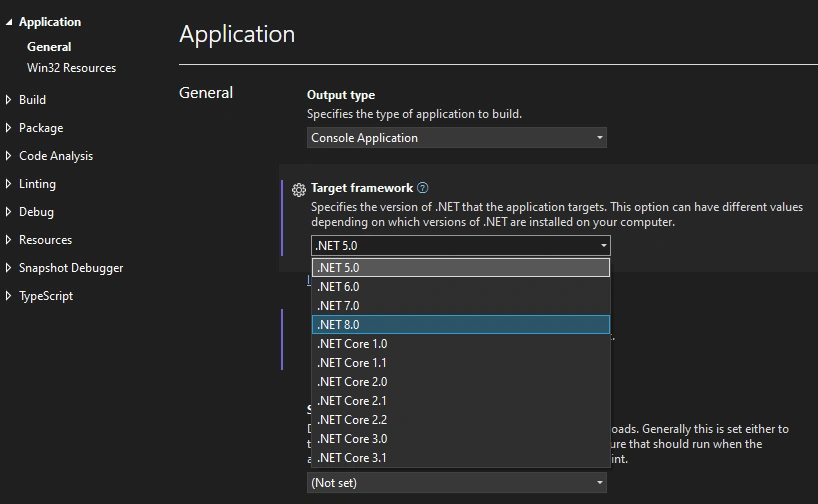
.Net 5.0 to 8.0
- Update package References
- Compiling: The error handlling will be here
C - nx-Angular Upgrading Process:
To update an NX-Angular project, you can use the following commands:
- Updates dependencies in package.json and generates a migrations.json file by
- npx nx migrate latest (or certain version):
This step will create or modify two files:
- pachage.json
- migration.json
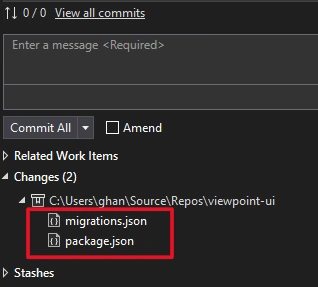
Changes in Pachkage.json
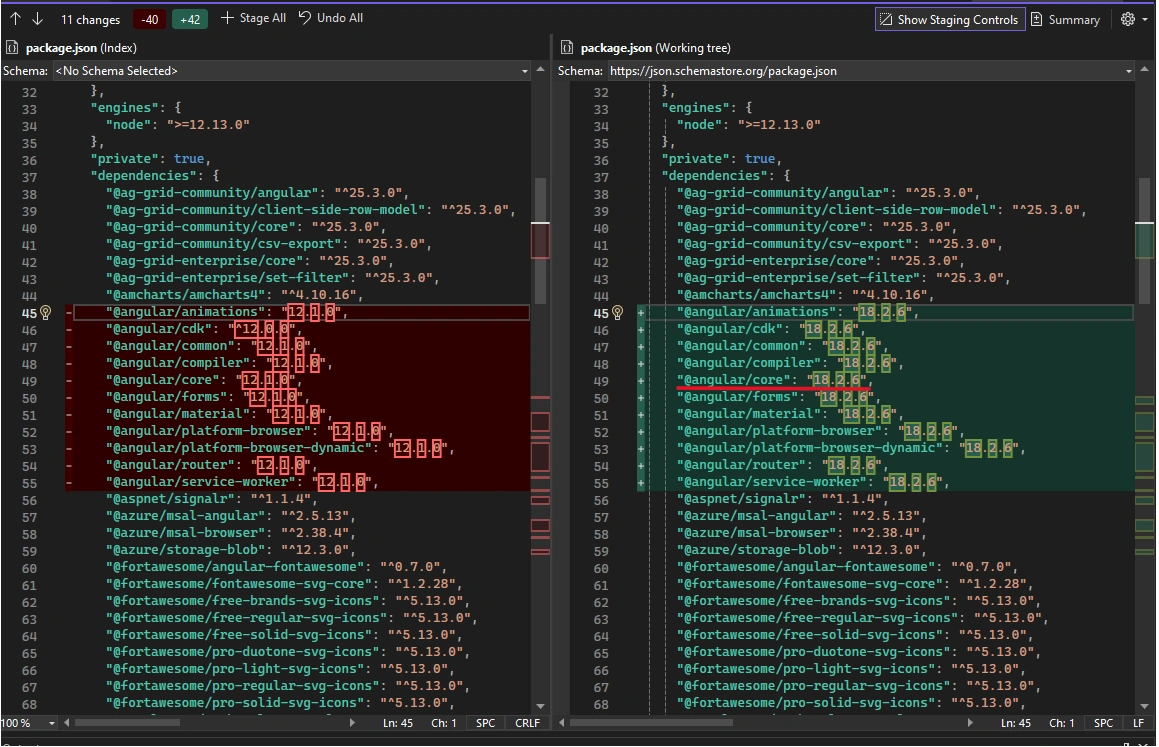
Second part:
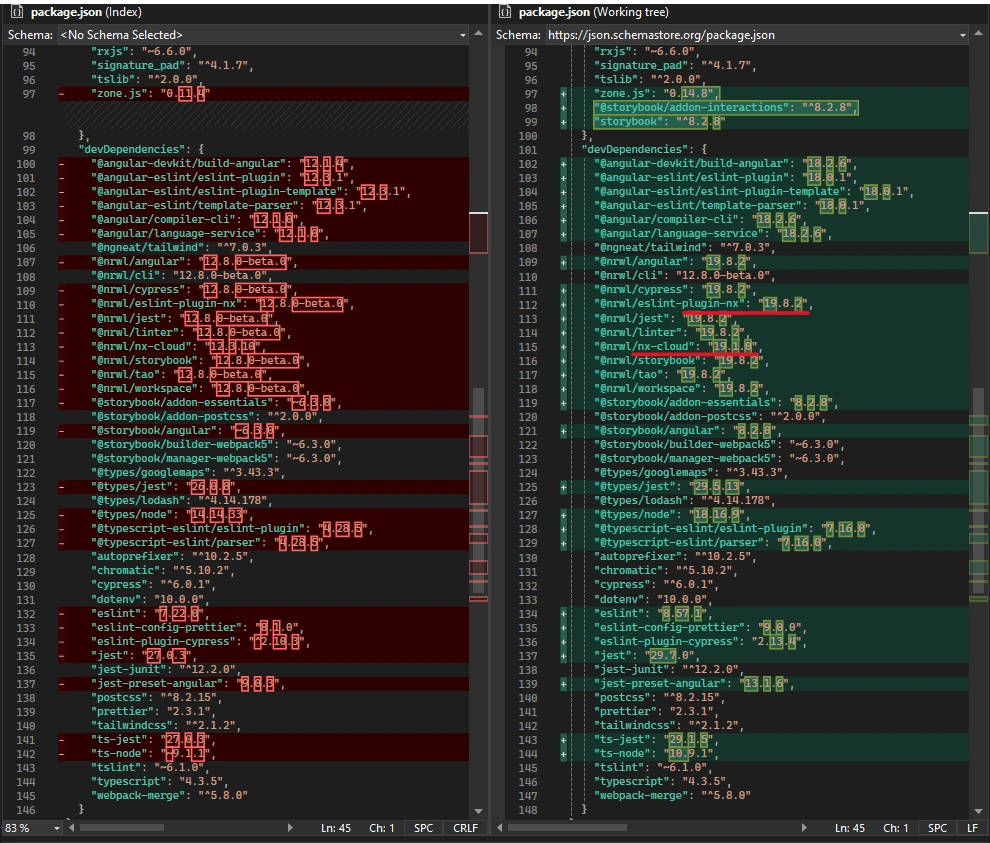
Migrations.json --- new or modified file
- Installs the new dependencies by
- npm install:
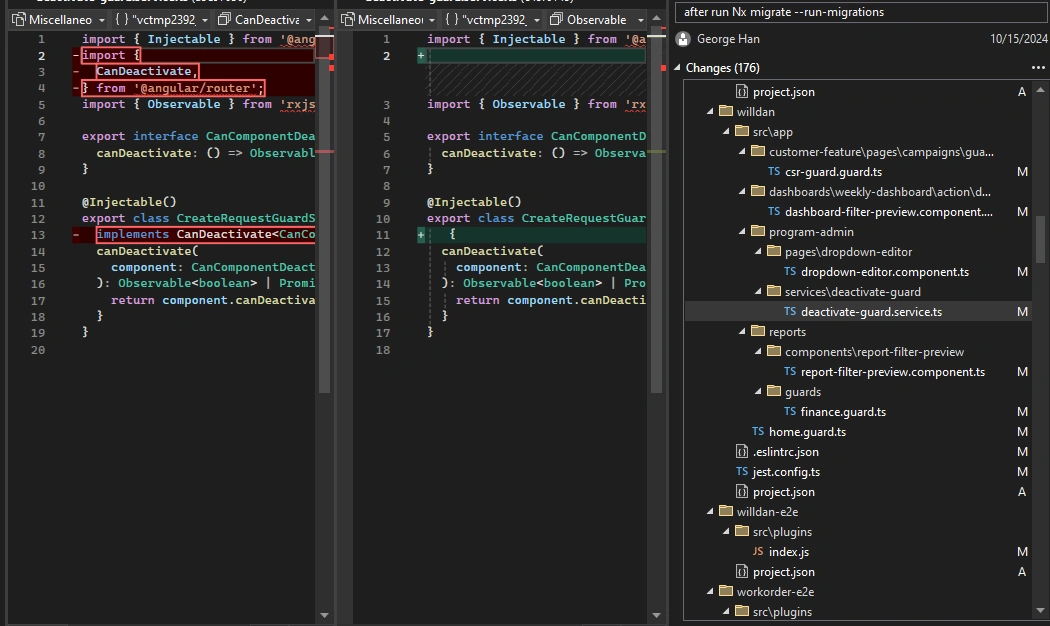
- Executes the migration scripts based on migrations.json by
- npx nx migrate --run-migrations
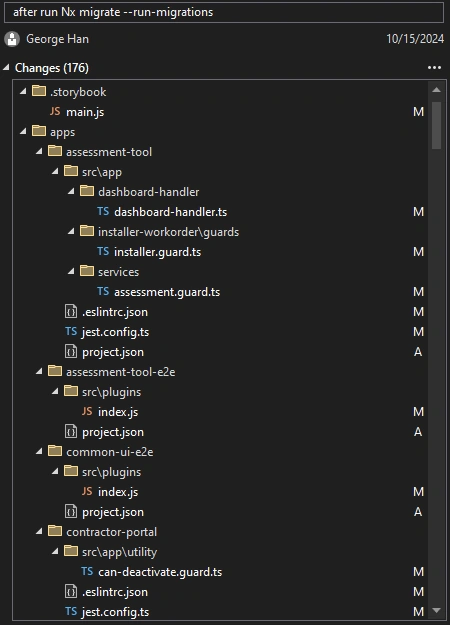
These code changes will be about 10 times of this viewable list. There are more than hundreds of changes such like this
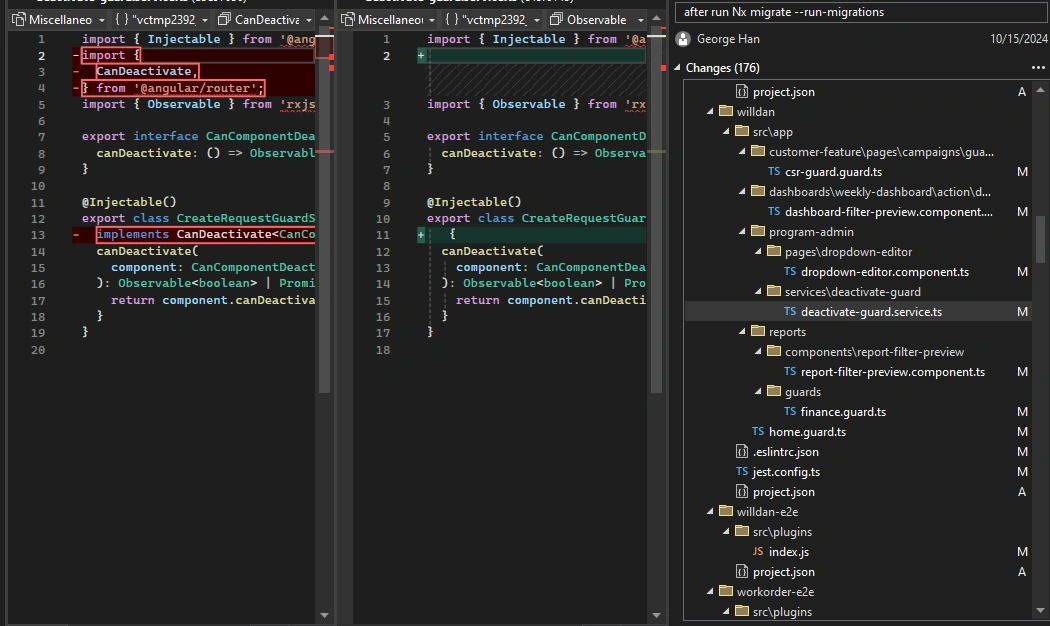
This means, the migration tool is so powerful. On the other hand, so many modifications will cause the updating much more complex. This point will be reflected in debugging stage.
D - Comparison between .Net Upgrading and nx-Angular Upgrading
The proceses are below:
- .Net Upgrading Process
- Update .Net version
- Update package References
- Compiling and Debugging
- nx-Angular Upgrading Process:
- Updates dependencies in package.json and generates a migrations.json file
- Installs the new dependencies
- Executes the migration scripts based on migrations.json
- Compiling
We can see for nx-angular updating, the thrid step is to migrate the code change. For that either some missing upgrading or the upgrading itself can trigger some errors or new errors. it seems the angular upgrading is more complex and error triggering than .Net.
Furthermoew, for nv-angular upgrading, nx migrations can streamline the process of updating an Angular and Nx workspace. However, they may not always cover every aspect, so you can refer to other projects for guidance. You can also create a new workspace with the latest version, compare the changes, and incorporate them into your existing workspace.
Join the conversation! Your thoughts help the community grow.