

Introduction
I have written various articles on C# Corner about Blazor and this time I want to write an article about combining VB.NET and C#. I have found that many big companies are still using Webforms with VB.NET and if they want to migrate their application to Blazor in the future, it is possible. That is the reason for writing this article.
Create Blazor Server Project in Visual Studio 2019
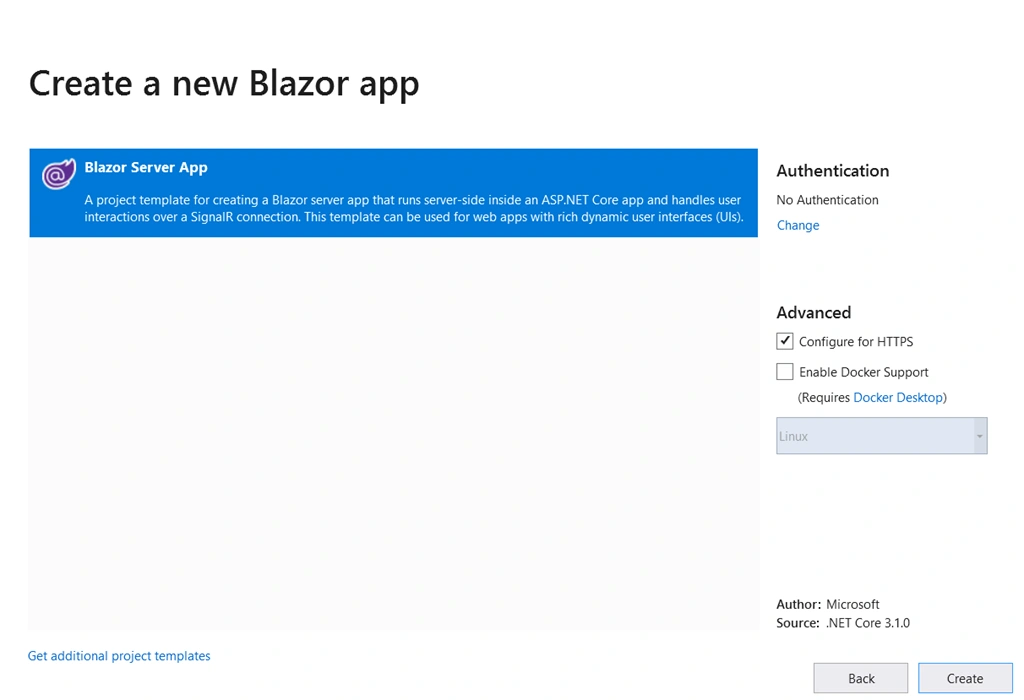
Please use Visual Studio 2019 to create a Blazor server project
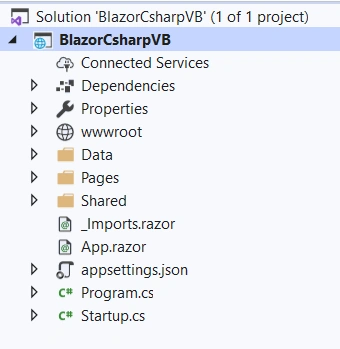
You can see the project structure which is in C#.
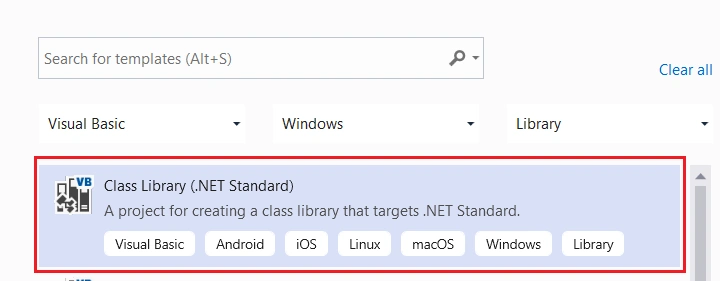
Now, we can add a new VB.NET Class library project to the solution.
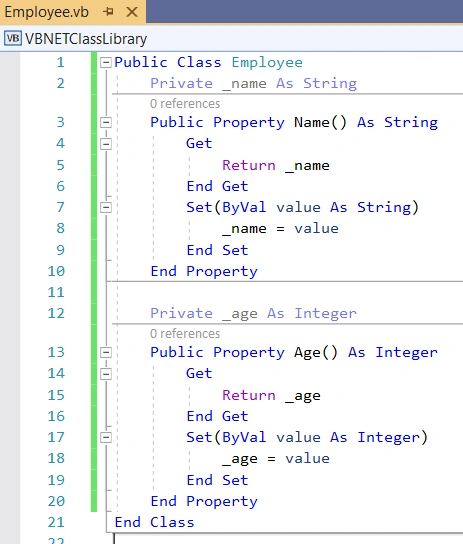
We can quickly add an Employee class in VB.NET project and add two properties as shown below.
We can add this VB.NET library to our existing Blazor server project.
Add a new component, Employees, inside the “Pages” folder of Blazor server project.
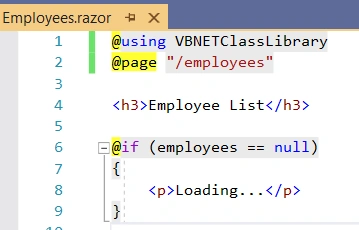
Add the below code inside the component page.
Employees.razor
- @using VBNETClassLibrary
- @page "/employees"
- <h3>Employee List</h3>
- @if (employees == null)
- {
- <p>Loading...</p>
- }
- else
- {
- <table class='table'>
- <thead>
- <tr>
- <th>Name</th>
- <th>Age</th>
- </tr>
- </thead>
- <tbody>
- @foreach (var employee in employees)
- {
- <tr>
- <td>@employee.Name</td>
- <td>@employee.Age</td>
- </tr>
- }
- </tbody>
- </table>
- }
- @code {
- List<Employee> employees = new List<Employee>();
- protected override void OnInitialized()
- {
- employees.Add(new Employee { Name = "Sarathlal Saseendran", Age = 38 });
- employees.Add(new Employee { Name = "Anil Soman", Age = 43 });
- }
- }
You can notice that we have used VB.NET class library inside the component.
We can modify the shared component NavMenu by adding the Employees routing.
NavMenu.razor
- <div class="top-row pl-4 navbar navbar-dark">
- <a class="navbar-brand" href="">BlazorCsharpVB</a>
- <button class="navbar-toggler" @onclick="ToggleNavMenu">
- <span class="navbar-toggler-icon"></span>
- </button>
- </div>
- <div class="@NavMenuCssClass" @onclick="ToggleNavMenu">
- <ul class="nav flex-column">
- <li class="nav-item px-3">
- <NavLink class="nav-link" href="" Match="NavLinkMatch.All">
- <span class="oi oi-home" aria-hidden="true"></span> Home
- </NavLink>
- </li>
- <li class="nav-item px-3">
- <NavLink class="nav-link" href="counter">
- <span class="oi oi-plus" aria-hidden="true"></span> Counter
- </NavLink>
- </li>
- <li class="nav-item px-3">
- <NavLink class="nav-link" href="fetchdata">
- <span class="oi oi-list-rich" aria-hidden="true"></span> Fetch data
- </NavLink>
- </li>
- <li class="nav-item px-3">
- <NavLink class="nav-link" href="employees">
- <span class="oi oi-list-rich" aria-hidden="true"></span> Employees
- </NavLink>
- </li>
- </ul>
- </div>
- @code {
- private bool collapseNavMenu = true;
- private string NavMenuCssClass => collapseNavMenu ? "collapse" : null;
- private void ToggleNavMenu()
- {
- collapseNavMenu = !collapseNavMenu;
- }
- }
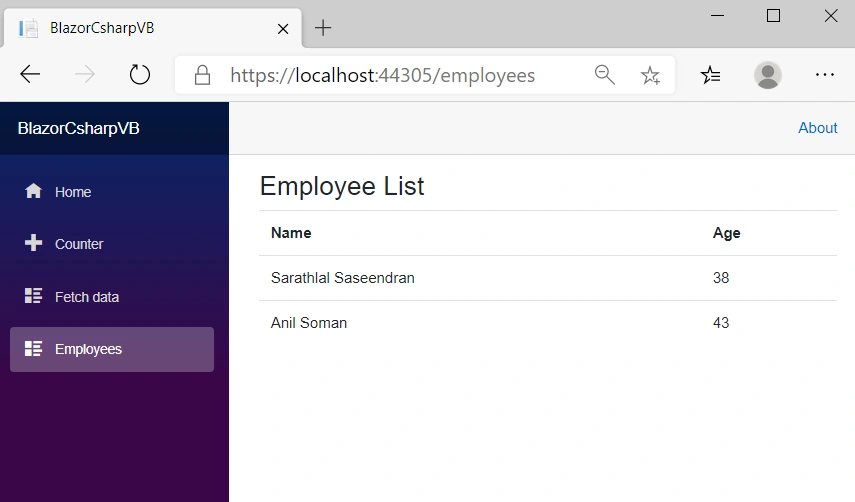
We have successfully run the application.
Conclusion
In this post, we have seen how to combine VB.NET with a Blazor Server project which is in C#. The intention for this application is to motivate people to do migration from previous VB.NET webforms applications to the current Blazor framework.
Join the conversation! Your thoughts help the community grow.