

Summary for ColorReliefButton:
My idea was to create a button that can be used as a colourful decoration for any application.
The look of the ColorReliefButton can be determined by changing property values. The main attraction should be a cool look (Relief) of the controls text. Like this almost any font (TrueTyp) can be used to decorate a button and there is no need to use bitmaps.
Realisation:
Derive a Class
ColorReliefButton derives from System.Windows.Forms.Button.
| Added custom properties: To customise the look of the button I added the following properties:
|
 |
- OnPaint
Calls the 2 methods (DrawControl and DrawControlStringRelief) to draw the control and the text relief (see later). Depending on the members bMouseOver and bPushed the calls will be given other parameters.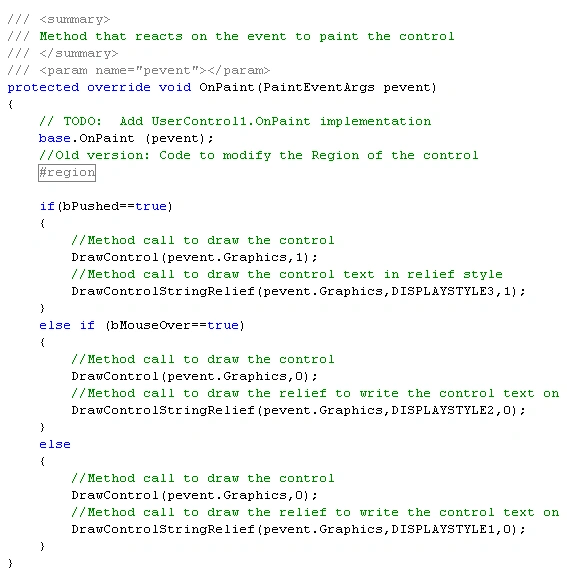
- OnMouseUp
Sets the member bPushed to true.
- OnMouseDown
Sets the member bPushed to false and "invalidates" the control to be redrawn by calling the method Invalidate.
Added eventhandlers for:
- MouseEnter Event
Sets the member bMouseOver to true and "invalidates" the control to be redrawn by calling the method Invalidate.
- MouseLeave Event
Sets the member bMouseOver to false and "invalidates" the control to be redrawn by calling the method Invalidate.
Added 2 methods to do the graphic part:
- DrawControl draws the buttons user interface in 3D style.
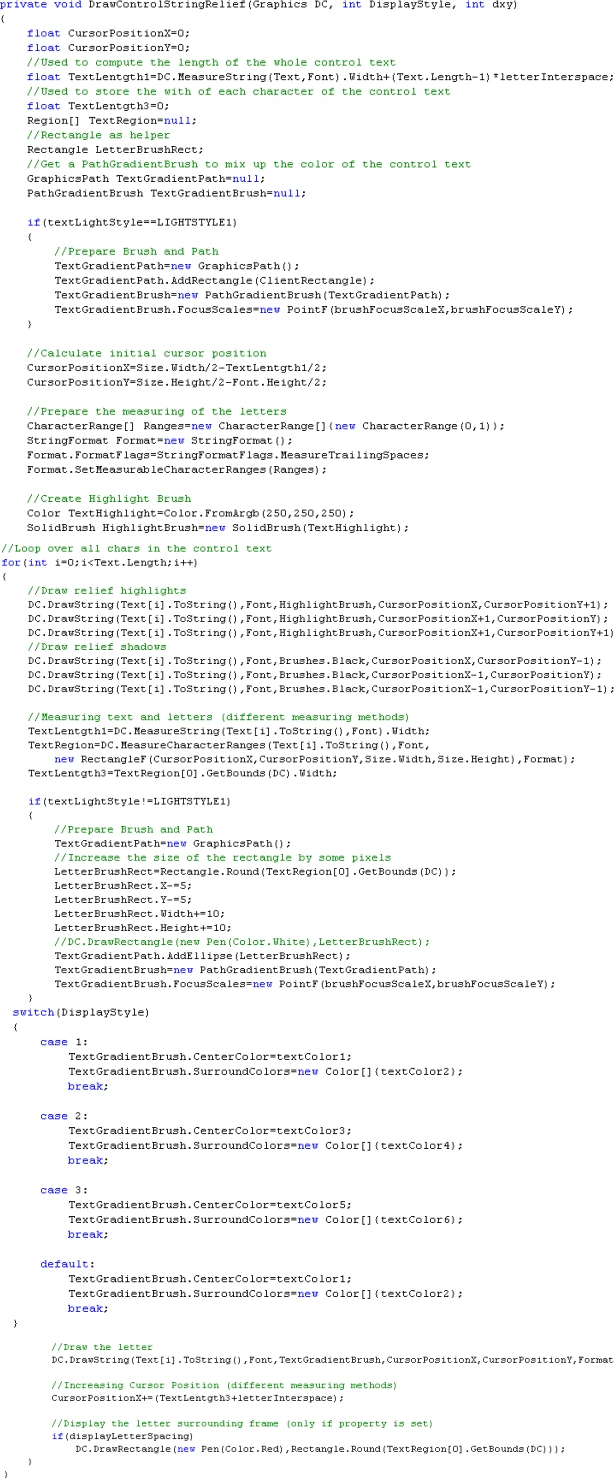
- DrawControlStringRelief draws the Button's text in "Relief Style"
This method works depending on all the custom properties mentioned above.
Disabled some of the inherited Properties:
For not having to much properties in the property window I disabled several properties that are no longer of use for this control (all background and image properties).
Conclusion:
There is much effect without a huge amount of work.
Join the conversation! Your thoughts help the community grow.