

Introduction
My earlier articles described how to connect to your TFS account, how to upload code in TFS and how to check your code in TFS. I have now found one extra activity related to this and that is Code Review in TFS. Code Review provides a view of your entire solution. If any type of changes are applied to your solution then Code Review is the best option to view the types of changes applied and you can also see the name of the developer. The entire solution exists in your Team Foundation Service. The following is the procedure to view your code in the Team Foundation Service.
- Solution Selection
First connect to your TFS account and go to your home page of the Team Foundation Service. There may be multiple types of solution code existing in your account. Select the one requested by your team to view.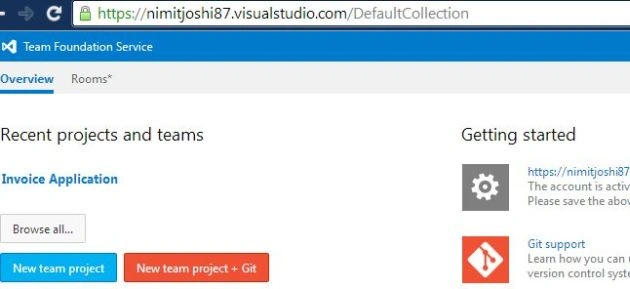
- Option Selection
After selecting your solution, select your option to view. There are various options available, like Home, Code, Work, Build, Test. By default the Home tab is selected and in the Home tab you can view your Activities, your Team Members, your solution team room. You can also configure various options listed in the Administrator tab.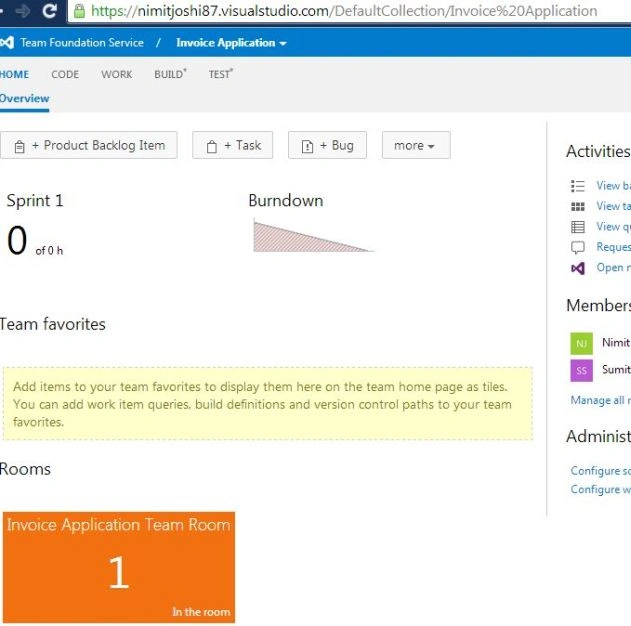
- View History
You can view all types of history, like Addition of forms in the application, Code Changes and so on in the Changesets Option related to your solution. Now, If you want to show any information about any option listed in the history, just double-click on that option.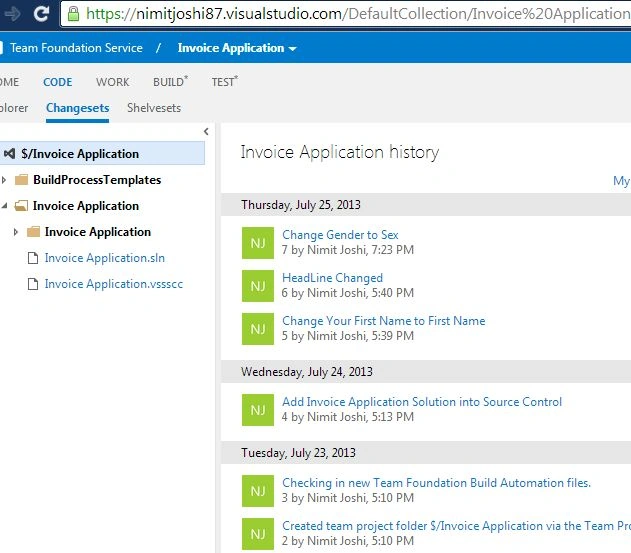
After selecting the option: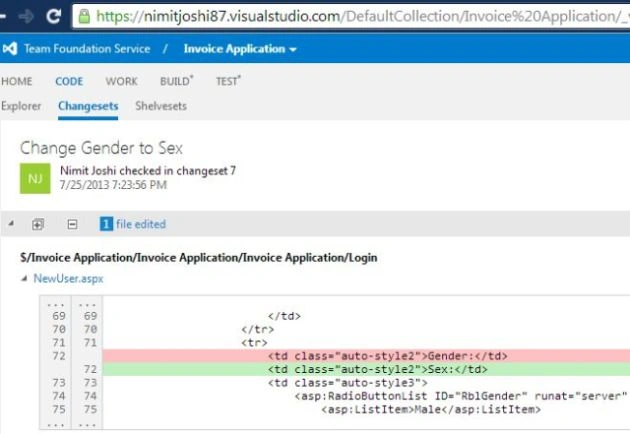
You can also add any comment about changing the help viewer of the type of change made by any developer on that particular solution.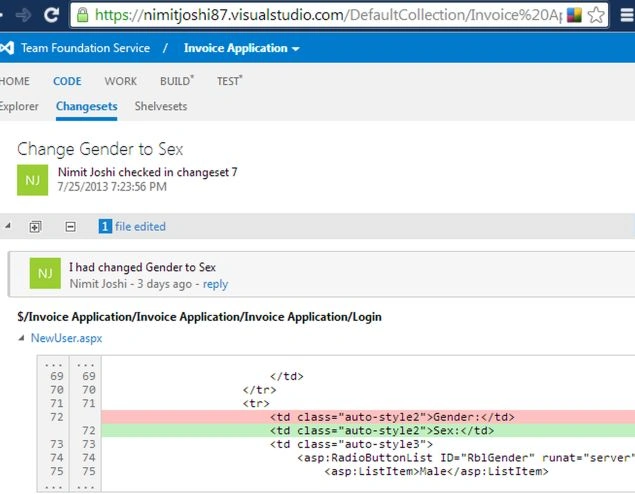
- Code Review
For watching your Code Review, select the Shelvesets option. This option helps the viewer to view all files that are added or changed by any developer. All changes related to the solution is listed. You can Hide or Show all changes. By default the changes are not hidden.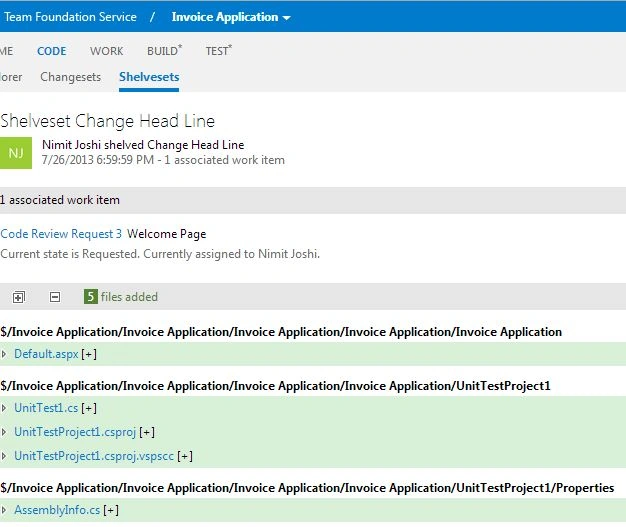
You can also add comments about your changes in the solution.
- Work Information
You can show Work Information related to you or others. To show the Work Information, go to the Work tab and select "Queries". In the Queries you can show the work assigned to you, unsaved work items, your favorites queries, team favorites queries and shared queries.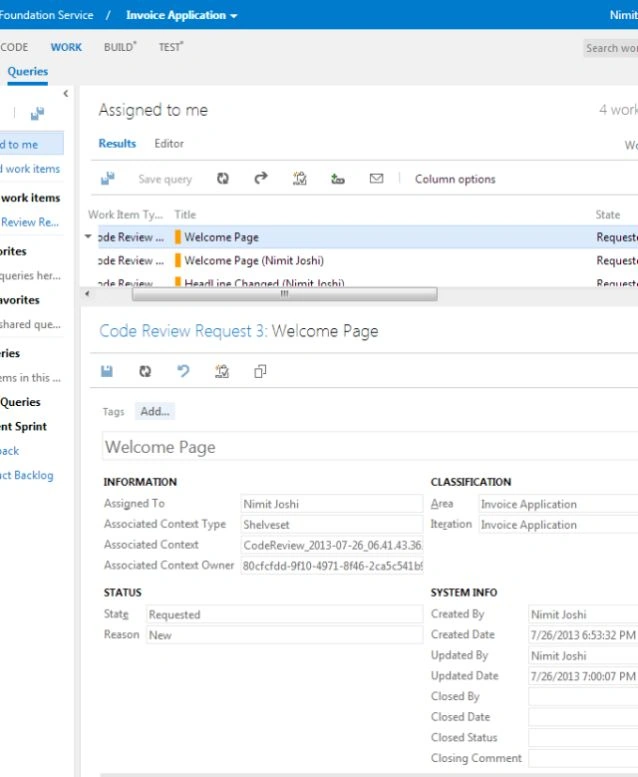
Summary
In this article I introduced how to view your solution or solution changes using Code Review in the Team Foundation Service. For this you simply need to connect yourself with your Team Foundation Service account. Select your solution then watch whatever you want.
Join the conversation! Your thoughts help the community grow.