

This article will teach you how you can show the progress bar in Windows applications, using C#.NET. So, for this application, first we will create a new Windows application and add a progress bar control.
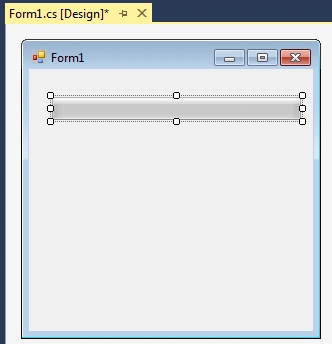
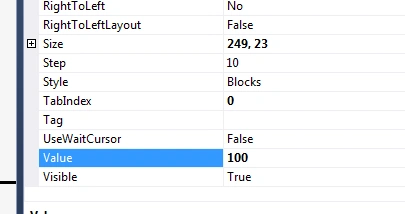
Now, we will assign the maximum value to the progress bar control. This will help to show the progress.
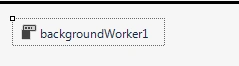
After this control setting, we will add a backgroundWorker control.
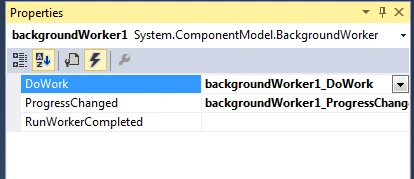
Now, generate the DoWork and ProgressChanged event for the control backgroundWorker.
After this, we will add the code on DoWork event.
- private void backgroundWorker1_DoWork(object sender, DoWorkEventArgs e)
- {
- for (int i = 1; i <= 100; i++)
- {
- // Wait 50 milliseconds.
- Thread.Sleep(50);
- // Report progress.
- backgroundWorker1.ReportProgress(i);
- }
- }
- private void backgroundWorker1_ProgressChanged(object sender,
- ProgressChangedEventArgs e)
- {
- // Change the value of the ProgressBar
- progressBar1.Value = e.ProgressPercentage;
- // Set the text.
- this.Text = e.ProgressPercentage.ToString();
- }
Now, we will add the code to invoke the backgroundWorker.
- private void Form2_Load(object sender, System.EventArgs e)
- {
- backgroundWorker1.WorkerReportsProgress = true;
- backgroundWorker1.RunWorkerAsync();
- }
- using System.ComponentModel;
- using System.Threading;
- using System.Windows.Forms;
- namespace WindowsFormsApplication1
- {
- public partial class Form2 : Form
- {
- public Form2()
- {
- InitializeComponent();
- }
- private void Form2_Load(object sender, System.EventArgs e)
- {
- backgroundWorker1.WorkerReportsProgress = true;
- backgroundWorker1.RunWorkerAsync();
- }
- private void backgroundWorker1_DoWork(object sender, DoWorkEventArgs e)
- {
- for (int i = 1; i <= 100; i++)
- {
- // Wait 50 milliseconds.
- Thread.Sleep(50);
- // Report progress.
- backgroundWorker1.ReportProgress(i);
- }
- }
- private void backgroundWorker1_ProgressChanged(object sender,
- ProgressChangedEventArgs e)
- {
- // Change the value of the ProgressBar
- progressBar1.Value = e.ProgressPercentage;
- // Set the text.
- this.Text = "Progress: " + e.ProgressPercentage.ToString() + "%";
- }
- }
- }

Lasitha WijethilakaPosted Sep 9, 2018, 10:27 AM
Awesome.keep up the good word
Dharmendra Kumar PanditPosted May 17, 2018, 5:54 AM
Nice one working fine......
Surajit SantraPosted Dec 14, 2017, 4:54 AM
Nice article.......
LuisPosted Jan 18, 2017, 12:06 PM
We start with Form1 and the code shows Form2. Did you open another Form ???
GokulPosted Sep 7, 2016, 7:48 AM
Thanks very help me
Bikesh SrivastavaPosted Aug 17, 2016, 6:16 AM
Very nice Vinay Singh
Ravi KandelPosted Aug 14, 2016, 2:53 AM
Nice
RakeshPosted Aug 14, 2016, 2:39 AM
Good