
One of the email service on Azure is SendGrid. SendGrid is a cloud based email service that provides reliable transactional email delivery, scalability, and real-time analytics along with flexible APIs that makes integration easy.
The prices for this services are as below as mentioned on their website https://sendgrid.com/pricing as of writing this article.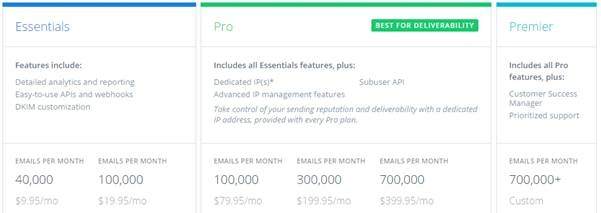
But Azure customers get 25,000 free emails each month. These 25,000 free monthly emails will also give you access to advanced reporting and analytics and all APIs (Web, SMTP, Event, Parse and more).
On the new azure portal, you can choose SendGrid Email Delivery from the Developer Services menu.

Click on Creating a new SendGrid Account, and choose the relevant pricing tier.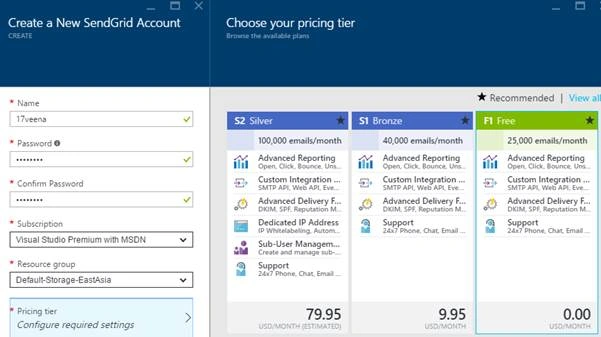
Once the service is created, you will see the settings (username, SMTP Server) in the Configurations section as shown below.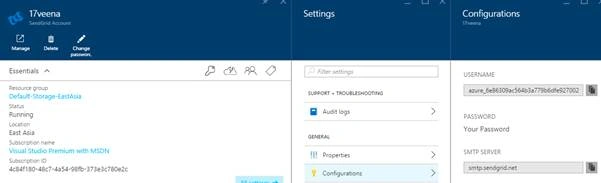
You can click on Manage to get a confirmation email address which will validate legitimate user as shown below,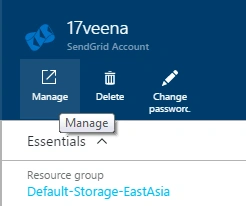
Once confirmed, you would see on https://app.sendgrid.com,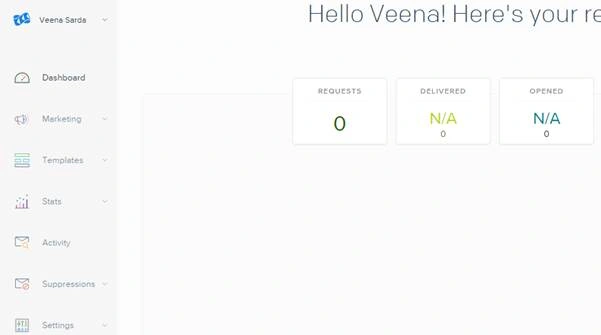
There are other settings that need to be done before starting as shown below.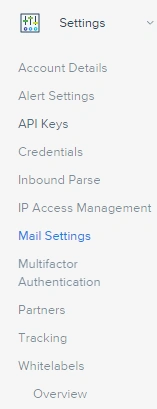
Once these settings are completed, you can start using this email cloud service.
For usage of this service through Visual Studio .Net project please refer this link.
For code examples on other languages, please refer to.

Cloud Email Service On Azure
Join the conversation! Your thoughts help the community grow.
Sign in to leave a comment
It is the same account you read, post and publish with — and you will come straight back to this page.
Prasanna MuraliPosted May 10, 2016, 10:33 AM
Nice
Kishor Bikram OliPosted Apr 28, 2016, 12:55 PM
Found it useful. Thanks!
Rahul Kumar SaxenaPosted Apr 27, 2016, 1:25 PM
Good Show
Debasis SahaPosted Apr 27, 2016, 10:12 AM
Good One..
Vignesh ManiPosted Apr 27, 2016, 8:22 AM
Nice one
Sonu ChaudharyPosted Apr 27, 2016, 8:01 AM
nice article...
Gowtham RajamanickamPosted Apr 27, 2016, 4:40 AM
good article..