

Sometimes, we may need to change the application theme to a dark and light theme that users could change at runtime. We could easily change it programmatically. In Windows 10 by defaultthe Light theme is appliedand you can check it from App.xaml file, it looks like the following image.
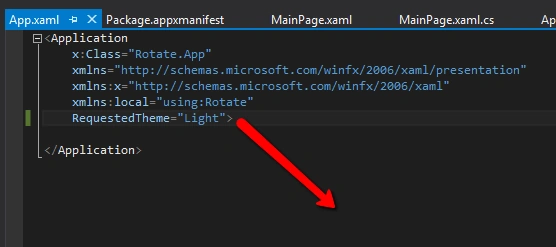
You can change it from xaml also, if you change the theme in App.xaml file it will affect the whole application theme.
But sometimes we need to give the user the ability to change the theme so in that case we need to handle it in the code and change the theme in runtime.
Change the theme of the current page write the following code,
- this.RequestedTheme = ElementTheme.Dark;
There is a problem while changing the whole app theme during runtime. If you try to change it during runtime, you’ll get an exception. To overcome this we may need some extra effects so the concern is changing the theme of every page at loading time.
Now we are going to see how to get the current theme of the app. Write the following code,
- string theme = App.Current.RequestedTheme.ToString();
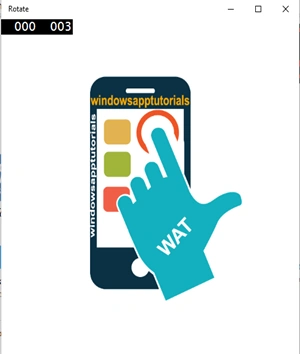
Now see the difference of the app themeit looks like the following screen.

For more information on Windows 10 UWP development, refer to my e-book:
Read more articles on Universal Windows Platform:
Ashish PrasadPosted Jan 19, 2018, 2:39 AM
I want to change all the pages of my app to dark theme, when i toggled on it was showing only current page switching to dark theme not the complete app.
Liêm NguyễnPosted May 28, 2016, 11:58 PM
Thank you!
Kuppurasu NagarajPosted Apr 14, 2016, 9:30 AM
Nice Sharing..
Vignesh ManiPosted Apr 14, 2016, 8:08 AM
Nice
Rahul Kumar SaxenaPosted Apr 14, 2016, 6:27 AM
Good One
Debasis SahaPosted Apr 13, 2016, 1:38 PM
Nice one..