

This article provides a structured approach to consolidating common string utility functions in Java by creating a dedicated utility class, StringUtils. It demonstrates how to implement methods for checking if a string contains only alphanumeric characters with underscores and if a string consists solely of letters. The guide includes code examples for defining and using these methods, showcasing how to centralize string operations to improve code organization and reusability. By following this approach, developers can maintain cleaner and more manageable code in Java applications.
To centralize string utility functions in Java, you can create a utility class that contains commonly used methods. This approach improves code organization and reusability. Below is how you can achieve this in Java, along with explanations for each code snippet.
Step 1. Create a Utility Class
Create a new class, typically named StringUtils or StringHelper, to house these methods.
import java.util.regex.Pattern;

public class StringUtils {

    /**
     * Checks if the input string contains only alphanumeric characters and underscores.
     *
     * @param input The string to check.
     * @return true if the string is alphanumeric with underscores; false otherwise.
     */
    public static boolean isAlphaNumericWithUnderscore(String input) {
        return Pattern.matches("^[a-zA-Z0-9_]+$", input);
    }

    /**
     * Checks if the input string contains only letters.
     *
     * @param s The string to check.
     * @return true if the string contains only letters; false otherwise.
     */
    public static boolean isAllLetters(String s) {
        for (char c : s.toCharArray()) {
            if (!Character.isLetter(c)) {
                return false;
            }
        }
        return true;
    }
}
Step 2. Use the Utility Class
You can use these methods anywhere in your Java application by calling them through the StringUtils class.
public class Main {
    public static void main(String[] args) {
        String testString1 = "Example_123";
        String testString2 = "Example";

        // Check if the string is alphanumeric with underscores
        boolean result1 = StringUtils.isAlphaNumericWithUnderscore(testString1);
        System.out.println("Is alphanumeric with underscore: " + result1); // Output: true

        // Check if the string contains only letters
        boolean result2 = StringUtils.isAllLetters(testString2);
        System.out.println("Is all letters: " + result2); // Output: true
    }
}
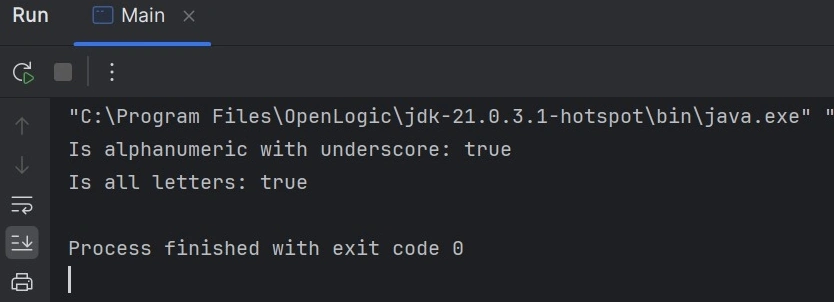
Expected Output
Explanation of the Code
Step 1. Create a Utility Class
Utility Class: StringUtils is a class that provides reusable string validation methods. This class is made static so that you can call its methods without creating an instance of the class.
- Method 1: isAlphaNumericWithUnderscore(String input).
- Purpose: This method checks whether a string contains only alphanumeric characters (A-Z, a-z, 0-9) and underscores (_).
- Pattern Matching: Pattern. matches("^[a-zA-Z0-9_]+$", input) is used to check if the string conforms to the regular expression.
- ^[a-zA-Z0-9_]+$: This regular expression means the string can contain letters (upper or lower case), digits, and underscores, and the entire string must match this pattern.
- Return Value: Returns true if the string is alphanumeric with underscores; otherwise, it is false.
- Method 2: isAllLetters(String s).
- Purpose: This method checks if all characters in the string are letters.
- Loop through characters: for (char c: s.toCharArray()) converts the string to a character array and iterates over each character.
- Character Validation: Character.isLetter(c) checks if each character is a letter (A-Z, a-z).
- Return Value: If any character is not a letter, it returns false. Otherwise, it returns true.
Step 2. Use the Utility Class
In this step, the StringUtils methods are used in the Main class to check strings.
- String Input: Two sample strings are created.
- testString1: "Example_123" (contains letters, digits, and an underscore).
- testString2: "Example" (contains only letters).
- Method Calls
- isAlphaNumericWithUnderscore(testString1) checks if testString1 is alphanumeric with underscores, and the result is stored in result1.
- isAllLetters(testString2) checks if testString2 contains only letters, and the result is stored in result2.
- Output
- For testString1, the output is true because it contains alphanumeric characters and an underscore.
- For testString2, the output is true because it contains only letters.
Conclusion
By creating a centralized utility class like StringUtils for commonly used string operations, developers can significantly enhance the organization and maintainability of their Java codebase. This approach not only promotes code reusability but also reduces redundancy and improves readability by providing a single, consistent location for string-related functionality. It ensures that developers can easily access and update string utility methods in one place, preventing code duplication and minimizing potential errors. In the long term, this strategy fosters a more robust and scalable application structure, making the code easier to manage and extend as the project evolves.
Join the conversation! Your thoughts help the community grow.