

A cascading dropdown (or cascading dropdown list) is a user interface element that consists of a series of dependent dropdown menus. The options available in one dropdown are dynamically filtered based on the selection made in another dropdown. This interactivity helps users make more relevant selections and reduces errors by guiding them through a logical sequence of choices.
Scenario. Cascading Dropdowns for Country, State, and City
Objective
To create a Power Apps form that allows users to select a country, state, and city in a cascading manner, ensuring that only relevant options are displayed based on previous selections.
Step 1. Set Up SharePoint Lists
Country List
- Name: Country
- Columns
- Title (Single line of text): Country Name (e.g., USA, Canada)
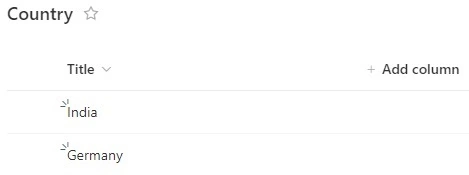
- Title (Single line of text): Country Name (e.g., USA, Canada)
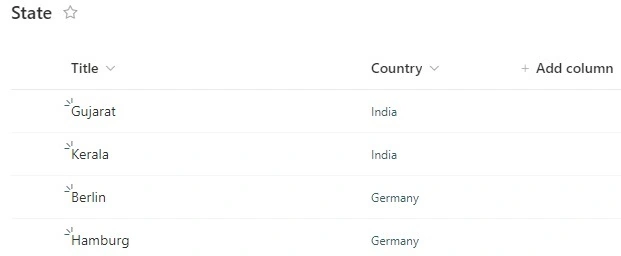
State List
- Name: State
- Columns
- Title (Single line of text): State Name (e.g., Gujarat, Kerala)
- Country (Lookup): Lookup column referencing Country
City List
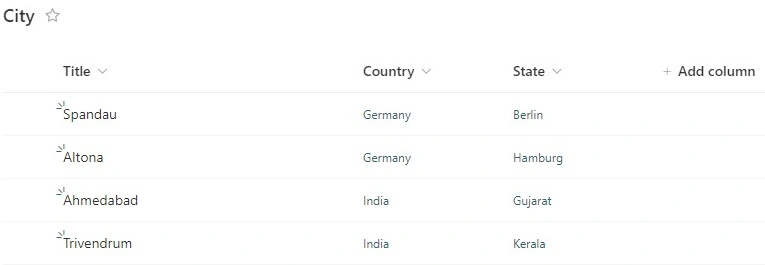
- Name: City
- Columns
- Title (Single line of text): City Name (e.g., Spandau, Ahmedabad)
- Country (Lookup): Lookup column referencing Country
- State (Lookup): Lookup column referencing State
Step 2. Create a New Power App
- Open Power Apps and create a new app (Canvas app).
- Add Three Dropdown Controls.
- Rename them to DropdownCountry, DropdownState, and DropdownCity.
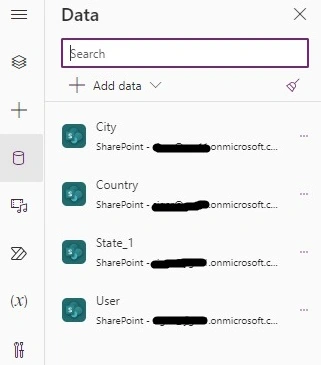
- Add the data sources ( Sharepoint and all three lists)
Step 3. Configure Dropdowns
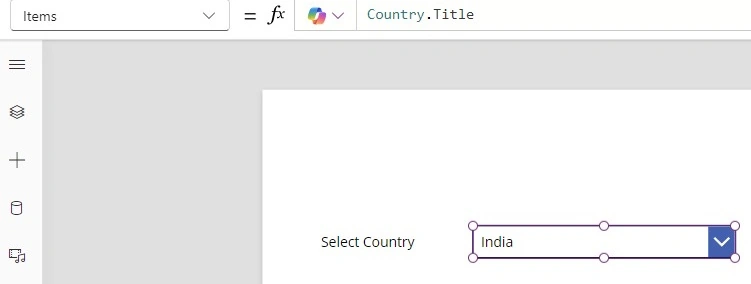
Country Dropdown
- Control: DropdownCountry
- Items Property: Choices(Country.Title)
- Label: "Select Country"
State Dropdown
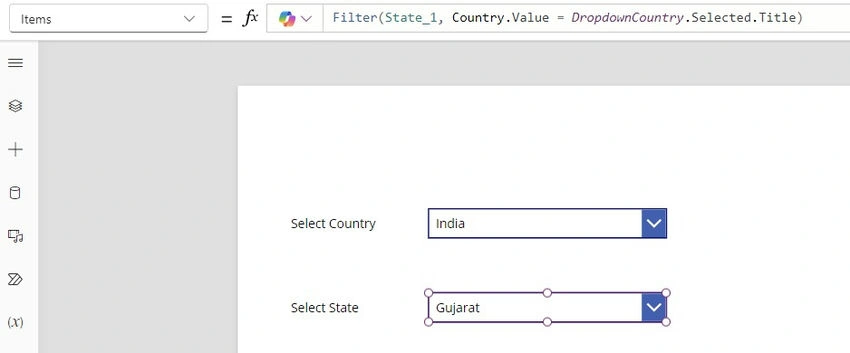
- Control: DropdownState
- Items Property: Filter(State_1, Country.Value = DropdownCountry.Selected.Value)
- Visible Property: !IsBlank(DropdownCountry.Selected.Value)
- Label: "Select State"
City Dropdown
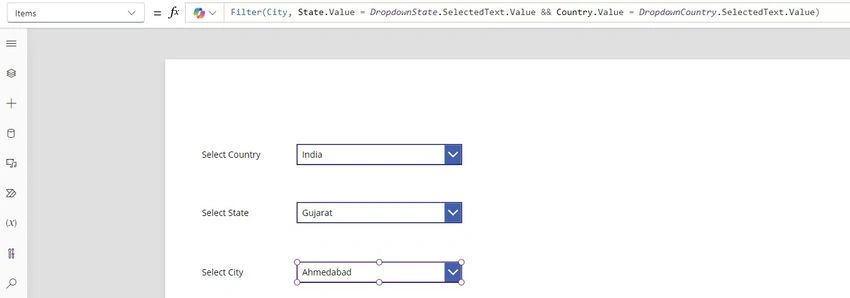
- Control: DropdownCity
- Items Property: Filter(City, Country.Value = DropdownCountry.Selected.Value && State.Value = DropdownState.Selected.Value)
- Visible Property: !IsBlank(DropdownState.Selected.Value)
- Label: "Select City"
Step 4. Save and Run the app
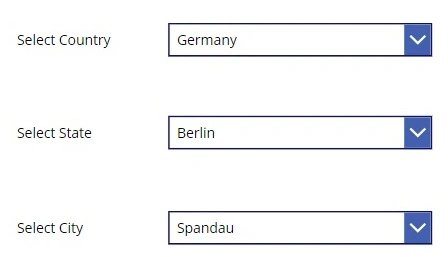
- Run the App: Test the functionality by selecting a country, then a state, and finally a city.
- Validation: Consider adding checks to ensure users cannot submit the form without selecting values from all dropdowns.
Conclusion
This setup effectively creates a cascading dropdown system in Power Apps using SharePoint lists. By following the outlined steps, users will be able to navigate through the dropdowns intuitively, ensuring that only relevant options are displayed based on their selections.
If you need further assistance or adjustments, feel free to ask!
Join the conversation! Your thoughts help the community grow.