

Open CV (Open Source Computer Vision) is a very powerful library of programming functions mainly aimed at real-time computer vision. Created by Intel in 1999, it is written in C++ (we will be using the Python bindings).
In this brief code, we will see how one can change from:
- photo to cartoon effect and
- photo to pencil sketch effect
Create a cartoon effect
Stylization aims to produce digital imagery with a wide variety of effects not focused on photorealism. Stylization can abstract regions of low contrast while preserving, or enhancing, high-contrast features.
Parameters
- src Input 8-bit 3-channel image.
- dst Output image with the same size and type as src.
- sigma_s Range between 0 to 200.
- sigma_r Range between 0 to 1.
Note
- sigma_s controls how much the image is smoothed - the larger its value, the more smoothed the image gets, but it's also slower to compute.
- sigma_r is important if you want to preserve edges while smoothing the image. Small sigma_r results in only very similar colors to be averaged (i.e. smoothed), while colors that differ much will stay intact.
Import the library, load the image from the file and show it in a window. Use the ‘Esc’ key to close the window.
- import cv2
- color_image = cv2.imread("camel.jpg")
- cv2.imshow("camel",color_image)
- cv2.waitKey()
- cv2.destroyAllWindows()
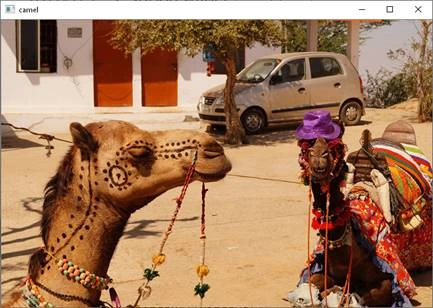
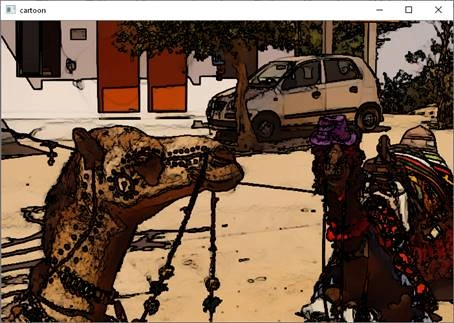
Now we use the stylization function to create the effect of smoothing out the colors and the image.
- cartoon_image = cv2.stylization(color_image, sigma_s=150, sigma_r=0.25)
- cv2.imshow('cartoon', cartoon_image)
- cv2.waitKey()
- cv2.destroyAllWindows()
After this loads the image again, you will see the following,
Create a pencil sketch effect
This creates a pencil-like non-photorealistic line drawing. The parameters this function takes are source image, sigma_s - range between 0 to 200, sigma_r - range between 0 to 1 and shade_factor - range between 0 to 0.1
- cartoon_image1, cartoon_image2 = cv2.pencilSketch(color_image, sigma_s=60, sigma_r=0.5, shade_factor=0.02)
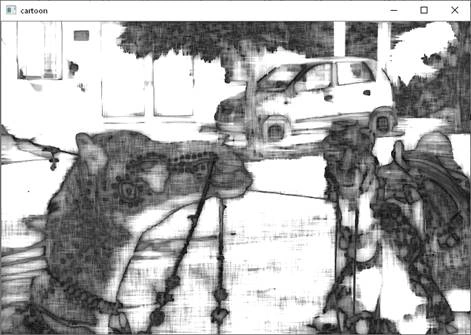
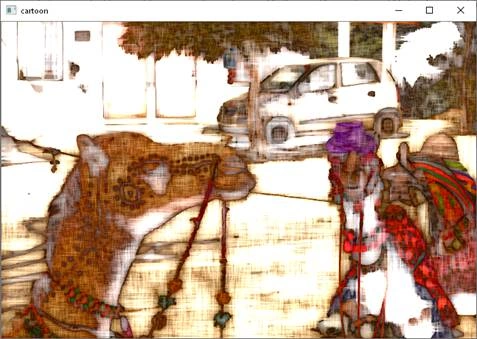
This function returns 2 images as below
- cv2.imshow(‘pencil’, cartoon_image1)
- cv2.waitKey()
- cv2.destroyAllWindows()
- cv2.imshow('pencil', cartoon_image2)
- cv2.waitKey()
- cv2.destroyAllWindows()
All this with so few lines of code. You can play with the parameters to see the effect of increasing and decreasing them.
Mansi MauryaPosted May 16, 2020, 3:51 AM
Ma'am can you please tell in pencil sketch function why the function returns two imag es? And why not one since we are applying changes on one image only
Govardhan PPosted Feb 10, 2020, 2:44 AM
Looks cool and awesome.
Sarathlal SaseendranPosted Feb 4, 2020, 1:44 PM
Great article. Can you please upload the source code?