

Introduction
For an application, logging is very important to keep track of that application and keep it error-free. In .NET Core, we don't need any third party logging; instead, we can use built-in logging whenever we want. This is very efficient in terms of code and performance.
For an application, logging is very important to keep track of that application and keep it error-free. In .NET Core, we don't need any third party logging; instead, we can use built-in logging whenever we want. This is very efficient in terms of code and performance.
Let’s start.
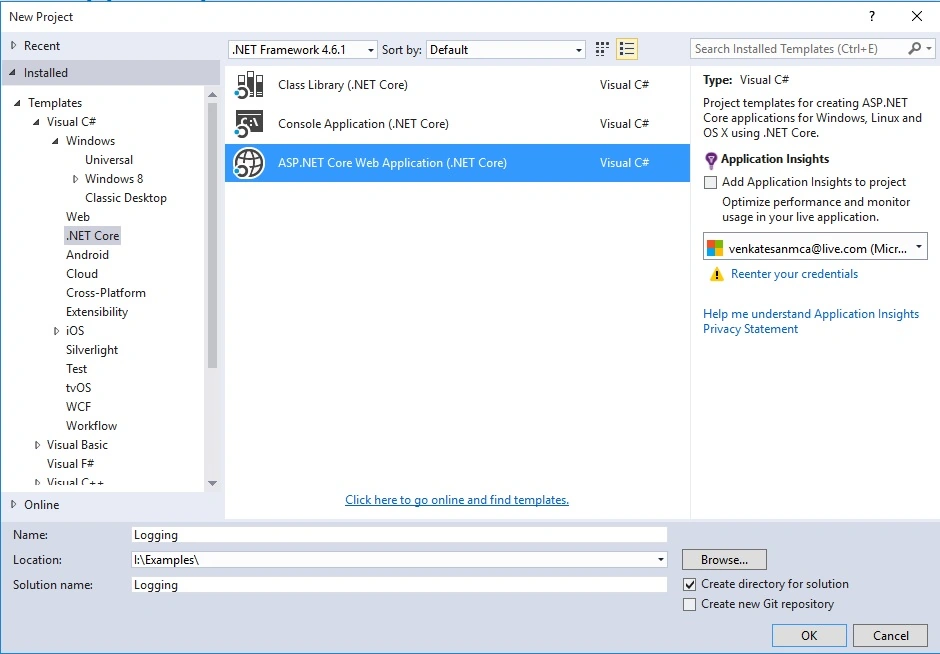
Create a new .NET Core application and name it.
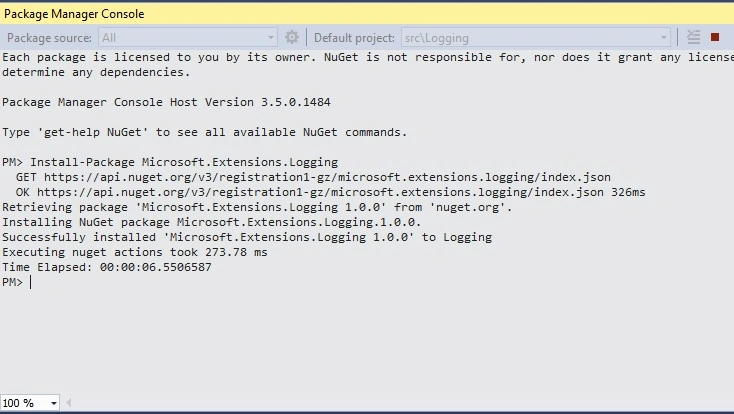
Step 1: Go to Package mManager View-->Other Windows--> Package manager Console -->
Create a new .NET Core application and name it.
Step 1: Go to Package mManager View-->Other Windows--> Package manager Console -->
Install-Package Microsoft.Extensions.Logging
Add Logging
Once the extension's installed, we can add logging by adding ILogger<T> (custom logging) or ILoggerFactory. If we want to use ILoggerFactory, then we must create it using CreateLogger, to use logging add logging services under ConfigureServices. Moreover, we can use built-in logging with the other loggings (like Nlog) with very minimal code.
Once the extension's installed, we can add logging by adding ILogger<T> (custom logging) or ILoggerFactory. If we want to use ILoggerFactory, then we must create it using CreateLogger, to use logging add logging services under ConfigureServices. Moreover, we can use built-in logging with the other loggings (like Nlog) with very minimal code.
- services.AddLogging();
Startup.cs
- public class Startup
- {
- public Startup(IHostingEnvironment env)
- {
- var builder = new ConfigurationBuilder()
- .SetBasePath(env.ContentRootPath)
- .AddJsonFile("appsettings.json", optional: true, reloadOnChange: true)
- .AddJsonFile($"appsettings.{env.EnvironmentName}.json", optional: true)
- .AddEnvironmentVariables();
- Configuration = builder.Build();
- }
- public IConfigurationRoot Configuration { get; }
- // This method gets called by the runtime. Use this method to add services to the container.
- public void ConfigureServices(IServiceCollection services)
- {
- // Add framework services.
- services.AddMvc();
- services.AddLogging();
- }
- // This method gets called by the runtime. Use this method to configure the HTTP request pipeline.
- public void Configure(IApplicationBuilder app, IHostingEnvironment env, ILoggerFactory loggerFactory)
- {
- loggerFactory.AddConsole(Configuration.GetSection("Logging"));
- loggerFactory.AddDebug();
- if (env.IsDevelopment())
- {
- app.UseDeveloperExceptionPage();
- app.UseBrowserLink();
- }
- else
- {
- app.UseExceptionHandler("/Home/Error");
- }
- app.UseStaticFiles();
- app.UseMvc(routes =>
- {
- routes.MapRoute(
- name: "default",
- template: "{controller=Home}/{action=Index}/{id?}");
- });
- }
- }
ILoggerFactory: We can use ILoggerFactory. For this, we must use CreateLogger.
- _logger = Mylogger.CreateLogger(typeof(HomeController));
- public class HomeController : Controller
- {
- private ILogger _logger;
- public HomeController(ILoggerFactory Mylogger)
- {
- _logger = Mylogger.CreateLogger(typeof(HomeController));
- }
- public IActionResult Index()
- {
- return View();
- }
- public IActionResult About()
- {
- try
- {
- ViewData["Message"] = "Your application description page.";
- _logger.LogInformation("About Page has been Accessed");
- return View();
- }
- catch (System.Exception ex)
- {
- _logger.LogError("About: " + ex.Message);
- throw;
- }
- }
- public IActionResult Contact()
- {
- try
- {
- ViewData["Message"] = "Your contact page.";
- _logger.LogInformation("Contact Page has been Accessed");
- return View();
- }
- catch (System.Exception ex)
- {
- _logger.LogError("Contact: " + ex.Message);
- throw;
- }
- }
- public IActionResult Error()
- {
- return View();
- }
- }
Run and Test
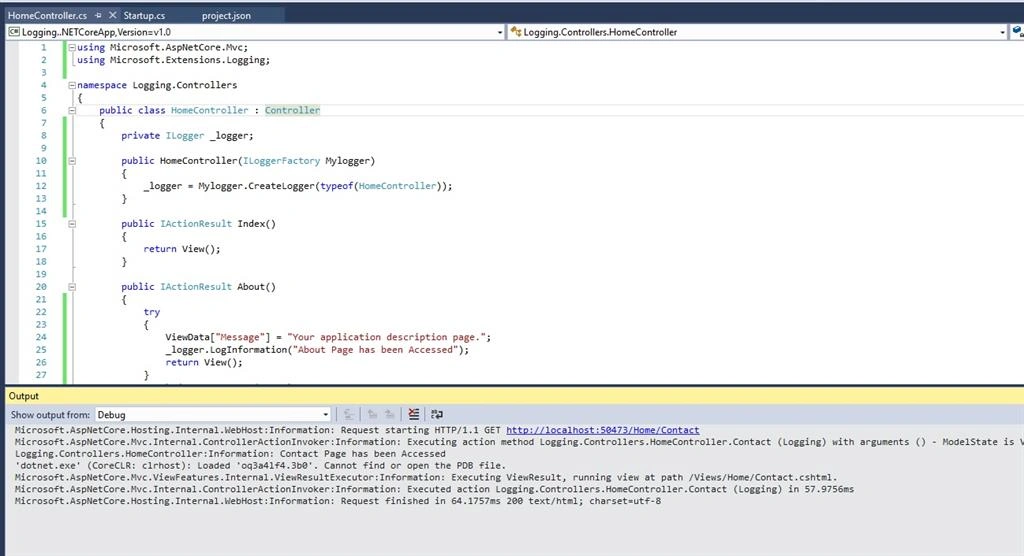
LogLevel: We can add logging level by adding the level we want in appsettings.json.
LogLevel: We can add logging level by adding the level we want in appsettings.json.
- Trace
- Debug
- Information
- Warning
- Error
- Application failure or crashes
Summary
We can use built-in logging frameworks and separate our application from logger implementation so that we can use the same framework later for other logging providers.
We can use built-in logging frameworks and separate our application from logger implementation so that we can use the same framework later for other logging providers.
Shamim UddinPosted Jul 29, 2016, 10:56 AM
Nice
VenkatPosted Jul 27, 2016, 7:38 PM
Thank you.
Vignesh ManiPosted Jul 27, 2016, 12:10 PM
Nice
Raja TPosted Jul 26, 2016, 4:57 AM
Nice, Thanks for sharing
Mahesh ChandPosted Jul 25, 2016, 9:41 PM
Alternatively, you can add package by right clicking on your project, select Manage Nuget Packages and browse Microsoft.Extensions.Logging.
Prasanna MuraliPosted Jul 25, 2016, 9:20 PM
Nice share
kalu singh raoPosted Jul 25, 2016, 2:26 PM
Good one dear