

Introduction
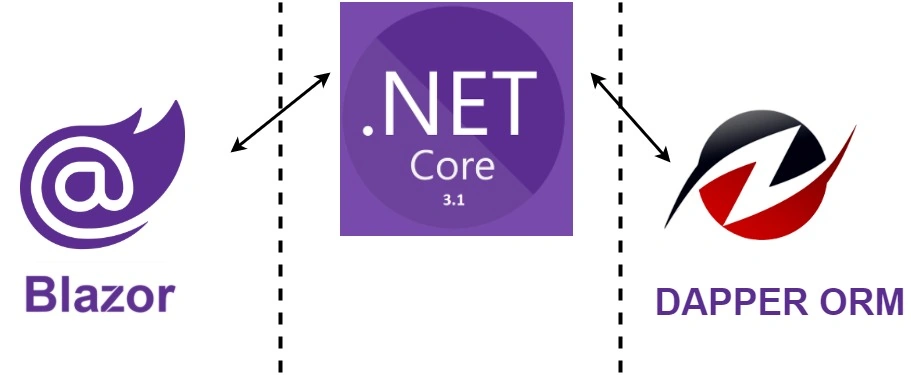
This article will teach you how to use Microsoft's Blazor Stack Overflow's Dapper Micro-ORM to rapidly develop modern data-driven asynchronous websites. Many people prefer Dapper to Entity Framework because it's simple, lightweight, and doesn't hide the SQL code from you.
Step 1
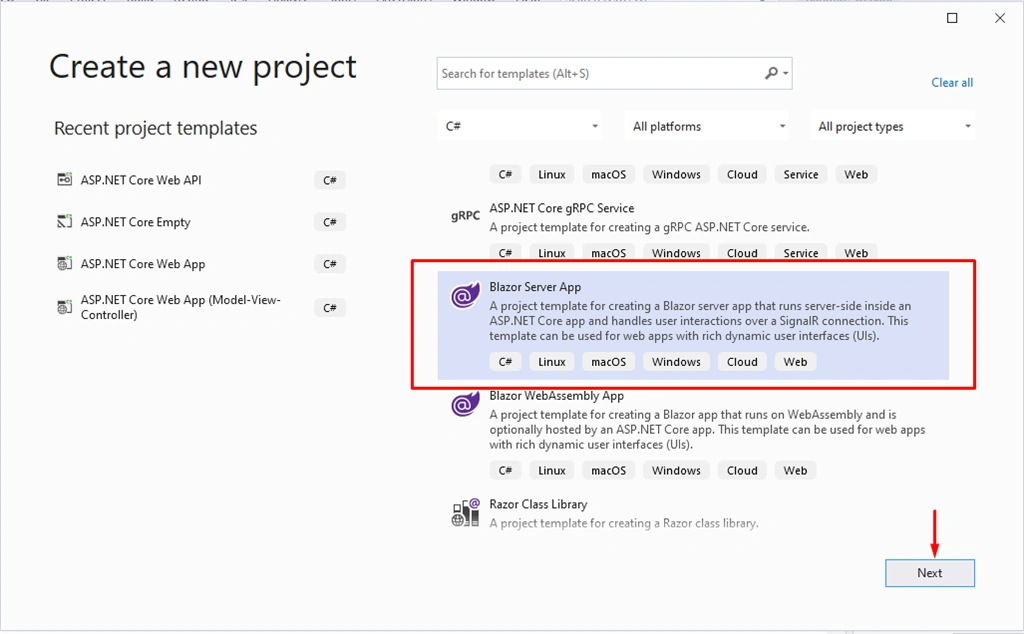
Let's create the new project as below,
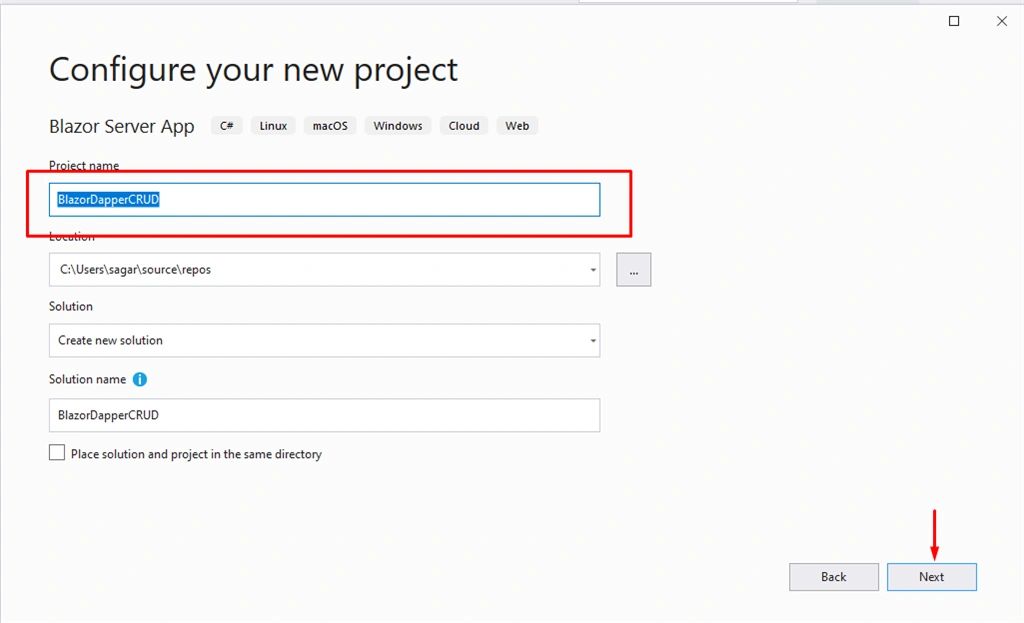
Name the project
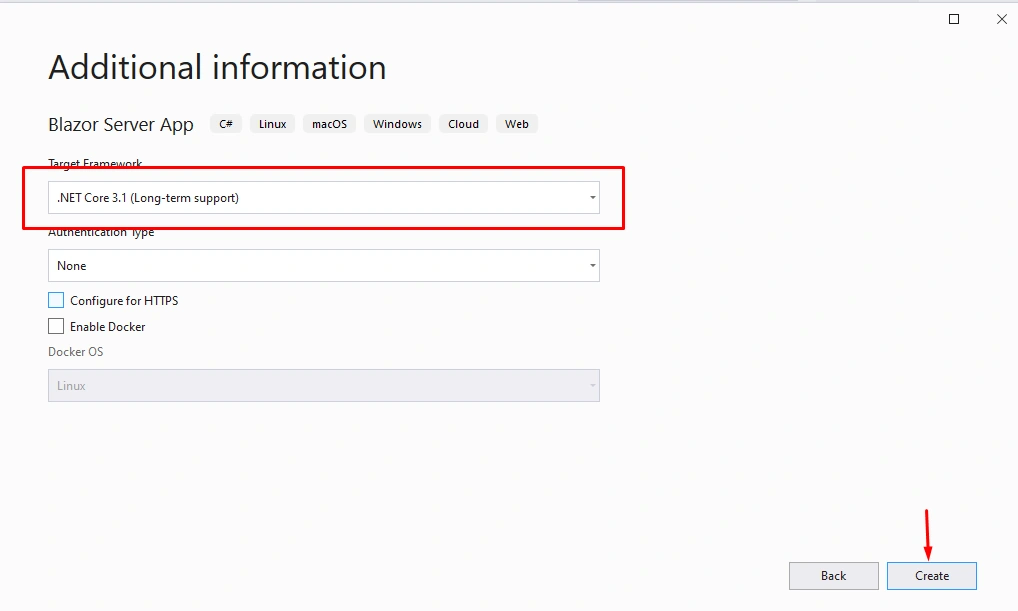
Select .Net Core 3.1 and click on create
Step 2
Now let's install the Nuget packages
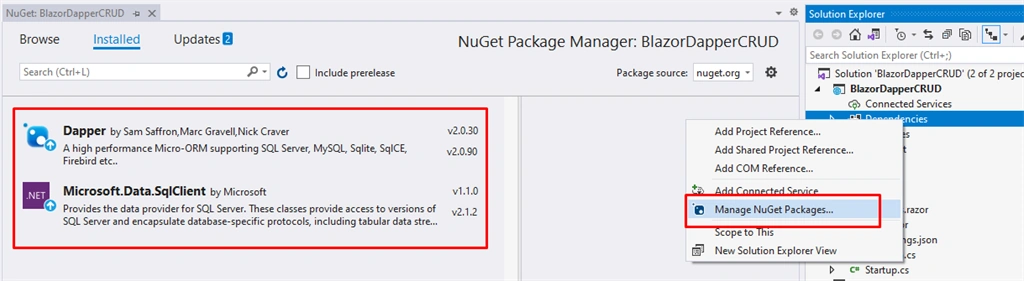
Step 3
Now let's create a database and tables
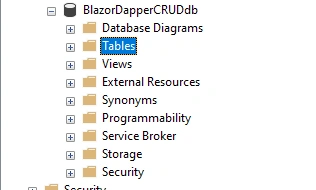
- CREATE TABLE [dbo].[Video] (
- [VideoID] INT IDENTITY (1, 1) NOT NULL,
- [Title] VARCHAR (128) NULL,
- [DatePublished] DATE NULL,
- [IsActive] BIT CONSTRAINT [DF_Video_IsActive] DEFAULT ((1)) NULL,
- CONSTRAINT [PK_Video] PRIMARY KEY CLUSTERED ([VideoID] ASC)
- );
Step 4
Now let's create classes to manage Data
- using System;
- // This is essentially a model for one row in the Video table.
- namespace BlazorDapperCRUD.Data
- {
- public class Video
- {
- public int VideoID { get; set; }
- public string Title { get; set; }
- public DateTime DatePublished { get; set; }
- public bool IsActive { get; set; }
- }
- }
- namespace BlazorDapperCRUD.Data
- {
- // Connection to SQL Server database, used within Data subfolder.
- public class SqlConnectionConfiguration
- {
- public SqlConnectionConfiguration(string value) => Value = value;
- public string Value { get; }
- }
- }
Step 5
Now let's create a service class and interface for crud operations
Step 6
- using Dapper;
- using Microsoft.Data.SqlClient;
- using System;
- using System.Collections.Generic;
- using System.Data;
- using System.Linq;
- using System.Threading.Tasks;
- namespace BlazorDapperCRUD.Data
- {
- public class VideoService : IVideoService
- {
- // Database connection
- private readonly SqlConnectionConfiguration _configuration;
- public VideoService(SqlConnectionConfiguration configuration)
- {
- _configuration = configuration;
- }
- // Add (create) a Video table row (SQL Insert)
- public async Task<bool> VideoInsert(Video video)
- {
- using (var conn = new SqlConnection(_configuration.Value))
- {
- var parameters = new DynamicParameters();
- parameters.Add("Title", video.Title, DbType.String);
- parameters.Add("DatePublished", video.DatePublished, DbType.Date);
- parameters.Add("IsActive", video.IsActive, DbType.Boolean);
- // Stored procedure method
- await conn.ExecuteAsync("spVideo_Insert", parameters, commandType: CommandType.StoredProcedure);
- }
- return true;
- }
- // Get a list of video rows (SQL Select)
- public async Task<IEnumerable<Video>> VideoList()
- {
- IEnumerable<Video> videos;
- using (var conn = new SqlConnection(_configuration.Value))
- {
- videos = await conn.QueryAsync<Video>("spVideo_GetAll", commandType: CommandType.StoredProcedure);
- }
- return videos;
- }
- // Get one video based on its VideoID (SQL Select)
- public async Task<Video> Video_GetOne(int id)
- {
- Video video = new Video();
- var parameters = new DynamicParameters();
- parameters.Add("Id", id, DbType.Int32);
- using (var conn = new SqlConnection(_configuration.Value))
- {
- video = await conn.QueryFirstOrDefaultAsync<Video>("spVideo_GetOne", parameters, commandType: CommandType.StoredProcedure);
- }
- return video;
- }
- // Update one Video row based on its VideoID (SQL Update)
- public async Task<bool> VideoUpdate(Video video)
- {
- using (var conn = new SqlConnection(_configuration.Value))
- {
- var parameters = new DynamicParameters();
- parameters.Add("VideoID", video.VideoID, DbType.Int32);
- parameters.Add("Title", video.Title, DbType.String);
- parameters.Add("DatePublished", video.DatePublished, DbType.Date);
- parameters.Add("IsActive", video.IsActive, DbType.Boolean);
- await conn.ExecuteAsync("spVideo_Update", parameters, commandType: CommandType.StoredProcedure);
- }
- return true;
- }
- // Physically delete one Video row based on its VideoID (SQL Delete)
- public async Task<bool> VideoDelete(int id)
- {
- var parameters = new DynamicParameters();
- parameters.Add("Id", id, DbType.Int32);
- using (var conn = new SqlConnection(_configuration.Value))
- {
- await conn.ExecuteAsync("spVideo_Delete", parameters, commandType: CommandType.StoredProcedure);
- }
- return true;
- }
- }
- }
Now let's add web pages to perform CRUD operations
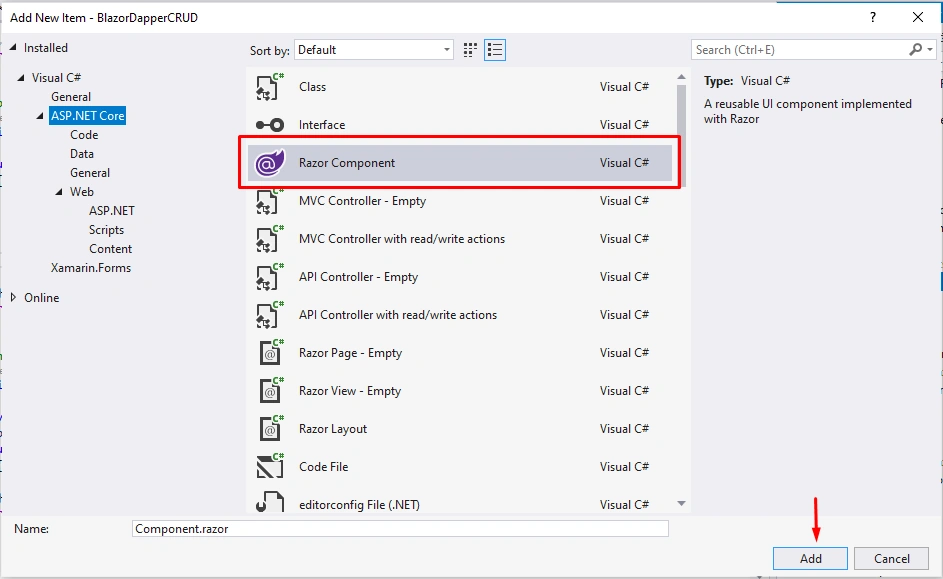
- @using BlazorDapperCRUD.Data
- @page "/videoaddedit/{id:int}"
- @inject IVideoService VideoService
- @inject NavigationManager NavigationManager
- @*Okay to use DataAnnotationsValidator and ValidationSummary here, if you like. See...
- https://docs.microsoft.com/en-us/aspnet/core/blazor/forms-validation?view=aspnetcore-3.1*@
- <h1>@pagetitle</h1>
- <EditForm Model="@video" OnValidSubmit="@VideoSave">
- <table class="editform">
- <tr>
- <td>Video Title:</td>
- <td><input type="text" @bind="video.Title" required /></td>
- </tr>
- <tr>
- <td>Date Published:</td>
- <td><input type="date" @bind="video.DatePublished" required min="1900-01-01" max="2050-12-31" /></td>
- </tr>
- <tr>
- <td>Is Active:</td>
- <td><input type="checkbox" @bind="video.IsActive" /></td>
- </tr>
- <tr>
- <td colspan="2" style="text-align:center">
- <input type="submit" value="@buttontext" />
- <input type="button" value="Cancel" @onclick="@Cancel" />
- </td>
- </tr>
- </table>
- </EditForm>
- @code {
- // Create a new, empty Video object
- Video video = new Video();
- [Parameter]
- public int id { get; set; }
- // Set default page title and button text
- public string pagetitle = "Add a Video";
- public string buttontext = "Add";
- //Executes on page open, set defaults on page.
- protected override async Task OnInitializedAsync()
- {
- // ============ If the passed-in id is zero, assume new Video.
- if (id == 0)
- {
- DateTime defaultdate = new DateTime(2000, 12, 31);
- video.DatePublished = defaultdate;
- video.IsActive = true;
- }
- else
- {
- video = await VideoService.Video_GetOne(id);
- // Change page title and button text since this is an edit.
- pagetitle = "Edit Video";
- buttontext = "Update";
- }
- }
- protected async Task VideoSave()
- {
- if (video.VideoID == 0)
- {
- // Insert if id is zero.
- await VideoService.VideoInsert(video);
- }
- else
- {
- // Update if id not 0
- await VideoService.VideoUpdate(video);
- }
- NavigationManager.NavigateTo("/videolist");
- }
- void Cancel()
- {
- NavigationManager.NavigateTo("/videolist");
- }
- }
Conclusion
In this article, we discussed how to work with Blazor and Dapper using .Net core. I hope you all enjoyed reading this and learned from it. For better understanding download the source code.
Join the conversation! Your thoughts help the community grow.