
What Unity Is
You can create any 2D and 3D game using Unity. You can make it with ease, you can make it highly-optimized and beautiful, and you can deploy it with a click to more platforms than you have fingers and toes. What’s more, you can use Unity’s integrated services to speed up your development process, optimize your game, connect with an audience, and achieve success.
Tools
Download Unity tools from here.
System Requirements
- OS: Windows 7 SP1+, 8, 10; Mac OS X 10.8+.
- GPU: Graphics card with DX9 (shader model 2.0) capabilities. Anything made since 2004 should work.
Getting Started
- Here are the steps to get started with HoloLens App:
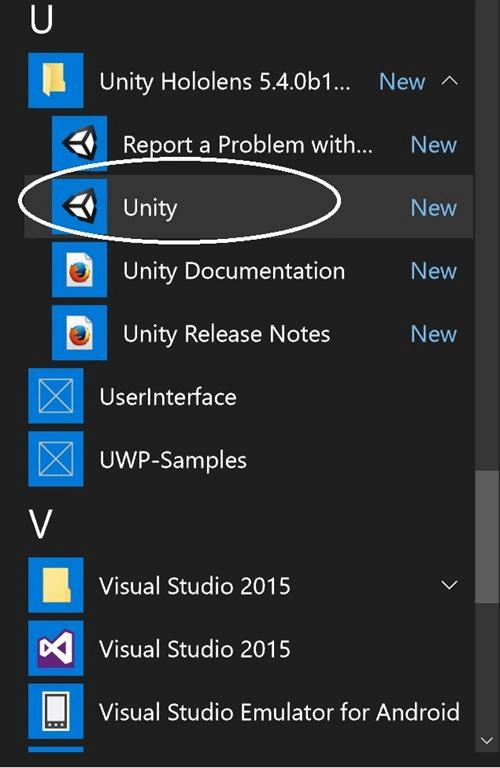
- Start Unity
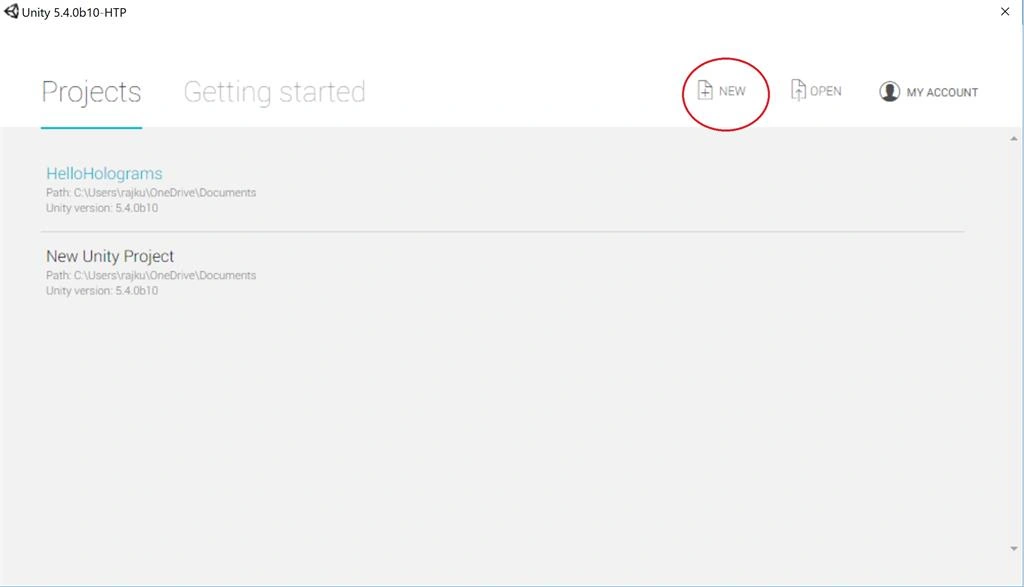
- Select New
- Enter a project name (e.g. "HelloHolograms")
- Enter a location to save your project
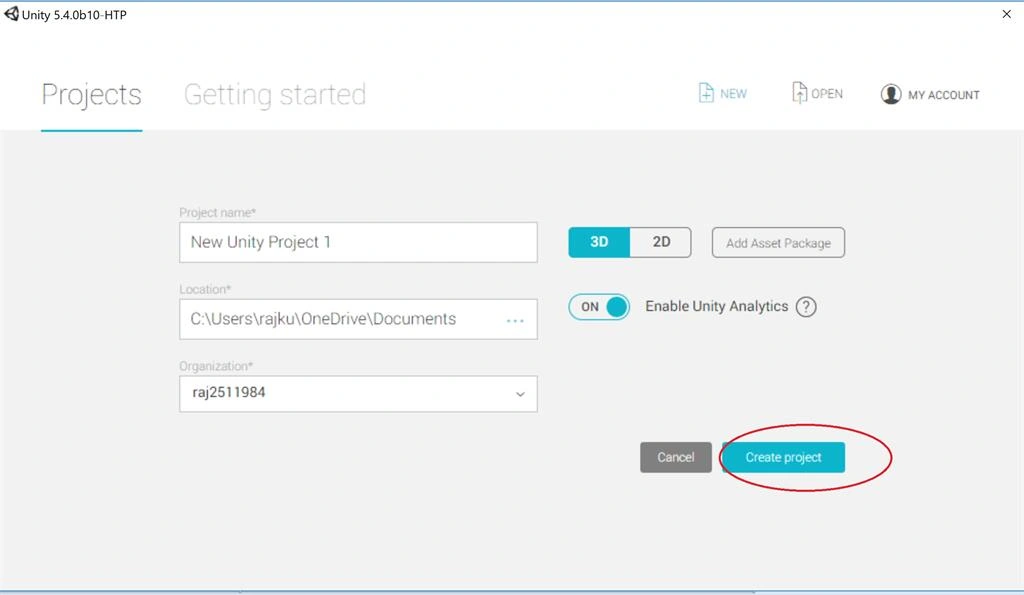
- Ensure the 3D toggle is selected
- Select Create project
This is the default layout of the Unity Project.
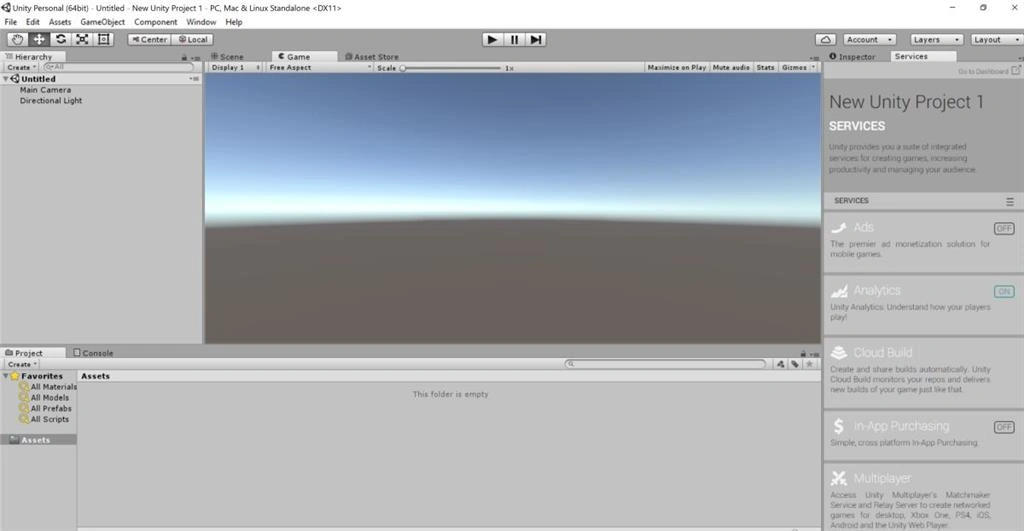
Unity build settings
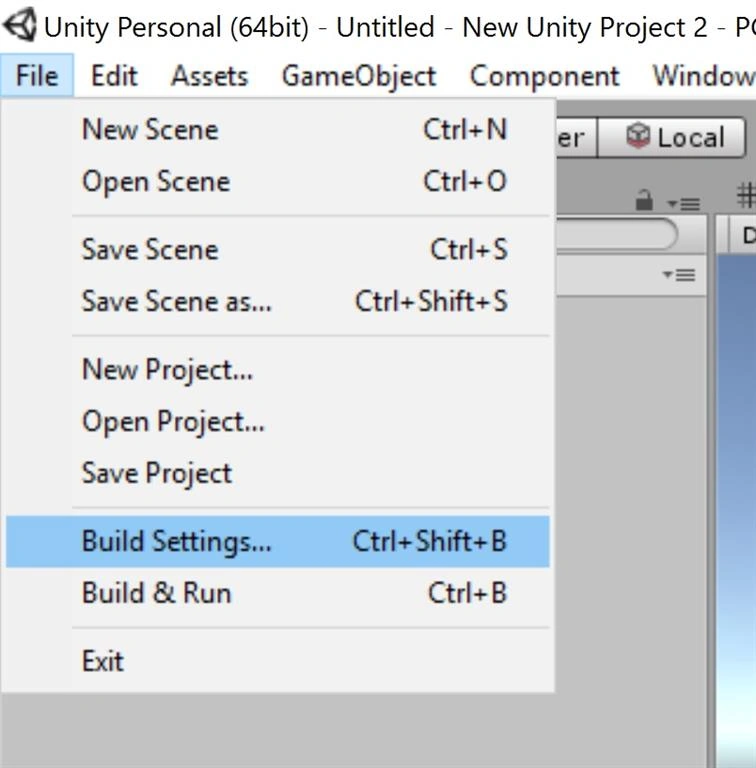
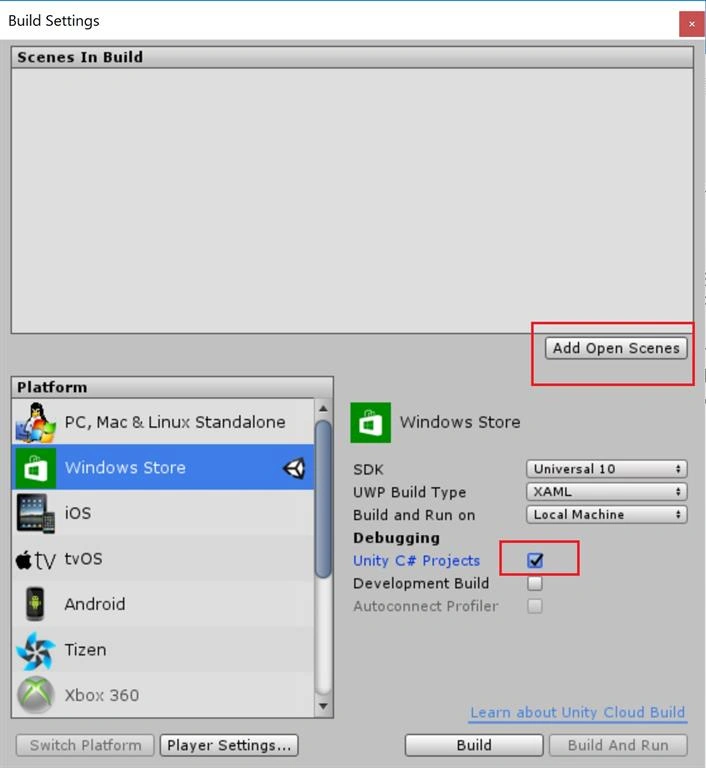
We want to specify our Unity project to export as a Universal Windows Platform app.
- Select File, then Build Settings...
- Select Windows Store in the Platform list.
- Set SDK to Universal 10
- Set Build Type to D3D.
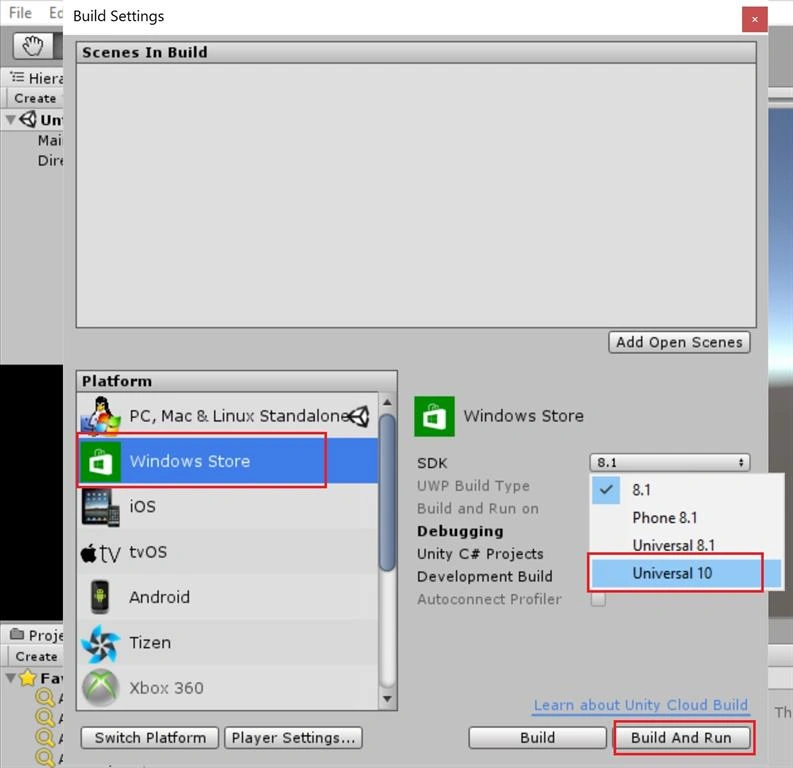
Specify the export for Windows Holographic
- We need to let Unity know that the app we are trying to export should create a holographic view instead of a 2D view. We do that by adding HoloLens as a virtual reality device.
- From the Build Settings window, open Player Settings
- Select the Settings for Windows Store tab
- Expand the Other Settings group
In the Rendering section, check the Virtual Reality Supported checkbox to add a new Virtual Reality Devices list and confirm "Windows Holographic" is listed as a supported device.
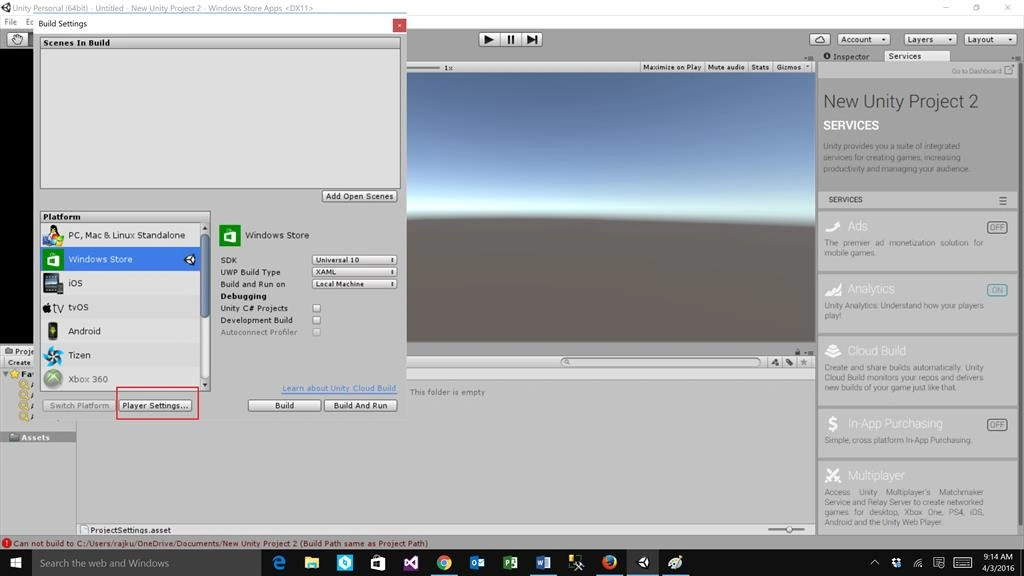
Export the Visual Studio solution
Now your Unity project has all the settings applied to be properly exported as a Visual Studio solution for a HoloLens app.
- Return to the Build Settings window.
- Click Add Open Scenes to add the scene
- Check Unity C# Projects
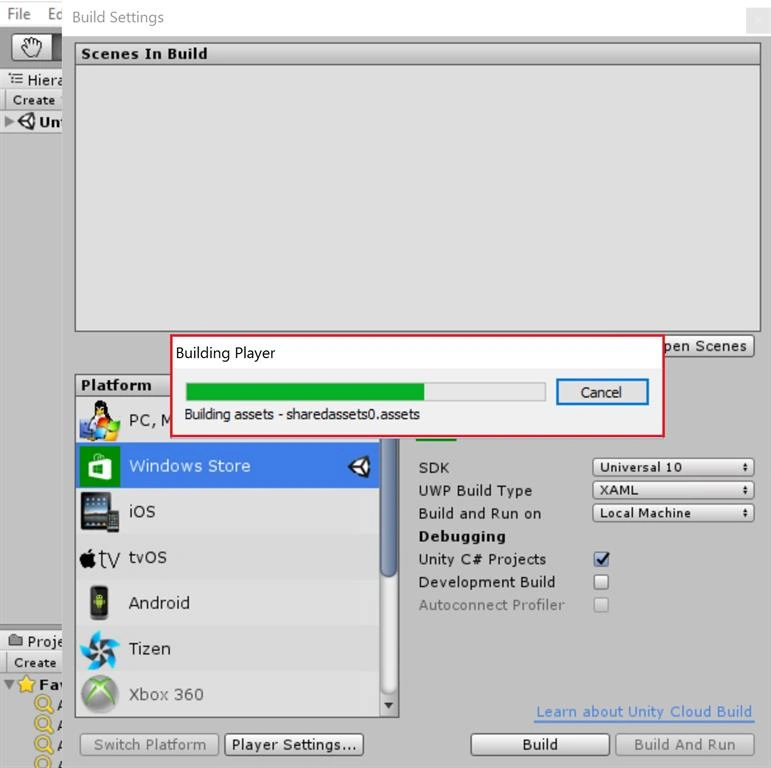
- Click Build
- Click New Folder and name the folder "App".
- With the App folder selected, click the Select Folder button.
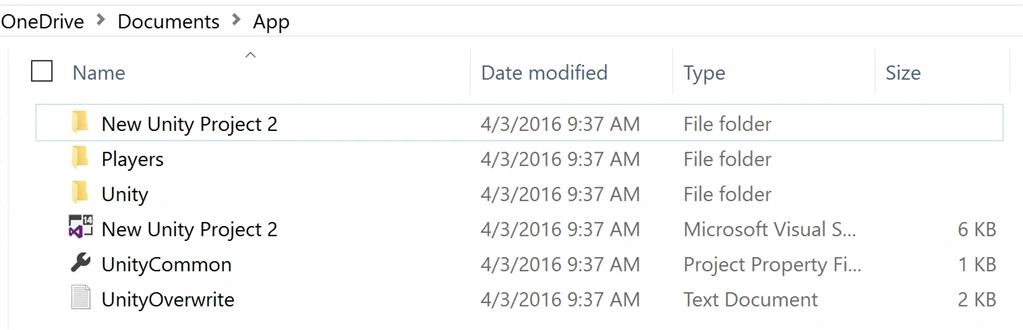
- When Unity is done building, a Windows File Explorer window will appear.
- Open the App folder in File Explorer.
- Open the generated Visual Studio solution (HelloHolograms.sln in this example)
Build and Deploy
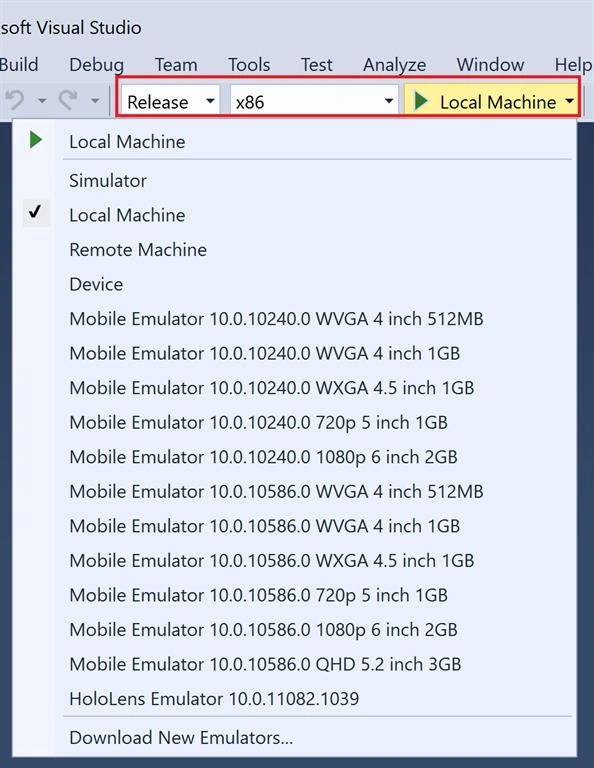
All that's left is to build the Unity exported project, deploy it, and try it out on the device. Using the top toolbar in Visual Studio, change the target from Debug to Release and from ARM to X86. Now the instructions differ for deploying to a HoloLens versus the emulator. Follow the instructions that match your setup.
HoloLens over Wi-Fi
- Click on the arrow next to the Local Machine button, and change the deployment target to Remote Machine.
- Enter the IP address of your HoloLens device and change Authentication Mode to Universal (Unencrypted Protocol).
- Select Debug, then Start without debugging
HoloLens over USB
- Click on the arrow next to the Local Machine button, and change the deployment target to Device.
- Select Debug > Start without debugging
Emulator
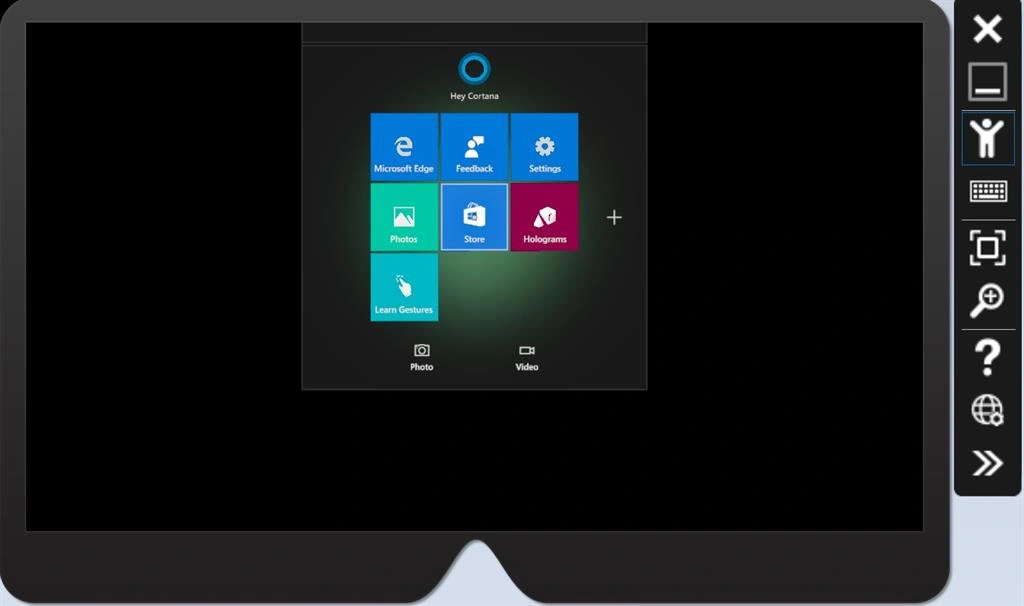
- Click on the arrow next to the Device button, and select HoloLens Emulator.
- Select Debug, then Start without debugging
Conclusion
This article shows how we can create a HoloLens app using Unity on Windows 10. The article also covered the installation process of the Unity and deployment process. Stay tuned for more articles. Feel free to share your feedback and comments.
kalu singh raoPosted Jul 2, 2016, 3:21 PM
Nice...
Bhuvanesh MohankumarPosted Apr 24, 2016, 1:07 PM
Nice
Gopi ChandPosted Apr 4, 2016, 11:07 AM
Ultimate one
Debasis SahaPosted Apr 4, 2016, 4:06 AM
Good One..
Vignesh ManiPosted Apr 4, 2016, 4:01 AM
Good one
Mahesh ChandPosted Apr 3, 2016, 11:02 PM
Very cool! I think some Unity code with output would have been nicer.
Kuppurasu NagarajPosted Apr 3, 2016, 12:01 PM
nice