

Introduction
In this article, we're going to talk about solidity and walk you through the process of building a simple calculator in solidity.

Here are some basic topics to familiar to you.
- What is Solidity and its Data Types?
- What is a contract in solidity?
What is Solidity?
It is a most popular high-level programming language that is widely used for developing decentralized applications on the Ethereum blockchain and is specifically designed for creating smart contracts on blockchains, particularly Ethereum. Think of it as the tool that allows to self-executing the contracts and it is also case-sensitive.
Solidity is easy for programmers to understand and it is familiar in languages like JavaScript, C++, and Python.
Data Types in Solidity
- Boolean: A boolean represents a true or false value. In Solidity, a boolean value is denoted by the keywords true and false.
- Integer: An integer represents a whole number. In Solidity, there are several different integer data type values with also varying ranges, including int8, int16, int32, int64, int128, int256, uint8, uint16, uint32, uint64, uint128, and uint256.
- String: In string represents a sequence of characters. In Solidity, strings are denoted by the characters in double quota.
- Bytes: In bytes, the variable represents a dynamically sized array of bytes. it This means the size of the array can change during runtime.
- Arrays: Array data type represents an ordered collection of elements of the same data type. In Solidity, arrays can be dynamic or fixed-sized.
- Structs: A struct data type represents a collection of all related data fields. In Solidity, user-defined composite types that group variables of different types under a single name.
What is a contract in solidity?
In Solidity, a contract is the basic fundamental block building for creating smart contracts on the Ethereum blockchain. it's a blueprint that defines a set of rules, data storage, and functions that interact on the Ethereum blockchain. Imagine it as a self-contained program that resides on the blockchain.
In solidity, there are some benefits of using a contract.
- Trustless Interactions: Contracts facilitate secure interaction between the parties without relying on a trusted third party.
- Security and Transparency: This is immutable and public visibility of smart contracts on the blockchain offering high security and preventing to manipulation of the code or data files.
- Automation: Contracts can automate complex processes and agreements. They can execute automatically when predefined conditions are met.
Let's start building the calculator in solidity
Now, that you are familiar with Solidity and know the basics of Solidity, Let's learn how to make a calculator.
Select the latest version
Start with selecting the latest version of pragma solidity and add a comment.
// SPDX-License-Identifier: MIT
pragma solidity ^0.8.0;
Create contract
Create a solidity contract with was name calculator and also add a comment.
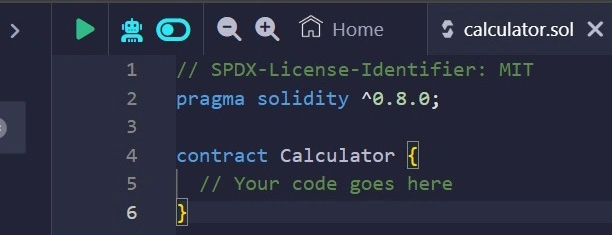
Add functionality
Let's add simple arithmetic operators for operations to our calculator.
Addition
Let’s look at the following addition function.

- Parameters: num1 and num2 are two parameters using those we will do an Addition operation.
- Access visibility: The function visibility is public so that we can call the function and perform the Addition operation.
- Modifier: As we are not using any contract variable or data from the blockchain, we can use a pure modifier and return the result of num1 + num2.
Subtraction
Let’s look at the following Subtraction function.

- Parameters: num1 and num2 are two parameters using those we will do a Subtraction operation.
- Access visibility: The function visibility is public so that we can call the function and perform the Subtraction operation.
- Modifier: As we are not using any contract variable or data from the blockchain, we can use a pure modifier and return the result of num1 - num2.
Multiplication
Let’s look at the following Multiplication function.

- Parameters: num1 and num2 are two parameters using those we will do a Multiplication operation.
- Access visibility: The function visibility is public so that we can call the function and perform the Multiplication operation.
- Modifier: As we are not using any contract variable or data from the blockchain, we can use a pure modifier and return the result of num1 * num2.
Division
Let’s look at the following Division function.

- Parameters: num1 and num2 are two parameters using those we will do a Division operation.
- Access visibility: The function visibility is public so that we can call the function and perform the Division operation.
- Modifier: As we are not using any contract variable or data from the blockchain, we can use a pure modifier and return the result of num1 / num2.
Final Code
After compiling all of the functions inside the calculator contract, the code will look like this.
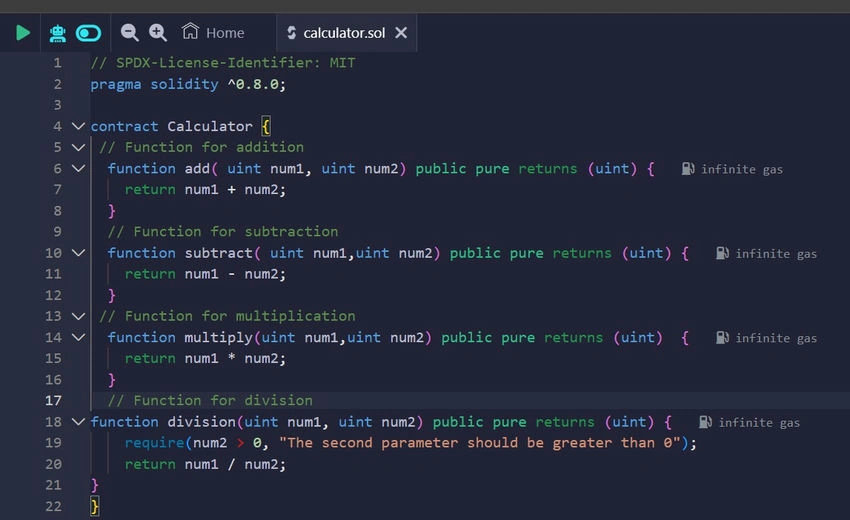
Set up the Remix IDE
Let’s review how you can set up Remix by writing and deploying your first smart contract.
- Go to the official site of Remix Ethereum IDE, select the solidity, and create a new name calculator.sol.
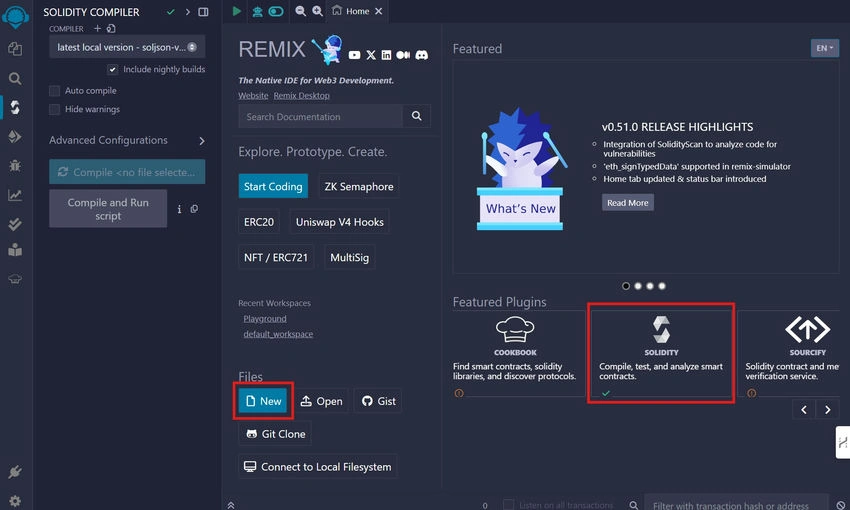
- Copied the following code and pasted it to the calculator.sol file.
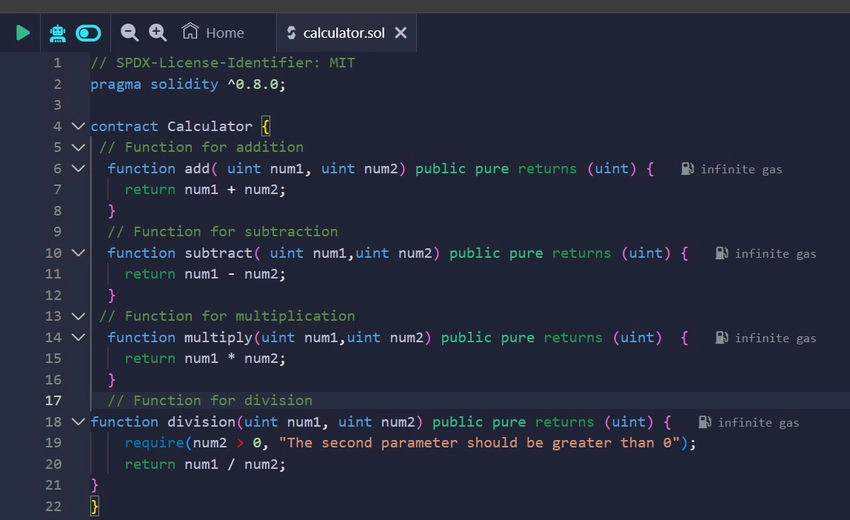
- Go to the File Explorer and search Solidity Compiler.
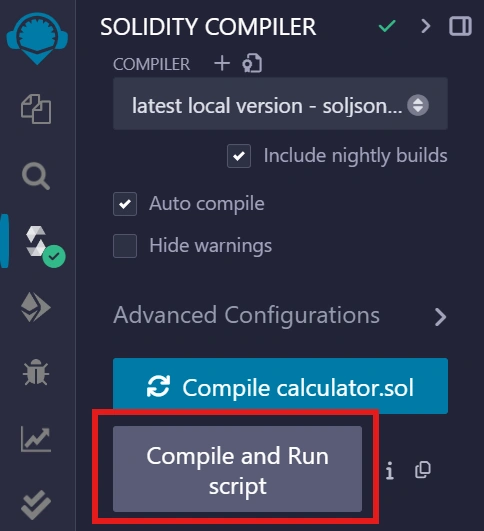
- Click on the Compile and Run Script button to run the calculator contract.
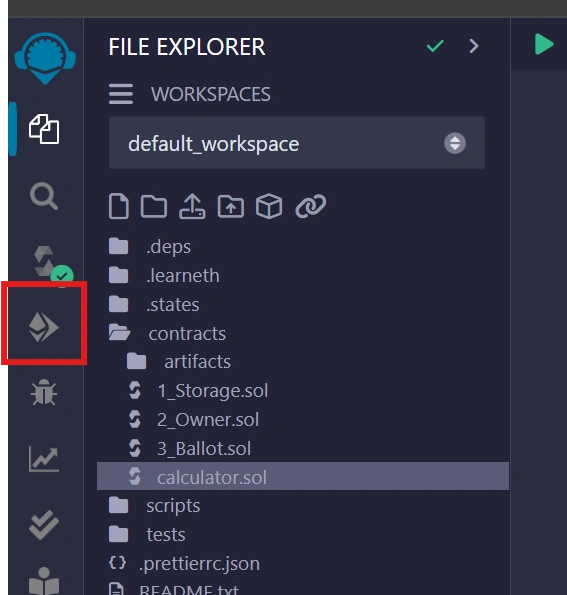
Deploy and call the calculator contract
Lastly, learn how you can deploy and call your calculator contract.
Deploying the contract
Click on the Deploy and Run Transaction button, in the File Explorer.
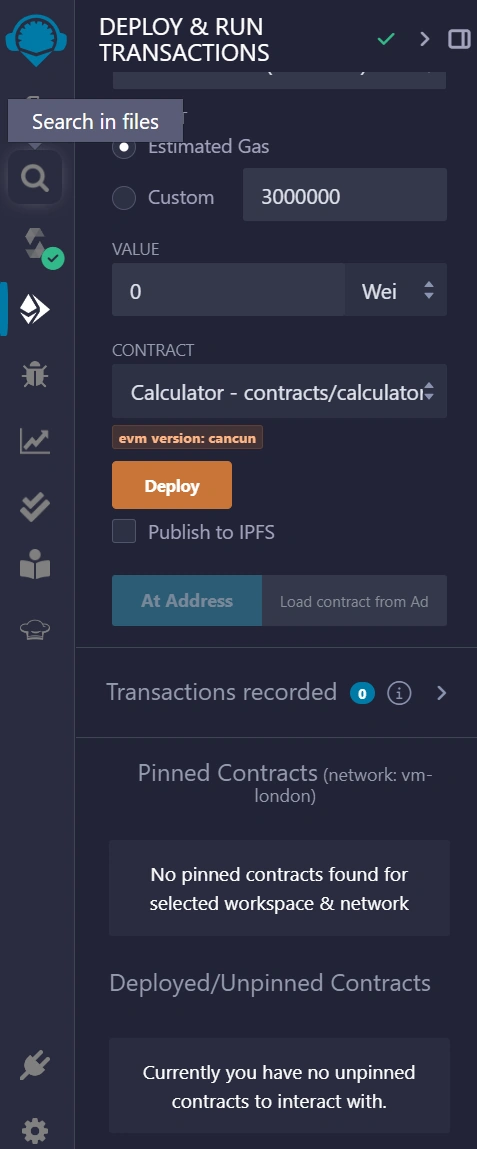
Deploy and Run Transaction will look like this.
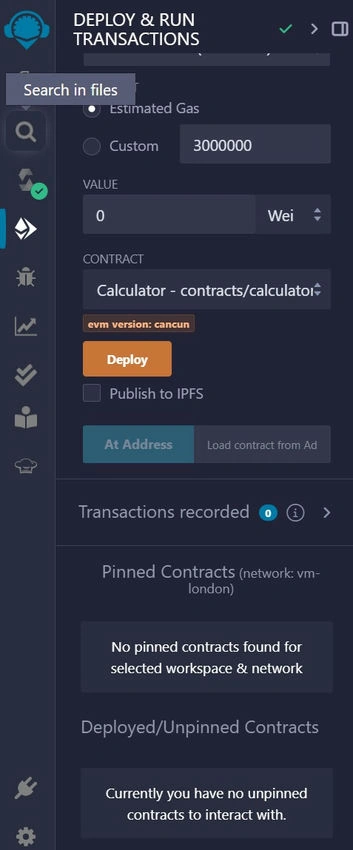
Clicking on the Deploy button then they will deploy the calculator contract.
Call the calculator contract
After deploying the contract, the following field will appear.
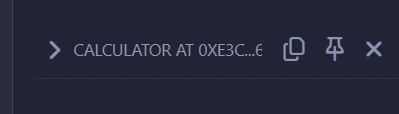
Drag the field and enter num1 and num2 inputs in multiply.
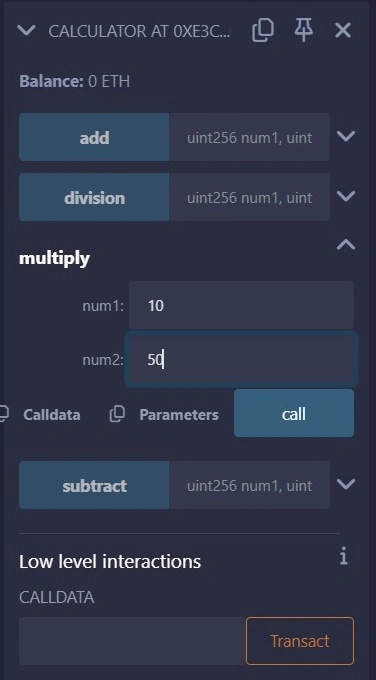
Click the call button and you will see a 0:uint256: 500 field giving you the output.
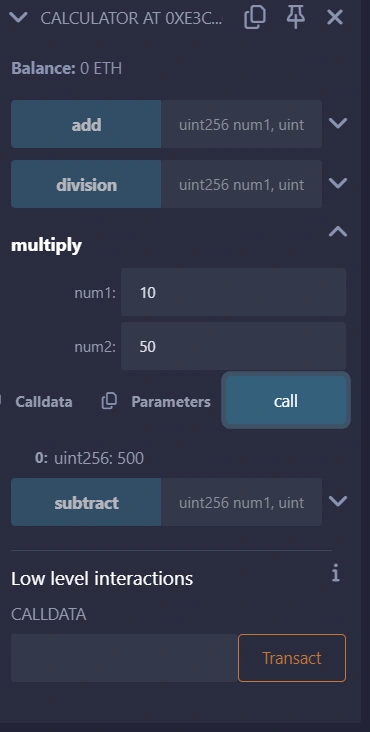
Repeat the processes for other calculator operations.
Summary
In this article, we have introduced Solidity and provided a step-by-step tutorial for building a simple calculator in Solidity. The article covers solidity basics, and contracts, and focuses on using the REMIX Ethereum IDE.
Join the conversation! Your thoughts help the community grow.