

Introduction
In today’s fast-evolving digital world, blogs are no longer static. As content grows, technology improves, and business goals change, bloggers and organizations often need to move their blog from one platform, domain, or hosting environment to another. This process is known as blog migration.
While blog migration can unlock better performance, flexibility, and long-term scalability, it also carries risks. A poorly planned migration can lead to traffic loss, broken links, SEO damage, or even permanent data loss.
This article explains blog migration in simple, beginner-friendly terms, covering what it is, why it matters, types of migrations, step-by-step processes, common mistakes, SEO impact, and best practices—everything a beginner needs to know before starting.
Visual Overview of Blog Migration
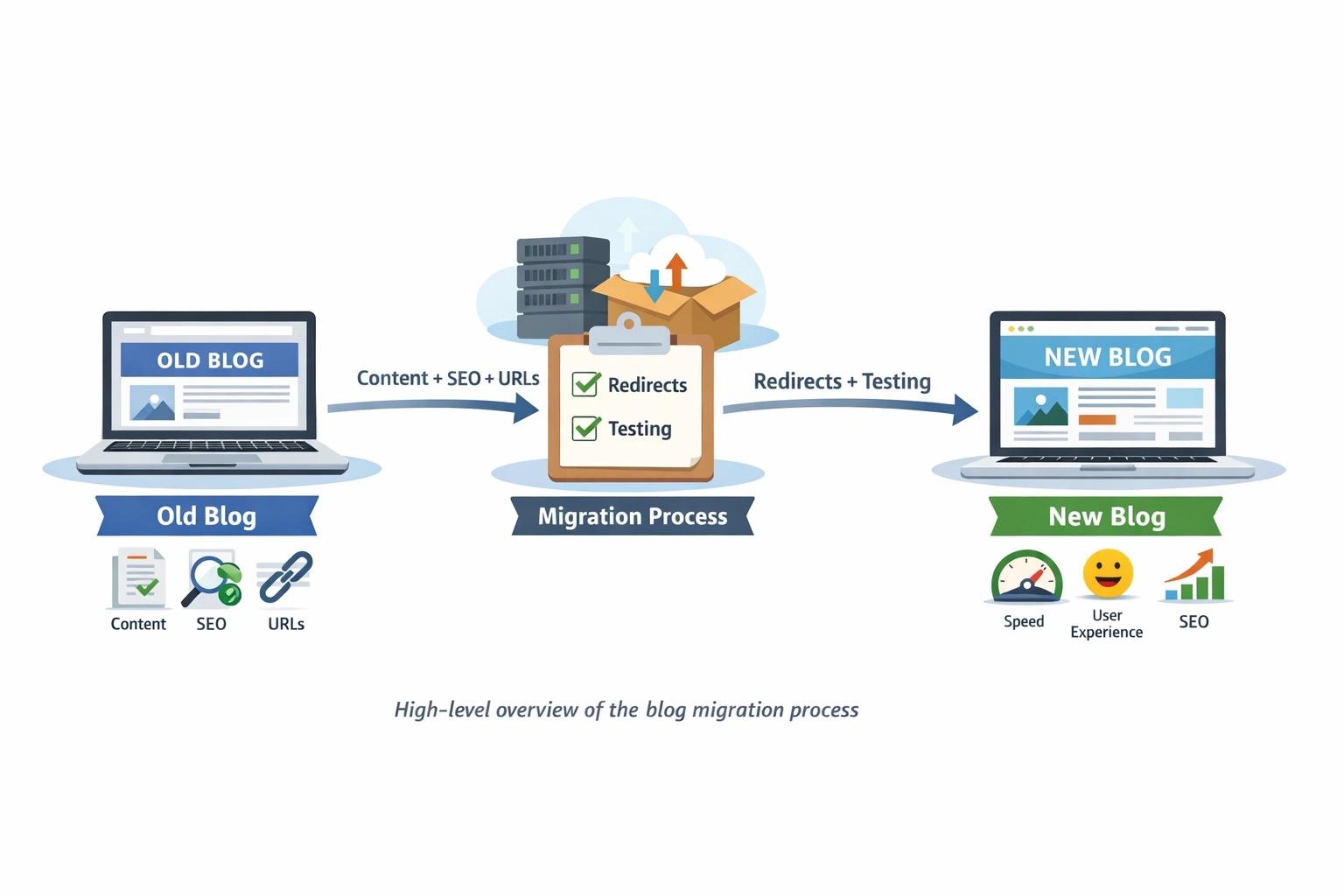
What Is Blog Migration?
Blog migration is the process of moving a blog from one environment to another while maintaining:
Content integrity
SEO value
User experience
Website functionality
Migration can involve:
Changing the blogging platform
Moving to a new domain
Switching hosting providers
Redesigning the blog structure
Upgrading technology or CMS
In simple terms, any major change that affects how users or search engines access your blog is considered a migration.
Why Does Blog Migration Matter?
Blog migration directly affects a website’s visibility, performance, and long-term growth.
When done correctly, migration can:
Improve site speed
Enhance SEO performance
Support scalability
When done incorrectly, it can:
Cause traffic drops
Break links
Damage search rankings
Common Reasons for Blog Migration
Outgrowing the current platform
Slow website performance
Limited SEO capabilities
Lack of customization
High hosting costs
Rebranding or domain change
Security concerns
Need for better content management
Types of Blog Migration
1. Platform Migration
Moving from one blogging platform to another.
Example: Blogger → WordPress
2. Domain Migration
Changing the website’s domain name.
Example: myblog.in → myblog.com
3. Hosting Migration
Switching hosting providers for better uptime or speed.
4. Design or UX Migration
Major design or structure changes without changing the platform.
5. CMS or Technology Migration
Upgrading CMS versions or backend technologies.
Key Elements Involved in Blog Migration
A successful migration includes much more than copying posts:
Blog posts and pages
Images and media files
URLs and permalink structure
SEO metadata (titles & descriptions)
Internal links
Categories and tags
Comments and user data
Analytics and tracking tools
Step-by-Step Blog Migration Process
Step 1: Pre-Migration Planning
Planning is the foundation of a successful migration.
Define clear goals
Identify what needs to be moved
Take a complete website backup
Audit existing content and URLs
Identify top-performing pages
Step 2: SEO Audit Before Migration
SEO is the biggest concern during migration.
Export all existing URLs
Track keyword rankings
Record organic traffic data
Identify important backlinks
Step 3: Set Up the New Platform
Prepare the new environment before migrating content.
Install CMS
Choose a fast, SEO-friendly theme
Configure plugins/tools
Set permalink structure
Step 4: Content Migration
Move content carefully without losing structure.
Import blog posts and pages
Upload images and media
Preserve categories and tags
Update internal links
Sample Content Import Structure (XML)
<item>
  <title>Blog Migration Guide</title>
  <link>https://oldblog.com/blog-migration</link>
  <content>This is the blog content</content>
</item>
Step 5: URL Mapping and Redirects (Most Important)
301 redirects preserve SEO value and traffic.
Apache .htaccess 301 Redirect Example
Redirect 301 /old-blog-post https://www.newblog.com/new-blog-post
Redirect Entire Domain
RewriteEngine On
RewriteCond %{HTTP_HOST} ^oldblog\.com$ [OR]
RewriteCond %{HTTP_HOST} ^www\.oldblog\.com$
RewriteRule ^(.*)$ https://www.newblog.com/$1 [R=301,L]
Step 6: Post-Migration Testing
Never skip testing.
Check broken links
Test page loading speed
Verify mobile responsiveness
Ensure forms and CTAs work
Confirm analytics tracking
Step 7: Monitor Performance After Migration
Migration doesn’t end after launch.
Monitor traffic trends
Track keyword rankings
Fix crawl and indexing errors
Submit updated sitemap
Sitemap Reference Example
Sitemap: https://www.newblog.com/sitemap.xml
Common Blog Migration Mistakes to Avoid
Skipping backups
Missing 301 redirects
Changing URLs unnecessarily
Forgetting internal links
Not testing before launch
Migrating during peak traffic
Removing high-ranking content
SEO Impact of Blog Migration
If Done Correctly:
SEO remains stable
Rankings recover quickly
Performance improves
If Done Poorly:
Traffic drops
Rankings decline
Indexing issues occur
SEO-safe migration focuses on redirect accuracy, content consistency, and continuous monitoring.
Best Practices for Smooth Blog Migration
Always take full backups
Keep URLs unchanged where possible
Use proper 301 redirects
Test everything before going live
Monitor SEO for 30–60 days
Inform users about major changes
Is Blog Migration Risky?
Blog migration is not risky when planned properly.
Most failures happen due to haste or lack of SEO knowledge.
With the right approach, migration can:
Improve speed
Enhance user experience
Strengthen SEO
Support future growth
Final Thoughts
Blog migration is a strategic process, not just a technical task.
When handled with proper planning, testing, and SEO awareness, it becomes a powerful upgrade rather than a risk.
For beginners, remember: Plan carefully. Migrate thoughtfully. Monitor consistently.
A well-executed blog migration ensures your content remains discoverable, users stay engaged, and your blog is ready for long-term success 🚀
Join the conversation! Your thoughts help the community grow.