

Introduction:
This article is intended to illustrate the necessary steps for the installation of Biztalk Server 2006. In previous versions such as Biztalk Server 2004, the installation and configuration process was not a pleasant endeavor because there were lot steps, which were not part of the setup wizard. Now everything is integrated in the setup application including the requirements.
Installing the pre-requisites:
Before installing Biztalk Server 2006, you should have installed the following products:
-
Internet Information Services 5.1 (Windows XP) or 6.0 (Windows 2003) and enable ASP.NET.
-
Microsoft.NET Framework 1.1/2.0.
-
Microsoft Office 2003 with Service Pack 2.
-
Visual Studio 2005.
-
SQL Server 2005 is recommended although you can use SQL Server 2000 with all the components: SQL Server Database Services, Analysis Services, Reporting Services, Notification Services, Integration Services and Workstation components.
-
Install and configure Windows SharePoint Services 2.0 with Service Pack 2.
Now let's invoke the Biztalk Server installation wizard and choose the components to be installed as shown in Figure 1.
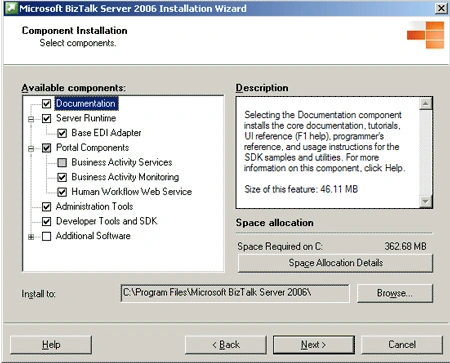
Figure 1.
Then choose how to install the redistributable prerequisites as shown in Figure 2. As you can see, it is possible to be installed manually or automatically by connecting to Microsoft site and downloading the package. You can also download the cab files and use the fourth option to select path to this file.
You can download the 32-bit English version of the cab files for each version of Windows OS:
For Windows 2003 is at http://go.microsoft.com/fwlink/?LinkId=54668,
For Windows XP at http://go.microsoft.com/fwlink/?LinkId=54686 and
For Windows 2000 at http://go.microsoft.com/fwlink/?LinkId=54695.
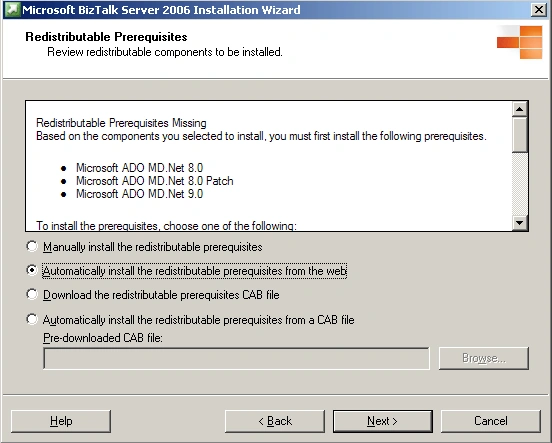
Figure 2.
And finally the installation process begins as shown in Figure 3.
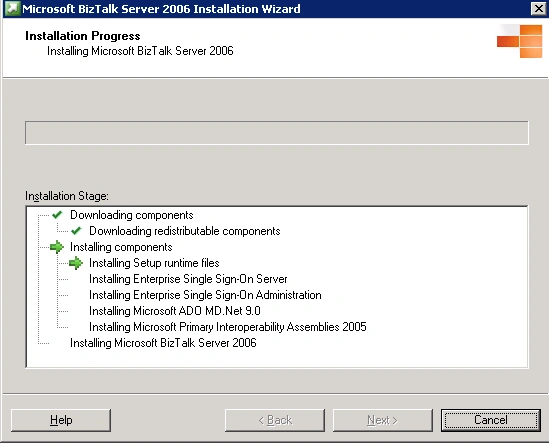
Figure 3.
When the installation process is completed, you receive the following screen as shown in
Figure 4.
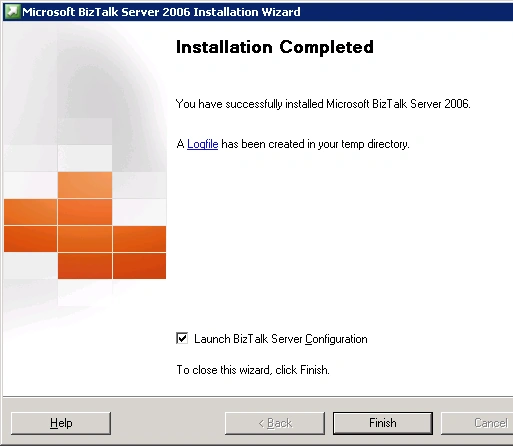
Figure 4.
If you check the box Launch Biztalk Server Configuration, the configuration wizard is launched. In the Configuration window, select Basic Configuration as shown in Figure 5 and enter the sever name hosting the SQL Server instance where the state of Biztalk Server will be persisted as well as a user name and password for the account that Biztalk Server will run under. Finally click on Configure button.
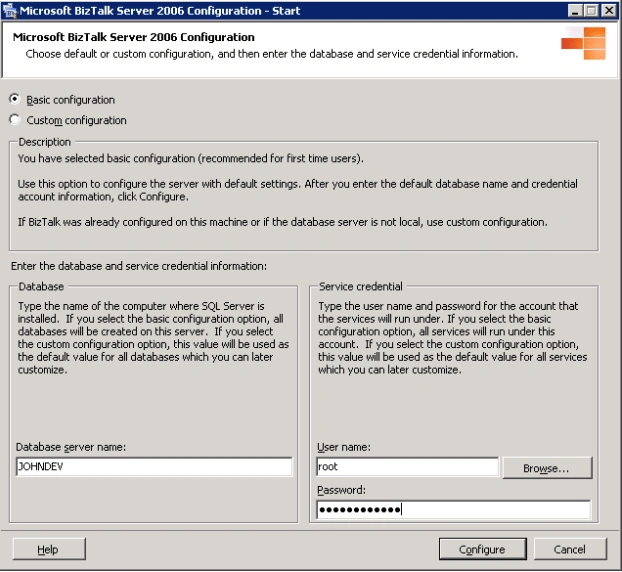
Figure 5.
The Configuration wizard will inform you about the process state. If there are some inconsistencies, then an exclamation point is added to anything that may have configuration issues.
When all these steps are done, then Biztalk Server will be installed, configured and ready for action.
Conclusion.
In this article, I explained the main steps to install and configure Microsoft Biztalk Server.
Join the conversation! Your thoughts help the community grow.