

A batch operation is a collection of table operations which are executed by the Storage Service REST API as a single atomic operation, by invoking an Entity Group Transaction. A batch operation may contain up to 100 individual table operations, with the requirement that each operating entity must have same partition key. A batch with a retrieve operation cannot contain any other operations. Note that the total payload of a batch operation is limited to 4MB.
- Creating Storage Account and Table - Understanding Table Storage - Part One
- Inserting Records - Understanding Table Storage - Part Two
- Retrieving Records - Understanding Table Storage - Part Three
- Updating Records - Understanding Table Storage - Part Four
- Deleting Records - Understanding Table Storage - Part Six
Step 1
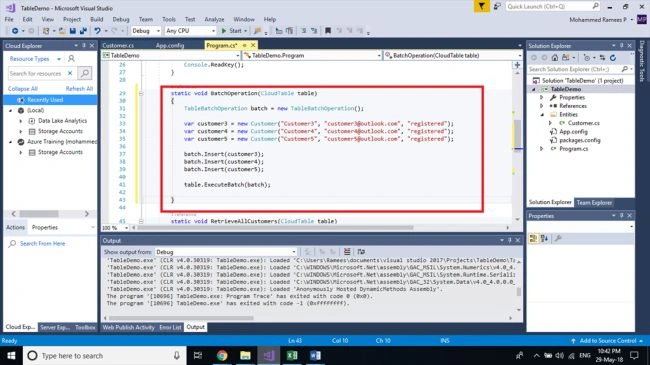
Open the previous project remove all the methods and its calls from the Main method except RetrieveAllCustomers method and its method call. Add the following method to your class which will perform the batch operation. Here, it will add three more customers in a single shot.
- static void BatchOperation(CloudTable table)
- {
- TableBatchOperation batch = new TableBatchOperation();
- var customer3 = new Customer("Customer3", "[email protected]", "registered");
- var customer4 = new Customer("Customer4", "[email protected]", "registered");
- var customer5 = new Customer("Customer5", "[email protected]", "registered");
- batch.Insert(customer3);
- batch.Insert(customer4);
- batch.Insert(customer5);
- table.ExecuteBatch(batch);
- }
Step 2
Call the BatchOperation method in your Main function by adding the following code to your main function before the call for RetriveAllCustomers.
Call the BatchOperation method in your Main function by adding the following code to your main function before the call for RetriveAllCustomers.
- BatchOperation(table);
Step 3
Run your application and you can see that all the new three records have been added.
Run your application and you can see that all the new three records have been added.
Hadshana KamalanathanPosted Jul 14, 2018, 11:40 PM
Thank you for sharing...