

Azure
Microsoft Azure is a cloud computing service created and maintained by Microsoft for building, testing, deploying, and managing applications and services through Microsoft-managed data centers. It provides software as a service (SaaS), platform as a service (PaaS), and infrastructure as a service (IaaS) and supports many different programming languages, tools, and frameworks.
Azure Functions allows you to run small pieces of code (called "functions") without worrying about application infrastructure. A function is "triggered" by a specific type of event like a timer-based event, HTTP event
Features
Some key features of Azure Functions include,
- Serverless applications: Functions allow you to develop serverless applications on Microsoft Azure.
- Choice of language: Write functions using your choice of C#, Java, JavaScript, Python, and PowerShell.
- Bring your own dependencies: Functions supports NuGet and NPM, giving you access to your favorite libraries.
- Integrated security: Protect HTTP-triggered functions with OAuth providers such as Azure Active Directory, Facebook, Google, Twitter, and Microsoft Account.
- Simplified integration: Easily integrate with Azure services and software-as-a-service (SaaS) offerings.
- Flexible development: Set up continuous integration and deploy your code through GitHub, Azure DevOps Services, and other supported development tools.
- Open-source: The functions runtime is open-source and available on GitHub.
What can we do with Functions?
Functions is a great solution for processing bulk data, integrating systems, working with the internet-of-things (IoT), and building simple APIs and micro-services.
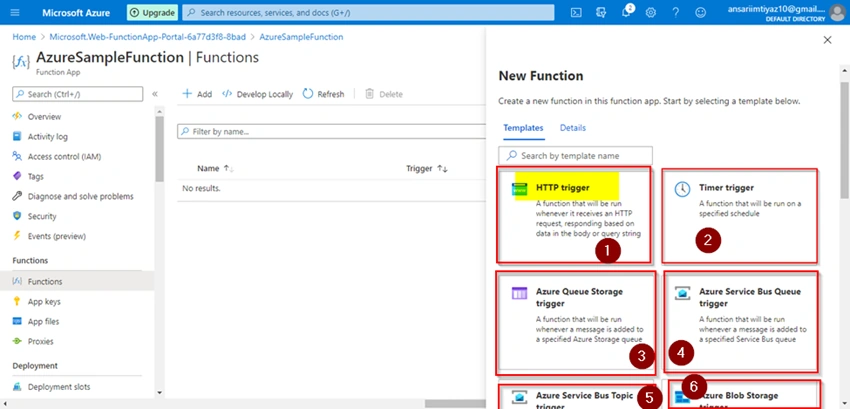
A series of templates are available to get you started with key scenarios including,
- HTTP: Run code based on HTTP requests
- Timer: Schedule code to run at predefined times
- Azure Cosmos DB: Process new and modified Azure Cosmos DB documents
- Blob storage: Process new and modified Azure Storage blobs
- Queue storage: Respond to Azure Storage queue messages
- Event Grid: Respond to Azure Event Grid events via subscriptions and filters
- Event Hub: Respond to high-volumes of Azure Event Hub events
- Service Bus Queue: Connect to other Azure or on-premises services by responding Service Bus queue messages
- Service Bus Topic: Connect other Azure services or on-premises services by responding to Service Bus topic messages
Azure Practical
https://signup.azure.com/signup
Resources Groups
Azure Resources Groups are logical collections of virtual machines, storage accounts, virtual networks, web apps, databases, and/or database servers.

Function App
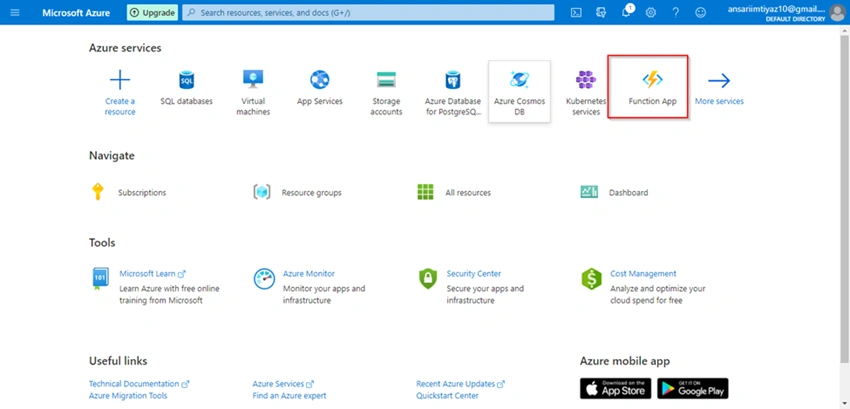
After login we can see on the dashboard "Function App", if not then we have to search "Function App" and open the app.
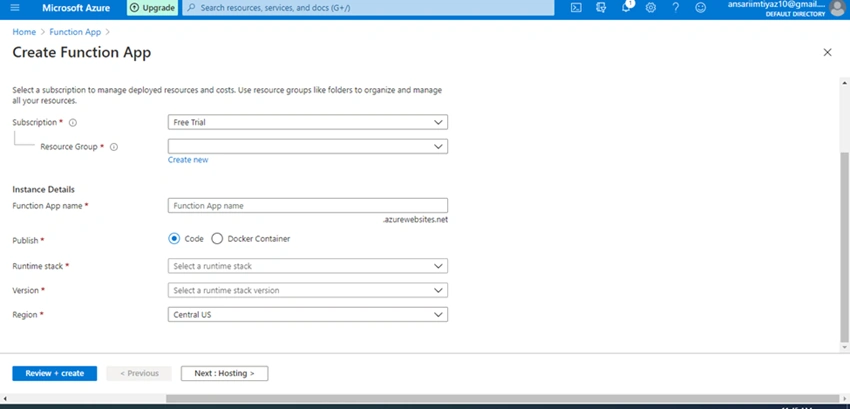
Create Function App
As we can see below screenshot we can create a new function app with the below details.
After creating the Function app, the function is deployed on the server. and we need to create the function Events.
Function Events are of different types. Here we create HTTP trigger with the below details.
- Provide a name for your new function.
- To restrict the use of your function we can set the Authorization level.
There are three types of levels available,
- When we set levels as Function, then we have to provide a function key to call our function.
- When we set it as Admin, then you need to provide the master key. Both the function key and admin keys are found in the 'keys' management panel on the portal when your function is selected.
- When we don't want any authorization then we can simply set the level as Anonymous.
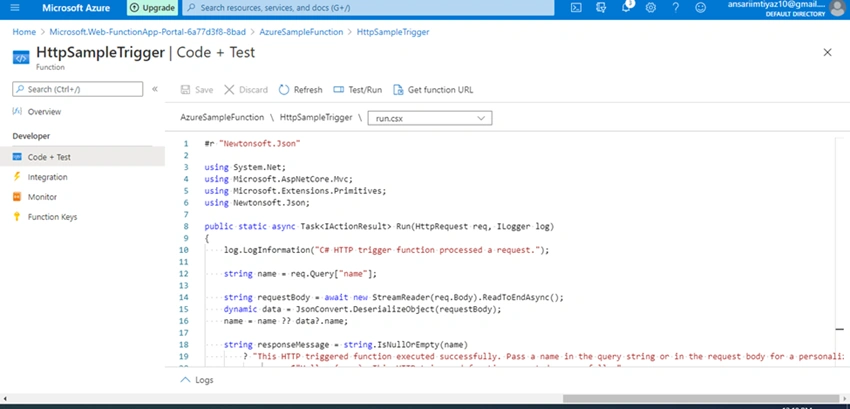
Here we created a simple Azure Function with a "name" input param.
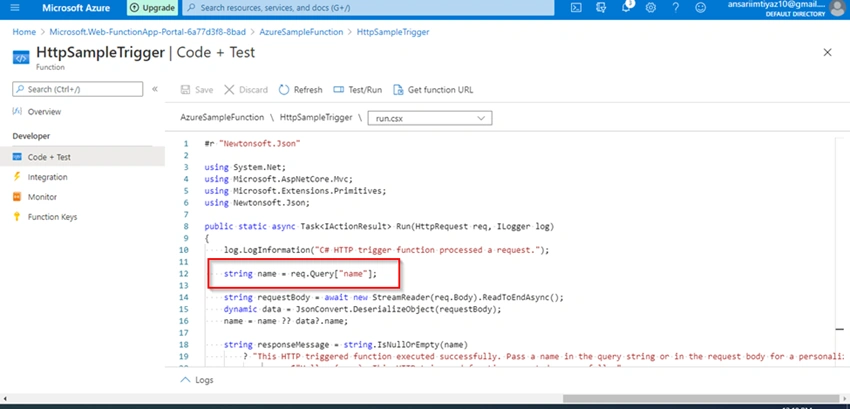
Hear example with output result for above Azure function.

Compare Azure Functions and Azure Logic Apps
Functions and Logic Apps are Azure services that enable serverless workloads. Azure Functions is a serverless compute service, whereas Azure Logic Apps provides serverless workflows.
Summary
In this write-up, we discussed Azure Functions and features.
In my next article, we will discuss how to deploy .net core and Angular applications on the IIS server using the deployment tool Jenkins.
Join the conversation! Your thoughts help the community grow.