

Overview
Recommended Reading
The below articles are recommended to read before continuing with this article.
Changes to SPFx Solution for Automated Testing using Azure DevOps
Follow the below steps to make changes to the SPFx solution.
Run the below command to install the jest-junit dependency to get test reports which Azure DevOps can process.
- npm i jest-junit --save-dev --save-exact
On the command prompt, run the below command to open the SPFx solution in an editor of your choice.
- code .
Add the following jest configuration after devDependencies section inside the package.json file.
- "jest": {
- "reporters": [
- [
- "jest-junit", {
- "suiteName": "SPFx Unit Test",
- "outputDirectory": "./reports/",
- "outputName": "./junit.xml"
- }
- ]
- ]
- }
On the command prompt, run the below command to test the configuration locally.
- npm test
It will create a new folder named “reports” and junit.xml file.
Azure DevOps Build Pipeline Configuration
Create a repository in an Azure DevOps project and add the code. Once the repository is created, create a new build pipeline by adding below tasks.
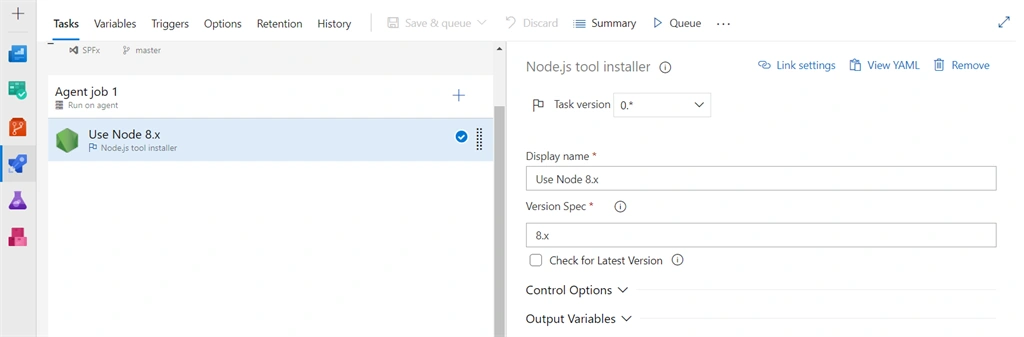
Install Node JS
- On the default agent, click the + sign.
- Search for “Node”.
- Add Node.js tool installer.
- Specify the version as 8.x or 10.x
Install npm packages
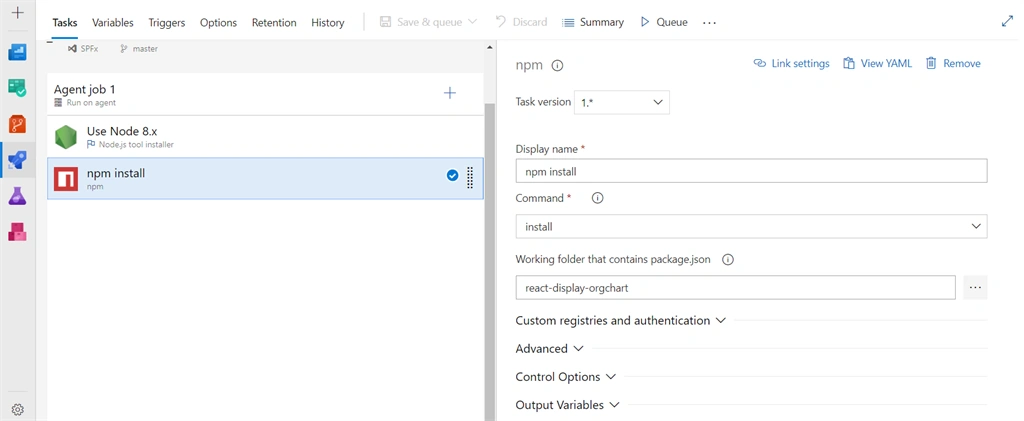
Restore the needed npm packages before starting the build process.
- Add npm task.
- Verify if the command is set to install.
Run Test Cases
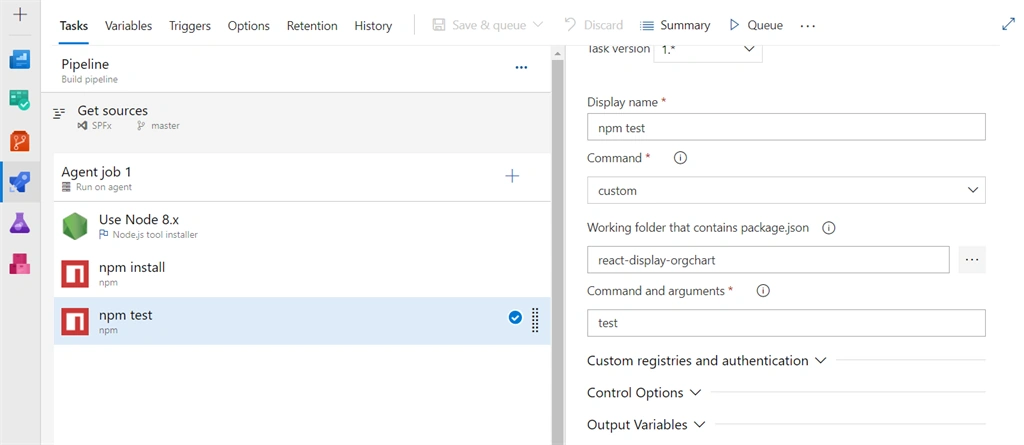
- Add npm task.
- Set command to custom.
- In the “Command and arguments” type “test”.
Publish Test Results
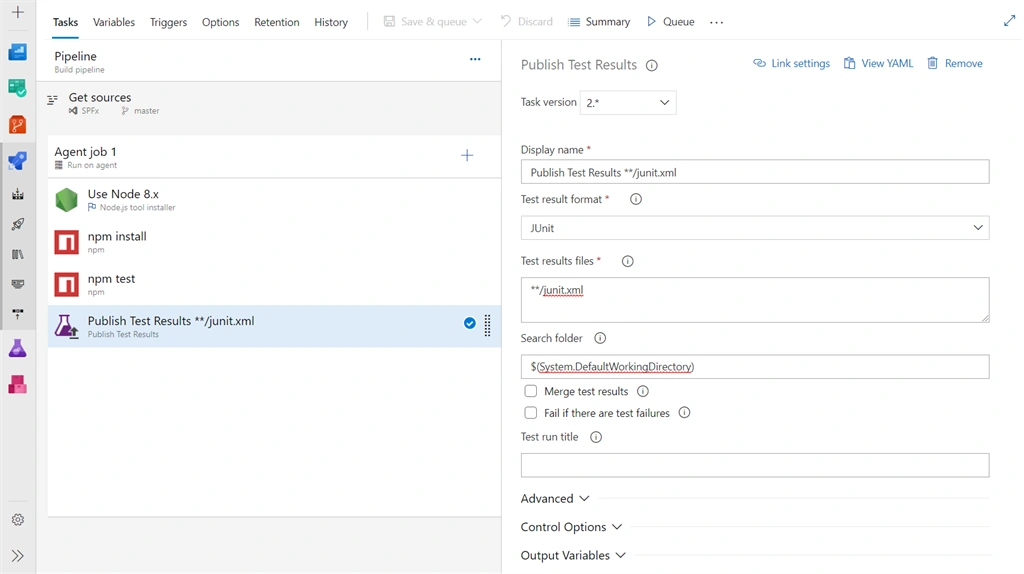
- Add “Publish Test Results” task.
- Select “Test result format” as JUnit.
- In the “Test results files”, specify “**/junit.xml”.
Execute Test Cases with Azure DevOps
Queue a new build and wait for the output.
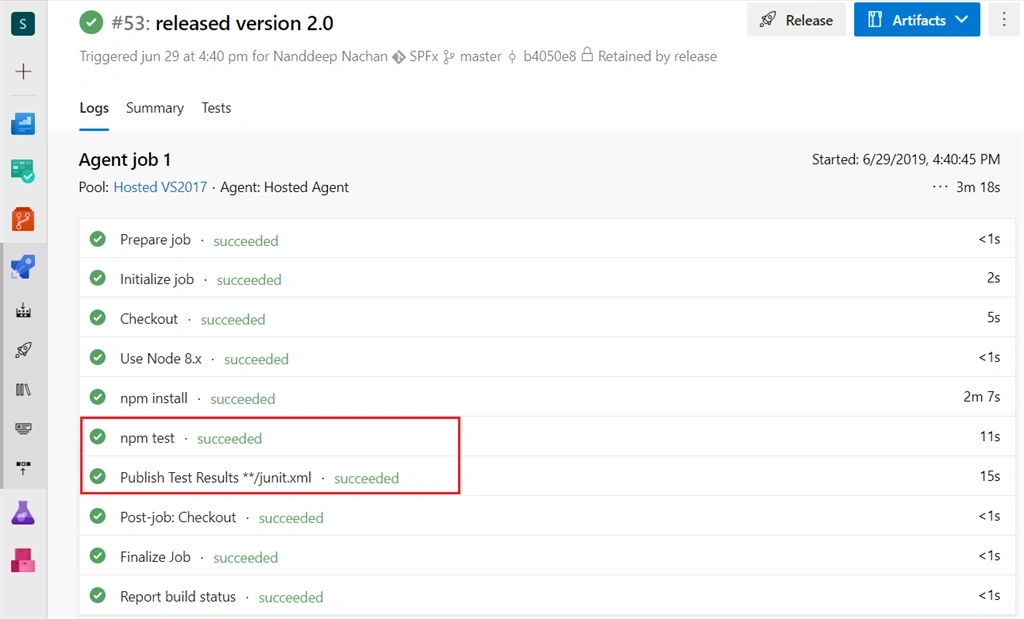
Click the “Tests” tab to view the test outcome.
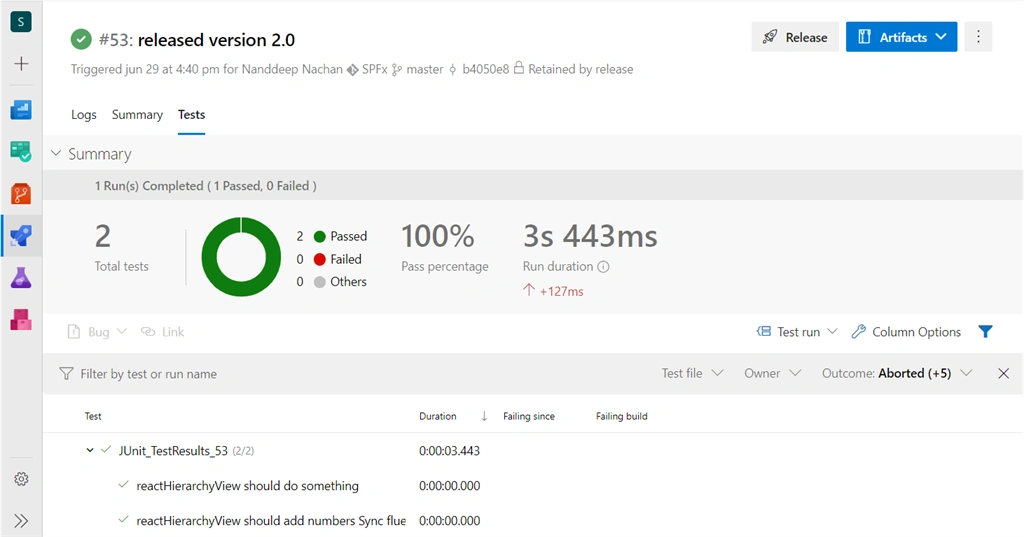
The test outcome will display the number of passed and failed tests along with the run duration and pass percentage. Click on each of the test cases to view the details of each test case run.
Summary
The test cases help to validate the SPFx solutions for each of its releases. The test cases can be implemented using Jest and Enzyme. We can automate the running of test cases using Azure DevOps. The test outcome from Azure DevOps summarizes the number of passed and failed test cases. Although the test cases fail, the build may continue further with the packaging and deployment.
Michael JrPosted Jul 26, 2019, 8:20 AM
Very well-explained post, Sandeep. Thank you for sharing! With DevOps in the picture, CI/CD has become possible and definitely empowering efficient software deliveries. A recommended read for you - https://www.cigniti.com/blog/devops-trends-devsecops-devtestops-aiops/