

In this article, we will learn about Azure CLI Commands, which every developer must know.
So, Let's get started.
Please refer to my previous article,
- Creating Azure Resource Group And Using Tags
- Creating an Azure Storage Account
- Creating An Azure Web App Using App Services
- Creating An Azure SQL Database
Please Note. All Images were taken from Google.
Resource Management
| Log in to your Azure account | az login |
| List all available Azure subscriptions | az account list |
| Delete a resource group |
az group delete --name "rsg-name" |
Computer
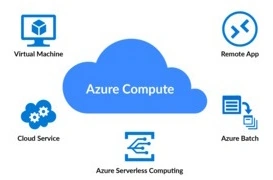
| Create a new virtual machine |
az vm create --rsg "rsg-name" --name "vm-name" --image "UbuntuLTS" --location "region" --admin-username "username" --generate-ssh-keys |
| List all virtual machines | az vm list |
| Start a virtual machine |
az vm start --resource-group "rsg-name" --name "vm-name" |
| Stop a virtual machine |
az vm stop --resource-group "rsg-name" --name "vm-name" |
| Delete a virtual machine |
az vm delete --resource-group "rsg-name" --name "vm-name" |
| Create a new virtual machine scale set |
az vmss create --resource-group "rsg-name" --name "vmss-name" --image "UbuntuLTS" --location "region" --admin-username "username" --generate-ssh-keys --upgrade-policy-mode "automatic" --instance-count "3" |
| List all virtual machine scale sets | az vmss list |
Storage
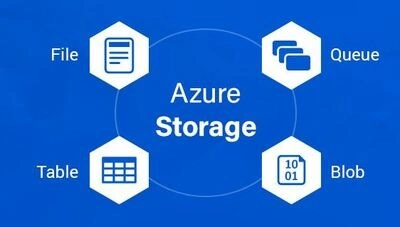
| Create a new storage account |
az storage account create --resource-group "rsg-name" --name "account-name" --location "region" --sku "Standard_LRS" |
| List all virtual machine scale sets | az storage account list |
| Create a new blob container |
az storage container create --name "container-name" --account-name "account-name" --account-key "account-key" |
| List all blob containers |
az storage container list --account-name "account-name" --account-key "account-key" |
| Upload a file to a blob container |
az storage blob upload --account-name "account-name" --account-key "account-key" --container-name "container-name" --type block --name "blob-name" --file "local-file-path" |
Networking

| Create a new virtual network |
az network vnet create --resource-group "rsg-name" -- name "vnet-name" --location "region" --address-prefix "10.0.0.0/16" |
| Create a new subnet |
az network vnet subnet create --resource-group "rsg-name" --vnet-name "vnet-name" --name "subnet-name" --address-prefix "10.0.1.0/24" |
| Create a new public IP address |
az network public-ip create --resource-group "rsg-name" --name "public-ip-name" --location "region" |
| List all subnets |
az network vnet subnet list --resource-group "rsg-name" --vnet-name "vnet-name" |
| List all virtual networks | az network vnet list |
| List all public IP addresses | az network public-ip list |
| Create a new network security group |
az network nsg create --resource-group "rsg-name" --name "nsg-name" --location "region" |
| List all network security groups | az network nsg list |
| Create a new network security rule |
az network nsg rule create --resource-group "rsg-name" --nsg-name "nsg-name" --name "rule-name" --priority 100 --source-address-prefixes "0.0.0.0/0" --destination-port-ranges "80" --access "Allow" --protocol "Tcp" --description "Allow HTTP traffic" |
| List all network security rules |
az network nsg rule list --resource-group "rsg-name" --nsg-name "nsg-name" |
Web Apps

| Create a new web app |
az webapp create --resource-group "rsg-name" --name "web-app-name" --plan "app-service-plan-name" |
| List all web apps | az webapp list |
| Get the default host name of a web app |
az webapp show --resource-group "rsg-name" --name "web-app-name" --query "defaultHostName" |
| Start a web app |
az webapp start --resource-group "rsg-name" --name "web-app-name" |
| Stop a web app |
az webapp stop --resource-group "rsg-name" --name "web-app-name" |
| Set a web app to use 64 bit platform |
az webapp config set --name "web-app-name" --resource-group "rsg-name" --use-32bit-worker-process false |
| Set a web app to always be on |
az webapp config set --name "web-app-name" --resource-group "rsg-name" --always-on true |
| Create a new deployment slot |
az webapp deployment slot create --name "web-app-name" --resource-group "rsg-name" --slot "slot-name" |
| List all deployment slots |
az webapp deployment slot list --name "web-app-name" --resource-group "rsg-name" |
| Swap two deployment slots |
az webapp deployment slot swap --name "web-app-name" --resource-group "rsg-name" --slot "slot-name" --target-slot "target-slot-name" |
| Deploy code to a web app from a Git repository |
az webapp deployment source config --resource-group "rsg-name" --name "name" --repo-url "url" --branch "name" |
Databases
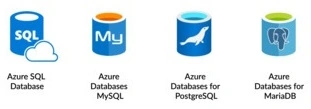
| Create a new Azure SQL Database server |
az sql server create --resource-group "rsg-name" --name "server-name" --location "region" --admin-user "username" --admin-password "password" |
| List all Azure SQL Database servers | az sql server list |
| Create a new Azure SQL Database |
az sql db create --resource-group "rsg-name" --server "server-name" --name "database-name" --edition "Standard" --performance-level "S0" |
| List all Azure SQL Databases |
az sql db list --resource-group "rsg-name" --server "server-name" |
| Create a new Azure Cosmos DB account |
az cosmosdb create --resource-group "rsg-name" --name "account-name" --kind "GlobalDocumentDB" --locations "regionName=region" --default-consistency-level "Session" |
| List all Azure Cosmos DB accounts | az cosmosdb list |
| Create a new Azure Database for PostgreSQL server |
az postgres server create --resource-group "rsg-name" --name "server-name" --location "region" --admin-user "username" --admin-password "password" --sku-name "B_Gen5_1" --version "11" |
| List all Azure Database for PostgreSQL servers | az sql server list |
| Create a new Azure Database for MySQL server |
az mysql server create --resource-group "rsg-name |
| List all Azure Database for MySQL servers | az mysql server list |
| Create a new Azure Database for the MariaDB server |
az mariadb server create --resource-group "rsg-name" --name "server-name" --location "region" --admin-user "username" --admin-password "password" --sku-name "B_Gen5_1" --version "10.4" |
| List all Azure Database for MariaDB servers | az mariadb server list |
| Create a new Azure Cache for the Redis instance |
az redis create --resource-group "rsg-name" --name "redis-name" --location "region" --sku "Basic" --vm-size "C0" |
| List all Azure Cache for Redis instances | az redis list |
Monitoring and Management
| Get the status of all resources in a resource group |
az resource list --resource-group "rsg-name" --output table |
| Monitor the metrics of a resource |
az monitor metrics list --resource "resource-id" --metric "Percentage CPU" --interval "PT1H" |
| Get the activity log for a resource group |
az monitor activity-log list --resource-group "rsg-name" |
| Create an alert rule |
az monitor metrics alert create --resource-group "rsg-name" --name "alert-rule-name" --resource "resource-id" --condition "avg Percentage CPU > 80" |
| List all alert rules |
az monitor metrics alert list --resource-group "rsg-name" |
Containers
| Create a new Azure Kubernetes Service (AKS) cluster |
az aks create --resource-group "rsg-name" --name "aks-cluster-name" --node-count 3 --generate-ssh-keys |
| List all AKS clusters | az aks list |
| Get the credentials of an AKS cluster |
az aks get-credentials --resource-group "rsg-name" --name "aks-cluster-name" |
| Scale an AKS cluster |
az aks scale --resource-group "rsg-name" --name "aks-cluster-name" --node-count 5 |
| Update the version of an AKS cluster |
az aks upgrade --resource-group "rsg-name" --name "aks-cluster-name" --kubernetes-version "1.20.5" |
| Create a new Azure Container Instance |
az container create --resource-group "rsg-name" --name "container-instance-name" --image "microsoft/aci-helloworld" --dns-name-label "dns-namelabel" --ports 80 |
| List all Azure Container Instances | az container list |
| Get the logs of an Azure Container Instance |
az container logs --resource-group "rsg-name" --name "container-instance-name" |
| Get the events of an Azure Container Instance |
az container show --resource-group "rsg-name" --name "container-instance-name" --query "events" |
| Delete an Azure Container Instance |
az container delete --resource-group "rsg-name" --name "container-instance-name" |
Azure Functions
| Create a function app |
az functionapp create --resource-group "rsg-name" --name "functionapp-name" --storage-account "storageaccount-name" --consumption-plan-location "location" |
| List function apps | az functionapp list |
| Delete a function app |
az functionapp delete --resource-group "rsg-name" --name "functionapp-name" |
Azure Logic Apps

| Create a logic app |
az logic workflow create --resource-group "rsg-name" --name "workflow-name" --location "location" --definition @"definition.json" |
| List logic apps |
az logic workflow list --resource-group "rsg-name" |
| Delete a logic app |
az logic workflow delete --resource-group "rsg-name" --name "workflow-name" |
Azure DevOps
| Create a project |
az devops project create --name "project-name" |
| List projects | az devops project list |
| Delete a project |
az devops project delete --id "project-id" |
| Create a service endpoint |
az devops service-endpoint azurerm create --azure-rm-service-principal-id "service-principal-id" --azure-rm-subscription-id "subscription-id" --azure-rm-subscription-name "subscription-name" --azure-rm-tenant-id "tenant-id" |
Azure Key Vault

| Create a key vault |
az keyvault create --name "keyvault-name" --resource-group "rsg-name" --location "location" |
| List key vaults | az keyvault list |
| Delete a key vault |
az keyvault delete --name "keyvault-name" |
| Set a secret in a key vault |
az keyvault secret set --vault-name "keyvault-name" --name "secret-name" --value "secret-value" |
| Get a secret from a key vault |
az keyvault secret show --name "secret-name" --vault-name "keyvault-name" |
Summary
In this article, I have tried to cover some of the important Azure CLI Commands.
Join the conversation! Your thoughts help the community grow.