

Note: this article is published on 03/08/2025.
Amazon Web Services, Inc. (AWS) is a subsidiary of Amazon that provides on-demand cloud computing platforms and APIs to individuals, companies, and governments on a metered, pay-as-you-go basis.
This series of articles will record one Single task for each.
- AWS Management (0) --- Registration --- this article
- AWS Management (1) --- File Update
- AWS Management (2) --- Server Monitoring
A - Introduction
This article is to introduce the AWS registration processes.
- A - Introduction
- B - AWS Registration
- B.1 - Enable a MFA for the Root User
- C - AWS User Type
- D - AWS Training and Certification Center Registration
B - AWS Registration
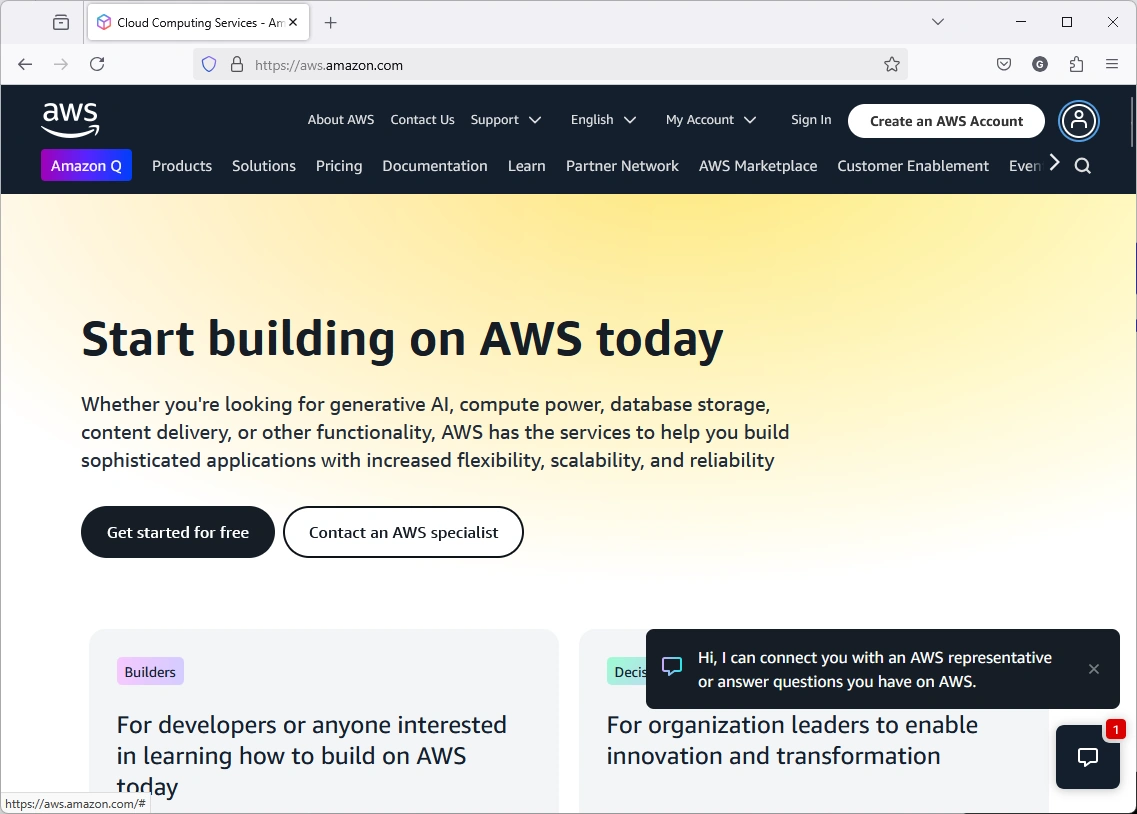
Open AWS Page:
You will get something like this
or:
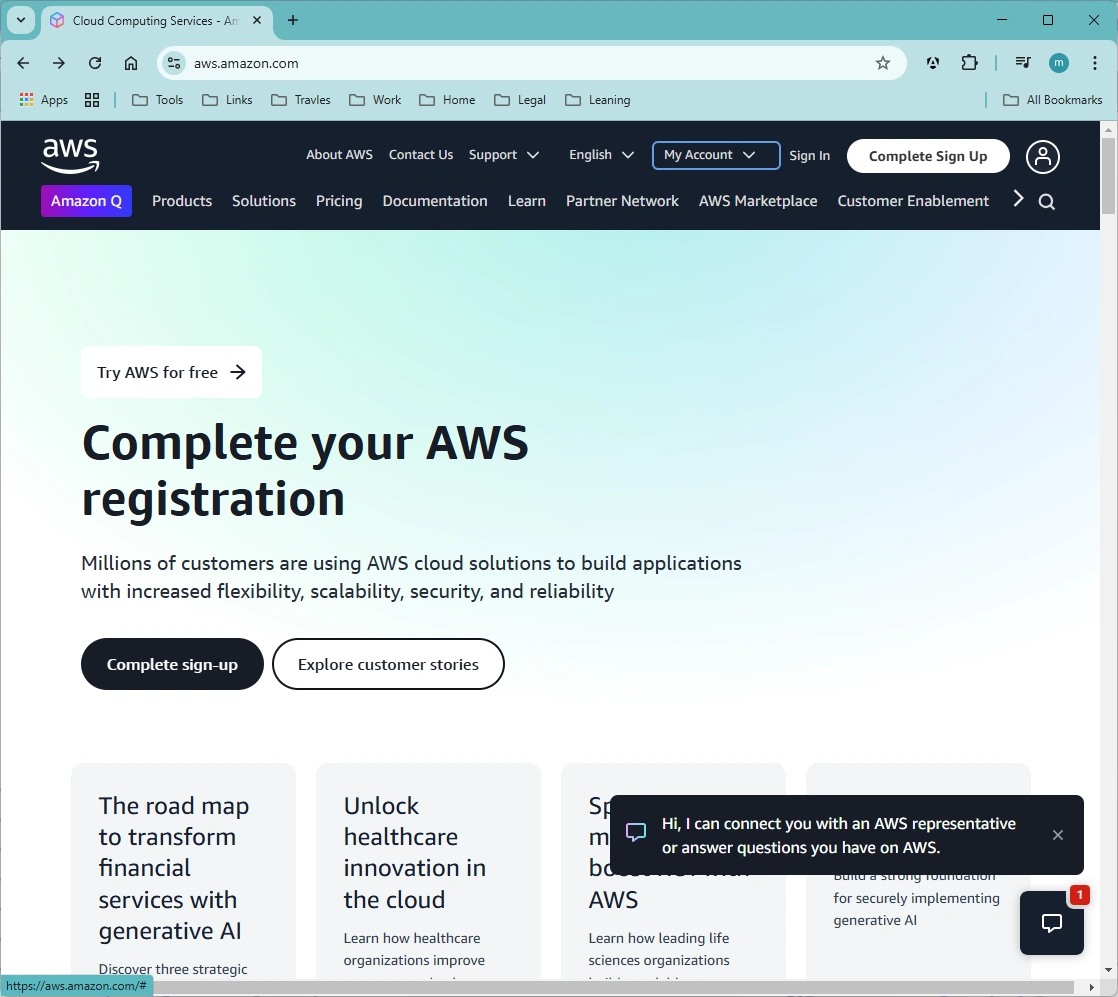
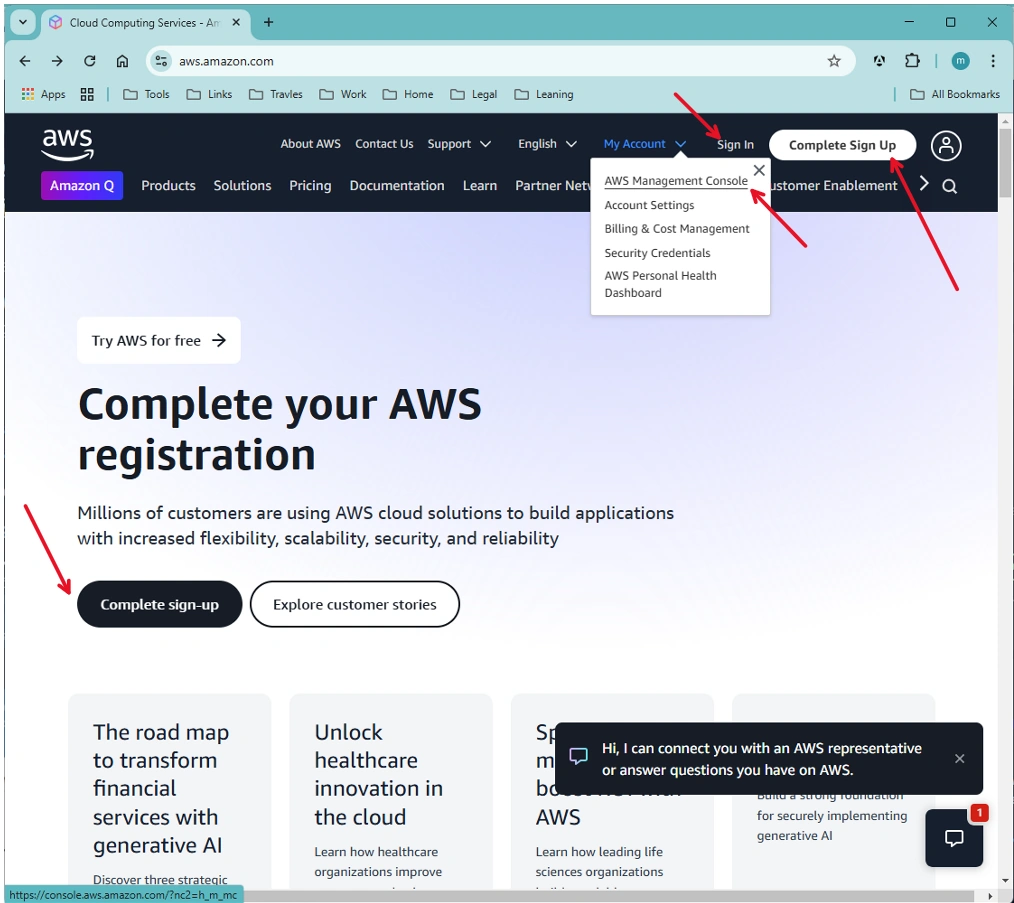
Click either:
- Complete Sign-up on the top-right corner or in the page or
- Sign in on the top-right or
- My Account => AWS Management Console
You will go to the login page:
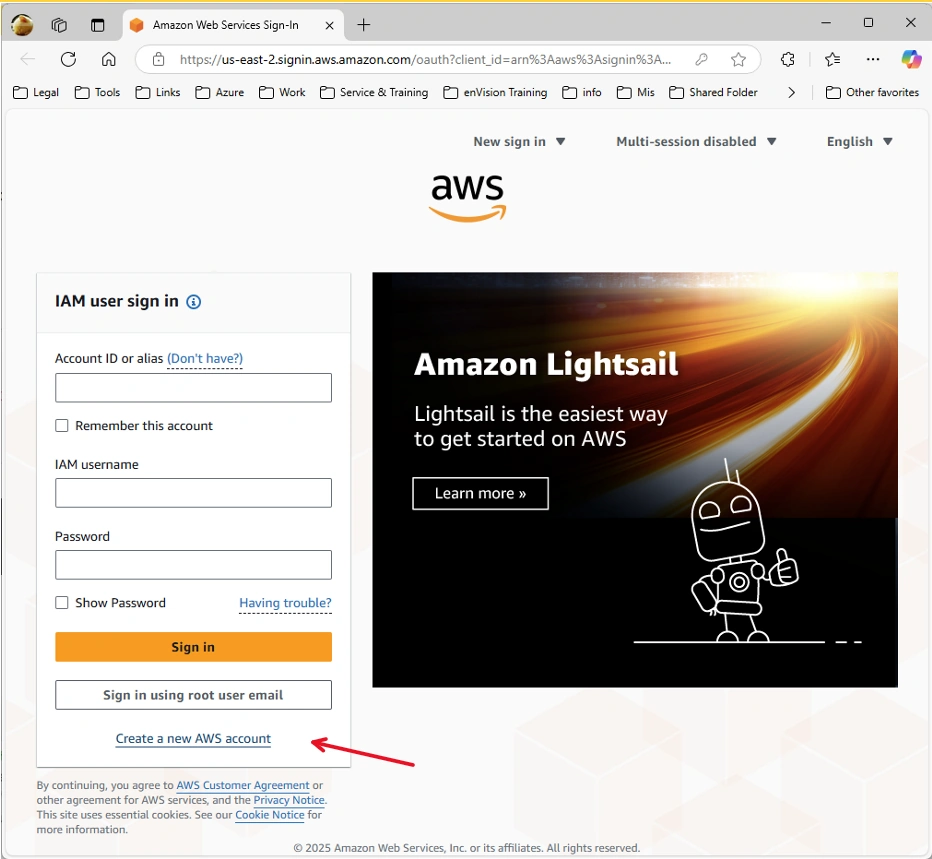
Or registration page:
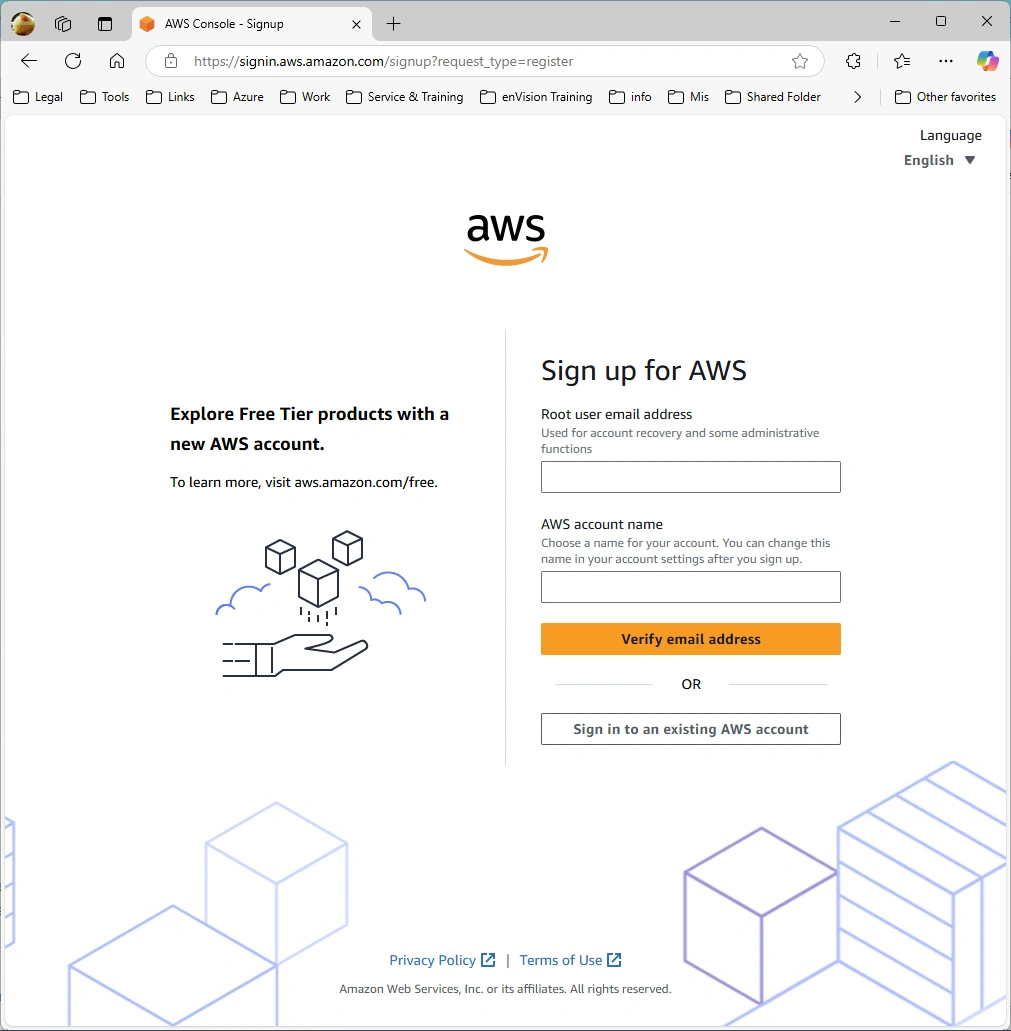
B.1 - Enable a virtual MFA device for the root user (console)
You can use the AWS Management Console to configure and enable a virtual MFA device for your root user.
- Open the AWS Management Console:
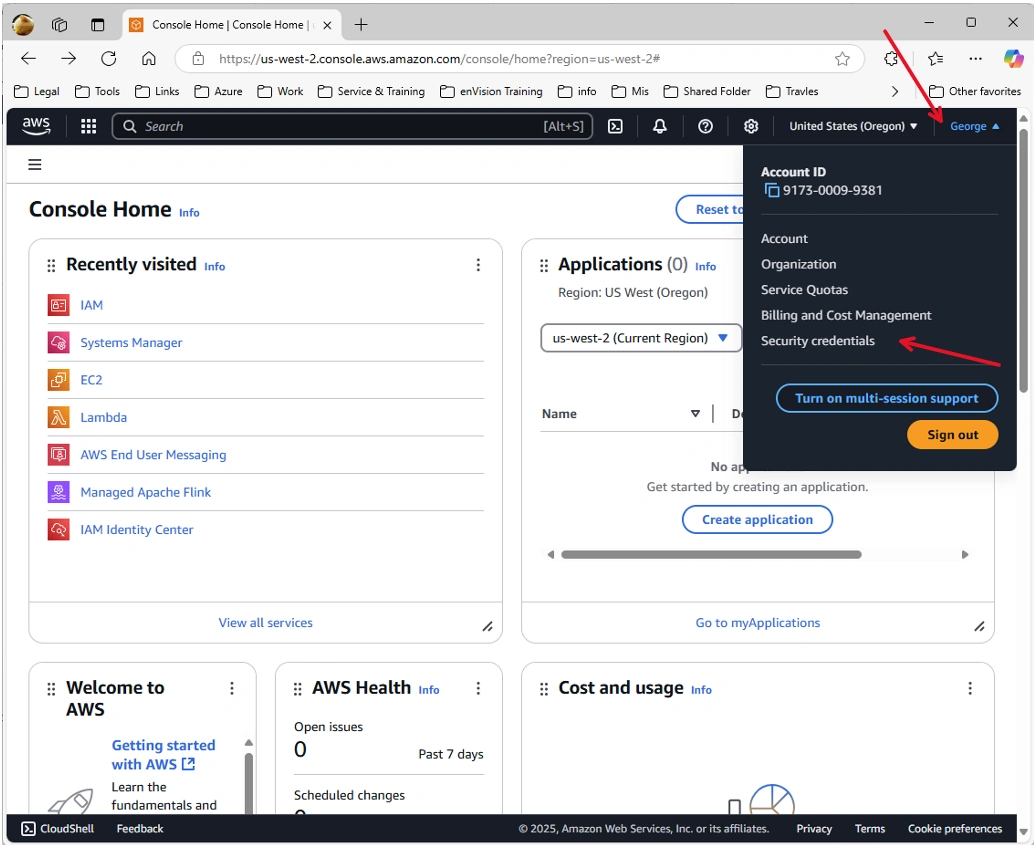
- Click User Name on the top-right corner => Security credentials
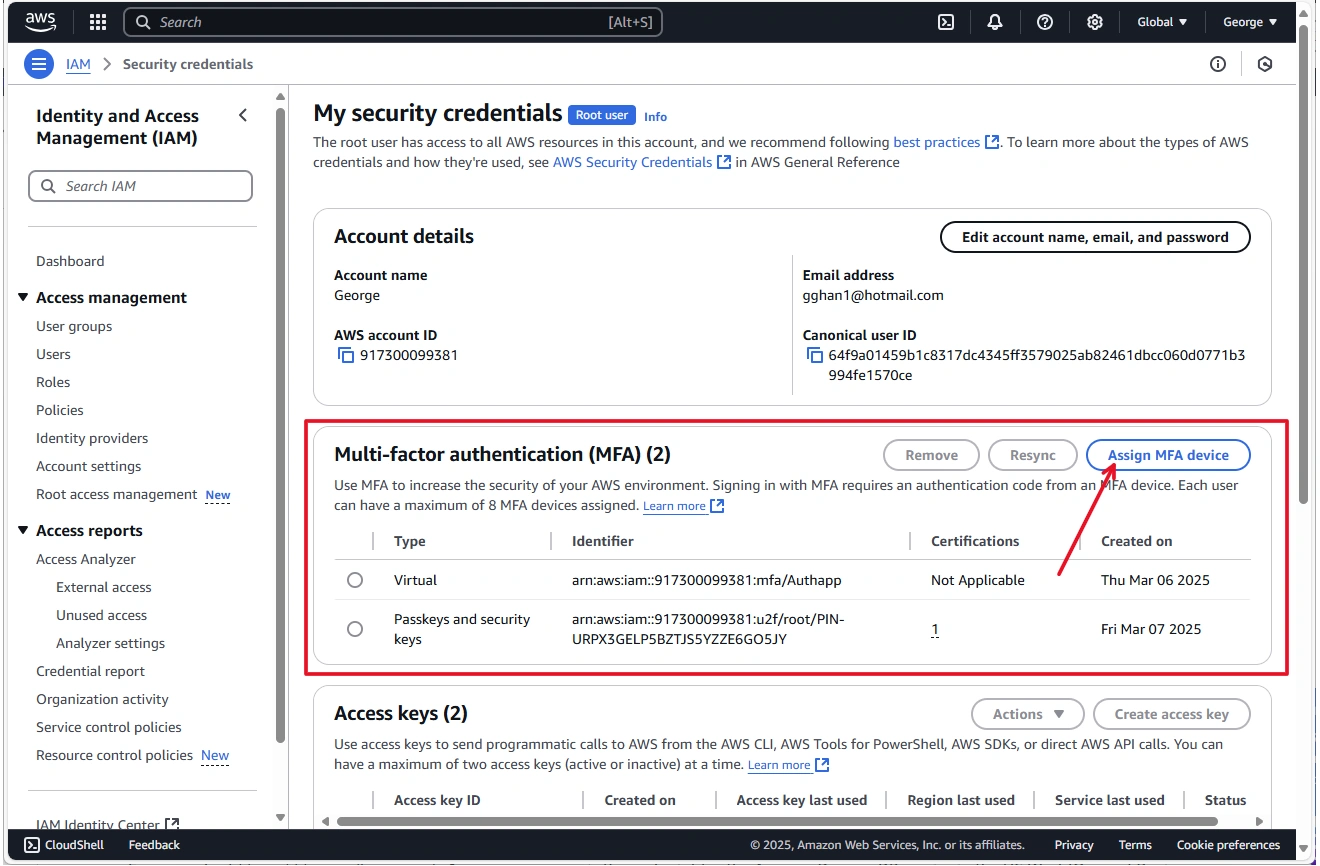
- In the Multi-Factor Authentication (MFA) section: Click Assign MFA device.
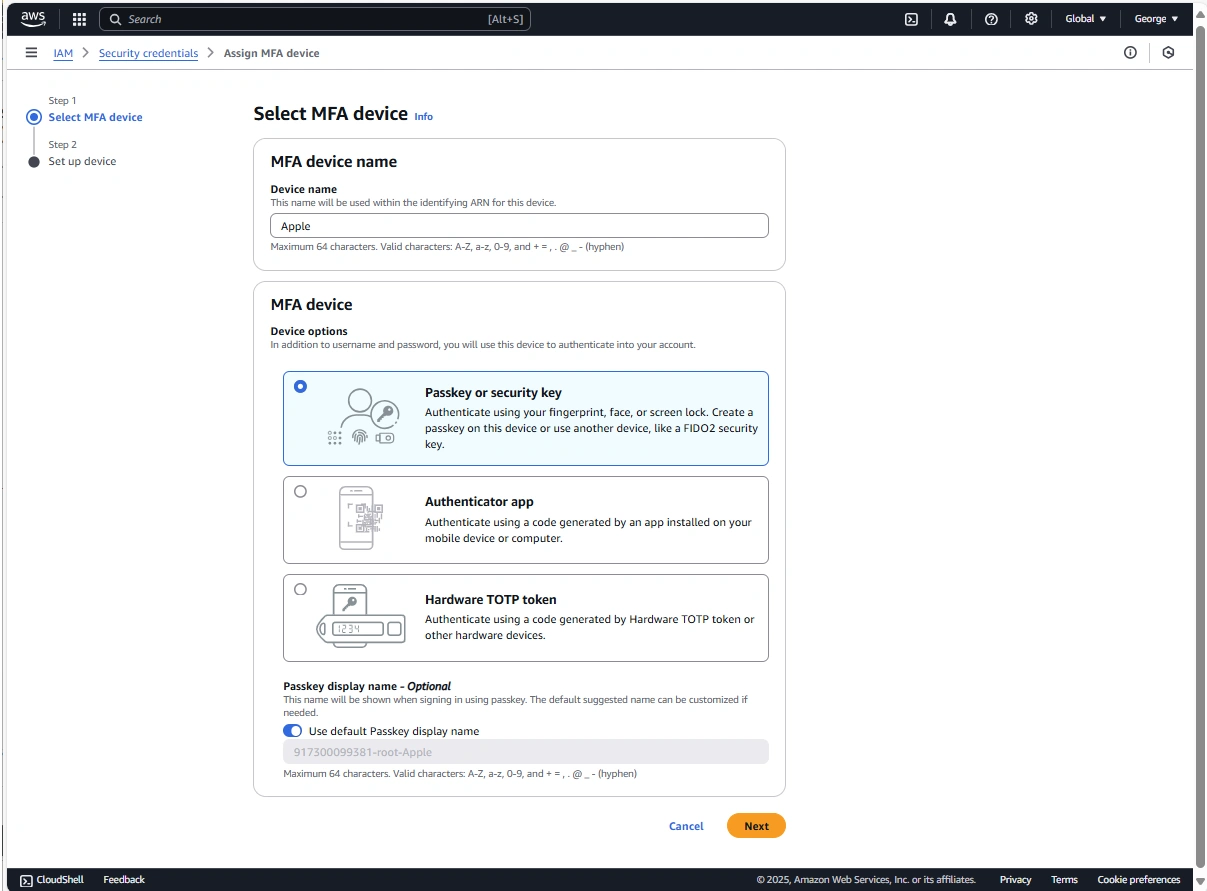
- In the wizard, type a Device name, choose Passkey or Security Key, and then choose Next.
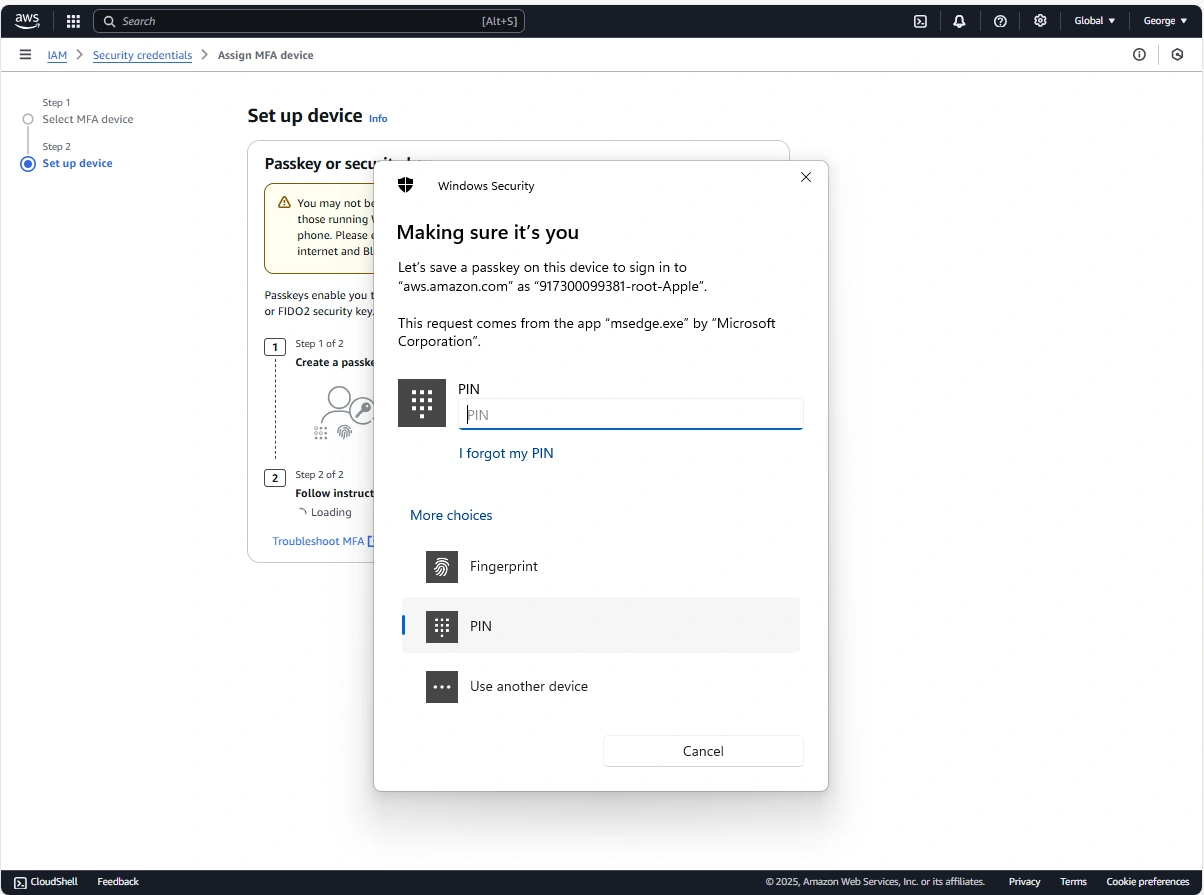
- Type PIN
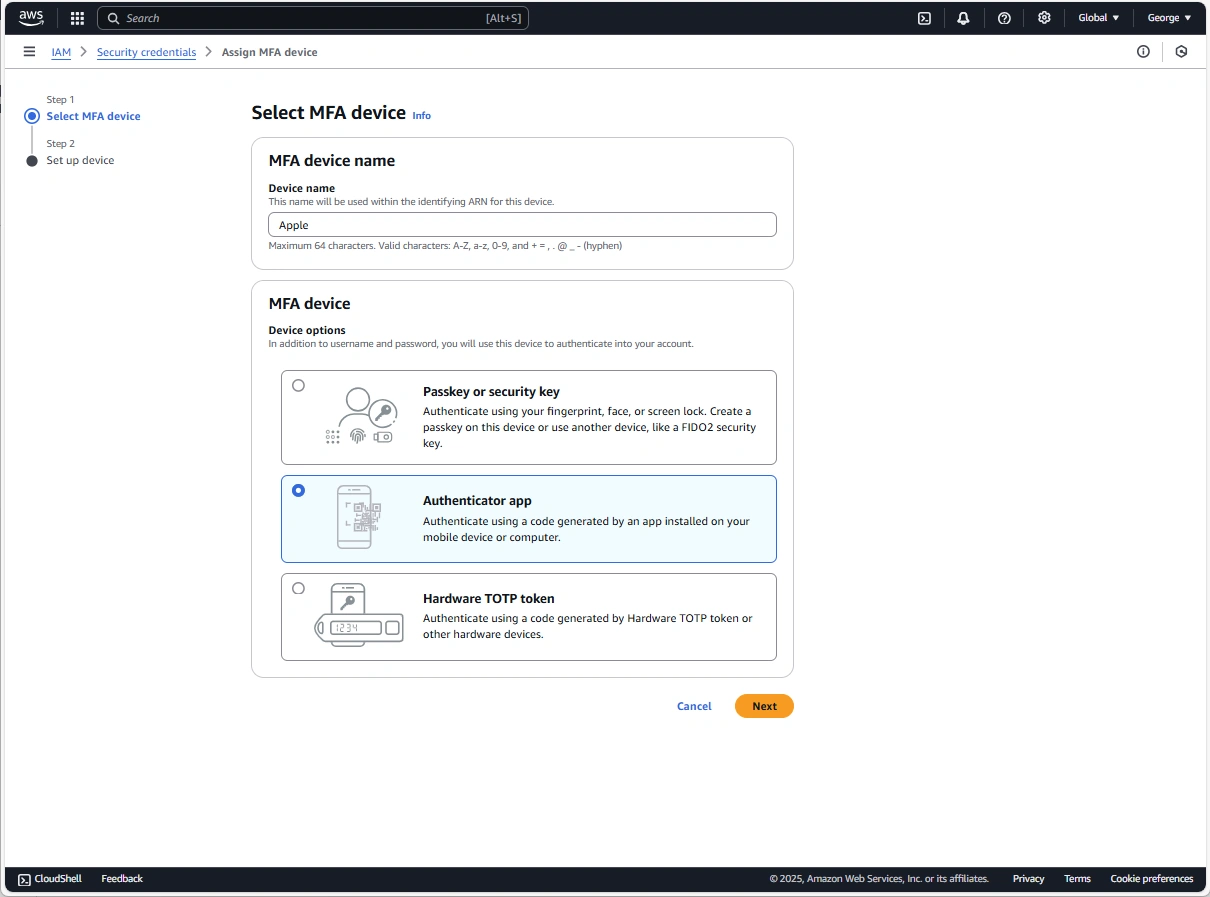
- In the wizard, type a Device name, choose Authenticator app, and then choose Next.
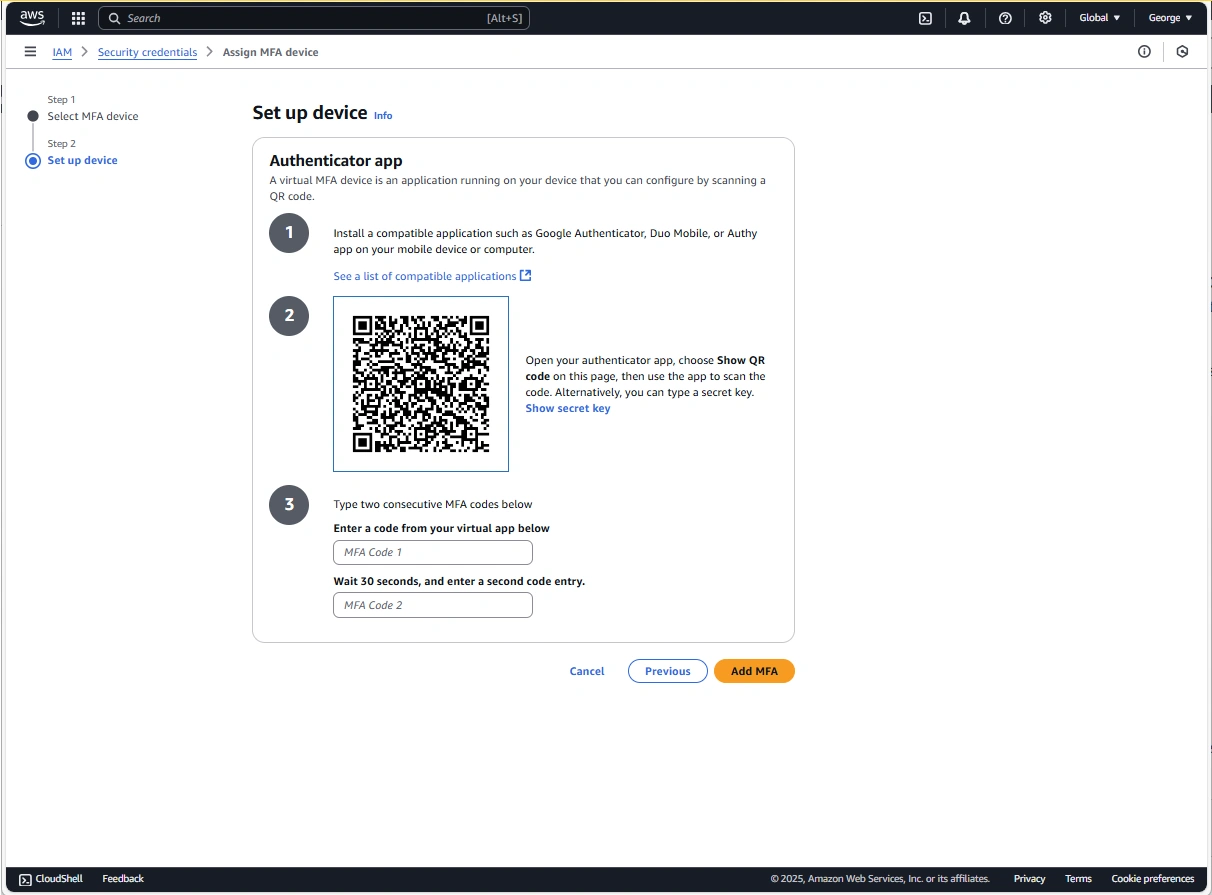
- Scan the QR code to configure the virtual MFA device.
C - AWS User Type
How you sign in depends on what type of AWS user you are. You can manage an AWS account as a root user, an IAM user, a user in IAM Identity Center, or a federated identity. You can use an AWS Builder ID profile to access certain AWS services and tools. The different user types are listed below.
AWS User Types:
- Root user
- Also referred to as the account owner or account root user. As the root user, you have complete access to all AWS services and resources in your AWS account. When you first create an AWS account, you begin with a single sign-in identity that has complete access to all AWS services and resources in the account. This identity is the AWS account root user.
- IAM user
- An IAM user is an entity you create in AWS. This user is an identity within your AWS account that's granted specific custom permissions. Your IAM user credentials consist of a name and password used to sign in to the AWS Management Console
- IAM Identity Center user
- An IAM Identity Center user is a member of AWS Organizations and can be granted access to multiple AWS accounts and applications through the AWS access portal. If their company has integrated Active Directory or another identity provider with IAM Identity Center, users in IAM Identity Center can use their corporate credentials to sign-in. IAM Identity Center can also be an identity provider where an administrator can create users.
- Federated identity
- A federated identity is a user who can sign in using a well-known external identity provider (IdP), such as Login with Amazon, Facebook, Google, or any other OpenID Connect (OIDC)-compatible IdP. With web identity federation, you can receive an authentication token, and then exchange that token for temporary security credentials in AWS that map to an IAM role with permissions to use the resources in your AWS account. You don't sign in with the AWS Management Console or AWS access portal. Instead, the external identity in use determines how you sign in.
- AWS Builder ID user
- As an AWS Builder ID user, you specifically sign in to the AWS service or tool that you want to access. An AWS Builder ID user complements any AWS account you already have or want to create. An AWS Builder ID represents you as a person, and you can use it to access AWS services and tools without an AWS account. You also have a profile where you can see and update your information.
D - AWS Training and Certification Center Registration:
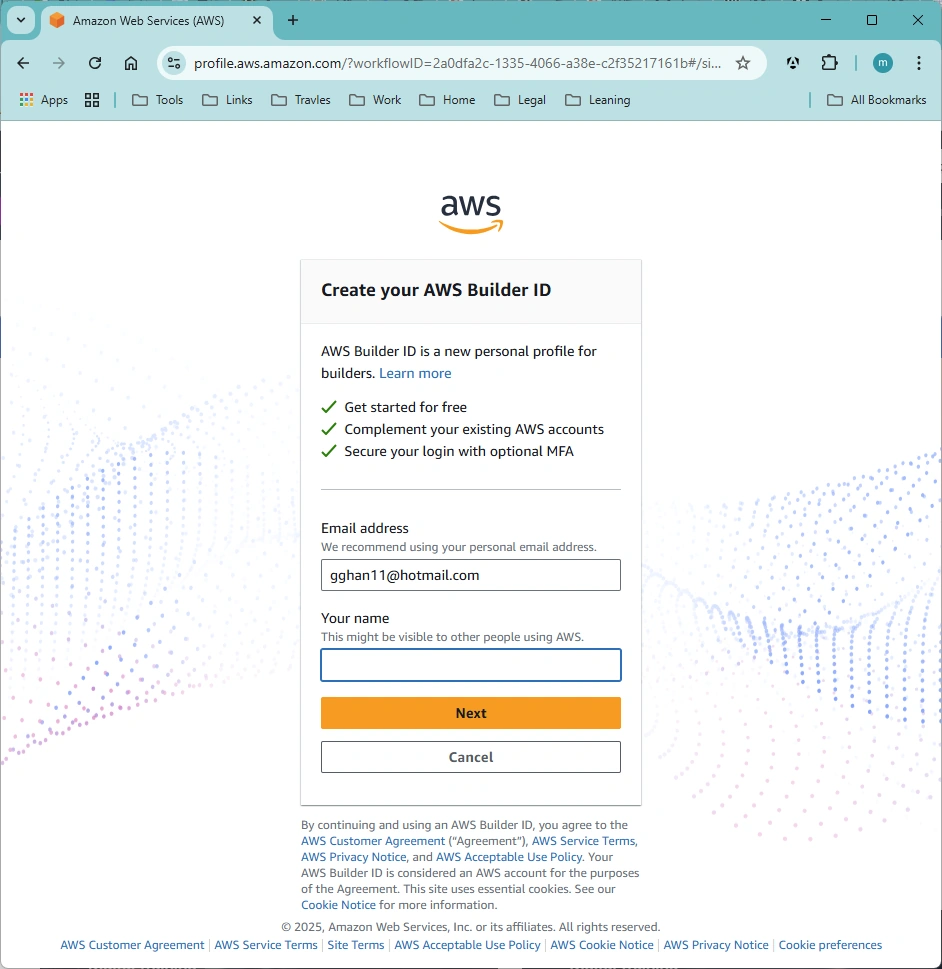
Actually, this is the AWS Builder ID user registration.
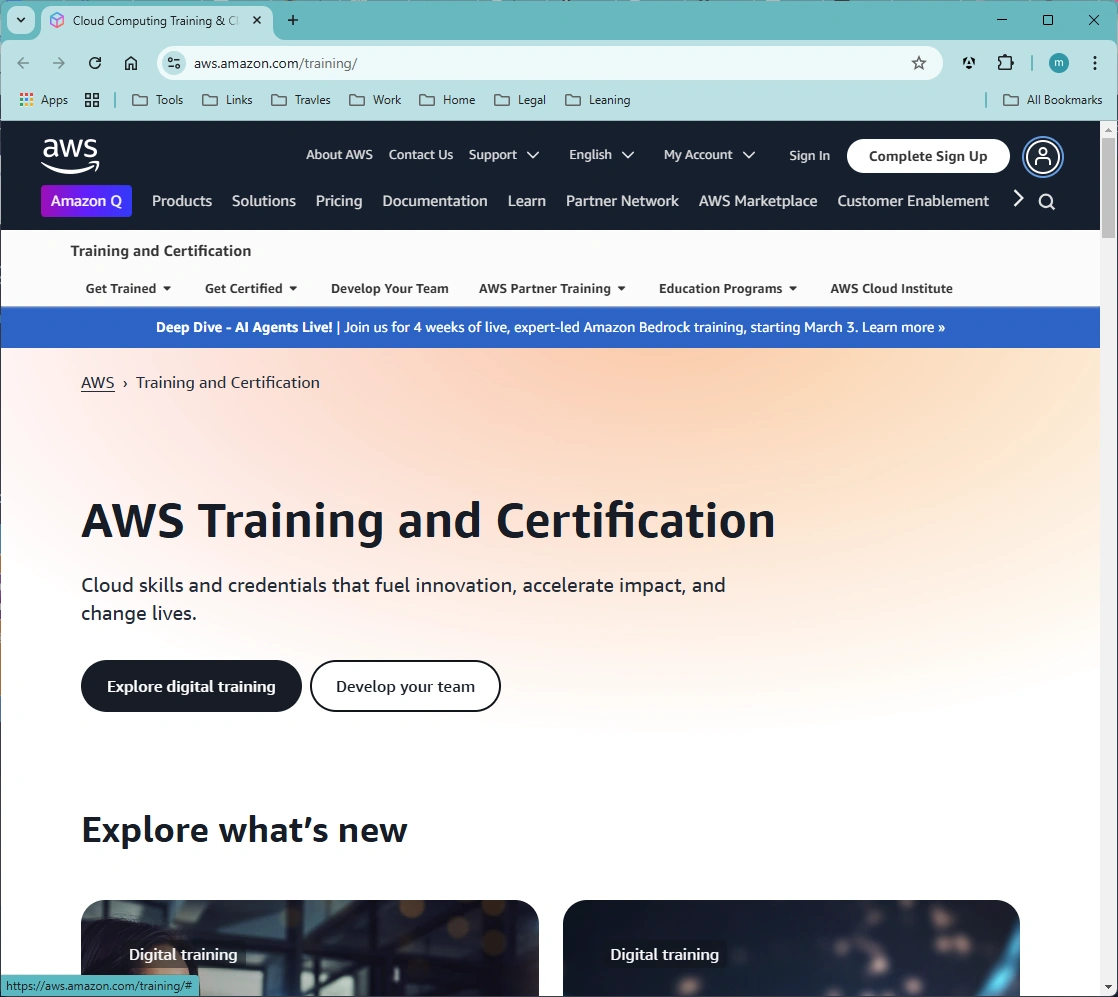
This site uses a different login: Click the User Logo => Login
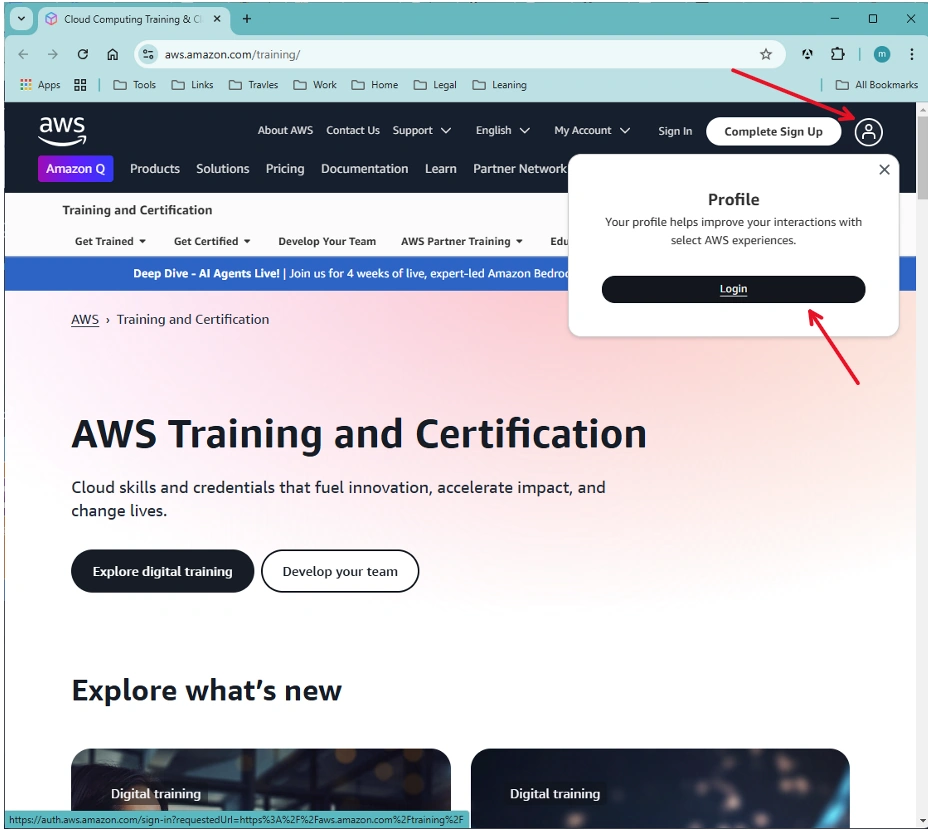
You can use your email to login, if you have already Registered:
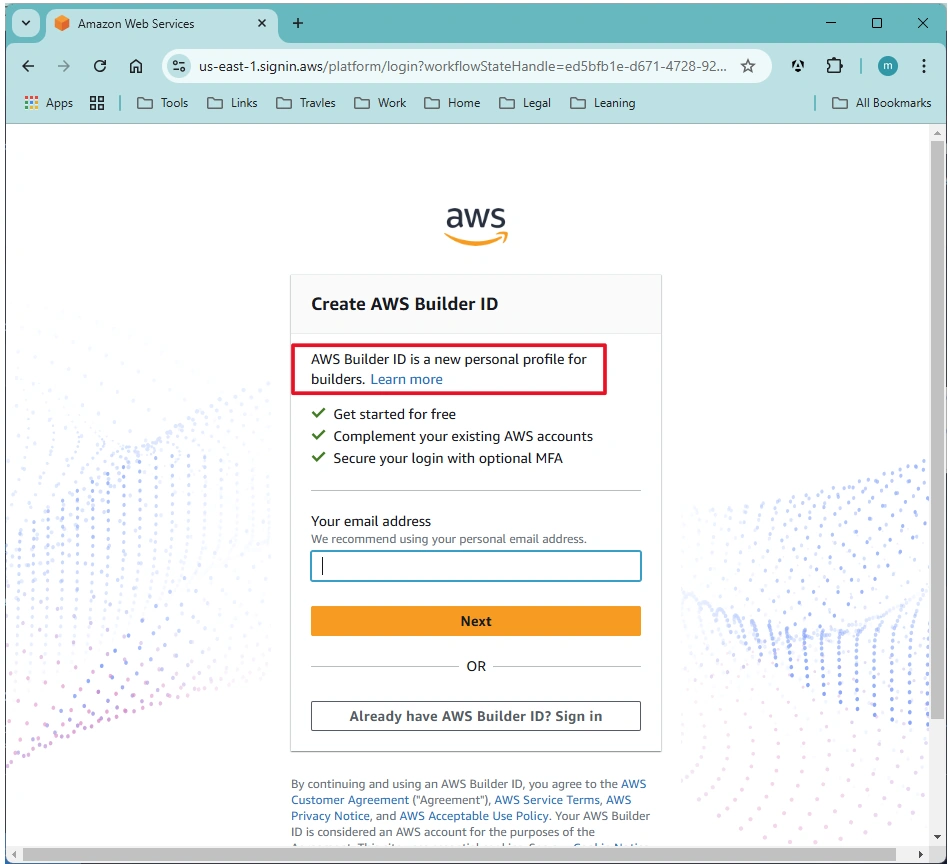
Otherwise, you will redirect to a new page to register:
References:
Join the conversation! Your thoughts help the community grow.