

Introduction
This article explains how to set automatic daily database backup of a database in SQL server. We can set the backup location and schedule a backup time in SQL server.
Steps of scheduling a backup
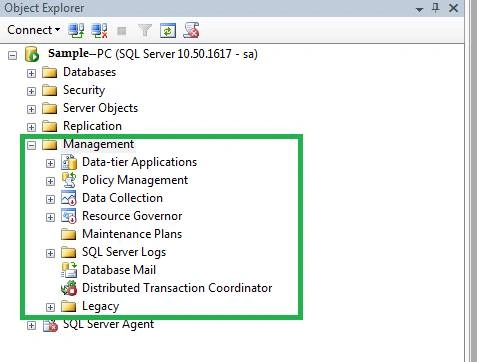
Step 1. Open SQL Server and connect the server. Go to Management and expand the Management.
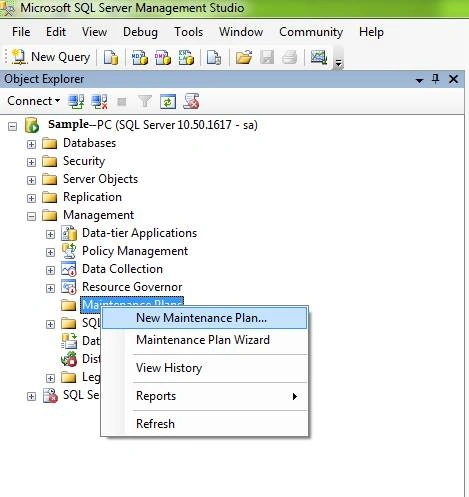
Step 2. Right click on Maintenance Plans and select New Maintenance. Looks like the below screenshot.
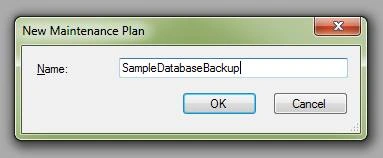
Now enter the Maintenance Plan name in New Maintenance Plan window and click OK.
Step 3
Toolbox and SampleDatabaseBackup – sa [Design] window will be open. Or use your admin login credentials.
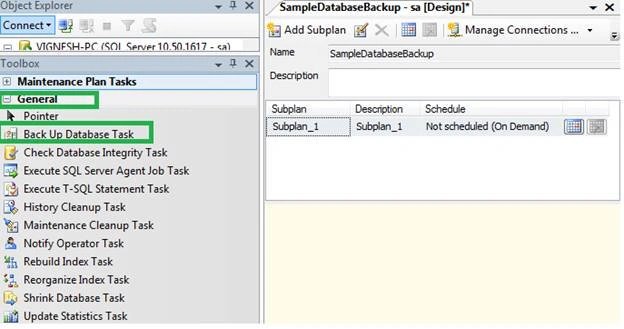
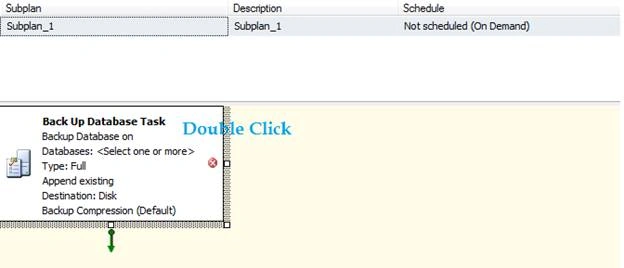
Now double click “Back Up Database Task” box in the wizard. Back Up Database Task window will open.
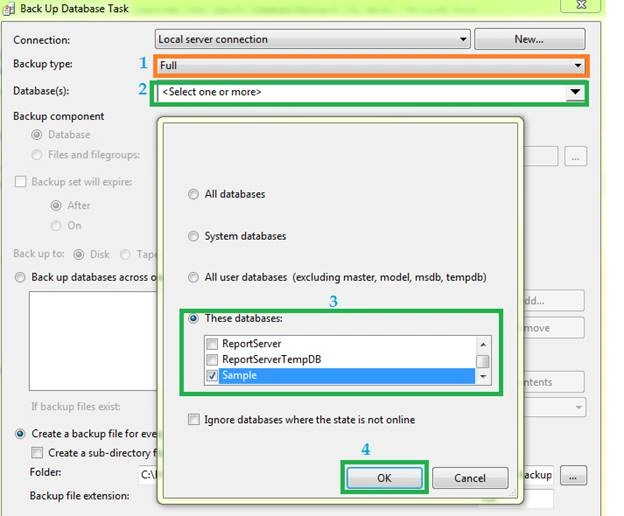
Step 4. Select the backup type as “Full” and Select the Database(s) which we need to set automatic daily backups.
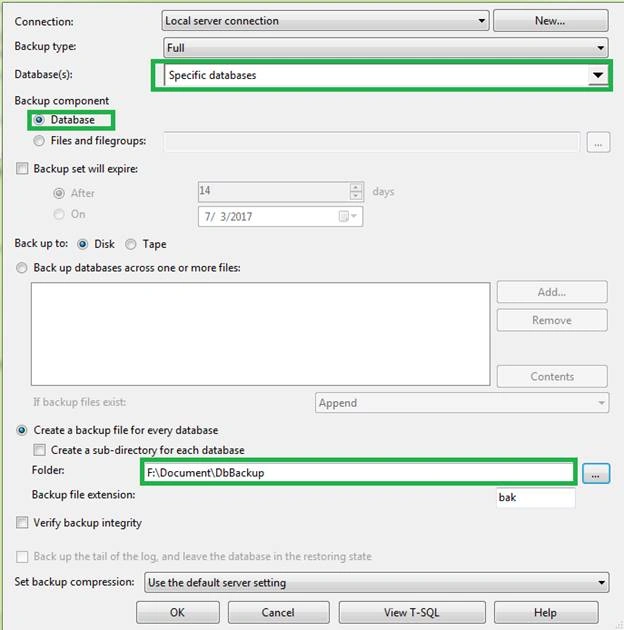
We should select a path in “Back Up Database Task” window where the need to store database backup looks in the server or local machine looks like below screenshot. When done, click OK button.
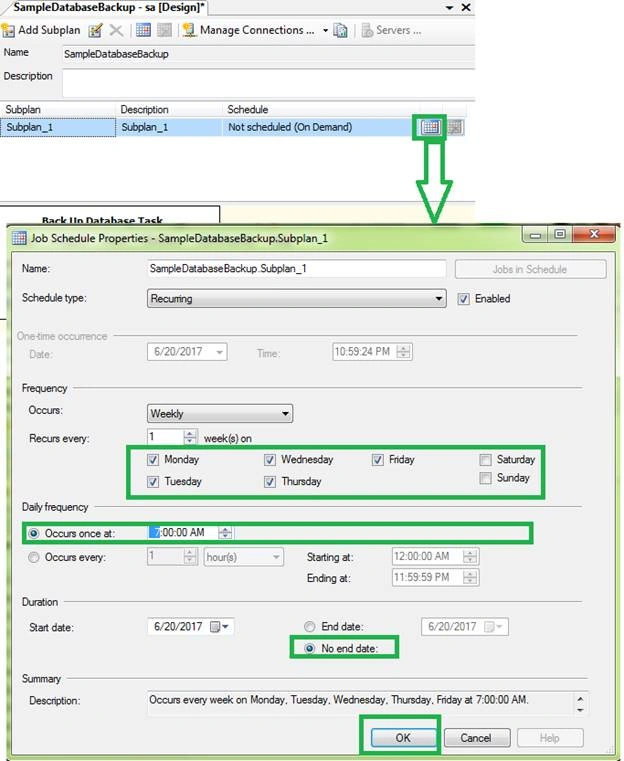
Step 5. Click Job Schedule Properties and select what are the days and and times you need for the backup. We can choose several options that look like the below screen shots then click OK button.
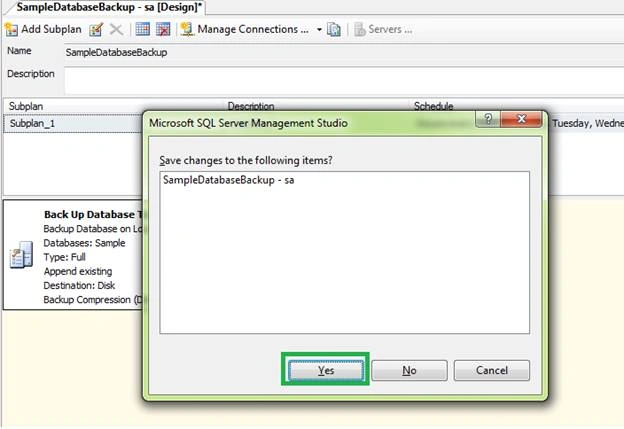
Step 6. When we close the Back-Up Database Task window will be asked “Save changes to the following items”. Click Yes button.
Step 7
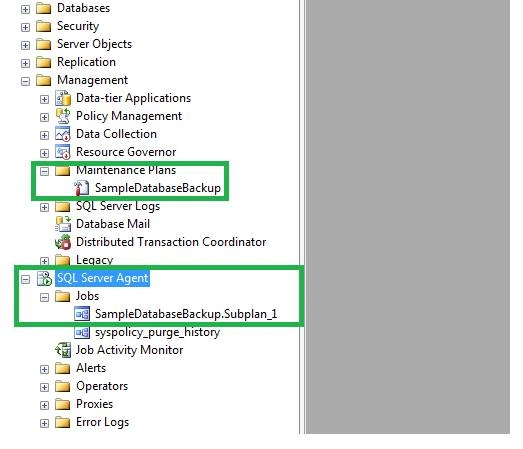
We should check whether SQL Server Agent is running, started or have stopped. SQL Server Agent service is the backend service that will kickoff and execute the backup process. We need to make sure the service is running.
Step 8
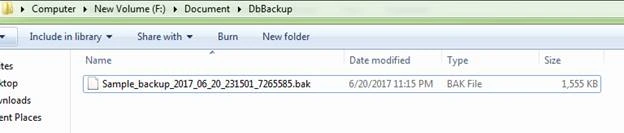
Once ran, we can see our database backup file in the specified path which we have selected. We can see the backup as “.bak” format.
Conclusion
This article explained about how to take automatic backup daily the step by step way in SQL server.
Kumar MalloluPosted Oct 25, 2019, 3:36 AM
Pleasant articale
Pankajkumar PatelPosted Sep 27, 2019, 12:31 AM
Nice article
Rajanikant HawaldarPosted Sep 21, 2019, 11:58 AM
very good, nice article bro
Arvind SinghPosted Sep 20, 2019, 12:16 AM
Nice article
Nick TaylorPosted May 24, 2018, 8:17 AM
Nice explanation. Has someone uses any third party tools to backup SQL Server automatically?
Diwakar paluruPosted Jul 19, 2017, 3:08 AM
Nice post thank you
Former memberPosted Jun 23, 2017, 8:54 AM
Server agent often stops.need to restart manually.problem.
Ganapathi RamanPosted Jun 23, 2017, 8:05 AM
Great Post Bro... Thanks a lot!!!
Hariharan KrishnamoorthiPosted Jun 23, 2017, 1:46 AM
Very good job Vicky.. Nice article.
Ravi PatelPosted Jun 22, 2017, 5:26 AM
Nice article thanks for share