

Introduction
The autoplay of the external drives can be controlled in an optimal manner in Windows 10. This can be done with the ON or OFF option and detects unalike kinds of media when a device is plugged in or even when media is inserted.
Here are the steps:
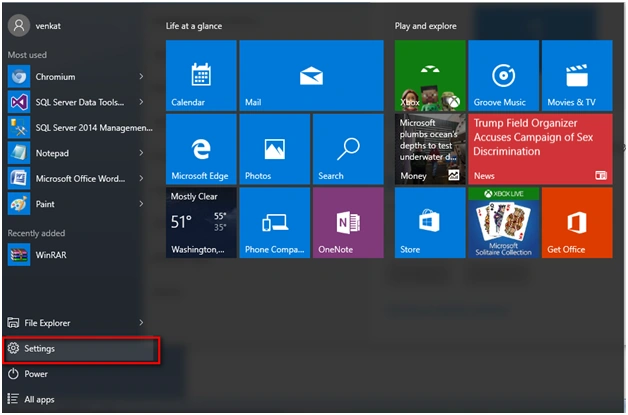
Step 1
Go to the Settings option in Windows 10.
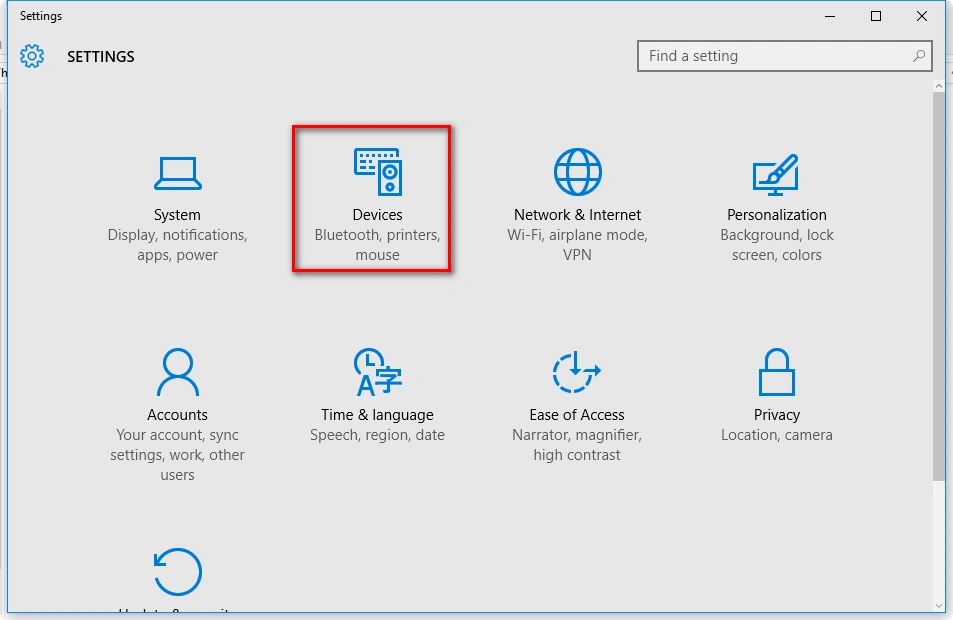
Step 2
Under Settings, go to Devices.
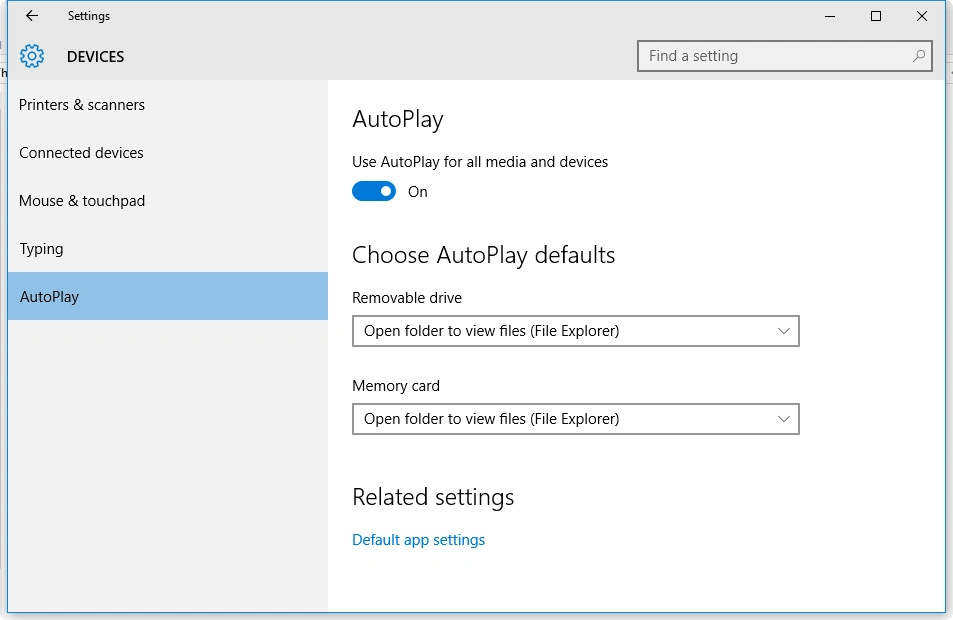
Step 3
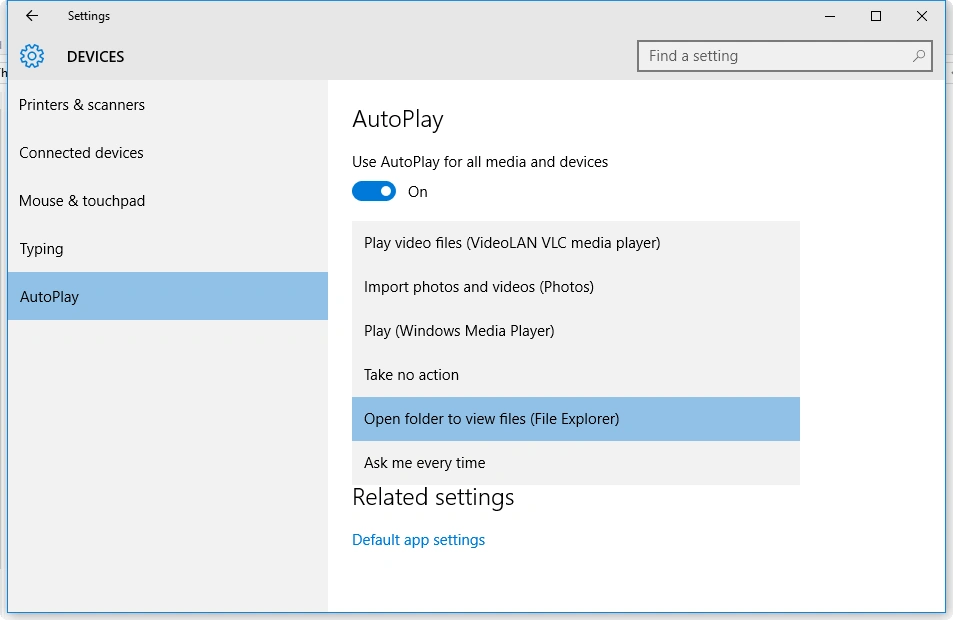
Under Devices go to AutoPlay option.
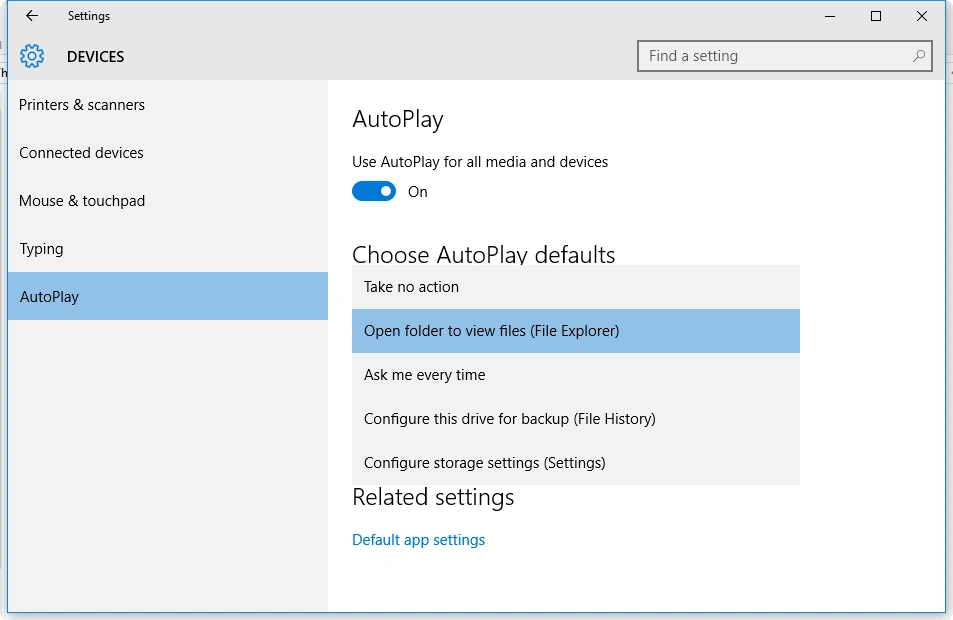
Step 4
AutoPlay defaults for a removable drive, you get the following options. You can set it down.
Step 5
Under Memory card AutoPlay options, the following are the possibilities you can choose from.
Read more articles on Windows 10:
Summary
In this article, we learned about AutoPlay Control Option In Windows 10.
Shubham KumarPosted Mar 3, 2016, 12:31 AM
nice
Sibeesh VenuPosted Mar 2, 2016, 8:24 AM
Nice Share
Mohammed IbrahimPosted Mar 2, 2016, 2:56 AM
nice'
Asfend YarPosted Feb 29, 2016, 1:02 PM
you can decrease the content in a single paragraph
Asfend YarPosted Feb 29, 2016, 1:01 PM
hmm