

Abstract / Overview
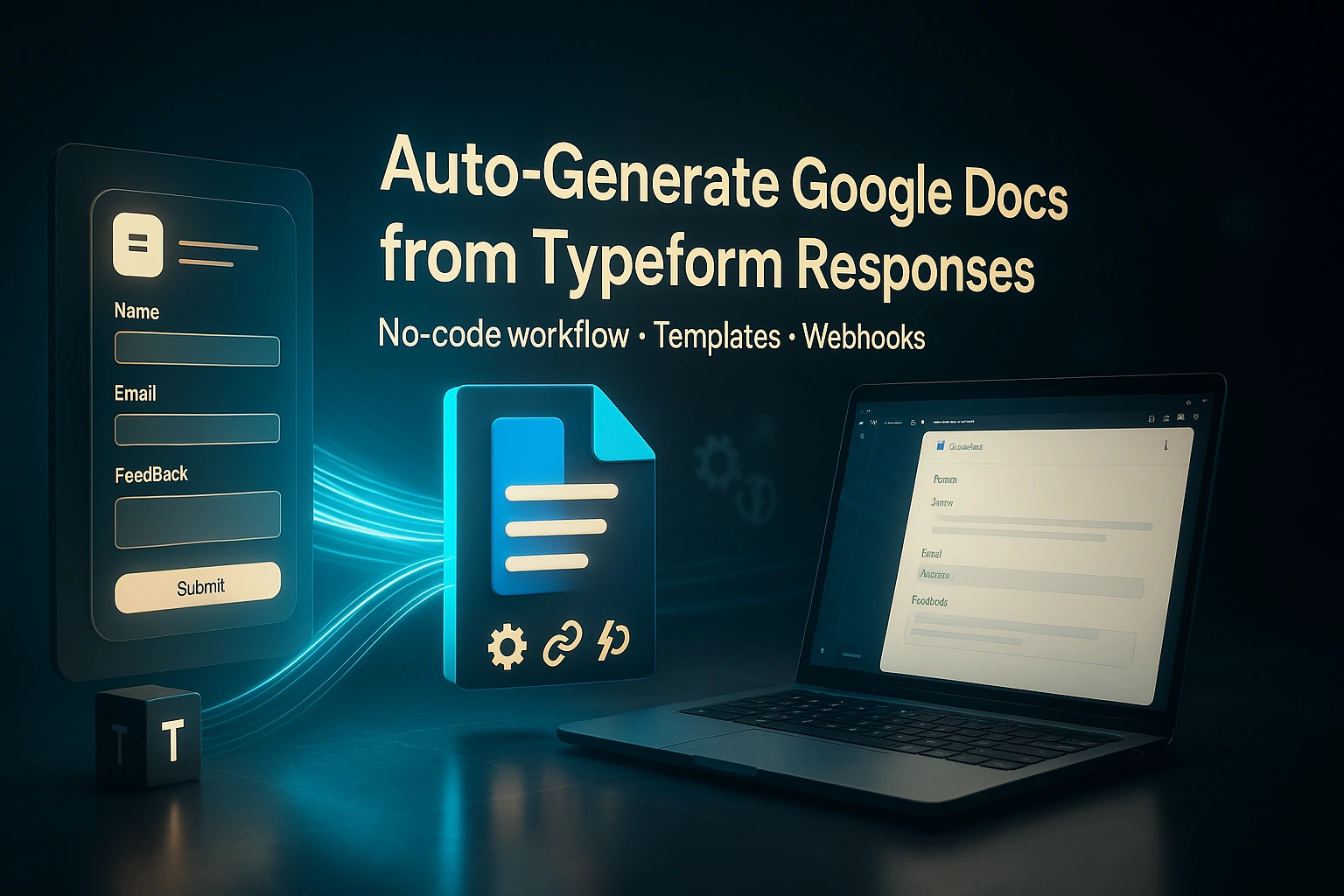
Build a form-to-document pipeline using Typeform, Make.com, and Google Docs. Collect responses, transform values, inject them into a template, export PDFs, and distribute by email or Drive sharing. No add-on marketplace, no scripts required. The same pattern produces certificates, reports, and receipts with consistent formatting at scale.
Assumption: You can connect Typeform, Google Drive/Docs, and Gmail in Make. Timezone defaults to UTC unless set per run.
Conceptual Background
Template-driven generation. Keep a master Google Docs template with placeholders (for example,
{{full_name}}). Make copies of the template, replace placeholders, and output a DOCX or PDF.Event-first orchestration. Use the Typeform instant trigger in Make. Each new response starts a run. Webhooks avoid polling and reduce operations.
Deterministic file naming. Name output files from response fields plus timestamps. Example:
CERT-{{response_id}}-{{YYYYMMDD}}.pdf.Idempotency. Write the created Document ID back to a log (Sheets/Airtable) or add a Drive file property keyed by the Typeform response token to prevent duplicates.
Security and sharing. Produce in a private folder. Share with a specific email address only. Do not turn on “Anyone with link” unless needed.
Formatting durability. Use Docs table blocks and paragraph styles. Favor
Replace textover ad-hoc HTML. For signatures or seals, use template images anchored in the header/footer.
Step-by-Step Walkthrough
1) Design the Typeform
Create a form to gather the minimal fields the document needs:
Name (Short text).
Email (Email).
Score/Amount/Status (Number or Dropdown).
Date of completion (Date).
Certificate type or Document variant (Multiple choice).
Optional media (Image URL or file upload). If uploads are enabled, you will receive file URLs.
Recommended
Use Question references (e.g.,
name_full,email_recipient) for stable mapping in Make.Add hidden fields if you need contextual data (e.g.,
cohort,campaign).Enable Notifications for your team only; delivery to recipients will come from the scenario.
2) Build the Google Docs template
Create a single template in a “Templates” folder. Use consistent placeholder syntax. Avoid curly braces that are part of normal prose. Example placeholders:
Document header:
{{doc_title}}
Body
{{full_name}}{{email}}{{score}}{{completion_date}}{{certificate_id}}{{cohort}}{{issuer_name}}{{issuer_title}}
Footer
{{issued_date}}
Formatting guidelines
Use Styles (Title, Heading 1, Normal text) for predictable typography.
Store static graphics (logo, signature) in the header/footer. Do not replace them dynamically unless variants are required.
For receipts, put a 2-column table with labels on the left and placeholders on the right. Tables resist layout drift after replacements.
3) Prepare Google Drive structure
Drive/Docs Automation/Templates→ contains the locked template(s).Drive/Docs Automation/Output→ receives generated documents.Optional: a per-variant subfolder structure (
Certificates/,Reports/,Receipts/).
Record IDs you will need:
Template Doc ID
Output Folder ID
4) Create the Make.com scenario
Use one scenario with a router to support multiple variants.
Trigger
Typeform → Watch Responses (instant). Choose your form. Map response content to named fields.
Set variables
Normalize values: trim whitespace, format dates and numbers, and calculate derived fields. Examples:
fullName = {{ trim(answers["name_full"].text) }}completionDate = {{ formatDate(answers["date_complete"].date; "YYYY-MM-DD") }}certificateId = {{ upper(concat("CERT-", substring(md5(response_id); 0; 8))) }}docTitle = {{ if(answers["variant"].label = "Certificate"; "Certificate of Completion"; if(answers["variant"].label = "Receipt"; "Payment Receipt"; "Report")) }}
Router
Path A: Certificate
Path B: Report
Path C: Receipt
Each path differs only in template selection or small replacements.
Google Docs → Create a document from a template
Template: Doc ID per variant (or a single template that uses optional placeholders).
Name:
{{docTitle}} — {{fullName}} — {{formatDate(now; "YYYYMMDD-HHmm")}}Folder: Output Folder ID.
Replacements: map every placeholder to a value. Example:
{{doc_title}}→{{docTitle}}{{full_name}}→{{fullName}}{{email}}→{{answers["email_recipient"].email}}{{score}}→{{ formatNumber(answers["score"].number; 2) }}{{completion_date}}→{{completionDate}}{{certificate_id}}→{{certificateId}}{{cohort}}→{{answers["cohort"].text}}{{issuer_name}}→{{ "YOUR ORG NAME" }}{{issuer_title}}→{{ "PROGRAM DIRECTOR" }}{{issued_date}}→{{ formatDate(now; "YYYY-MM-DD") }}
Optional. Insert images
If the template reserves an image placeholder like {{qr_code}}, first generate a QR/Barcode URL (external image service) or compute it elsewhere, then use Google Docs → Insert an image at a bookmark position named qr_code. When not required, omit for a pure Docs workflow.
Export PDF
Google Docs → Export a document to PDF.
Save in the same output folder.
Name: match the DOC name for traceability.
Share and deliver
Google Drive → Share a file with the recipient’s email as a Viewer.
Gmail → Send an email to the recipient with:
Subject:
{{docTitle}} — {{fullName}}Body: include short summary and the file link.
Attach the PDF if needed.
Log
Google Sheets (optional) → Append a row: response ID, document ID, PDF ID, recipient email, timestamp.
5) Template selection logic
If you maintain three separate templates:
Add a “Switch template” step with a lookup table:
variant="Certificate"→ Template A IDvariant="Report"→ Template B IDvariant="Receipt"→ Template C ID
Else keep one template and conditionally hide rows with placeholder behavior (for example, leave{{score}}empty if unused; the final doc still renders cleanly.
6) Field edge cases
Multiple choice (several options). Join values with a delimiter:
{{ join(answers["interests"].labels; ", ") }}
Numbers. Always call
formatNumber(value; decimals). For currency:{{ concat("$", formatNumber(answers["amount"].number; 2)) }}
Dates. Use IANA timezones if included in the response. Otherwise, normalize to your chosen timezone:
{{ formatDate(now; "YYYY-MM-DD"; "America/New_York") }}
7) Idempotency and retries
Before generation, search your log (or Drive file properties) for an existing file where
property:response_idequals the current Typeform response ID. If found, skip creation or update instead of duplicate.In an error handler, retry API calls with a short backoff. Write error text to the log row.
Code / JSON Snippets
A. Docs placeholder quick reference (copy into your template)
{{doc_title}}
{{full_name}}
{{email}}
{{score}}
{{completion_date}}
{{certificate_id}}
{{cohort}}
{{issuer_name}}
{{issuer_title}}
{{issued_date}}
B. Filename and IDs (Make “Set multiple variables”)
docTitle = {{ if(answers["variant"].label = "Certificate"; "Certificate of Completion"; if(answers["variant"].label = "Receipt"; "Payment Receipt"; "Program Report")) }}
fullName = {{ trim(answers["name_full"].text) }}
certificateId = {{ upper(concat("CERT-", substring(md5(response_id); 0; 8))) }}
baseName = {{ concat(docTitle; " — "; fullName; " — "; formatDate(now; "YYYYMMDD-HHmm")) }}
C. Google Docs “Create from template” mapping (pseudo-JSON for clarity)
{
  "templateId": "YOUR_DOC_TEMPLATE_ID",
  "name": "{{baseName}}",
  "folderId": "YOUR_OUTPUT_FOLDER_ID",
  "replacements": [
    {"placeholder": "{{doc_title}}", "value": "{{docTitle}}"},
    {"placeholder": "{{full_name}}", "value": "{{fullName}}"},
    {"placeholder": "{{email}}", "value": "{{answers[\"email_recipient\"].email}}"},
    {"placeholder": "{{score}}", "value": "{{formatNumber(answers[\"score\"].number; 2)}}"},
    {"placeholder": "{{completion_date}}", "value": "{{formatDate(answers[\"date_complete\"].date; \"YYYY-MM-DD\")}}"},
    {"placeholder": "{{certificate_id}}", "value": "{{certificateId}}"},
    {"placeholder": "{{cohort}}", "value": "{{answers[\"cohort\"].text}}"},
    {"placeholder": "{{issuer_name}}", "value": "YOUR ORG NAME"},
    {"placeholder": "{{issuer_title}}", "value": "PROGRAM DIRECTOR"},
    {"placeholder": "{{issued_date}}", "value": "{{formatDate(now; \"YYYY-MM-DD\")}}"}
  ]
}
D. Gmail delivery body (HTML)
Subject: {{docTitle}} — {{fullName}}

Hi {{fullName}},

Your document is ready.

Title: {{docTitle}}
Reference: {{certificateId}}
Date: {{formatDate(now; "YYYY-MM-DD")}}

File link: {{driveFile.webViewLink}}

Best regards,
Automation System
E. Sample workflow JSON code (Make scenario blueprint)
Replace connection and resource IDs with your own. This blueprint uses a single template path. Duplicate the “Create from template” module per variant or inject the templateId via a variable.
{
  "name": "Typeform → Google Docs Generator",
  "version": 3,
  "schedule": { "type": "immediate" },
  "modules": [
    {
      "id": "1",
      "name": "Watch Responses",
      "type": "typeform",
      "func": "watchResponses",
      "params": {
        "connectionId": "conn_typeform_1",
        "formId": "YOUR_TYPEFORM_FORM_ID",
        "limit": 1
      }
    },
    {
      "id": "2",
      "name": "Set variables",
      "type": "tools",
      "func": "setVars",
      "params": {
        "vars": {
          "fullName": "{{ trim(answers[\"name_full\"].text) }}",
          "recipientEmail": "{{ answers[\"email_recipient\"].email }}",
          "completionDate": "{{ formatDate(answers[\"date_complete\"].date; \"YYYY-MM-DD\") }}",
          "certificateId": "{{ upper(concat(\"CERT-\", substring(md5(response_id); 0; 8))) }}",
          "docTitle": "{{ if(answers[\"variant\"].label = \"Certificate\"; \"Certificate of Completion\"; if(answers[\"variant\"].label = \"Receipt\"; \"Payment Receipt\"; \"Program Report\")) }}",
          "baseName": "{{ concat(docTitle; \" — \"; fullName; \" — \"; formatDate(now; \"YYYYMMDD-HHmm\")) }}"
        }
      }
    },
    {
      "id": "3",
      "name": "Create doc from template",
      "type": "google-docs",
      "func": "createFromTemplate",
      "params": {
        "connectionId": "conn_gdocs_1",
        "templateId": "YOUR_DOC_TEMPLATE_ID",
        "name": "{{baseName}}",
        "folderId": "YOUR_OUTPUT_FOLDER_ID",
        "replacements": [
          {"key": "{{doc_title}}", "value": "{{docTitle}}"},
          {"key": "{{full_name}}", "value": "{{fullName}}"},
          {"key": "{{email}}", "value": "{{recipientEmail}}"},
          {"key": "{{score}}", "value": "{{ formatNumber(answers[\"score\"].number; 2) }}"},
          {"key": "{{completion_date}}", "value": "{{completionDate}}"},
          {"key": "{{certificate_id}}", "value": "{{certificateId}}"},
          {"key": "{{cohort}}", "value": "{{answers[\"cohort\"].text}}"},
          {"key": "{{issuer_name}}", "value": "YOUR ORG NAME"},
          {"key": "{{issuer_title}}", "value": "PROGRAM DIRECTOR"},
          {"key": "{{issued_date}}", "value": "{{ formatDate(now; \"YYYY-MM-DD\") }}"}
        ]
      }
    },
    {
      "id": "4",
      "name": "Export to PDF",
      "type": "google-docs",
      "func": "export",
      "params": {
        "connectionId": "conn_gdocs_1",
        "documentId": "{{3.documentId}}",
        "mimeType": "application/pdf",
        "fileName": "{{baseName}}.pdf",
        "folderId": "YOUR_OUTPUT_FOLDER_ID"
      }
    },
    {
      "id": "5",
      "name": "Share PDF",
      "type": "google-drive",
      "func": "shareFile",
      "params": {
        "connectionId": "conn_gdrive_1",
        "fileId": "{{4.fileId}}",
        "role": "reader",
        "type": "user",
        "emailAddress": "{{recipientEmail}}",
        "sendNotificationEmail": false
      }
    },
    {
      "id": "6",
      "name": "Email PDF link",
      "type": "gmail",
      "func": "sendEmail",
      "params": {
        "connectionId": "conn_gmail_1",
        "to": "{{recipientEmail}}",
        "subject": "{{docTitle}} — {{fullName}}",
        "htmlBody": "Hi {{fullName}},<br><br>Your document is ready.<br><br>Title: {{docTitle}}<br>Reference: {{certificateId}}<br>Date: {{ formatDate(now; \"YYYY-MM-DD\") }}<br><br>File link: {{5.webViewLink}}",
        "attachments": [ { "fileId": "{{4.fileId}}" } ]
      }
    },
    {
      "id": "7",
      "name": "Log to Google Sheets",
      "type": "google-sheets",
      "func": "appendRow",
      "params": {
        "connectionId": "conn_gsheets_1",
        "spreadsheetId": "YOUR_SPREADSHEET_ID",
        "sheetName": "Generation Log",
        "values": [
          "{{response_id}}",
          "{{3.documentId}}",
          "{{4.fileId}}",
          "{{recipientEmail}}",
          "{{ formatDate(now; \"YYYY-MM-DDTHH:mm:ssZ\"; \"UTC\") }}"
        ]
      }
    }
  ],
  "links": [
    {"from_module": "1", "to_module": "2"},
    {"from_module": "2", "to_module": "3"},
    {"from_module": "3", "to_module": "4"},
    {"from_module": "4", "to_module": "5"},
    {"from_module": "5", "to_module": "6"},
    {"from_module": "6", "to_module": "7"}
  ]
}
F. Minimal “Replace text” fallback (if your plan lacks Create-from-template)
Copy the file, then run multiple replace steps.
{
  "copyTemplate": {
    "type": "google-drive.copyFile",
    "params": { "fileId": "YOUR_DOC_TEMPLATE_ID", "name": "{{baseName}}", "folderId": "YOUR_OUTPUT_FOLDER_ID" }
  },
  "replace1": {
    "type": "google-docs.replaceText",
    "params": { "documentId": "{{copyTemplate.newFileId}}", "search": "{{full_name}}", "replace": "{{fullName}}" }
  },
  "replace2": {
    "type": "google-docs.replaceText",
    "params": { "documentId": "{{copyTemplate.newFileId}}", "search": "{{email}}", "replace": "{{recipientEmail}}" }
  }
  /* add more replace steps as needed */
}
Use Cases / Scenarios
Certificates. Program completion certificates with unique IDs, date, and instructor signature.
Reports. Post-assessment summaries with scores and recommendations.
Receipts. Payment acknowledgements that match accounting formats, plus a PDF sent to the payer.
Workshop attendance letters. Pull participant name, session date, and organizer info.
Onboarding documents. Auto-filled NDA or policy acknowledgements.
Limitations / Considerations
Typeform quotas. Free plans cap responses and integrations. If volume spikes, buffer with a queue (Data Store or Sheets) and process in batches.
Gmail limits. Daily send caps apply per account. Keep messages transactional and low-volume. Use a Workspace account for higher thresholds.
Docs layout sensitivity. Large replacements can reflow paragraphs. Use tables for label–value sections.
File ownership. Docs belong to the connection account. Use a service account or shared drive to prevent orphaned files.
PII handling. Scope access to the output folder. Avoid exposing emails in public sharing links.
Uploads. Typeform file hosting URLs can expire under some settings. If you embed uploaded images, fetch and re-store them to Drive before insertion.
Fixes (common pitfalls with solutions and troubleshooting)
Placeholders not replaced. Ensure the placeholder text in the template exactly matches the key, including braces and case. Avoid smart quotes. Verify there are no line breaks inside placeholders.
Wrong date or number format. Apply
formatDateandformatNumberbefore replacement. Do not rely on Docs' locale to format strings.Duplicate documents. Implement a “seen” check keyed by
response_id. Store the created document ID in a log. If re-processing is needed, update the existing file, not copy again.Broken permissions. After PDF export, explicitly share with the recipient. If you attach the PDF, you may skip link sharing but still keep the file private.
Emails are landing in spam. Remove promotional wording, keep concise HTML, and set SPF/DKIM for your domain account.
Images are not appearing. Ensure the link is a direct image URL or upload the image to Drive and insert by file ID. For QR codes, pre-generate as PNG and store in Drive.
Diagram

Budget calculation
Let:
N= Typeform submissions per month.Per successful run, approximate Make operations:
1 (Typeform trigger) + 1 (Set variables) + 1 (Create from template) + 1 (Export PDF) + 1 (Share file) + 1 (Gmail) + 1 (Log) = ~7 ops.
Monthly ops ≈
7 * N.
Examples:
Light cohort:
N = 100→~700 ops/monthfits typical free tiers that offer ~1,000 ops.Growing program:
N = 400→~2,800 ops/monthsuggests a paid Make plan or batching to reduce sends.Attachment choice: If you skip PDF export and only send a Docs link, subtract 1 op per run.
Gmail send limits and Typeform response quotas vary by plan. To estimate email capacity:
Daily emails ≈
N / 30. Keep this under your account’s daily limit. IfN=600daily ≈ 20. Well below common Workspace caps.
Cost levers:
Use the Typeform instant trigger to avoid interval polling overhead.
Consolidate logging writes (append batched rows) if you chain other flows.
Avoid unnecessary image fetches or repeated replace steps.
Future enhancements
Multi-template catalog. Drive a template lookup from a Google Sheet keyed by variant and language, including signature blocks.
Serial numbering. Reserve certificate numbers from a counter in Sheets/Airtable to ensure gapless sequences.
Brand pack. Inject theme variables (colors, logo IDs) per partner or cohort.
E-signature. Append a signature page or call a signature service before delivery.
Revocation registry. Publish a public “verify certificate” page keyed by
certificateId.
No-Code Alternative (Free)
Make allows mapping Typeform responses directly into Google Docs templates using its document and form modules. It offers a free tier and allows you to design automation with simple drag-and-drop modules—useful if you want to add filters, branching, or additional app integrations later.
You can explore it here (free account): https://www.make.com/en/register?pc=rohit9910
Conclusion
Typeform collects structured inputs. Make orchestrates the run on each submission, normalizes data, selects a template, and generates consistent Google Docs and PDFs. The same mechanism emits certificates, reports, or receipts with traceable IDs and minimal manual work. The design stays template-centric, idempotent, and easy to audit.
Join the conversation! Your thoughts help the community grow.