

Introduction
This article provides a simple example of attribute routing in the Web API. Here I will show you how the attribute "Routes" works. Routing is the process of matching the URI with the specified action. In routing we use the routing table to determine the action to be performed depending on the action being called. Attribute routing uses the attribute for defining the routes.
Now let's see an example of attribute routing in the Web API.
- First we create a Web API application as in the following:
- Start Visual Studio 2012.
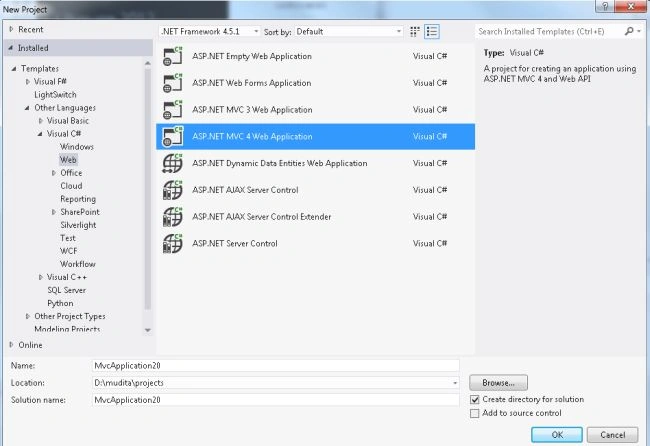
- From the Start window select the "New Project".
- Then Select "Installed" -> "Visual C#" -> "Web".
- Select "ASP.NET MVC4 Web Application" and click on the "OK" button.
- From the "MVC4 Project" window select "Web API".
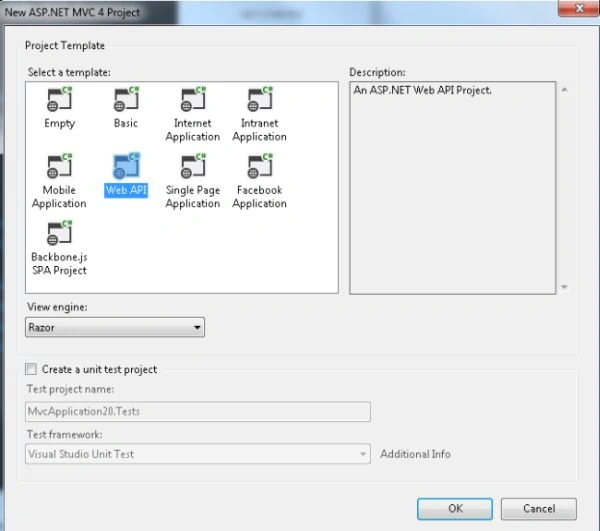
- Click on the "OK" button.
- Now we install the "Attribute Routing package".
- From the "Tools" menu.
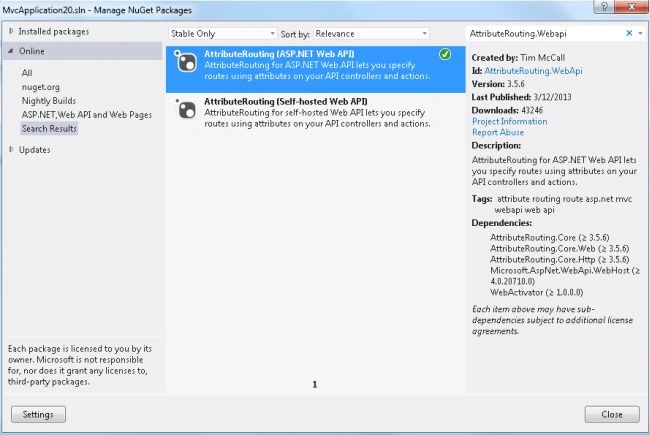
- Select "Library Package Manager" -> "Manage NuGet Package for Solutions".
- In the search box type "AttributrRouting.Webapi".
- Now select AttributeRouting (ASP.NET Web API) and click on "Install".
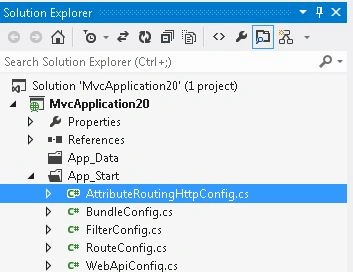
- It adds an "AttributeRoutingHttpConfig.cs" file in the "App_start" folder to your project.
- Now in the API controller "Values Controller" make some changes to the code.
First we add a "[Prefix]" attribute in the controller:Now add some other attribute for getting the record:- [RoutePrefix("Values")]
- public class ValuesController : ApiController
- {
- }
[GET("GetAllValue")] is for finding all the values of the specified method. And [GET("GetValue/{id}")] is for finding the value on the basis of the id.- [GET("GetAllvalue")]
- public IEnumerable<string> Get()
- {
- return new string[] { "value1", "value2" };
- }
- [GET("GetValue/{id}")]
- public string Get(int id)
- {
- return "value";
- }
Now execute the application. For execution of the application we need Fiddler. First we execute the application by pressing F5, then copy the URL.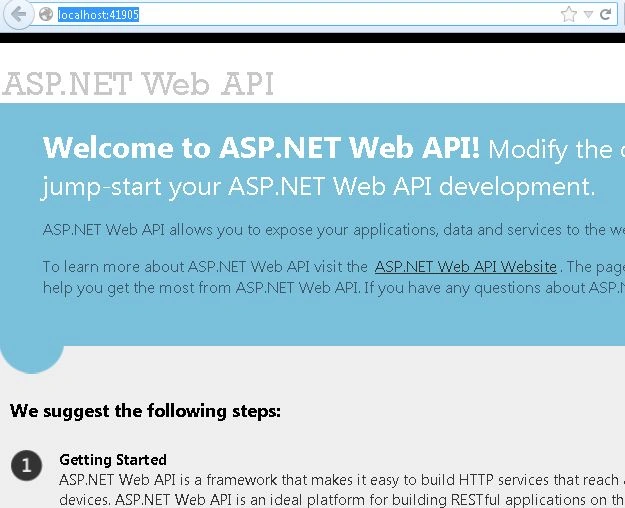
- Open the fiddler.
- Click on the Composer tab and paste the copied URL.
- And change it as in the following:
http://localhost:41905/Values/GetAllValue
The Output will be as:
Now for finding the value depending on id set the URL as: http://localhost:41905/Values/GetValue/1. The output will be as: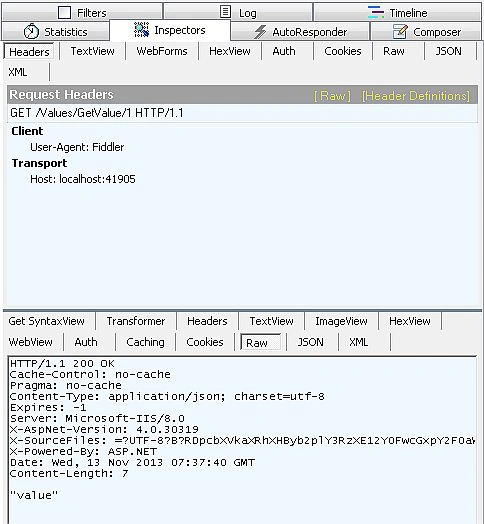
- We will now use the Optional parameter; add the following code in the Controller:Execute the application in Fiddler with the URL "http://localhost:41905/Values/Name/Centro".
- [GET("Name/{name?}")]
- public string GetName(string name)
- {
- return name;
- }
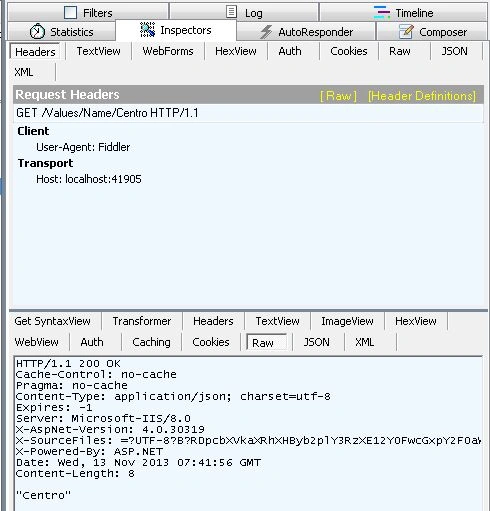
- Now set the default string in the route and find the output with the URL "http://localhost:41905/values/VName". The output will be:
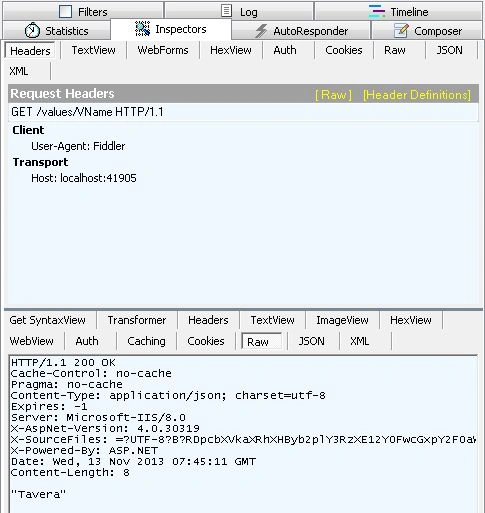
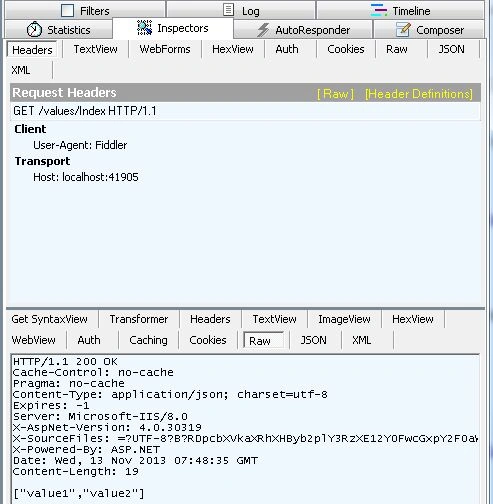
- Now define the Action precedence. It is used for defining the primary route. Find the output with the URL "http://localhost:41905/values/Index".
Now we will see all the code of the "ValuesController"; it is looks like this:
- using AttributeRouting;
- using AttributeRouting.Web.Http;
- using System;
- using System.Collections.Generic;
- using System.Linq;
- using System.Net;
- using System.Net.Http;
- using System.Web.Http;
- namespace MvcApplication20.Controllers
- {
- [RoutePrefix("Values")]
- public class ValuesController : ApiController
- {
- [GET("GetAllvalue")]
- public IEnumerable<string> Get()
- {
- return new string[] { "value1", "value2" };
- }
- [GET("GetValue/{id}")]
- public string Get(int id)
- {
- return "value";
- }
- [GET("Name/{name?}")]
- public string GetName(string name)
- {
- return name;
- }
- [GET("VName/{name=Tavera}")]
- public string GetVName(string name)
- {
- return name;
- }
- [GET("GetAllValue", ActionPrecedence = 1)]
- [GET("Index")]
- public IEnumerable<string> GetVal()
- {
- return new string[] { "value1", "value2" };
- }
- }
- }
Join the conversation! Your thoughts help the community grow.