
Introduction
- doInBackGround(): This method is the one that takes time to complete. So when you perform a click operation of a button it calls execute() and then the doInBackGround() method will be called.
- onPreExecute(): This method is called before the doInBackGround() method is to run on the UI thread.
- onPostExecute(): This method is called after the doInBackGround() method runs on the UI thread. The result from the doInBackGround() method is ed to this method.
- onProgressUpdate(): This method is called by the doInBackGround() method to publish progress to the UI thread.
Step 1
Create a project like this:
"New" -> "Android Application Project" then enter the application name and click "Next".
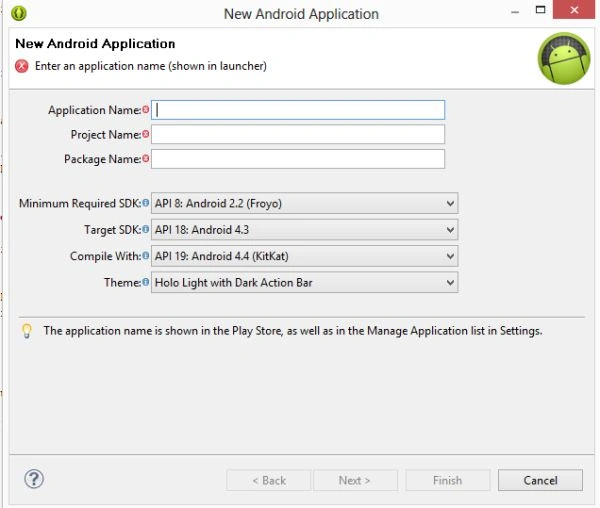 Click "Next".
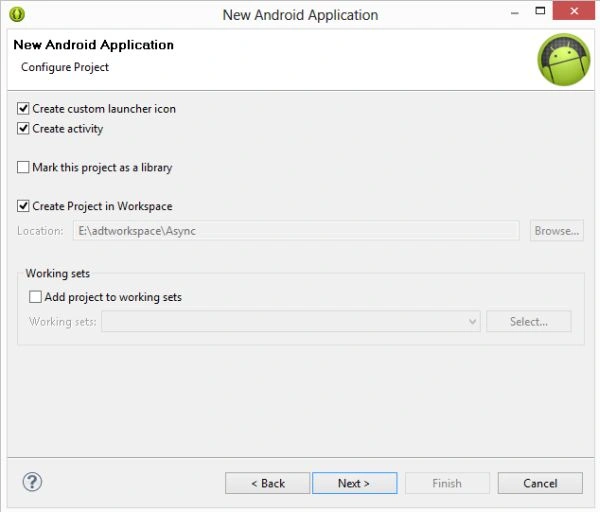 Click "Next".
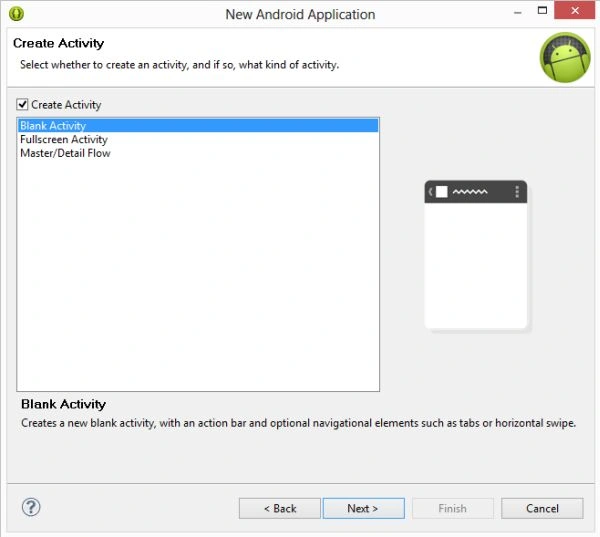 Step 2
Create an XML file with the following:
Step 2
Create an XML file with the following:
- <?xml version="1.0" encoding="utf-8"?>
- <LinearLayout xmlns:android="http://schemas.android.com/apk/res/android"
- android:layout_width="match_parent"
- android:layout_height="match_parent"
- android:orientation="vertical"
- android:background="#123456">
- <Button
- android:id="@+id/button"
- android:layout_width="match_parent"
- android:layout_height="wrap_content"
- android:onClick="readWebpage"
- android:text="Load Webpage" >
- </Button>
- <TextView
- android:id="@+id/textView"
- android:layout_width="match_parent"
- android:layout_height="match_parent"
- android:text="Example Text" >
- </TextView>
- </LinearLayout>
Step 3
I wrote the code which takes time inside doInBackground(). In doInBackGround the first step is to create a default HttpClient HttpClient httpclient=new DefaultHttpClient(). After creating an Http Client we will instantiate a class to handle the post request and a URL as a parameter HttpGet httpget=new HttpGet(url). "url" is the URL that you want to invoke to send data. httppost.setEntitiy(new UrlEncodeFromEntity). The URL encoding is used to encode the parameter that you want to send. At last, we execute our request through the instance of the HttpClient and receive the response. HttpResponse httpResponse=httpclient.execute(httpget). For reading the response obtain an input stream and consume it reading data in this way:
- Input Stream inputstream=httpResponse.getEntity().getContent()
Create a Java class file with the following:
- package com.asyntask;
- import java.io.BufferedReader;
- import java.io.InputStream;
- import java.io.InputStreamReader;
- import org.apache.http.HttpResponse;
- import org.apache.http.client.methods.HttpGet;
- import org.apache.http.impl.client.DefaultHttpClient;
- import android.app.Activity;
- import android.os.AsyncTask;
- import android.os.Bundle;
- import android.view.View;
- import android.widget.TextView;
- public class MainActivity extends Activity
- {
- private TextView txtView;
- /** Called when the activity is first created. */
- @Override
- public void onCreate(Bundle savedInstanceState)
- {
- super.onCreate(savedInstanceState);
- setContentView(R.layout.activity_main);
- txtView = (TextView) findViewById(R.id.textView);
- }
- private class DownloadWebPageTask extends AsyncTask < String, Void, String >
- {
- @Override
- protected String doInBackground(String...url1)
- {
- String response = "";
- for (String url: url1)
- {
- DefaultHttpClient defaultHttpClient = new DefaultHttpClient();
- HttpGet httpGet = new HttpGet(url);
- try
- {
- HttpResponse execute = defaultHttpClient.execute(httpGet);
- InputStream inputStream = execute.getEntity().getContent();
- BufferedReader buffer = new BufferedReader(new InputStreamReader(inputStream));
- String st = "";
- while ((st = buffer.readLine()) != null)
- {
- response += st;
- }
- }
- catch (Exception e)
- {
- e.printStackTrace();
- }
- }
- return response;
- }
- @Override
- protected void onPostExecute(String res)
- {
- txtView.setText(res);
- }
- }
- public void readWebpage(View view)
- {
- DownloadWebPageTask task = new DownloadWebPageTask();
- task.execute(new String[]
- {
- "http://www.google.com"
- });
- }
- }
Step 4
Android Manifest.Xml file
In the Android Manifest.xml file you will provide the internet permission to connect to the internet as in the following:
- <?xml version="1.0" encoding="utf-8"?>
- <manifest xmlns:android="http://schemas.android.com/apk/res/android"
- package="com.asyntask"
- android:versionCode="1"
- android:versionName="1.0" >
- <uses-permission android:name="android.permission.INTERNET"></uses-permission>
- <uses-sdk
- android:minSdkVersion="8"
- android:targetSdkVersion="18" />
- <application
- android:allowBackup="true"
- android:icon="@drawable/ic_launcher"
- android:label="@string/app_name"
- android:theme="@style/AppTheme" >
- <activity
- android:name="com.asyntask.MainActivity"
- android:label="@string/app_name" >
- <intent-filter>
- <action android:name="android.intent.action.MAIN" />
- <category android:name="android.intent.category.LAUNCHER" />
- </intent-filter>
- </activity>
- </application>
- </manifest>
Join the conversation! Your thoughts help the community grow.