

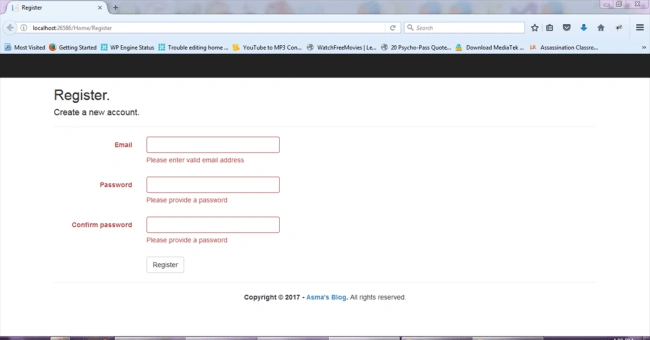
- Client-side form validation
- Server-side form validation
Client-Side Form Validation
Server-Side Form Validation
- Knowledge of ASP.NET MVC5.
- Knowledge of HTML.
- Knowledge of JavaScript.
- Knowledge of Bootstrap.
- Knowledge of Jquery.
- Knowledge of C# Programming.
- jquery.validate.js
- jquery.validate.unobtrusive.js
static void RegisterRoutes(RouteCollection routes) {
    routes.MapRoute(...defaults: new {
        controller = "Home", action = "Register", id = UrlParameter.Optional
    });
}
In the above code, I have simply changed my default launch action from "Index" to "Register".
public class BundleConfig {
    // For more information on bundling, visit http://go.microsoft.com/fwlink/?LinkId=301862
    public static void RegisterBundles(BundleCollection bundles) {
        bundles.Add(new ScriptBundle("~/bundles/jqueryval").Include("~/Scripts/jquery.validate.js", "~/Scripts/jquery.validate.unobtrusive.js"));...
        // JQuery validator.
        bundles.Add(new ScriptBundle("~/bundles/custom-validator").Include("~/Scripts/script-custom-validator.js"));
    }
}
In the above code, I have added my "jquery.validate.js", "jquery.validate.unobtrusive.js" & "script-custom-validator.js" scripts as a bundle, which are required for Jquery form validation.
Create a new controller class in "Controllers" folder and name it "HomeController.cs". Create "Register" method both for HTTP Get and HTTP Post method. Both methods are doing nothing just validating my form inputs basic constraints defined in view model.
using System.Collections.Generic;
using System.ComponentModel.DataAnnotations;
namespace JqueryFormValidator.Models
public class RegisterViewModel {
    [Required]
    [EmailAddress]
    [Display(Name = "Email")]
    public string Email {
        get;
        set;
    }
    [Required]
    [StringLength(100, ErrorMessage = "The {0} must be at least {2} characters long.", MinimumLength = 6)]
    [DataType(DataType.Password)]
    [Display(Name = "Password")]
    public string Password {
        get;
        set;
    }
    [DataType(DataType.Password)]
    [Display(Name = "Confirm password")]
    [Compare("Password", ErrorMessage = "The password and confirmation password do not match.")]
    public string ConfirmPassword {
        get;
        set;
    }
}
}
@model JqueryFormValidator.Models.RegisterViewModel
@{ViewBag.Title = "Register";}
<h2>@ViewBag.Title.</h2>  @using (Html.BeginForm("Register", "Home", FormMethod.Post, new
{
    @id = "registerFormId", @class = "form-horizontal", role = "form" \
}))
{
    @Html.AntiForgeryToken()
    HtmlHelper.UnobtrusiveJavaScriptEnabled = false;
    <h4>Create a new account.</h4>
<hr/>
<div class="form-group">
    @Html.LabelFor(m => m.Email, new { @class = "col-md-2 control-label" })
<div class="col-md-10">
    @Html.TextBoxFor(m => m.Email, new { @class = "form-control" })
    @Html.ValidationMessageFor(m => m.Email, "", new { @class = "text-danger  " })
</div>
</div>
<div class="form-group">
    @Html.LabelFor(m => m.Password, new { @class = "col-md-2 control-label" })
<div class="col-md-10">
    @Html.PasswordFor(m => m.Password, new { @class = "form-control" })
    @Html.ValidationMessageFor(m => m.Password, "", new { @class = "text-danger " })
</div>
</div>
<div class="form-group">
    @Html.LabelFor(m => m.ConfirmPassword, new { @class = "col-md-2 control-label" })   <div class="col-md-10">
    @Html.PasswordFor(m => m.ConfirmPassword, new { @class = "form-control" })
    @Html.ValidationMessageFor(m => m.ConfirmPassword, "", new { @class = "text-danger " })
</div>
</div>
<div class="form-group">
<div class="col-md-offset-2 col-md-10">
     <input type="submit" class="btn btn-default" value="Register"  />
</div>
</div>
}
@section Scripts
{
    @Scripts.Render("~/bundles/jqueryval")
    @Scripts.Render("~/bundles/custom-validator")
}
In the above code, I have attach my view model "RegisterViewModel" with my "Register" UI. Notice following line of code i.e.
HtmlHelper.UnobtrusiveJavaScriptEnabled = false;
In the above code, I have attach my view model "RegisterViewModel" with my "Register" UI. Notice following line of code i.e.
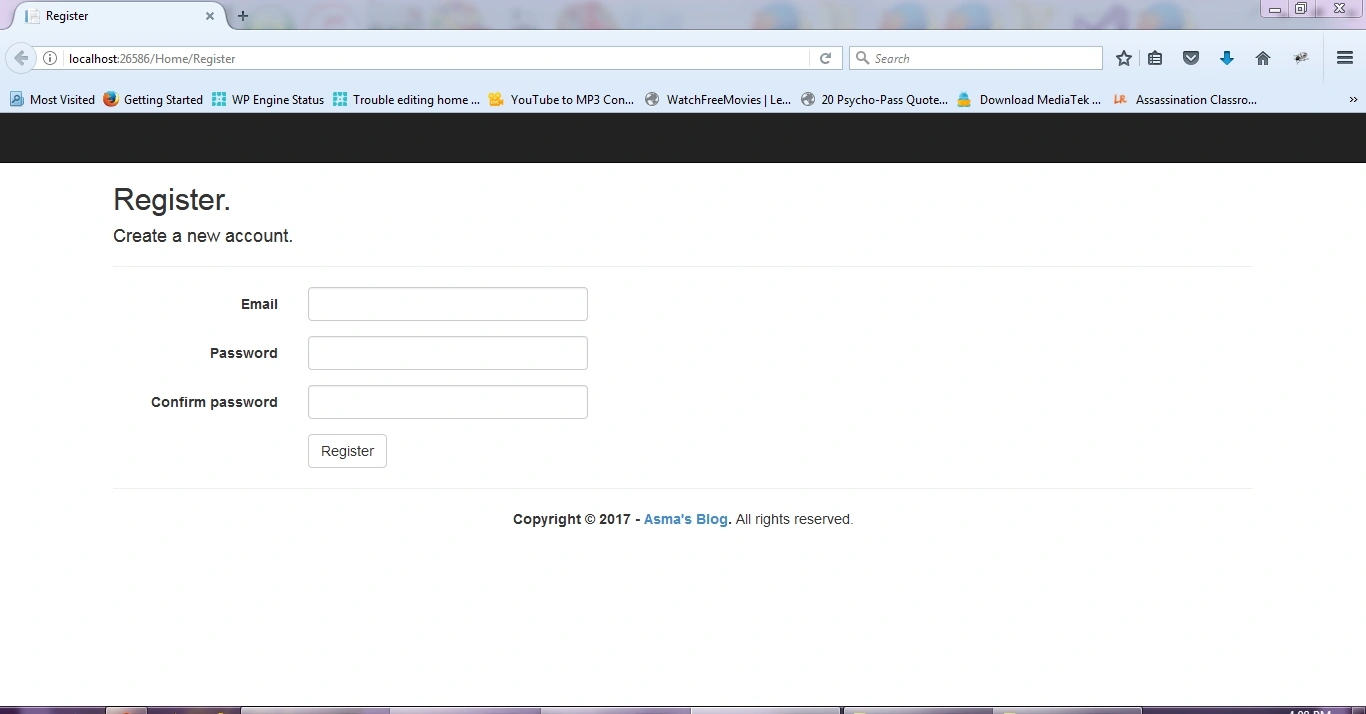
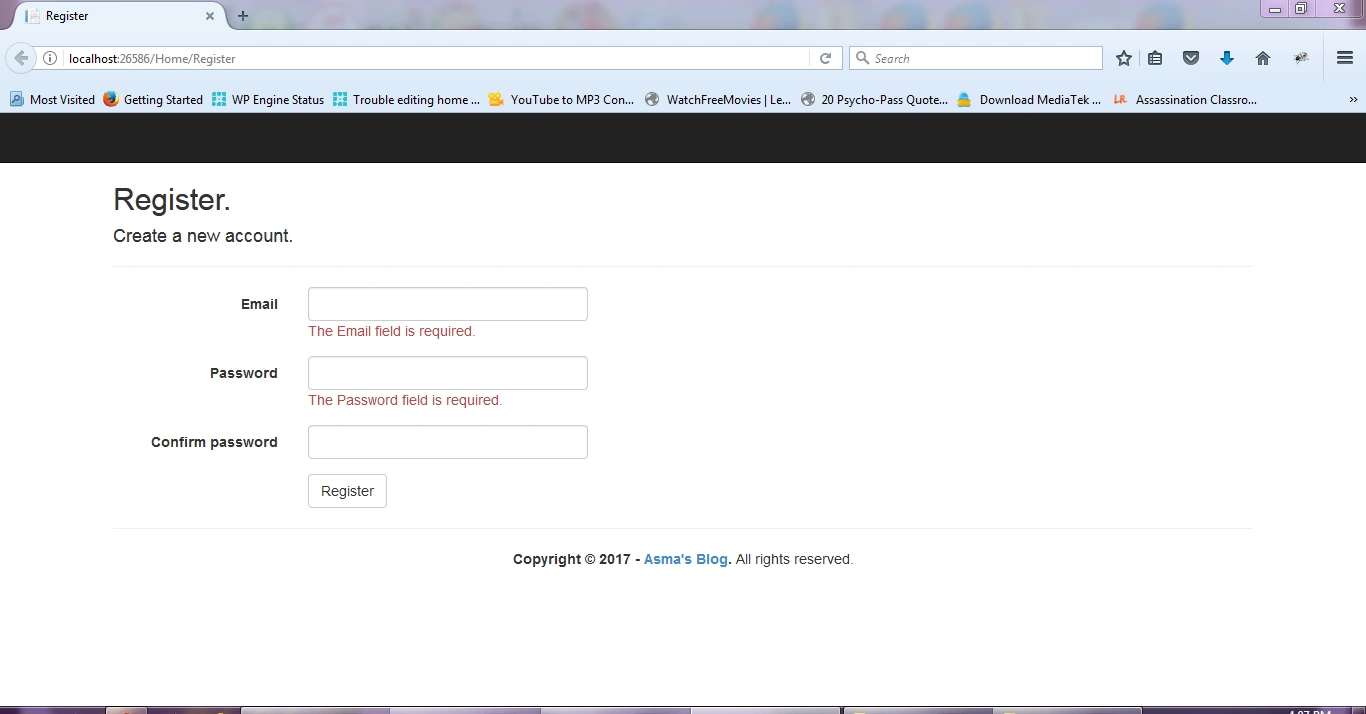
Now first change "HtmlHelper.UnobtrusiveJavaScriptEnabled" property value back to false and create a new file in "Scripts" folder and name it "script-custom-validator.js". Add the Jquery validator code in it as shown below i.e.
$('#registerFormId').validate({
            errorClass: 'help-block animation-slideDown', // You can change the animation class for a different entrance animation - check animations page
            errorElement: 'div',
            errorPlacement: function(error, e) {
                e.parents('.form-group > div').append(error);
            },
            highlight: function(e) {
                $(e).closest('.form-group').removeClass('has-success has-error').addClass('has-error');
                $(e).closest('.help-block').remove();
            },
            success: function(e) {
                e.closest('.form-group').removeClass('has-success has-error');
                e.closest('.help-block').remove();
            },
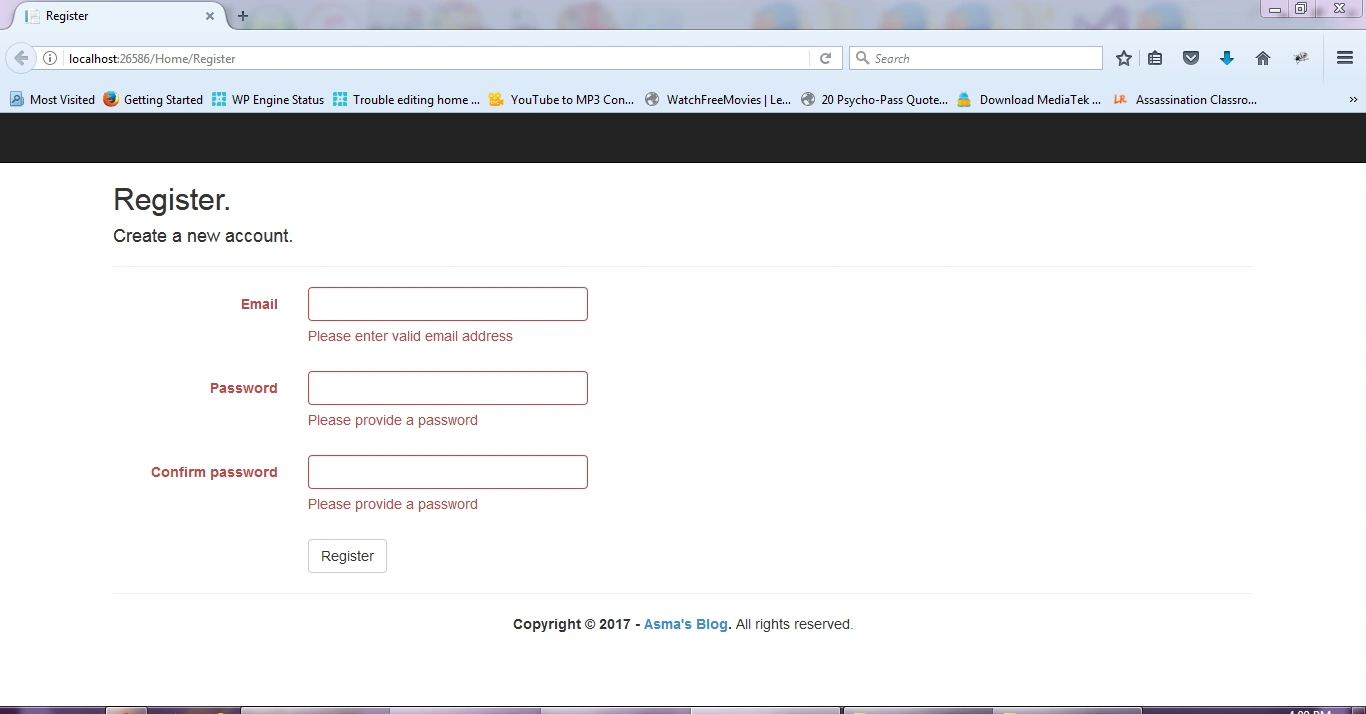
The above piece of code attaches my account register form with jQuery form validator by using form ID. Then, I have defined settings about where to place the error message and its related styling. I have also defined methods for validator that describe what happens when error message is highlighted and form validation is successful.
rules: {
    'Email': {
          required: true,
          email: true 5.
    },
    'Password': {
        required: true,
        minlength: 6 10.
    },
         'ConfirmPassword': {
             required: true,
             equalTo: '#Password'
    }
}, messages: {
       'Email': 'Please enter valid email address',
        Password': {
            required: 'Please provide a password',
            minlength: 'Your password must be at least 6 characters long'
    },
     'ConfirmPassword': {
          required: 'Please provide a password',
          minlength: 'Your password must be at least 6 characters long',
          equalTo: 'Please enter the same password as above'
    }
}
The above piece of code will define our form validation rules and error messages for each input on form. Notice that in the above code that in the rules & messages section, the keyword "Email" is actually the "name" property of input tag that our Razor View Engine automatically generates based on our attached View Model.
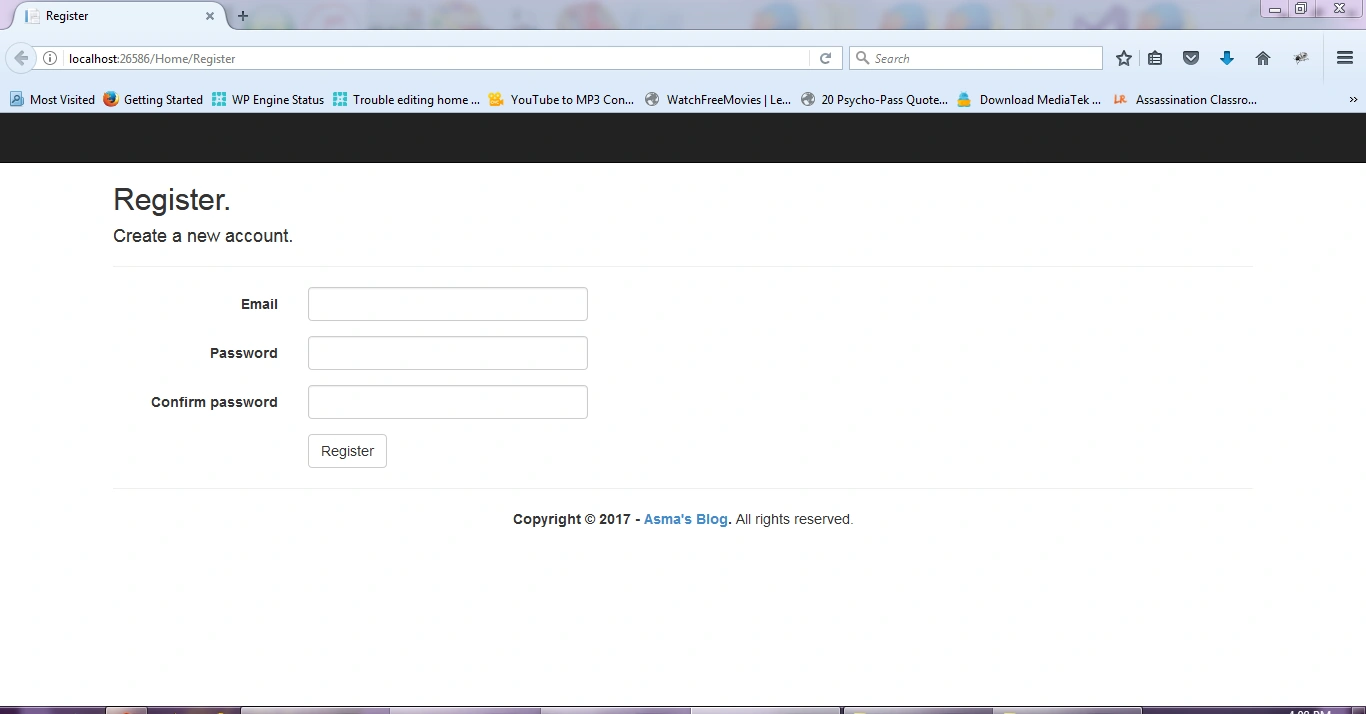
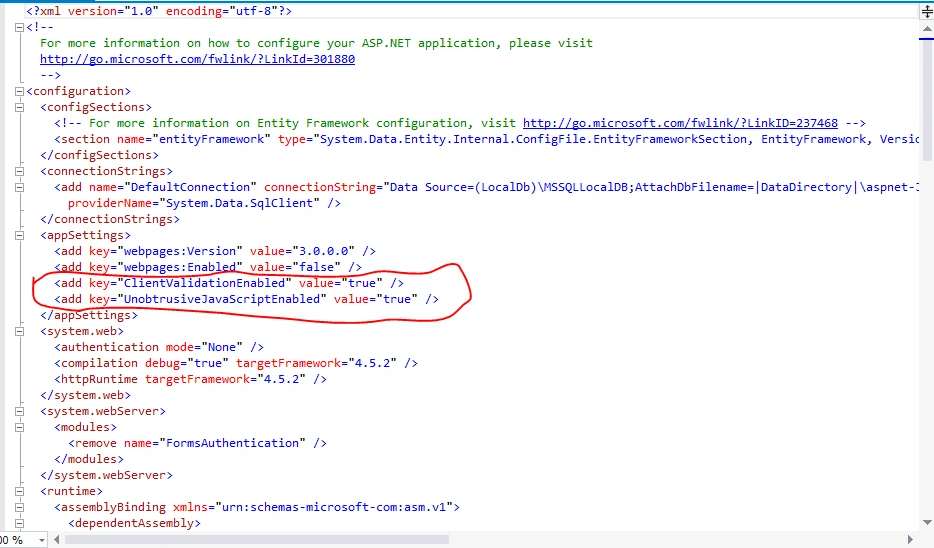
<add key="ClientValidationEnabled" value="true" />
<add key="UnobtrusiveJavaScriptEnabled" value="true" />
The above properties are set True by default which means MVC 5 platform ensures that client side validation on form validation is on. For jQuery form validation to work, we set "HtmlHelper.UnobtrusiveJavaScriptEnabled = false;" property false in the register form instead of "web.config" file; this means if we set the value false for above property in "web.config" file, then we will disable client side validation across application.Thus, the preferred practice is to disable the property into the form in which you want to use jQuery form validation.
Anandu G NathPosted Jan 24, 2024, 6:47 AM
Good article
Priyanka SinghPosted Jul 18, 2020, 2:47 AM
This is really a helpful blog for beginner as I am new to MVC so it helps me but I have problem while validation along with data submission it doesn't work.I am just trying to understand the concept why is that happened.
Gaurav TemkarPosted Jul 7, 2020, 6:58 AM
I have tried to modify the form's validate method dynamically based on some criteria selection. But that did not work as expected. When I added code to unbind() on the form and again add validate method still it did not work as expected and went to save the data without validating the form.
davit paposhviliPosted Jan 15, 2019, 3:56 AM
Thank you, This was the greatest tutorial I have ever seen.
jinu jamesPosted Oct 22, 2018, 5:57 AM
How we can show the error message in tooltips?
Shami SheikhPosted Aug 17, 2018, 8:35 AM
Nice article
Farhan AhmedPosted Jul 24, 2018, 4:56 AM
Nice helpful article
Adam PlocherPosted Feb 8, 2018, 5:23 PM
So just to be clear, there's no way to do this without maintain two separate identical sets of rules? I mean, to have server validation and JQuery client validation I must maintain the data annotations and then also the JQuery rules in JS, right? But using the built-in unobtrusive stuff will cause the JS rules to be generated on the fly based on the data annotations?
Guest UserPosted Jan 21, 2018, 7:15 AM
@section Scripts { @Scripts.Render("~/bundles/jqueryval") @Scripts.Render("~/bundles/custom-validator") } this order is not working then i change this order to @section Scripts { @Scripts.Render("~/bundles/custom-validator") @Scripts.Render("~/bundles/jqueryval") } then it is working fine,..may be this is help full. tq and awesome example Asma Khalid ji
Bhanu KorremulaPosted Nov 17, 2017, 10:52 PM
Good article have tried it out it works. Would be nice if you had updated your sample code to github ...
Salsabeel nasrPosted Oct 26, 2017, 4:36 AM
Hey why are you using this old version of jQuery , i tried using jQuery v3 and i ran into errors is this a limitation?
Nader KamalPosted Jul 10, 2017, 11:19 AM
Thank you good work
yashwanth kumarPosted Jul 7, 2017, 7:50 AM
Nice explanation asma