

Introduction
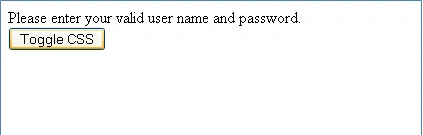
- <div id="dvMessage">
- Please enter your valid user name and password.
- </div>
- <asp:Button Text="Toggle CSS" runat="server" ID="btnChange" OnClientClick="javascript:changeCSSClass('dvMessage');return false;" />
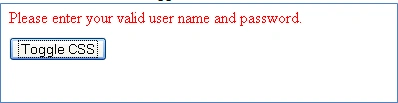
- .Error
- {
- font-family:Times New Roman Baltic;
- font-size:13;
- color:Red;
- height:30px;
- }

- .Warning
- {
- font-family:Calibri;
- font-size:11;
- color:Orange;
- height:30px;
- }
How to apply/change CSS dynamically?
- <script language="javascript" type="text/javascript">
- function changeCSSClass(divId) {
- if (document.getElementById(divId).className == 'Error') {
- document.getElementById(divId).className = 'Warning';
- }
- else {
- document.getElementById(divId).className = 'Error';
- }
- }
- </script>
The preceding function is called on the client click event of the button as shown below. After calling the function "return false;" is written, the reason for this is that the page does not do a postback. If you remove the "return false;" statement the page will start doing a postback when the user clicks the Toggle CSS button and the page will not retain the dynamically assigned CSS class.
- <asp:Button Text="Toggle CSS" runat="server" ID="btnChange" OnClientClick="javascript:changeCSSClass('dvMessage');return false;" />
krishna pPosted Dec 20, 2012, 4:48 AM
can't we modify the property in the same class instead of assigning the new one? For example if (document.getElementById(divId).className == 'Error') { document.getElementById(divId).className = 'Warning'; } here if it is error we are changing that to warning..instead can't we change the color property value in the error class itself?