

Before proceeding with this topic, I would like that you first go through the basics of AngularJS by visiting the following links:
Now in this article I will share some knowledge about AngularJS built-in functions. Some of the functions are:
- UpperCase(str)
This AngularJS function is used to convert a lowercase letter to uppercase.
Example
Here in this example I have explained how to convert a lowercase letter to uppercase.
The code for the controller part and the UI part is shown in the following screenshot: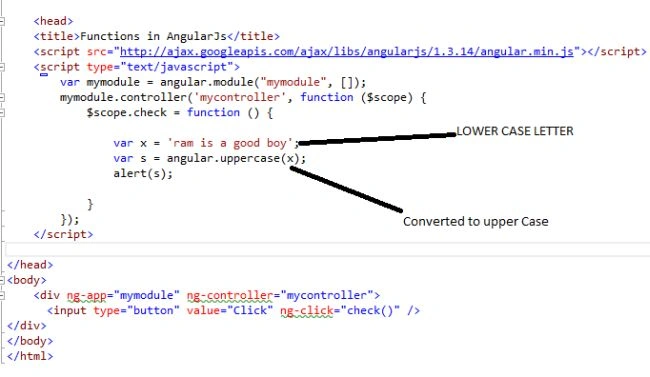
The UI will be like the following:
After clicking the button the text will change to uppercase as in the following: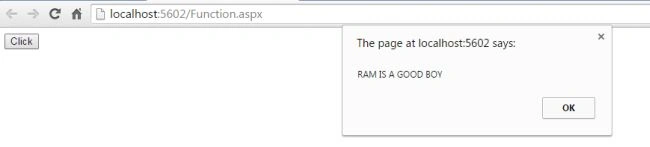
- LowerCase(str)
This AngularJS function converts an uppercase letter to lowercase.
Example
Here, I explained how to convert an uppercase letter to lowercase on button click.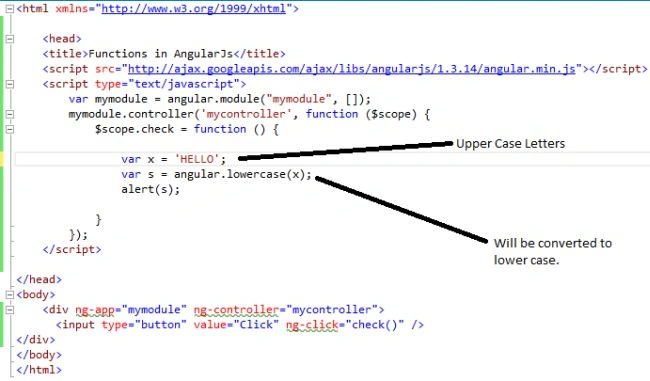
The UI will be like the following:
After clicking the button, you can see the following result: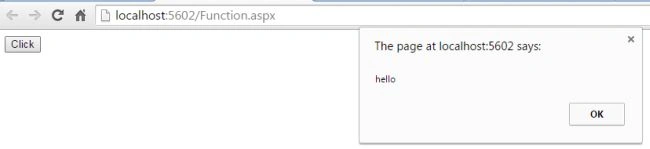
- forEach(obj, iterator, [context])
This function is used to read each element or iterate through each element from an array.
Example
Here I have explained how to read each element of an array using a foreach loop.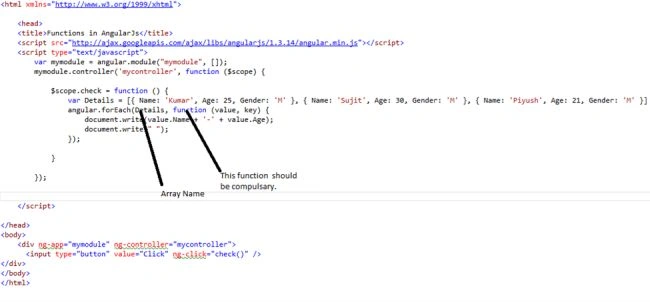
The following is the UI:
When we click the button the result will be the following:
- extend({}, obj1, obj2,)
The extend method will be similar to a copy and paste operation. It will copy data from one or more sources and then paste it in another source or destination.
Example
Here I have explained how to copy elements from one source and paste in another destination.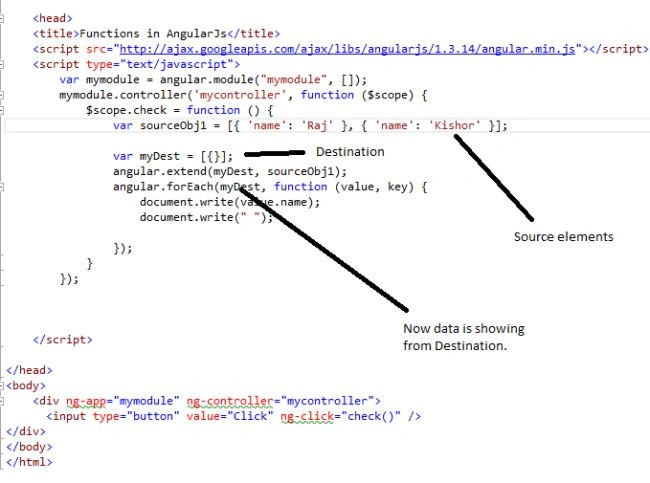
The following is the UI:
After clicking the button the following will be the result:
- isString(value)
This function is used to check if it is a string or not. If it is a string it will return true else it will return false.
Example
Here is the code for that: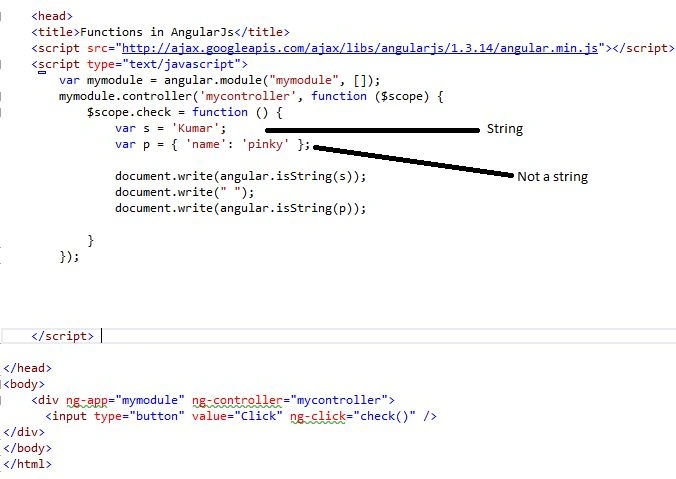
The UI is:
And the following is the output after clicking the button:
- IsNumber(value): This is used for checking if a value is a number or not. If it is a number it will return true else it will return false.
Example
Here I will explain it using the following example: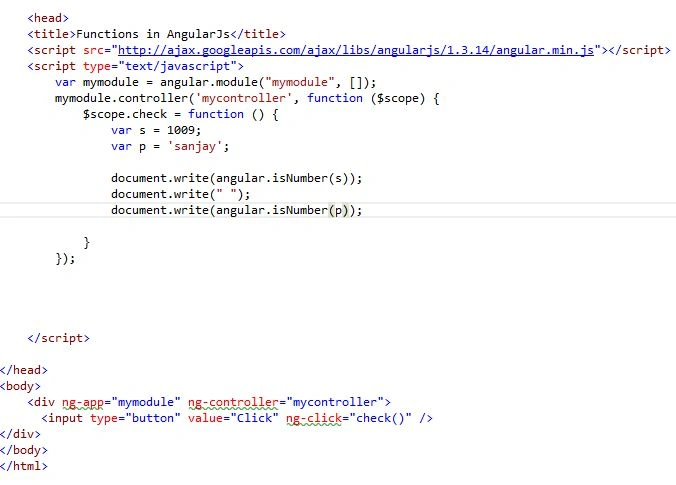
The following is the UI:
The output will be the following:
- isArray(value)
This function is used to check if the value is an array or not.
Example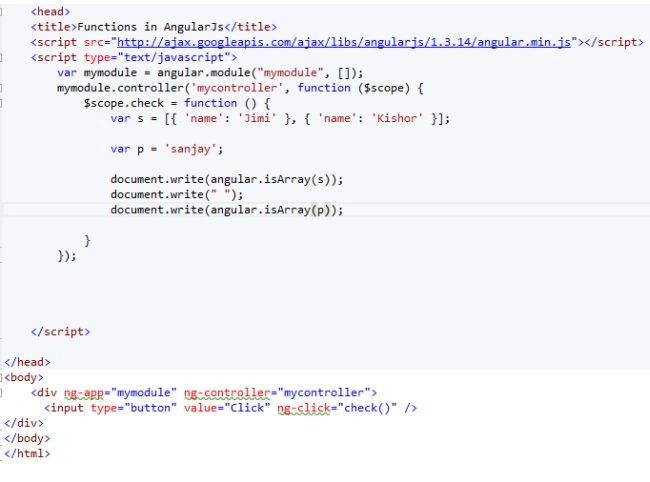
The following is the UI:
The following is the output:
Here in this tutorial I explained these functions. In my future articles I will explain all the remaining functions. I hope this article will provide much more clarity about the functions in AngularJS.
Santhakumar MunuswamyPosted Jul 16, 2015, 3:56 PM
Nice Article! Thanks for sharing
Gopi ChandPosted Jul 15, 2015, 12:40 PM
Good one
Nilesh JadavPosted Jul 15, 2015, 6:39 AM
Nice information sir
Sibeesh VenuPosted Jul 15, 2015, 5:31 AM
Nice Share Thank you :)
Syed ShanuPosted Jul 15, 2015, 3:41 AM
Good Article.I have kind request to you please add your code part in article it will be easy for memebers to copy the code and test the sample .If not kindly add the source code folder so that memebers can download it and use it.