

In the first part of the series, we discussed how to get started with Angular. Here is the link.
In this second part, we will discuss Modules, Components, and Directives in Angular. It is recommended that you go through the first part because the demo in this article is in continuation of that in the earlier part.
Modules
A module in Angular is a group of components, directives, services, etc. We will be having a look at each of these terms soon. Basically, think of a module as a group.
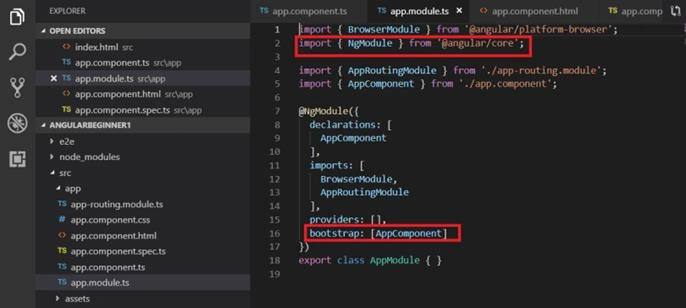
By default, we will have a file app.module.ts generated as below. It will be decorated with the directive @NgModule which tells Angular all the components, directives etc. that we will be using in our module.
App.module.ts file will list all the other modules and components that are imported. You will find that the first three lines import external modules. The Browser module is imported from the platform-browser package situated in the src folder. The second line imports the NgModule that is required because we are using the directive @NgModule. The third line imports the AppRoutingModule which we will discuss when we learn about routing.
These external modules that are imported are mentioned in the imports section.
The fourth import is AppComponent. This is a component that is present in our current module. Hence, it is mentioned in the declaration section.
You will find that underneath the providers, there is bootstrap mentioned. This specifies Angular to load AppComponent at startup.
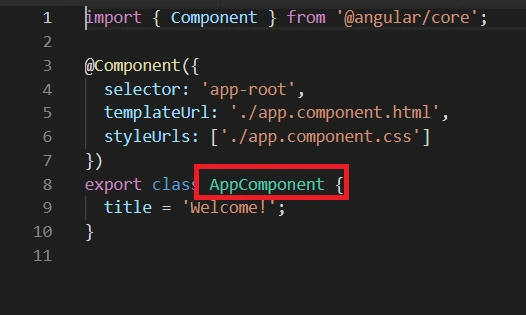
Where is AppComponent declared? Go to the app.component.ts file and you will find it there.
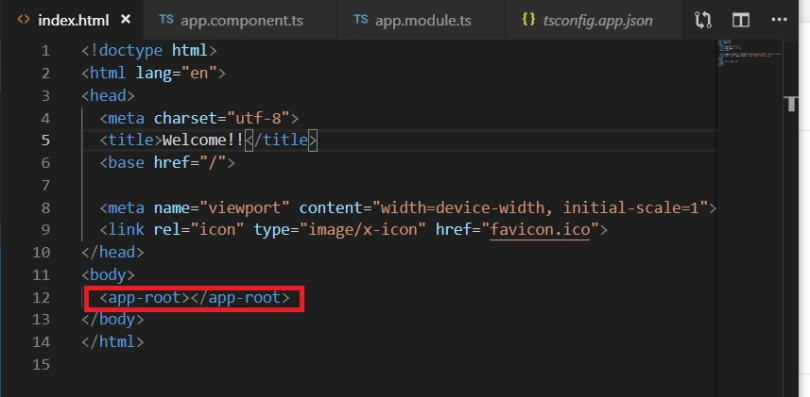
Remember how we discussed Angular is a single page application? This page is index.html. If you navigate to the index.html, your default page, it will have <app-root></app-root>.
This app-root can be found below.
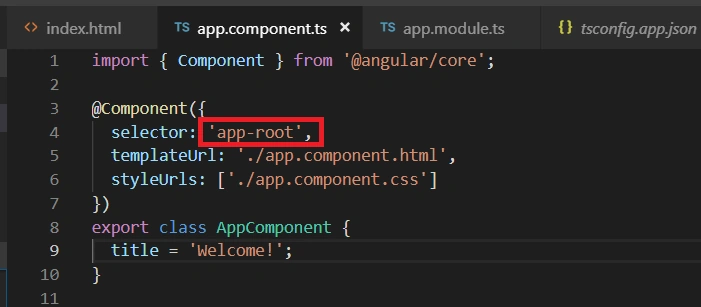
So basically, Angular knows that it has to show AppComponent on startup.
Before we move on to Components, can we create multiple modules in our application? Yes, sure we can. We will always have a root module which will be the starting module and the other modules are called as feature modules. To use them, you have to import them first in you root module.
When we have a huge application, it is a good idea to have multiple modules for implementing different functionalities. A shared module can be created for housing shared functionalities.
Components
Components are similar to a View we have in MVC architecture. It consists of the template (HTML) + class (properties,methods written in TypeScript) and metadata (some extra information).
Go to app.component.ts.
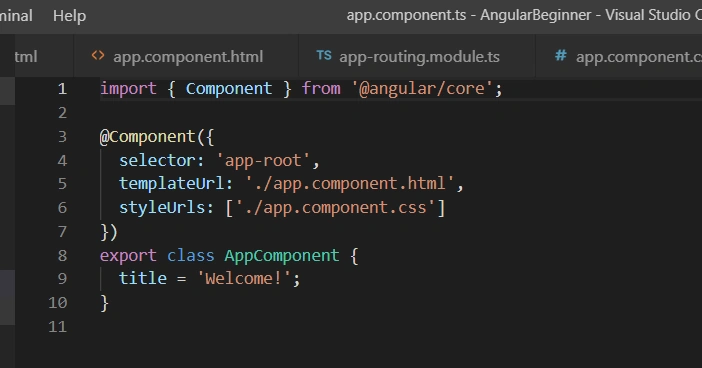
Here, you have an AppComponent class in TypeScript. You also have a templateUrl that specifies the HTML for the View and the rest is all metadata.
Let’s create a component Employee.
You can create it by writing the following command in the CLI. For this, create a new terminal.
ng generate component employee
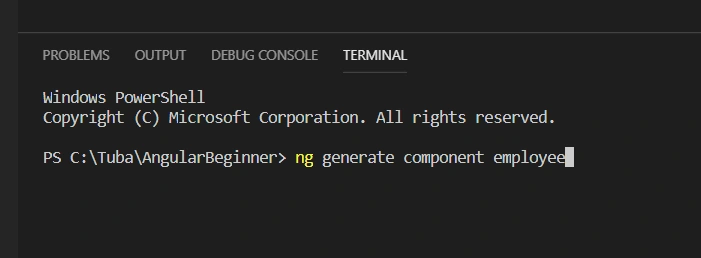
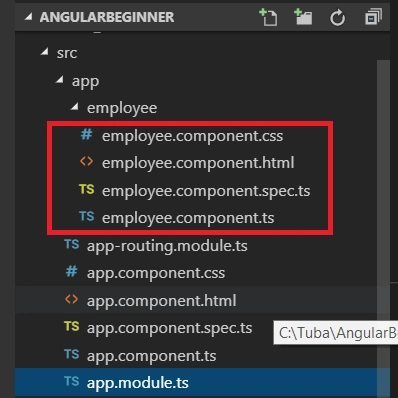
This will create a new component "Employee". Angular will create four files for you as part of the component.
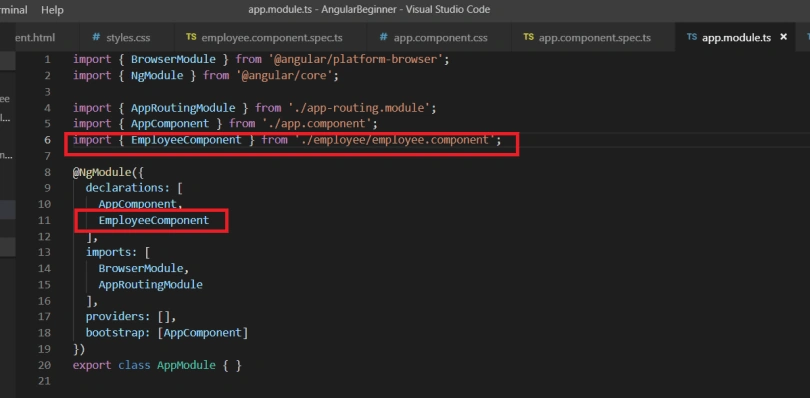
Also, when we had created the Employee component through Angular CLI, Angular registered our component class in the root module as below.
Directives
Directives help structure and modify your DOM. There are three types of directives in Angular.
Components
The templates in components that structure your DOM. We have already seen them.
Structural Directives
These are used to change the layout of the DOM. For example, we have ngIf and ngElse statements that help decide whether to display a particular element or not.
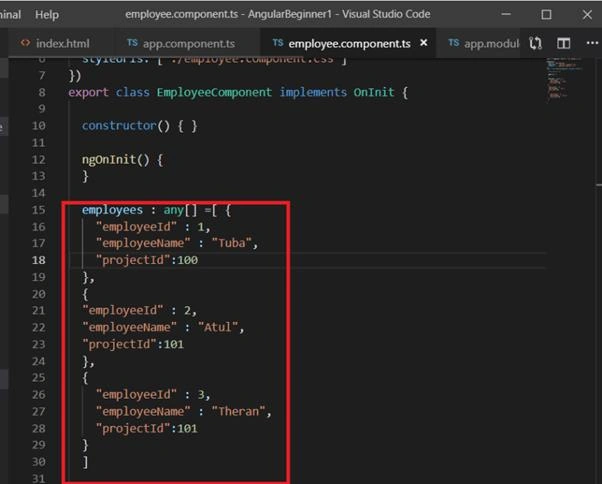
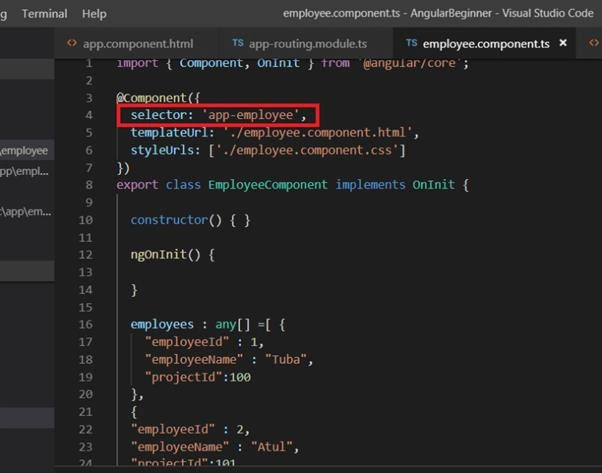
Now, let’s create an "employees" class as shown ahead. We don’t know its type, so we have defined it as an array of any type. We can create an "employees" class separately and could have defined employees as an array of that class. But for our demo purpose, we don’t need it.
- employees : any[] =[ {
- "employeeId" : 1,
- "employeeName" : "Tuba",
- "projectId":100
- },
- {
- "employeeId" : 2,
- "employeeName" : "Atul",
- "projectId":101
- },
- {
- "employeeId" : 3,
- "employeeName" : "Theran",
- "projectId":101
- }
- ]
npm install bootstrap
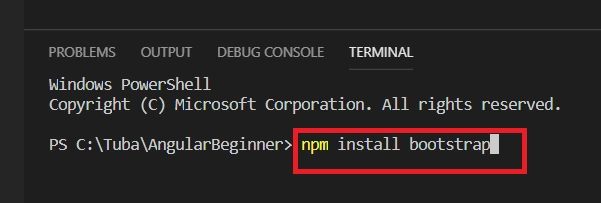
Before we can use bootstrap classes in our employee.component.html, we need to import the styles in style.css as below.
- @import "~bootstrap/dist/css/bootstrap.min.css"

- <div class="container">
- <h2>Employee List</h2>
- <div class="table-responsive">
- <table class="table" *ngIf = 'employees && employees.length' >
- <thead>
- <tr>
- <th>Employee Id</th>
- <th>Employee Name</th>
- <th>Project Id</th>
- </tr>
- </thead>
- <tbody>
- <tr *ngFor = 'let employee of employees'>
- <td>{{employee.employeeId}}</td>
- <td>{{employee.employeeName}}</td>
- <td>{{employee.projectId}}</td>
- </tr>
- </tbody>
- </table>
- <div>
- </div>
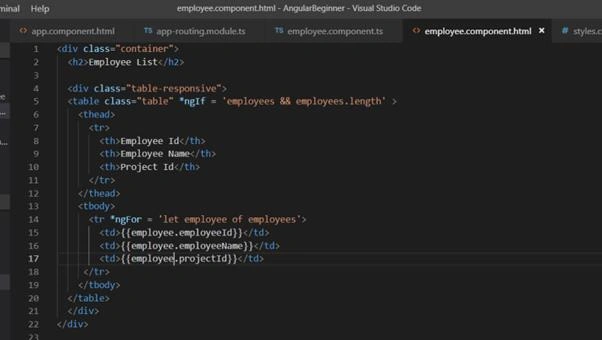
Structural directives always begin with an ‘*’.
We also need to add the employee component directive to app.component.html as below, so that it is displayed in the browser.
- <app-employee></app-employee>
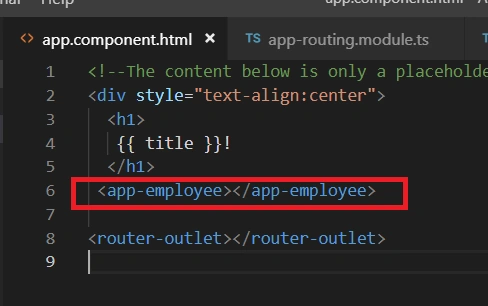
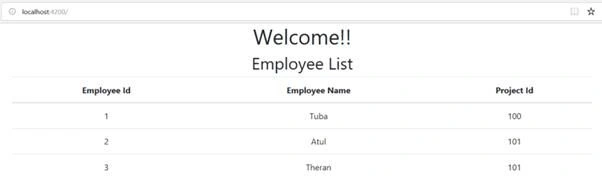
Now, let’s go to our browser. We can see a table displayed below.
Attribute Directives
These are directives that change the appearance or behavior of a DOM element. For example, ngStyle.
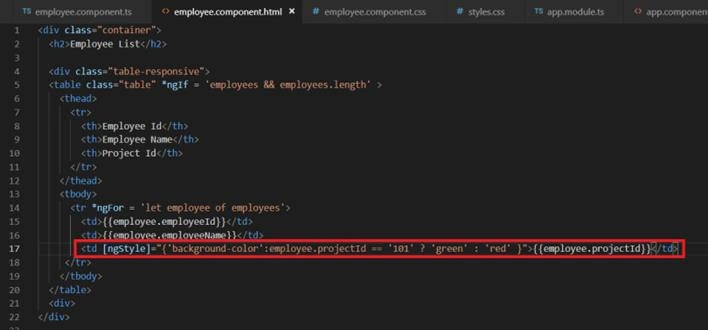
Let’s modify our code to use ngStyle as below.
- <td [ngStyle]="{'background-color':employee.projectId == '101' ? 'green' : 'red' }">{{employee.projectId}}</td>
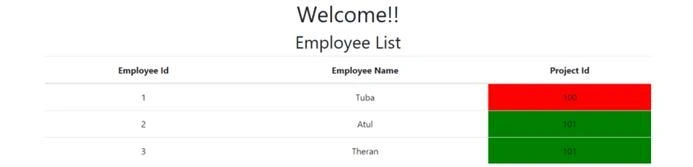
This was all about directives. Let’s proceed to understand the different types of data bindings in Angular in the next part of this Angular Beginner’s course.
Happy learning!
This article was originally published on my website taagung.
Sridhar YelagandhulaPosted Apr 15, 2020, 8:00 AM
Nice Explanation....
Saurabh VasaniPosted Jan 10, 2020, 7:31 AM
Awesome articles !!!!
Ramzanali MominPosted Jun 30, 2019, 6:47 AM
All Article are outstanding ,Thanks a lot
Rajeshwari SawantPosted Jun 28, 2019, 8:55 AM
Hello mam can you tell about use of trackby in angular with example and about hidden property
Dinesh GabhanePosted Jun 28, 2019, 4:23 AM
Great, awesome article. Keep it up
Amit MohantyPosted Jun 28, 2019, 1:40 AM
Very nice and clean explanation !!!
Adhi VenkateshPosted Jun 7, 2019, 8:33 AM
Yes, Thanks for the revert.
Adhi VenkateshPosted Jun 6, 2019, 12:40 PM
The article is good ,But here for bootstrapping required css/js files ,we can mention like this also in ANGULAR.json -- "styles": [ "src/styles.scss", "node_modules/bootstrap/dist/css/bootstrap.min.css" ], "scripts": [ "node_modules/jquery/dist/jquery.min.js", "node_modules/popper.js/dist/umd/popper.js", "node_modules/bootstrap/dist/js/bootstrap.min.js" ]
Saravanakumar SekaranPosted May 17, 2019, 1:54 AM
Very simple and super !!!
Amit KumarPosted May 16, 2019, 11:42 PM
Very Nice. Keep it up.
Cris GomezPosted May 16, 2019, 1:26 PM
Nice tutorial Taba. Thanks!
Sundaram SubramanianPosted May 16, 2019, 10:19 AM
Great !!! Well neatly written.