

Introduction
Recently, I was working on a project with Angular Reactive Forms. We had one requirement of inserting multiple data in a single batch using FormGroup, FormBuilder, and FormArray.
There may be several approaches to this. This is just one of them that I am using.
Prerequisites
- Basic Knowledge of Angular version 2 and higher.
- Basic Knowledge of HTML.
- Basic Knowledge of Reactive Forms.
How to achieve this
Let’s start from the beginning to create a demo application.
Step 1
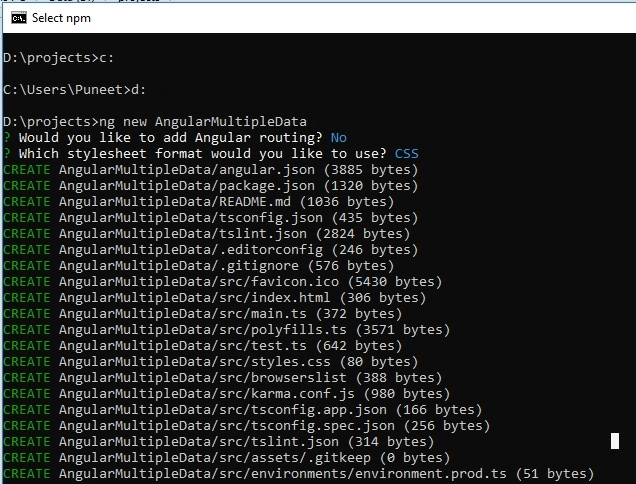
Open the Command Prompt and write the command for creating a new Angular project. Say, our project name is AngularMultipleData.
ng new projectname
Step 2
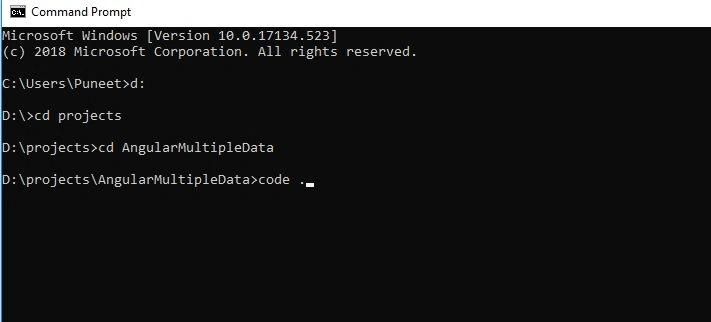
The application is created successfully. Now, open your project in Visual Studio Code or you can simply open it using the command given below.
code .
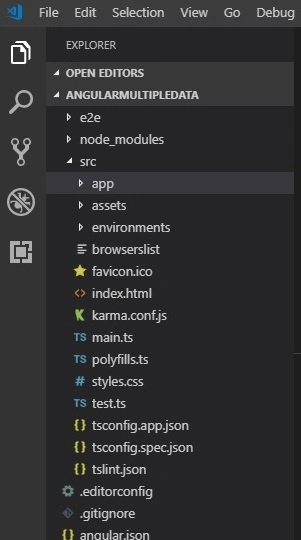
Open VS Code Explorer for viewing the application structure.
Step 3
After the application opens in Visual Studio, open the app.module.ts file and import FormsModule and ReactiveFormsModule from @angular/forms.
- import { BrowserModule } from '@angular/platform-browser';
- import { NgModule } from '@angular/core';
- import { AppComponent } from './app.component';
- import {FormsModule,ReactiveFormsModule} from '@angular/forms'
- @NgModule({
- declarations: [
- AppComponent
- ],
- imports: [
- BrowserModule,
- FormsModule,
- ReactiveFormsModule
- ],
- providers: [],
- bootstrap: [AppComponent]
- })
- export class AppModule { }
Step 4
Now, open the app.component.ts file. Here we need to import FormBuilder and FormGroup from @angular/forms.
- import {FormBuilder,FormGroup } from '@angular/forms';
Step 5
Create a reactive form object with a name, say, SchoolDetailsForm and create an instance of FormBuilder in the constructor.
- SchoolDetailsForm : FormGroup;
- constructor(private fb :FormBuilder)
- {
- }
Step 6
Create a JSON object with basic data. This object holds the key value pair data. We use this data with *ngFor directive in the HTML template.
- AllClassData=[
- {
- 'className':'5th'
- },
- {
- 'className':'8th'
- },
- {
- 'className':'10th'
- },
- {
- 'className':'12th'
- },
- ]
Now, create a function for our Reactive form with formGroup and formControl. The For loop helps us to push the array and dynamically build the formGroup.
The code snippet for that is given below.
- createform()
- {
- let arr=[];
- for(let i=0;i< this.AllClassData.length;i++)
- {
- arr.push(this.BuildFormDynamic(this.AllClassData[i]))
- }
- this.SchoolDetailsForm = this.fb.group({
- SchoolName : [''],
- ClassDetails:this.fb.array(arr)
- })
- }
Now, create one more function that returns the formGroup with fields like TotalStudent, Grade total, and Class. The code for this is given below.
- BuildFormDynamic(ClassDatas):FormGroup{
- return this.fb.group({
- Class:[ClassDatas.className],
- TotalStudent:[''],
- GradeAStudent:[''],
- GradeBStudent :['']
- })
- }
Step 9
The code of our app.component.ts file is given below. We have created a Save button-click event for the console data.
- import { Component , OnInit} from '@angular/core';
- import {FormBuilder,FormGroup } from '@angular/forms';
- @Component({
- selector: 'app-root',
- templateUrl: './app.component.html',
- styleUrls: ['./app.component.css']
- })
- export class AppComponent implements OnInit {
- title = 'AngularMultipleData';
- SchoolDetailsForm : FormGroup;
- AllClassData=[
- {
- 'className':'5th'
- },
- {
- 'className':'8th'
- },
- {
- 'className':'10th'
- },
- {
- 'className':'12th'
- },
- ]
- constructor(private fb :FormBuilder)
- {
- }
- ngOnInit()
- {
- this.createform();
- }
- createform()
- {
- let arr=[];
- for(let i=0;i< this.AllClassData.length;i++)
- {
- arr.push(this.BuildFormDynamic(this.AllClassData[i]))
- }
- this.SchoolDetailsForm = this.fb.group({
- SchoolName : [''],
- ClassDetails:this.fb.array(arr)
- })
- }
- BuildFormDynamic(product):FormGroup{
- return this.fb.group({
- Class:[product.className],
- TotalStudent:[''],
- GradeAStudent:[''],
- GradeBStudent :['']
- })
- }
- SaveData()
- {
- console.log(this.SchoolDetailsForm.value);
- //pass this data to service and api node/webapi
- }
- }
Step 10
Now, open the app.component.html file and write the following code. We used *ngFor directive for iterating the data and finding the controls of our Reactive form.
- <div>
- <form [formGroup]="SchoolDetailsForm" (submit)="SaveData()">
- <table>
- <tr>
- <td>
- <b>School Name</b>
- </td>
- <td>
- <input type="text" formControlName="SchoolName" />
- </td>
- </tr>
- </table>
- <br/>
- <table>
- <tr formArrayName="ClassDetails" *ngFor="let cd of SchoolDetailsForm.controls.ClassDetails.controls ;let i=index;">
- <td formGroupName={{i}}>
- <b>
- Class {{cd.get('Class').value}}
- </b>
- <input type="text" formControlName="TotalStudent" placeholder="Total Student" />
- <input type="text" formControlName="GradeAStudent" placeholder="Total Grade A Student" />
- <input type="text" formControlName="GradeBStudent" placeholder="Total Grade B Student" />
- </td>
- </tr>
- <tr>
- <td>
- <input type="submit" value="Click Me" />
- </td>
- </tr>
- </table>
- </form>
- </div>
Step 11
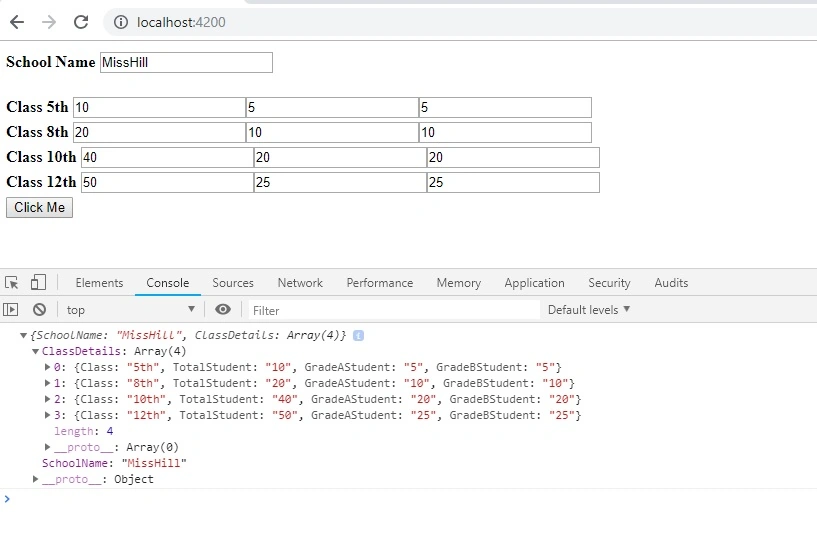
Now, run the application using the following commands and open it in the Chrome broswer at port number 4200. You can see our data with fields in the console. You can pass this JSON object to the Node API or WebAPI and insert into our database. The output is shown in the following image.
ng serve or ng s -o
I have attached the .rar file of this demonstration. If you want the code of this application, please download it.
Summary
In this article, we learned how to insert multiple data using Reactive Forms in Angular. I hope you enjoyed this article and learned the process. Thank you for reading.
If you have any questions/feedback, please write in the comment box.
karthick kPosted Aug 17, 2021, 6:34 PM
Hi, Could you please suggest how to solve this issue ? https://stackoverflow.com/questions/68776836/how-to-create-multiple-tables-in-html-based-on-json-data-in-angular-using-web-ap/
Sunil KumarPosted May 15, 2020, 6:33 AM
<tr formArrayName="ClassDetails" *ngFor="let cd of SchoolDetailsForm.controls.ClassDetails.controls ;let i=index;"> This is what the error am getting after trying to run the given example code, could you please guide me to resolve the issue?
Sunil KumarPosted May 15, 2020, 6:32 AM
Property 'controls' does not exist on type 'AbstractControl'.
Kushal RayapudiPosted Apr 2, 2020, 7:29 AM
Thanks puneeth for this, can you help how to save multiple rows in backend using observable
RajKumar kPosted Dec 10, 2019, 4:27 AM
Console.log(this.SchoolDetailsForm.value); it will print all the values.how can i get single value from the classdetails array.kindly reply for this query
Mithun PattankarPosted Jan 23, 2019, 8:19 AM
Thanks Puneet for good write up. I felt little mislead because the title says 'inserting multiple records' but your only getting those values as JSON to be sent to the backend.
ankit kankarPosted Jan 21, 2019, 11:28 PM
Very helpful for beginners...