

Before moving ahead, I would highly recommend to read my previous articles which explains how to install npm and add other mandatory files
Getting Started
• Start Visual Studio.
• Create a new website.
• Provide the name and the location of website.
• Click "Next".
Here is my file upload web api code.
- using System.Net.Http;
- using System.Web;
- using System.Web.Http;
- namespace FileUpload_WebAPI_Angular2.Controllers
- {
- public class UploadFileApiController : ApiController
- {
- [HttpPost]
- public HttpResponseMessage UploadJsonFile()
- {
- HttpResponseMessage response = new HttpResponseMessage();
- var httpRequest = HttpContext.Current.Request;
- if (httpRequest.Files.Count > 0)
- {
- foreach (string file in httpRequest.Files)
- {
- var postedFile = httpRequest.Files[file];
- var filePath = HttpContext.Current.Server.MapPath("~/UploadFile/" + postedFile.FileName);
- postedFile.SaveAs(filePath);
- }
- }
- return response;
- }
- }
- }
Here is my component code:
- import { Component } from '@angular/core';
- import { Http, RequestOptions, Headers, Response } from '@angular/http';
- import { Observable } from 'rxjs/Rx';
- @Component({
- selector: 'my-app',
- templateUrl: './app/app.component.html',
- styleUrls: ['./app/styles/styles.css']
- })
- export class AppComponent {
- private isUploadBtn: boolean = true;
- constructor(private http: Http) {
- }
- //file upload event
- fileChange(event) {
- debugger;
- let fileList: FileList = event.target.files;
- if (fileList.length > 0) {
- let file: File = fileList[0];
- let formData: FormData = new FormData();
- formData.append('uploadFile', file, file.name);
- let headers = new Headers()
- //headers.append('Content-Type', 'json');
- //headers.append('Accept', 'application/json');
- let options = new RequestOptions({ headers: headers });
- let apiUrl1 = "/api/UploadFileApi";
- this.http.post(apiUrl1, formData, options)
- .map(res => res.json())
- .catch(error => Observable.throw(error))
- .subscribe(
- data => console.log('success'),
- error => console.log(error)
- )
- }
- window.location.reload();
- }
- }
- <h2>Upload Files Sample</h2>
- <div class="fileUpload btn btn-primary" *ngIf="isUploadBtn">
- <span>Upload</span>
- <input type="file" id="btnUpload" value="Upload" (change)="fileChange($event)" class="upload" />
- </div>
- <style>
- #pgnumber {
- display: none !important;
- }
- .fileUpload {
- position: relative;
- overflow: hidden;
- margin: 10px;
- }
- .fileUpload input.upload {
- position: absolute;
- top: 0;
- right: 0;
- margin: 0;
- padding: 0;
- font-size: 20px;
- cursor: pointer;
- opacity: 0;
- filter: alpha(opacity=0);
- }
- </style>
- import { NgModule } from '@angular/core';
- import { BrowserModule } from '@angular/platform-browser';
- import { FormsModule } from '@angular/forms';
- import { HttpModule } from '@angular/http';
- import { AppComponent } from './app.component';
- import { CommonModule, APP_BASE_HREF, LocationStrategy, HashLocationStrategy } from '@angular/common';
- @NgModule({
- imports: [BrowserModule, CommonModule, FormsModule, HttpModule],
- declarations: [AppComponent],
- providers: [{ provide: LocationStrategy, useClass: HashLocationStrategy }],
- bootstrap: [AppComponent]
- })
- export class AppModule { };
- <!DOCTYPE html>
- <html>
- <head>
- <title></title>
- <base href="/">
- <meta charset="utf-8" />
- <meta name="viewport" content="width=device-width, initial-scale=1">
- <link href="//maxcdn.bootstrapcdn.com/bootstrap/3.3.7/css/bootstrap.min.css" rel="stylesheet" />
- <link href="app/styles/styles.css" rel="stylesheet" />
- <!-- Polyfill(s) for older browsers -->
- <script src="node_modules/core-js/client/shim.min.js"></script>
- <script src="node_modules/zone.js/dist/zone.js"></script>
- <script src="node_modules/reflect-metadata/Reflect.js"></script>
- <script src="node_modules/systemjs/dist/system.src.js"></script>
- <!-- Configure SystemJS -->
- <script src="systemjs.config.js"></script>
- <script>
- System.import('app').catch(
- function (err)
- { console.error(err); });
- </script>
- </head>
- <body>
- <header class="navbar navbar-inner navbar-fixed-top">
- <nav class="container">
- <div class="navbar-header">
- <span class="app-title">Upload File Sample in Angular 2</span>
- </div>
- </nav>
- </header>
- <main class="container">
- <my-app>Loading...</my-app>
- </main>
- </body>
- </html>
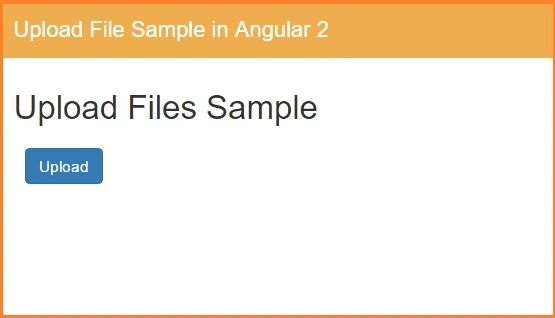
Click on upload button that will work as browse files from computer and upload in given directory in your local system.
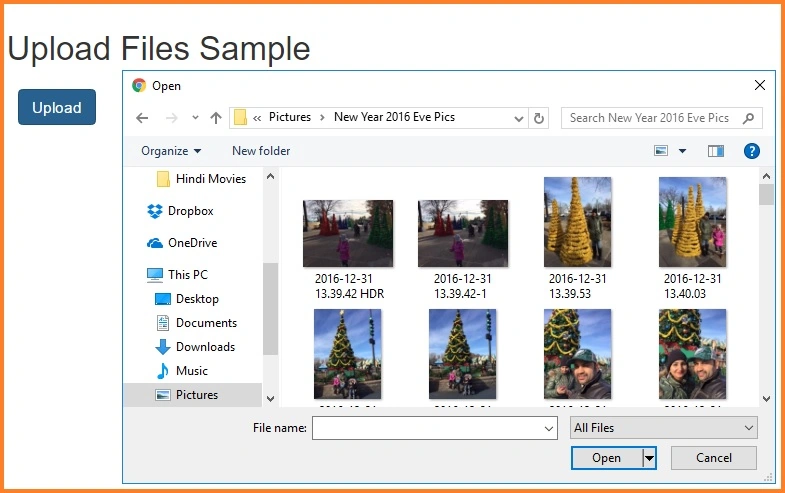
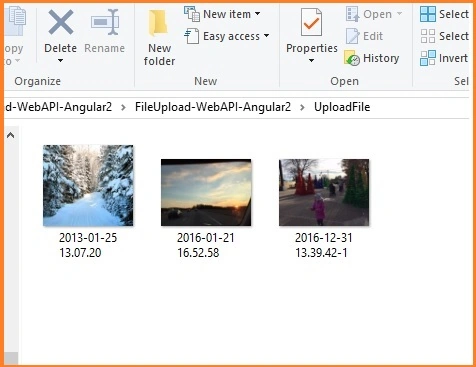
Select image which you want upload in directory. Once upload is done go to the directory and check if the file is uploaded or not.
Conclusion
In this article, we have learned how to upload files using web api in angular 2. If you have any question or comment, drop me a comment in C# Corner comments section.
Ajay ShettyPosted Jun 15, 2020, 12:25 AM
What if i am having an external api..This wont work
Kapil BhattPosted Jun 3, 2020, 1:43 PM
Is it possible to upload any CSV or Excel file in Angular with require fields and add all entries into DB, instead of create Single record at a time?
Hamid KhanPosted Jan 4, 2019, 5:47 AM
Very good example for upload image............Thanks
Sunil MulePosted May 29, 2018, 8:32 AM
Not able to get file in httpRequest but i found that file data found into httpRequest.inputstream, and now i'm not able to find file name. Any one help me in this.
amit shuklaPosted Mar 28, 2018, 5:02 AM
File is not getting on webapi controller. httpRequest.Files.Count show 0.
aditya bvskPosted Mar 22, 2018, 5:38 AM
Hii this is aditya.Please refer me a angular4 material to prepare as i am a begginer and also examples for crud operations in mvc
Prakash RPosted Nov 27, 2017, 9:15 AM
Please help to Download File in angular 2/4 and WEbapi
terry coePosted Nov 20, 2017, 1:59 PM
Is there not a service needed for this?
Muhammad SaleemPosted Oct 4, 2017, 7:23 AM
Its not working. httpRequest.Files.Count always zero. file not found
Shariq MohdPosted May 17, 2017, 10:50 AM
HttpContext.Current always returns null.. What might be the problem?
Phạm ThếPosted May 9, 2017, 11:27 AM
Thank you so much. It works for me :)
Dhrutika RathodPosted May 5, 2017, 3:40 AM
Is it possible on button click ?
Jayyanth MuthukrishnanPosted Feb 21, 2017, 6:03 AM
Raj, Simple Super. But i cant select multiple files