

Here, we will discuss How to call the Ajax function in Web forms ASPX. In Visual Studio 2022, create a new ASP .NET web application (.NET Framework) in the 4.7.2 framework.
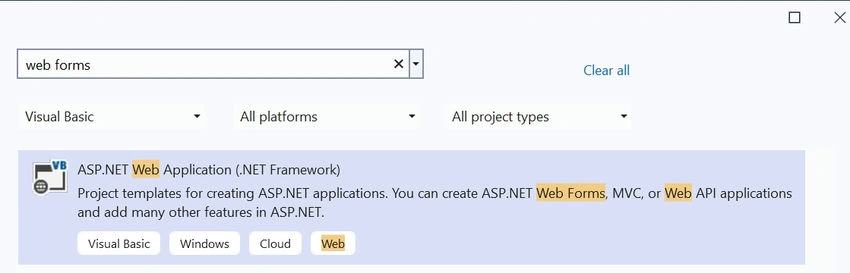
In ASP.NET Web forms, all functionalities are made up of ASP Tags and events. If, in case, we need to call a method without any events, it means that web method keywords can be used, and from Ajax call, we call that function from the client page.
Default.aspx
<asp:Content ID="BodyContent" ContentPlaceHolderID="MainContent" runat="server"><main>
    <script type="text/javascript">
            function callWebMethod() {
                alert("AJAX call is about to be made!");
                var name = $('#nameInput').val();
                $.ajax({
                    type: "POST",
                    url: '<%= ResolveUrl("~/Default.aspx/GetGreeting") %>',
                    data: JSON.stringify({ name: name }),
                    contentType: "application/json; charset=utf-8",
                    dataType: "json",
                    success: function (response) {
                        alert("Success!");
                        $('#result').text(response.d);
                    },
                    error: function (xhr, status, error) {
                        alert("ERROR: " + xhr.responseText);
                        console.log("Status: " + status);
                        console.log("Error: " + error);
                    }
                });
            }
</script>
    <div><input type="text" id="nameInput" placeholder="Enter your name" />
  <button type="button" onclick="callWebMethod()">Get Greeting</button><p id="result"></p>
    </div>
</main></asp:Content>
Bowrse Output
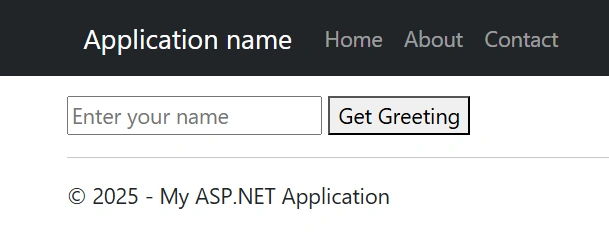
WebMothod is a built-in function of ASP .NET, that helps to communicate with the server side. AJAX or javascript client side calls will be handled using this web service.
Server-side code
Partial Class _Default
    Inherits System.Web.UI.Page

    <WebMethod()>
    Public Shared Function GetGreeting(name As String) As String
        Return $"Hello, {name}! Welcome to Ajax call Web method!"
    End Fun
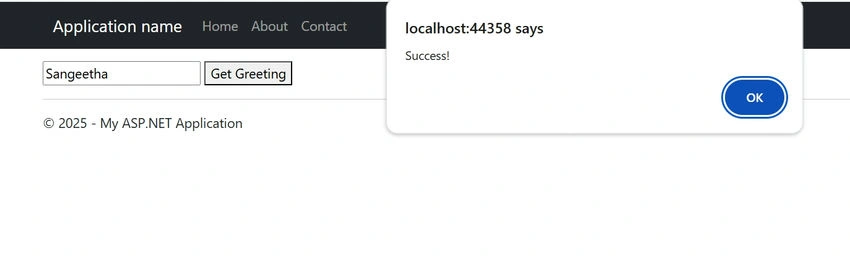
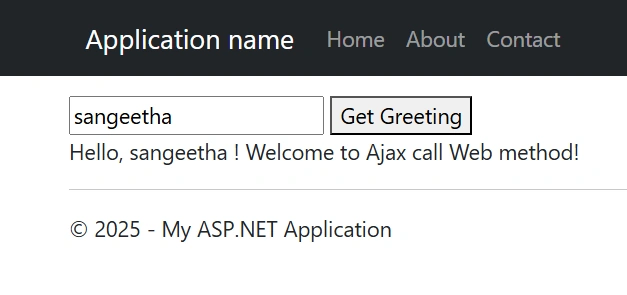
Output
Join the conversation! Your thoughts help the community grow.