

Introduction
This is the "Advanced JavaScript" article series. In this series, we have learned many beautiful concepts of JavaScript. If you are very new to this series then please have a look at the previous articles.
The following are links to all the articles.
- Advance JavaScript: History and role of JavaScript behind modern web
- Advance JavaScript: play with object in JavaScript
- Advance JavaScript: Function Definition Style in JavaScript
- Advance JavaScript: Understand undefined in JavaScript
- Advance JavaScript: Understand "class"-ical concept of JavaScript
- Advance JavaScript: Implement inheritance in JavaScript
- Advance JavaScript: Callback design pattern and callback function in JavaScript
- Advance JavaScript: Exception handling in JavaScript
- Advance JavaScript: Scope of Variable in JavaScript
- Advance JavaScript: closure in JavaScript
- Advance JavaScript: Immediate invoke function in JavaScript
In this article we will learn the concept of namespaces in JavaScript. If you are a C# developer then you might understand the concept of namespaces very well. If not then the following is a small introduction for you.
Problem without namespace
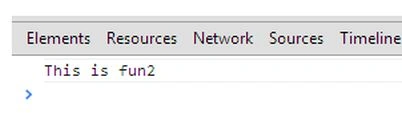
In this example, we will define two functions that will share the same name. Have a look at the following example, we have defined fun1( ) two times and then we are calling fun1() and we are seeing that the latest function is executed.
- <!DOCTYPE html>
- <html xmlns="http://www.w3.org/1999/xhtml">
- <head>
- </head>
- <body>
- <script>
- function fun1() {
- console.log("This is fun1");
- }
- function fun1() {
- console.log("This is fun2");
- }
- fun1();
- </script>
- </body>
- </html>
Here is the sample output.
As we have explained earlier, a namespace solves the name collision problem. In this example, we will share the same function name in more than one function but they will belong to different namespaces. Have a look at the following example:
- <!DOCTYPE html>
- <html xmlns="http://www.w3.org/1999/xhtml">
- <head>
- </head>
- <body>
- <script>
- var myfunctionCollection1 = {
- fun1: function () {
- console.log("This is fun1");
- },
- fun2: function () {
- console.log("This is fun2");
- }
- }
- var myfunctionCollection2 = {
- fun1: function () {
- console.log("This is fun1");
- },
- fun2: function () {
- console.log("This is fun2");
- }
- }myfunctionCollection.fun1();
- </script>
- </body>
- </html>
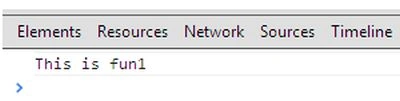
Here is a sample output. We are seeing that function 1 in the first namespace is executing.
Nested namespace
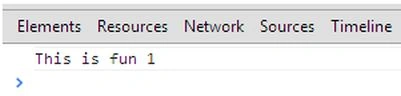
As in C# and some other languages, we can create a nested namespace in JavaScript. The depth of a nested namespace can be "n" times. In this example, we are creating a sample of a nested namespace and then we are using a fully qualified name to call the function.
- <!DOCTYPE html>
- <html xmlns="http://www.w3.org/1999/xhtml">
- <head>
- <title></title>
- <script src="backbone/Jquery.js" type="text/javascript"></script>
- </head>
- <body>
- <script>
- var myfunctionCollection = {
- innerSection: {
- fun1: function () {
- console.log("This is fun 1");
- },
- fun2: function () {
- console.log("This is fun 2");
- }
- }
- }
- //Calling to function
- myfunctionCollection.innerSection.fun1();
- </script>
- </body>
- </html>
Another style to implement a namespace
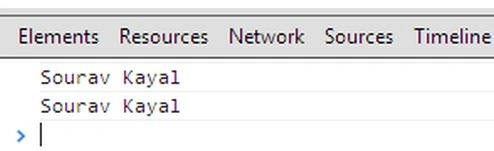
This is another example to implement a namespace in JavaScript. We can alternatively use an immediately invoked function to implement a namespace
- <!DOCTYPE html>
- <html xmlns="http://www.w3.org/1999/xhtml">
- <head>
- <title></title>
- <script src="backbone/Jquery.js" type="text/javascript"></script>
- </head>
- <body>
- <script>
- var myApp1 = {
- name:'Sourav Kayal',
- fun: function () {
- console.log(this.name);
- }
- };
- var myApp2 = {
- name: 'Sourav Kayal',
- fun: function () {
- console.log(this.name);
- }
- };
- (function () {
- myApp1.fun();
- myApp2.fun();
- }).apply(myApp1,myApp2);
- </script>
- </body>
- </html>
Conclusion
In this example, we have learned some concepts of JavaScript. I hope you have understood it and will implement it in your next JavaScript application. Happy coding.
Rajneesh RaiPosted Nov 27, 2013, 8:41 AM
Nice article !! but have a typo error in function call myfunctionCollection.fun1(), under "Using a namespace to solve the problem" section
Santosh KumarPosted Nov 21, 2013, 9:32 AM
Nice.