

Did you ever get a requirement to add an HTML button on an entity form? If yes, this post will help you to implement this requirement. Let’s say, we are building a registration form in CRM and we need to provide the buttons to add the attachment for the ID proofs. Let’s see, how we can do this :)
We mainly have two high level requirements:
- Add a button on the entity form
- Adding an attachment to the record
Add a button on entity form
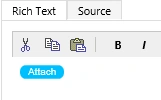
There is no direct way of adding the button to an entity form, but we have the options like converting a text field to a button, using Java Script or creating HTML Web resource. In this post, we are going to create a button through HTML Web resource. We can use the following code to add an attachment button:
- <html><head>
- <style>
- .button {
- background-color: 00bfff;
- border: none;
- color: white;
- text-align: center;
- text-decoration: none;
- display: inline-block;
- font-size: 10px;
- cursor: pointer;
- border-radius: 6px;}
- </style>
- <meta charset="utf-8"></head>
- <body>
- <button class="button">Attach</button>
- </body></html>
Adding an attachment to the record
Now, we need to add a method to add an attachment, using our button. We are going to add an attachment to the notes. Thus, we have two options for this, either we can add a custom dialog and write a Service call to add an attachment to the notes or we can use a system method to do the same for quick implementation. CRM has a following system method to show an attachment dialog (This is not documented in CRM SDK).
Now, we need to add a method to add an attachment, using our button. We are going to add an attachment to the notes. Thus, we have two options for this, either we can add a custom dialog and write a Service call to add an attachment to the notes or we can use a system method to do the same for quick implementation. CRM has a following system method to show an attachment dialog (This is not documented in CRM SDK).
- Mscrm.RibbonActions.addFileToRecord(entityETC, entityID)
- parent.Mscrm.RibbonActions.addFileToRecord(entityETC, entityID)
- <html><head>
- <style>
- .button {
- background-color: 00bfff;
- border: none;
- color: white;
- text-align: center;
- text-decoration: none;
- display: inline-block;
- font-size: 10px;
- cursor: pointer;
- border-radius: 6px;
- }
- </style>
- <script>
- function Addattachment()
- {
- var entityETC=10007; //entity code
- var entityID =window.parent.Xrm.Page.data.entity.getId();//to read parent record ID
- parent.Mscrm.RibbonActions.addFileToRecord(1, entityID)
- }
- </script>
- <meta charset="utf-8"></head>
- <body>
- <button class="button" onclick="Addattachment()">Attach</button>
- </body></html>
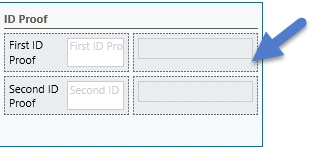
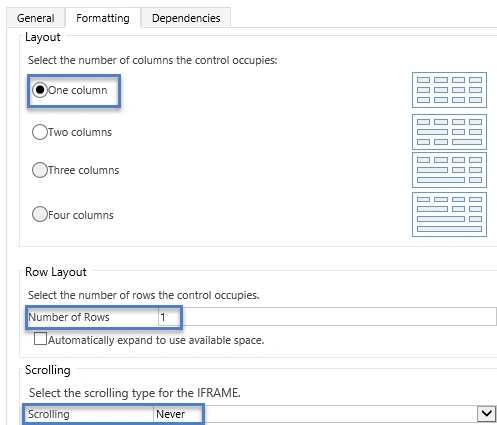
While adding the Web resource, make sure to set the formatting option, as given below:
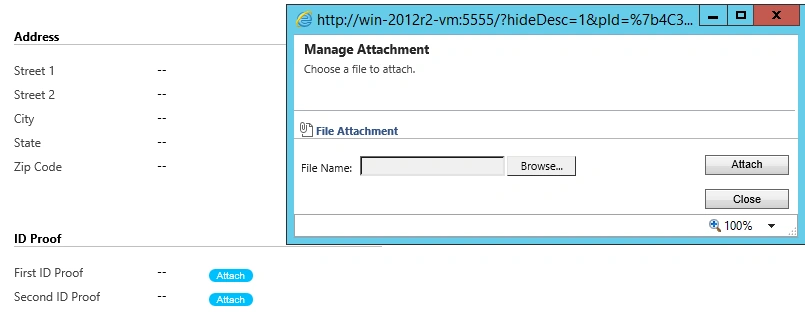
Now, after saving and publishing our changes, it will allow us to add an attachment on the click of an attachment button after saving the record, as shown below:
If you need any help in Microsoft CRM, Contact US.
Amit ParasharPosted Oct 14, 2020, 12:06 AM
This method is not supported in UCI interface. do we have any alternative for it
ho tszhinPosted Jan 14, 2019, 4:59 AM
Hi I am just wondering, how do i retrieve or see the attachment that i upload?
Prasanna MuraliPosted Sep 5, 2016, 11:14 AM
Nice post......
Vignesh ManiPosted Aug 25, 2016, 6:37 AM
Nice one
SubashPosted Aug 24, 2016, 11:35 PM
Great share sir
Ramesh PalaniappanPosted Aug 24, 2016, 12:16 AM
Nice