

Introduction
This article explains how to use the Like button of Facebook in your Web API application. Here we just get the code from Facebook and add it into the View of the application. The Like Button simply shares the content with friends on Facebook.
Procedure for adding the Like Button to an application:
- First create a Facebook account; if you have already then login with that account.
- Now open this link:
https://developers.facebook.com/docs/plugins/like-button/
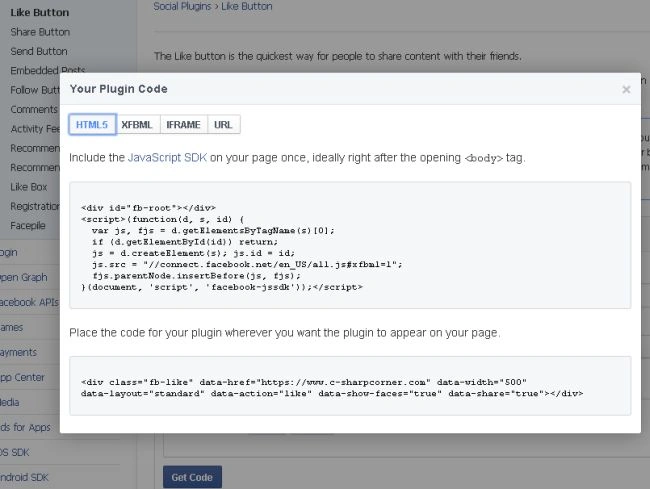
The page will open like this:
- Now fill in the Like button form for displaying the Like button.

- URL to like: Provide the URL for the default page.
- Width: Set the width in pixels of plug-ins.
- Layout: Has mainly the following three option
Standard
Button_count
Box_count - Show Friend's faces: It just used for showing the friend's faces when selected for sending the message.
- Include share button: If the checkbox is checked then include the share button.
- Get code: when the "Get Code" button is clicked then it displays the code.
- Now for getting the code click on the "Get Code" button.
- Create the Web API application:
- Start Visual Studio 2012.
- From the Start window select "Installed" -> "Visual C#" -> "Web".
- Select "ASP .NET MVC4 Web Application' and click on the "OK" button.

- From the "MVC4 Project" window select "Web API".
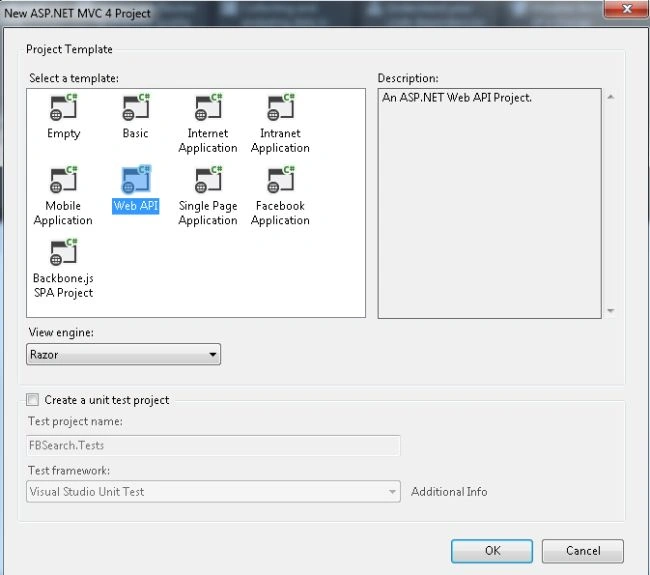
- Click on the "OK" button.
- Now copy the code and paste it into the "index.cshtml" file.
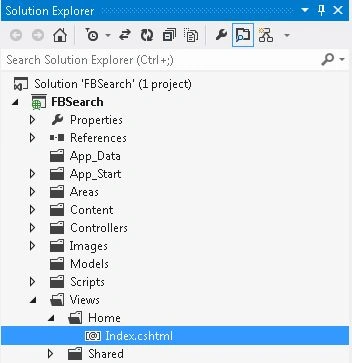
- In the "Solution Explorer".
- Select the "Home folder".
- Select the "Index.cshtml" file.
Paste in the following code:
- <!DOCTYPE html>
- <html xmlns="http://www.w3.org/1999/xhtml">
- <head>
- <title>Facebook Like Button</title>
- <div id="fb-root"></div>
- <script>(function (d, s, id) {
- var js, fjs = d.getElementsByTagName(s)[0];
- if (d.getElementById(id)) return;
- js = d.createElement(s); js.id = id;
- js.src = "//connect.facebook.net/en_US/all.js#xfbml=1";
- fjs.parentNode.insertBefore(js, fjs);
- }
- (document, 'script', 'facebook-jssdk'));
- </script>
- </head>
- <body>
- <div class="fb-like" data-href="https://www.c-sharpcorner.com" data-width="500" data-layout="standard" data-action="like" data-show-faces="true" data-share="true"></div>
- </body>
- </html>
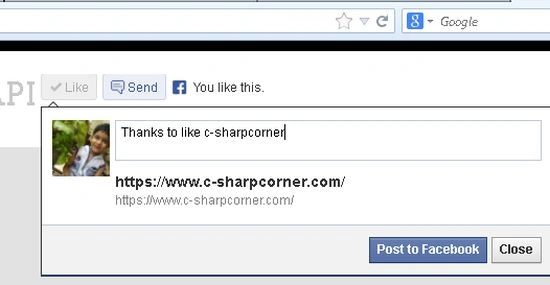
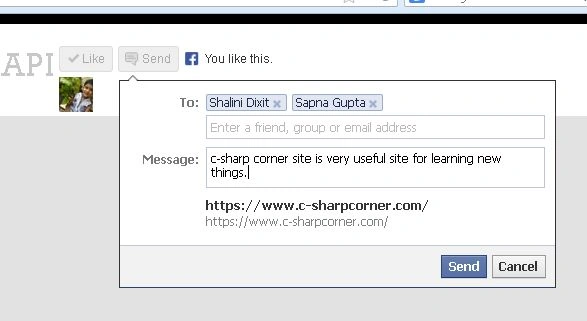
Now see the output:
Mahesh ChandPosted Nov 8, 2013, 7:16 AM
Good. FYI: Face Book is one word = Facebook. You should change the title
Hemant SrivastavaPosted Nov 7, 2013, 2:19 PM
Goog to know how we could do this easily...