

This guide explains how to add code to your GitHub repository using Git Bash for local Git commands and the GitHub web interface for collaboration.
1. Clone the Repository Using Git Bash 🖥️
Open your repository page on GitHub.
Click the green "Code" button and copy the HTTPS URL.
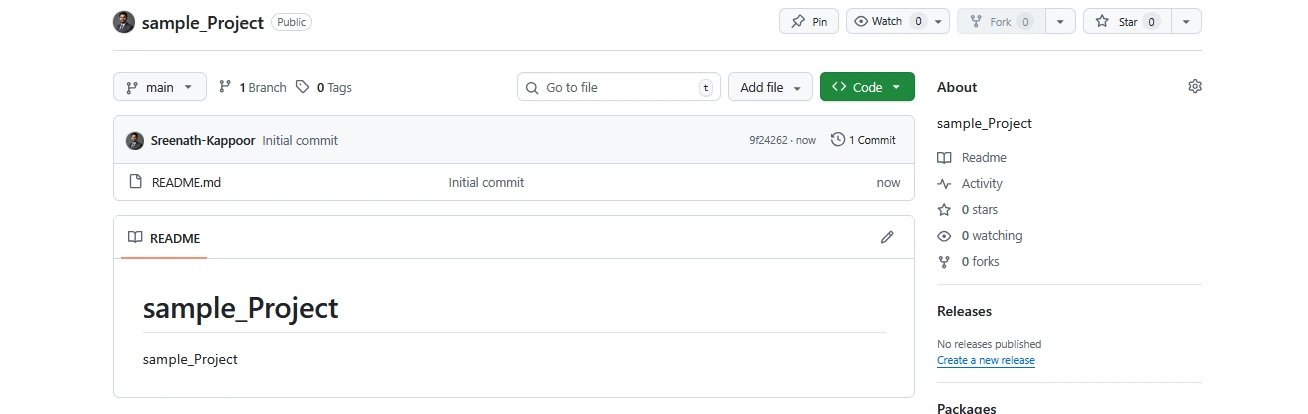
Open Git Bash on your computer and run:
git clone <repository-url>cd <repository-folder>
This downloads the full project to your local machine. 💻
2. Create a New Branch in Git Bash 📟
Protect the main branch by creating a feature branch:
git checkout -b <branch-name>Example: git checkout -b version1
Work on this new branch to keep changes isolated. 🔒
3. Add or Modify Your Code Files ✍️
Create new files or modify existing ones locally:
touch index.html script.js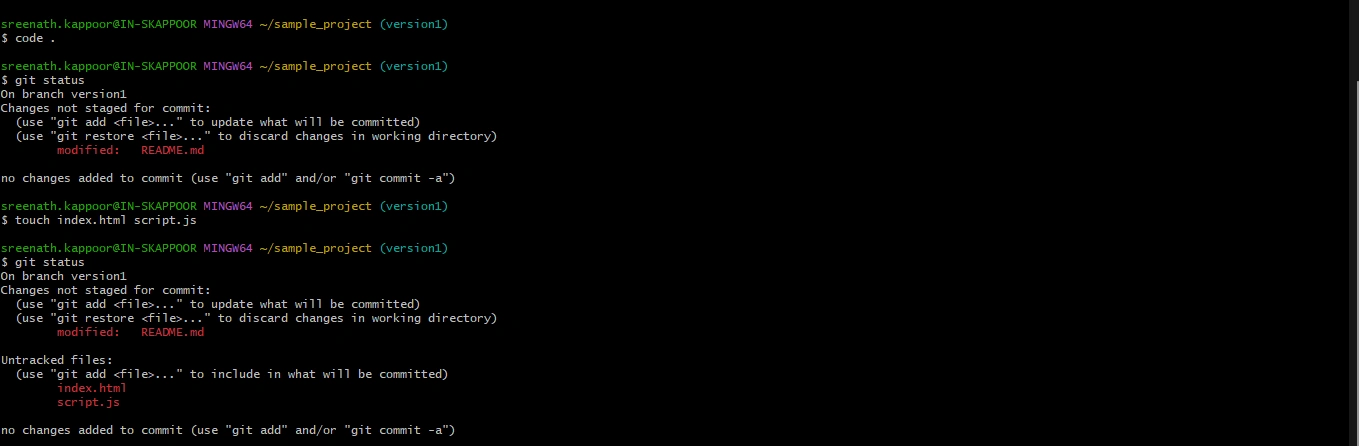
Use your code editor to write or edit code in these files. 📝

4. Stage and Commit Your Changes with Git Bash 📦
Stage all changed files:
git add .Commit the changes with a descriptive message:
git commit -m "Initial Changes"
This records your changes locally. 💾
5. Push the Branch to GitHub
Push your branch and changes to the remote repository:
git push origin <branch-name>Example: git push origin version1
This uploads your code safely to GitHub's servers. 🌐
6. Open a Pull Request Using GitHub Web
Go to the GitHub repository page in your browser.
You will see a suggestion to open a pull request for the new branch.
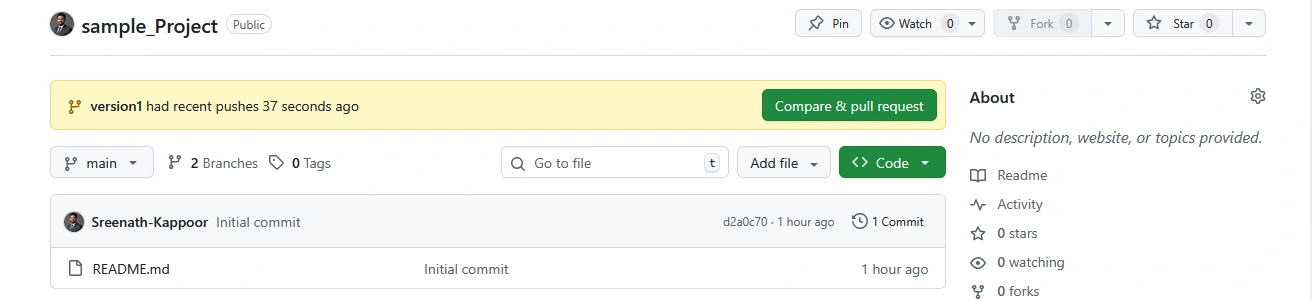
Click "Compare & pull request."
Add a meaningful title and description of your changes.

Click "Create pull request." ✨
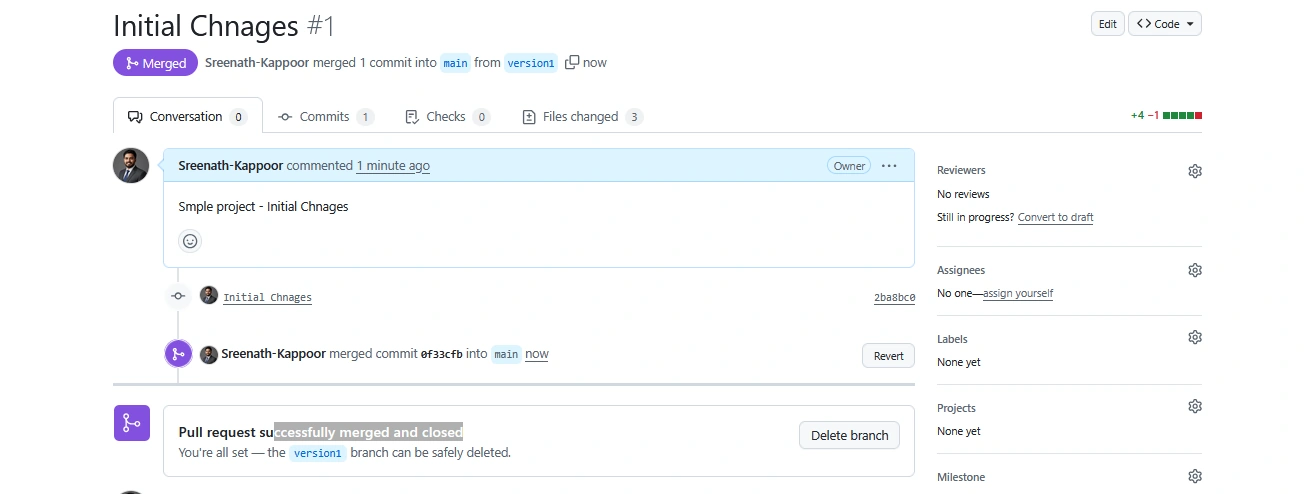
7. Collaborate, Review, and Merge 🤝
Collaborate with your team via the pull request.
Once approved, merge the pull request into the main branch.

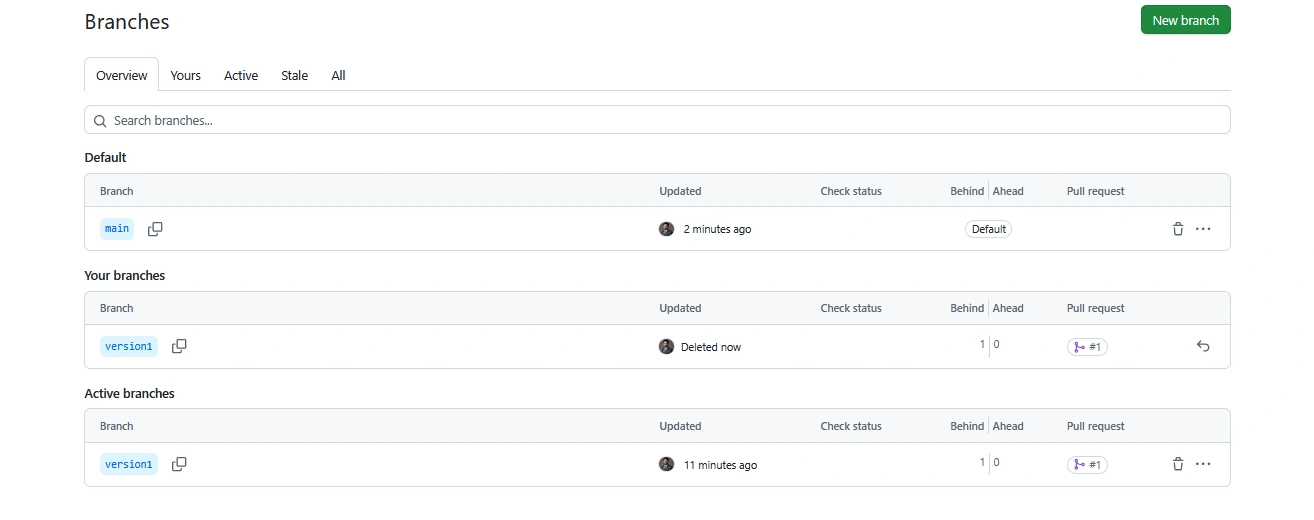
Optionally, delete the feature branch in the GitHub web interface to keep the repository clean. 🧹
| Step | Action | Tool |
|---|---|---|
| Clone repo | git clone <url> | Git Bash 🖥️ |
| Create branch | git checkout -b <branch> | Git Bash 📟 |
| Add/Edit code | Write code files locally | Code editor ✍️ |
| Stage & commit | git add .+git commit -m | Git Bash 📦 |
| Push branch | git push origin <branch> | Git Bash ☁️ |
| Open PR | Use GitHub web to create PR | GitHub Web 🔗 |
| Review & merge | Collaborate and merge PR | GitHub Web 🤝 |
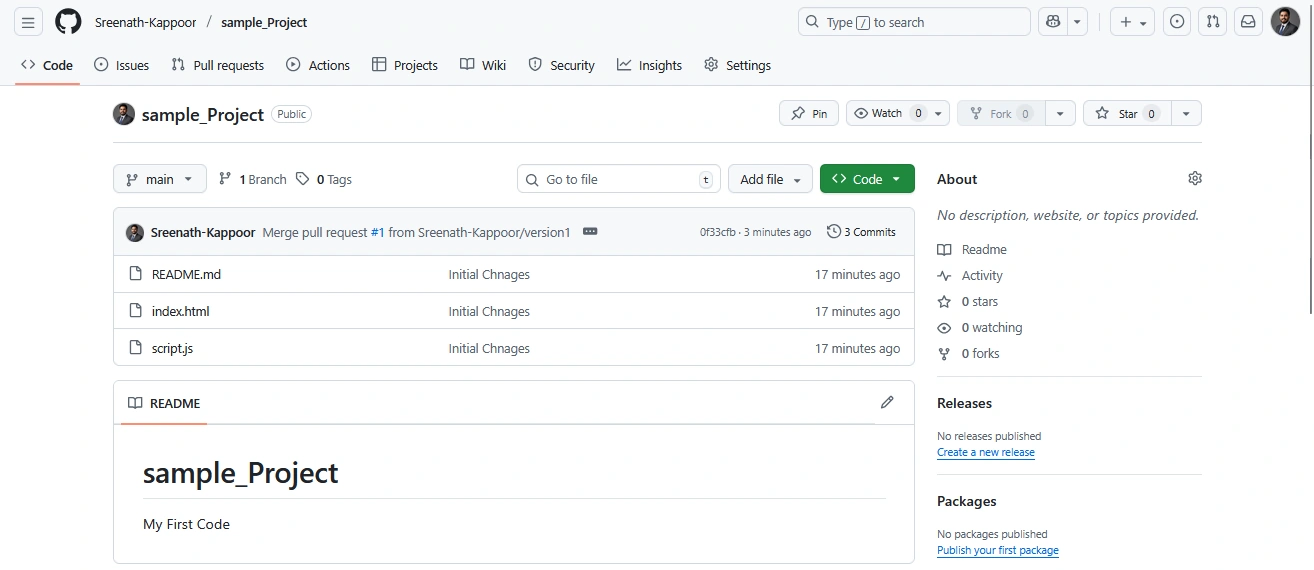
This workflow combines the power of Git Bash's command-line interface and GitHub's web platform for seamless code addition and collaborative development. 🎉
Git Related Articles
Introduction to Git and Version Control: https://www.c-sharpcorner.com/article/introduction-to-git-and-version-control/
Mastering Essential Git Commands: https://www.c-sharpcorner.com/article/mastering-essential-git-commands/
Creating Your First GitHub Repository: https://www.c-sharpcorner.com/article/creating-your-first-github-repository/
Uploading Files and Folders to GitHub: https://www.c-sharpcorner.com/article/uploading-files-and-folders-to-github/
Join the conversation! Your thoughts help the community grow.