

Overview
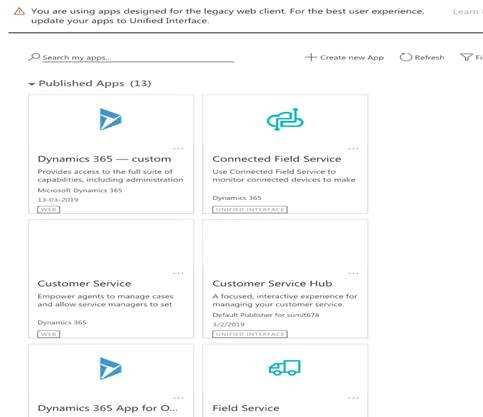
To share and emphasize PowerApps, Microsoft has enabled certain functionalities in Dynamics CRM. For example, when we create and log in to the latest environments, by default, a Homepage loads, which gives access to multiple PowerApps and not the classic Dynamics CRM which we need to have access to, for undertaking customizations and developments.
Traditional Approach
In the traditional way, we used to type in the URL of the application (Dynamics CRM) which used to directly load the Classic Dynamics CRM. The same is what we are comfortable with that is for customizations and configurations of Dynamics CRM.
Updated Versions (9.1 onwards)
When we enter the URL of Dynamics CRM instance, a default page opens up with a list of all the PowerApps which are available to the end user for business, but there is no way out to access the Classic Dynamics CRM.
Steps to enable Classic Dynamics CRM
- Log in to https://admin.powerplatform.microsoft.com
- Select the Environment from the left panel.
- Select the Environment for which you want to undertake the changes.
- Click on "Settings".
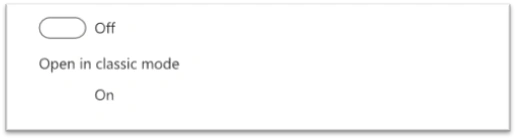
- Enable the “Open in Classic” mode.
Observation/Benefits of implementing the same
- The issue would be faced only if you go for the latest version of Dynamics CRM 9.1 ( Trial or Paid).
Regarding End to End Implementation
There have been multiple challenges and multiple road-blocks while I tried undertaking the same, so please feel free to get in touch if you feel stuck at any point.
Feel free to share your queries and, of course, the feedback.
Join the conversation! Your thoughts help the community grow.