

Introduction
In this article, we will learn about Access Website Hosted In IIS On Windows 10 From Any PC On LAN.
Prerequisites
- Windows 10 PC with IIS installed. (In this example IIS version is 10 )
- Basic knowledge of website hosting on IIS.
Create a website in IIS
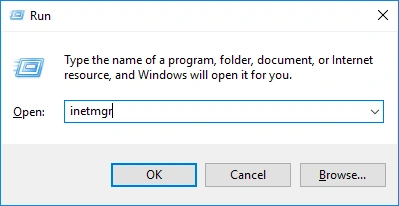
Open run (windows key + R) and type inetmgr and press enter or in Cortana Search type IIS.
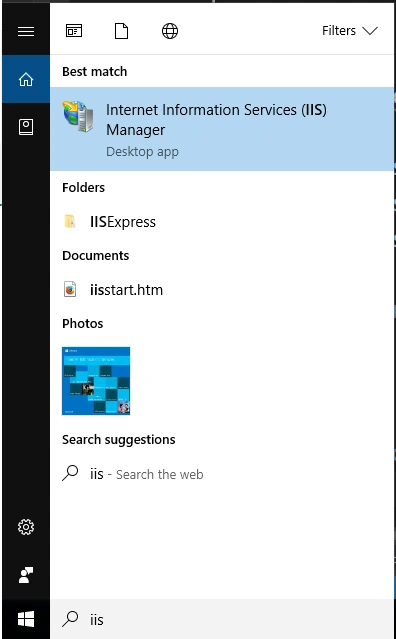
IIS Manager opens
Then right-click on Sites and click on Add Website. The Add website dialog opens.
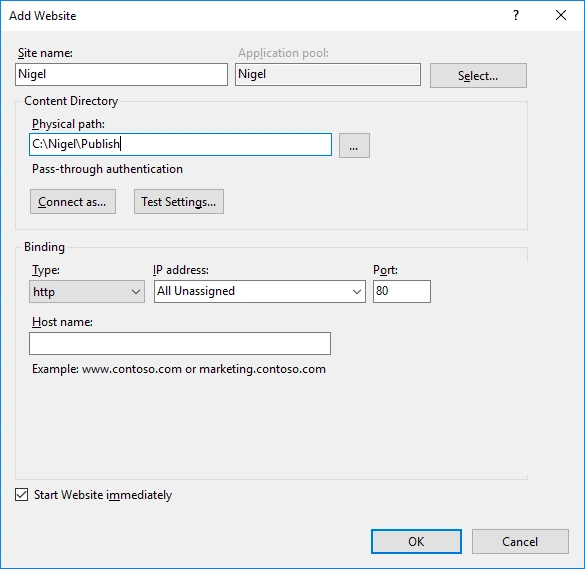
- Fill in the required details and select the folder where the compiled code is located. Eg: C:\Nigel\Publish
- Select the required port, the default is 80. I will be using 7500.
- Do not enter host name details if you are testing or using on LAN.
Then click ok. A website gets created and it will show under Sites.
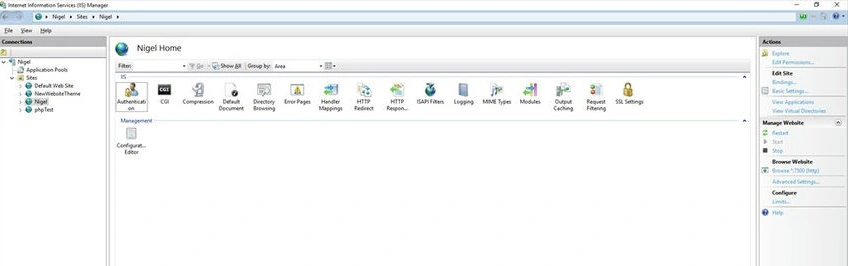
Now right-click on the website name then Manage website and then click Browse.
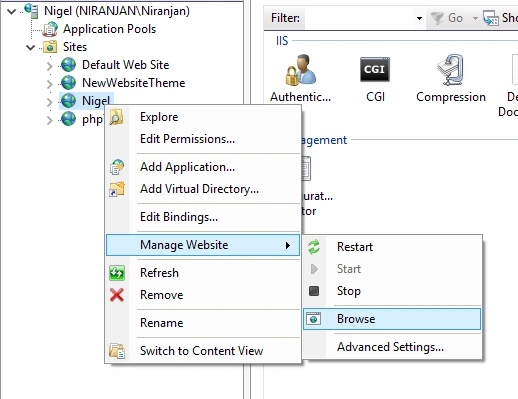
The link should be in the form on http://localhost:7500/ if you used port 7500 and selected http.
Locate your IP Address
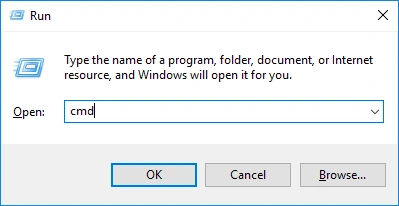
Now open the command prompt. Type cmd in a run.
Type ipconfig and press enter. Now locate your PC's IP address on the LAN.
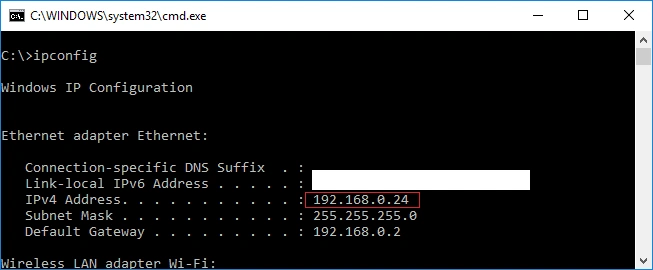
Now in your website link replace localhost with 192.168.0.24 (IP address) so your URL will be - http://192.168.0.24:7500/
Try it in your browser to make sure it works.
Change Firewall Rules
In Cortana, search type firewall then click on Windows Firewall with advanced security.
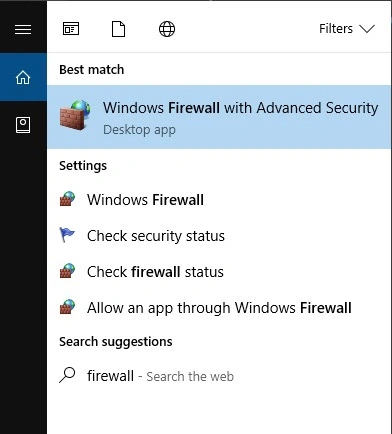
The firewall window opens.
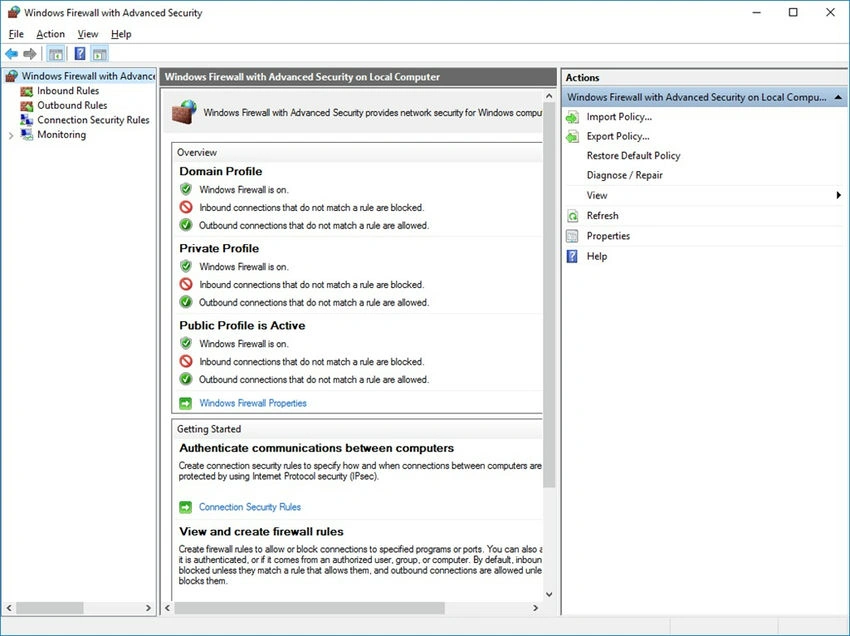
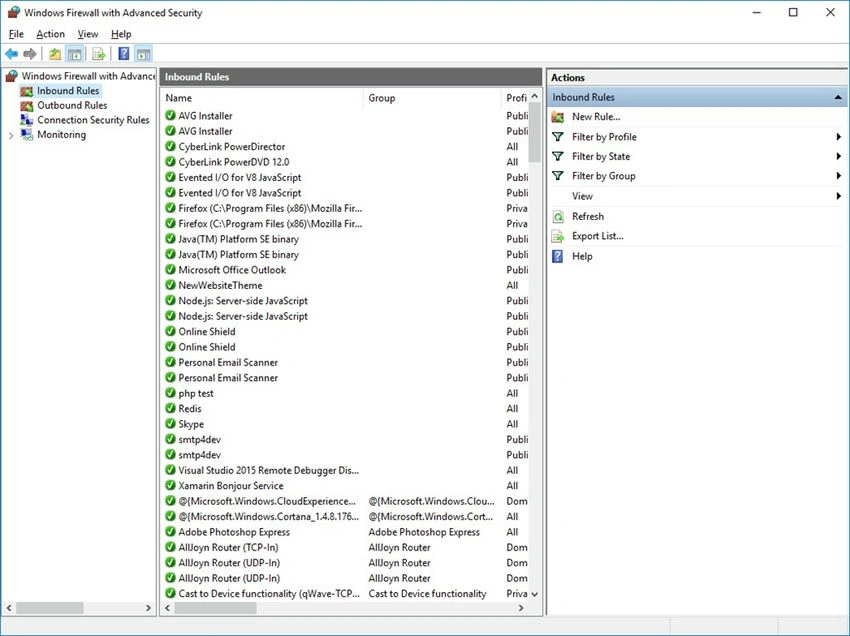
Click on Inbound rules on the left. Then click New Rule in the right-side menu.
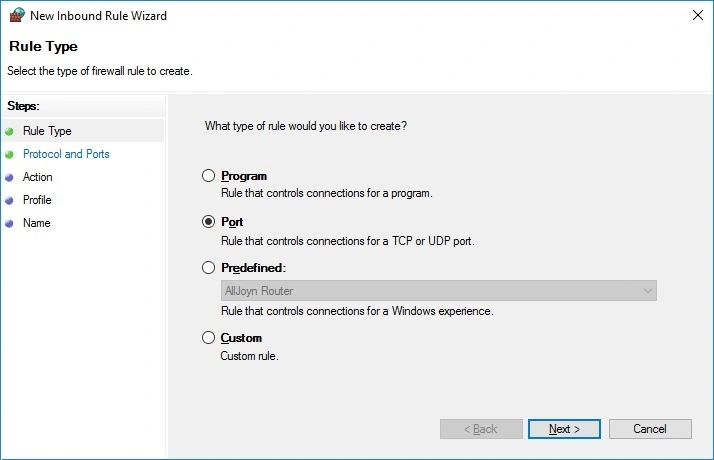
The New inbound rule wizard will open. What type of rule would you like to create? Select Port and click Next.
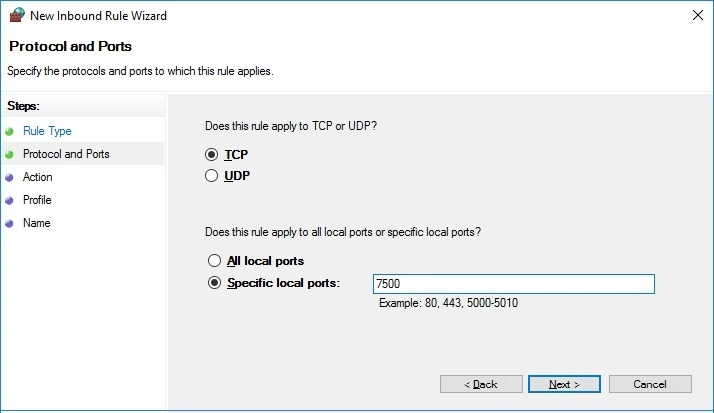
Does this rule apply to TCP or UDP? Select TCP. Then enter the port number (7500) in the specific local ports textbox. Then click Next >.
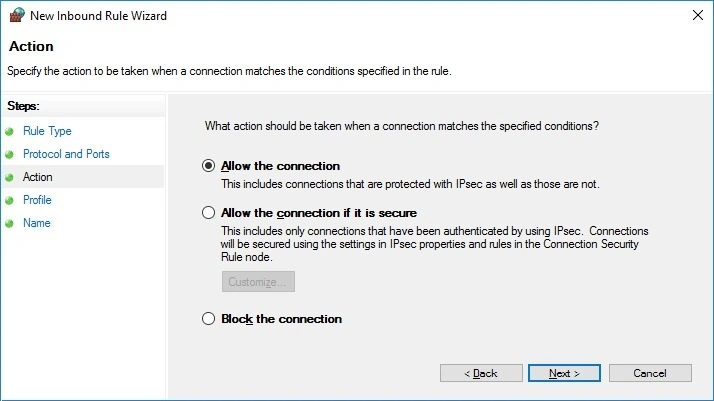
Then the Action form opens. Select Allow the connection and click Next.
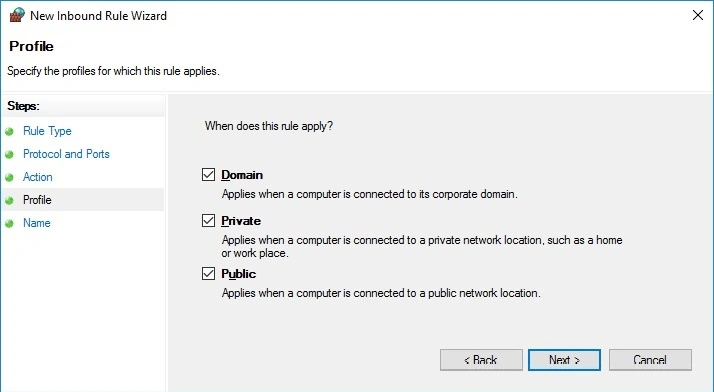
Then the profile form opens. When does this rule apply? - Select required ones, if not sure then select all. Click Next.
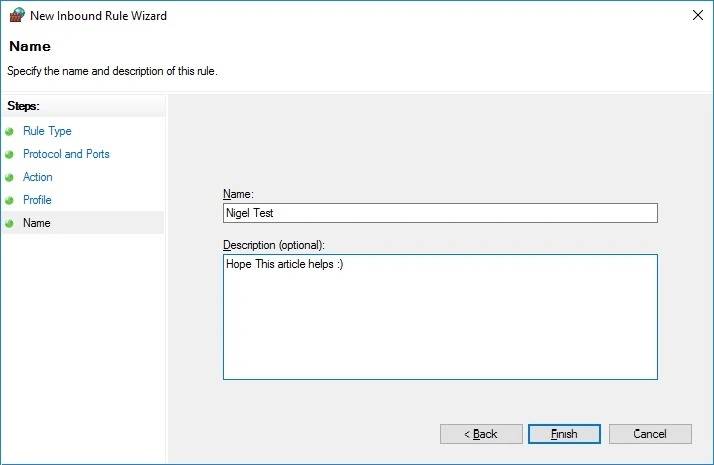
Give this Firewall rule a Name and Description, so you know for what purpose you created this. Then click finish.
Now if you share the link we created earlier with someone else on your LAN it should open your website.
Link example: http://192.168.0.24:7500/
Note
- Be careful when changing Firewall settings otherwise, you may leave your PC vulnerable to online attacks.
- Only use ports in the nonstandard range (preferably after 9000).
- Once you are done using the website you can delete the Firewall rule.
Reference
Summary
In this article, we learned about Access Website Hosted In IIS On Windows 10 From Any PC On LAN.
Timi FrankPosted Mar 22, 2023, 4:36 PM
Please followed all the steps but i get this error " Bad Request - Invalid HostnameHTTP Error 400. The request hostname is invalid". pls where am I getting it wrong
emb regionviiiPosted Mar 3, 2022, 8:17 AM
Hello Nigel, I followed these steps and made a port forwarding rule in my firewall so that I can access the website outside of the LAN by typing in staticip:port. All works fine except one problem, I can't access the website using the staticip when trying to access via local network. How do I go about this?
ADNAN MISTRYPosted Nov 30, 2021, 3:24 AM
My ip address changes even if I set it in the properties of my network.every time I have to update the link which is irritating my clients. Can I access by pc name or something?
ADNAN MISTRYPosted Nov 30, 2021, 3:22 AM
Worked for me very well....
khan thienPosted May 29, 2020, 12:12 AM
Thanks Nigel! I need some help about IIS issue. I cannot access to the host server eg: 192.168.1.15, it keeps display Internet Information Services interface preventing me to access the host website, please help
Ketan ShindePosted Feb 4, 2020, 11:28 PM
Yes ...thank Nigel . But i have 1 qry . Every time we need to add rule for specific port.
Rajesh SagantiPosted Dec 20, 2019, 2:17 AM
Nice info bro, i need a help ,i installed my app in iis, i want to access this app any where in the world or any user from his loptop or his mobile browser
Nashath NasarPosted Nov 11, 2019, 10:36 PM
Has same way we can acess outside also right if we open a port in mani router
abhishek tiwariPosted Aug 7, 2019, 1:06 AM
Great Its Working Thanks a Lot
tyne ghiePosted Dec 4, 2018, 1:44 AM
Thanks. It works for me I'm using (windows 10)
Roger ColquehuancaPosted Nov 25, 2018, 4:53 PM
Thks u it works. I most sites i found the same info until securty firewal
Abucheri DerrickPosted Nov 6, 2018, 2:48 AM
Worked well for me. Thanks
kanishk khetarpalPosted Jun 8, 2018, 5:46 AM
Shows bad gateway
Abhishek ChaurasiaPosted Mar 31, 2017, 3:33 AM
Thank you. i was try four to five days . but i have found your articles