

Introduction
Artificial Intelligence (AI) is transforming how modern applications are built. Microsoft’s AI Toolkit is a comprehensive solution that streamlines the development, evaluation, and deployment of AI and agent-based applications. In this article, we explore its core features, real-world workflows, and how you can apply it to your next AI initiative.
Understanding the Microsoft AI Toolkit
The Microsoft AI Toolkit brings together essential tools and workflows to simplify the development of AI agents and models. It enables developers to manage everything from code creation and evaluation to scalable cloud deployment, all from within Visual Studio Code.
Why Choose Microsoft AI Toolkit?
Enhanced Productivity: Rapidly scaffold projects and automate repetitive development tasks.
Built-in Reliability: Leverages proven best practices to produce robust and maintainable code.
Effective Evaluation: Define datasets and metrics with ease to assess model and agent performance.
End-to-End Transparency: Use tracing and debugging capabilities to gain insights and optimize agent workflows.
Cloud-Ready by Design: Integrates seamlessly with Azure for scalable deployment and operations.
Key Features
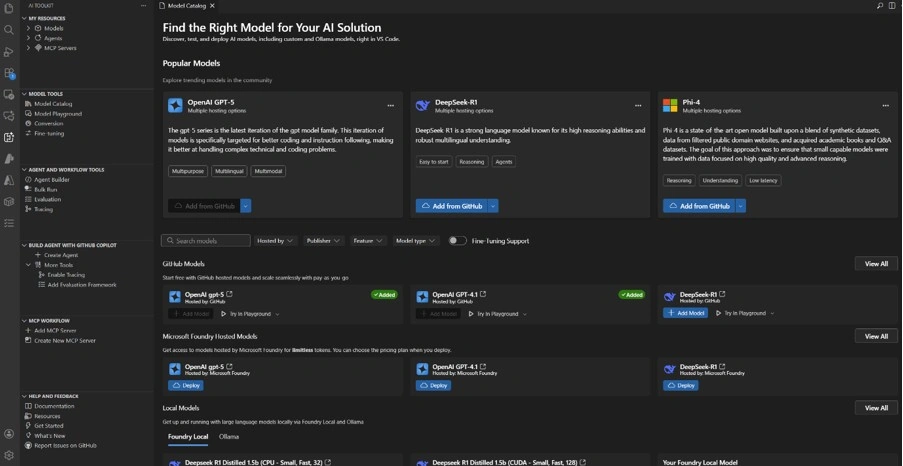
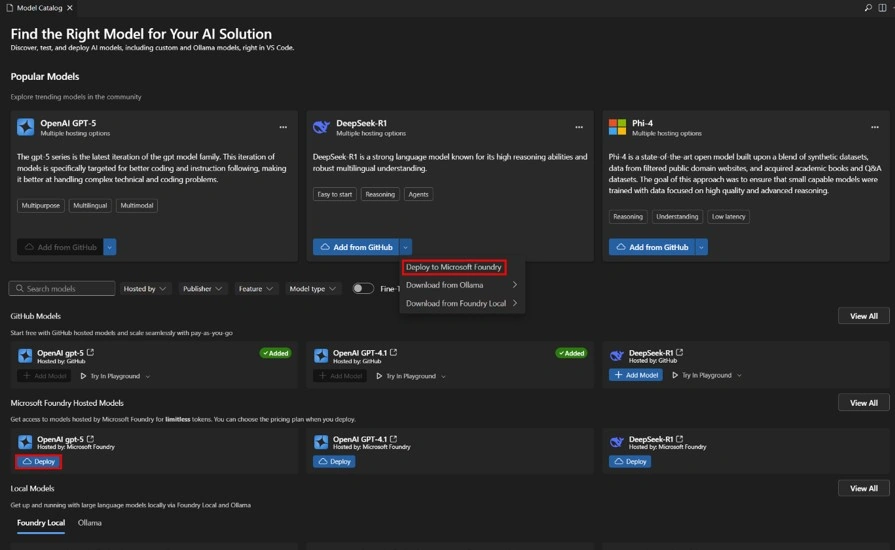
1. Model Catalog
Provides broad support for generative AI models, including both Small Language Models (SLMs) and Large Language Models (LLMs).
Access models hosted on GitHub such as Llama 3, Phi-3, and Mistral, with flexible pay-as-you-go options.
Supports Bring Your Own Model (BYOM), enabling integration with custom, self-hosted, or externally deployed models.
2. Agent and Model Code Generation
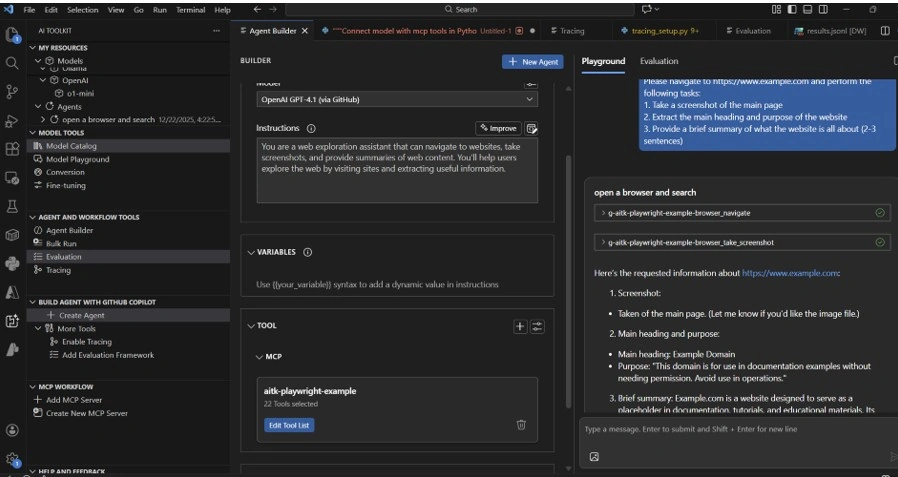
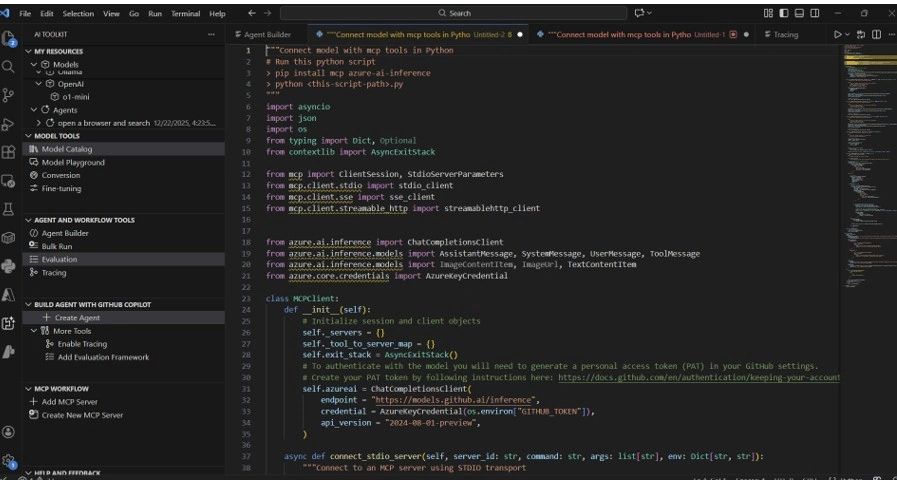
Quickly scaffold agent and model projects with templates across Python, .NET, Node.js, and more.
Leverage practical code examples covering individual agents, collaborative multi-agent patterns, and conversational bots.
Adopt recommended practices to ensure scalable, testable, and production-ready AI applications.
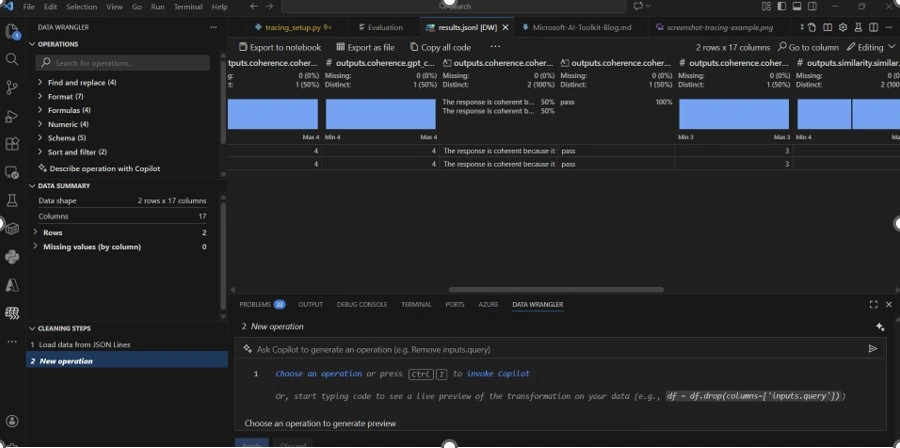
3. Evaluation & Metrics
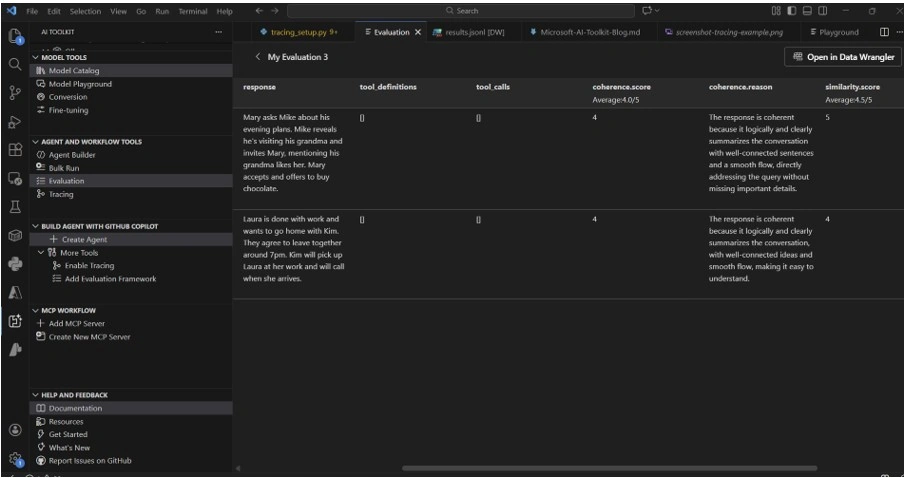
Define custom metrics and test datasets using the evaluation planner.
Execute evaluations to capture responses from agents and models.
Analyze and visualize results to highlight strengths and improvement areas.
4. Tracing and Debugging
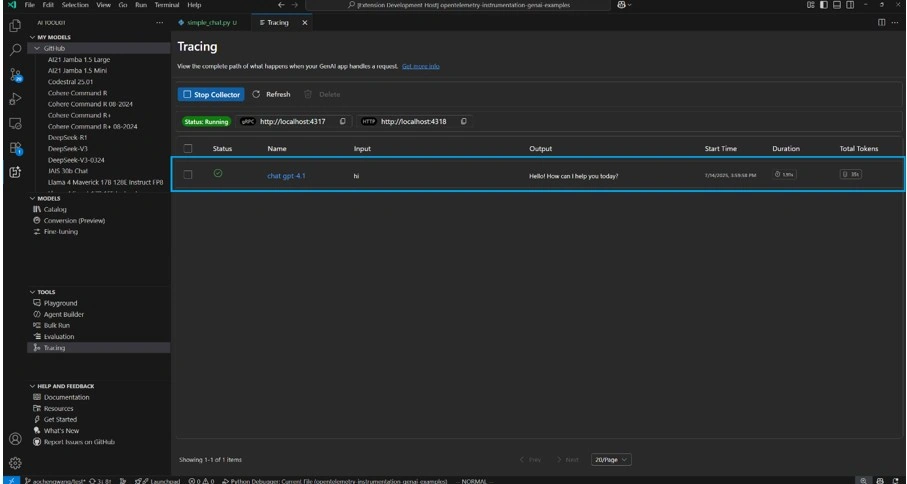
Track agent execution flows to gain visibility into decisions and interactions.
Troubleshoot effectively with granular tracing and comprehensive logs.
Adopt tracing from the start to improve reliability and streamline performance.
5. Cloud Integration
Seamlessly publish agents and models to Azure through integrated deployment tools.
Harness Azure AI services to support scalable inference and robust data management.
Follow Azure-native guidance to meet security, compliance, and performance standards.
6. Documentation and Learning
Leverage Microsoft Learn resources, including comprehensive docs and tutorials.
Receive in-editor help with relevant code samples and explanations.
Stay current with evolving features and recommended guidance.
Sample End-to-End Workflow
Install the Toolkit
Find Microsoft AI Toolkit in the Visual Studio Code Extension Marketplace and install it.Create a New Agent Project
Use the Command Palette to quickly scaffold a new agent or model project.Set Up Evaluation Metrics
Launch the evaluation planner to define metrics and datasets tailored to your scenario.Generate and Customize Code
Leverage built-in code generators and best-practice templates to implement agent logic.Trace and Debug Execution
Run the agent and use tracing tools to visualize workflows and troubleshoot issues.Deploy to Azure
Publish your solution to Azure using the toolkit’s integrated deployment features.Monitor and Refine
Continuously evaluate, trace, and optimize your agent to improve performance and reliability.
Recommended Best Practices
Begin with the toolkit’s code generation and evaluation planners to establish a strong foundation.
Enable tracing early to maintain transparency and quickly identify issues.
Refer to the official documentation regularly for new features and advanced use cases.
Use Azure integration to deliver secure, scalable, production-ready deployments.
Summary
In this article, we explored how the Microsoft AI Toolkit simplifies the end-to-end lifecycle of building AI agents and models from project scaffolding and code generation to evaluation, tracing, debugging, and seamless deployment on Azure. We walked through its key features, a practical workflow, and best practices that help developers build reliable, transparent, and production-ready AI solutions efficiently.
Join the conversation! Your thoughts help the community grow.