

Introduction
In this article I am intending to describe a simple way to change SQL Server database connection string programmatically while the application is running. In this way you can also change the server .
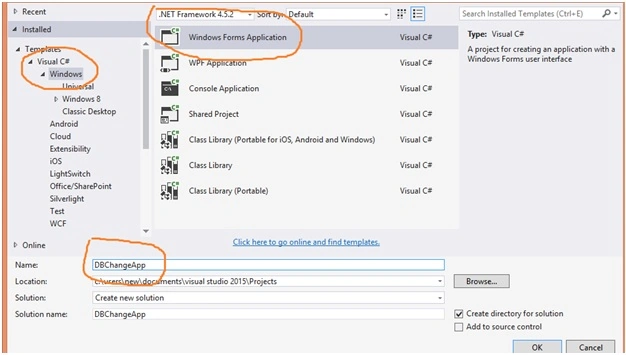
Step 1 - Create a Windows Form Application,
In this article I am intending to describe a simple way to change SQL Server database connection string programmatically while the application is running. In this way you can also change the server .
Step 1 - Create a Windows Form Application,
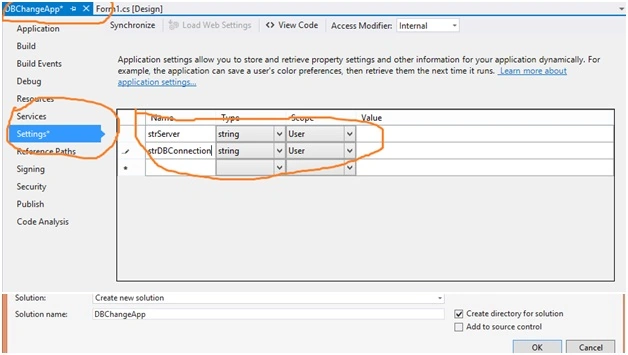
Step 2 - Create two string in project -> DBChangeApp Properties -> Settings as Property.settings.default.strServer and Property.settings.default.strDBConnection.
Step 3 - Attach or create a data base that connectswith data connection wizard and create a table with one column and insert data into the table.
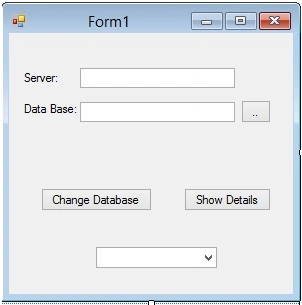
Step 4 - Create a Windows Form with two textboxes and one combo box and three buttons.
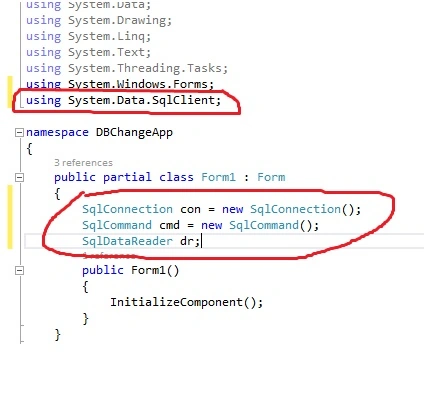
Step 5 - Enter following code,
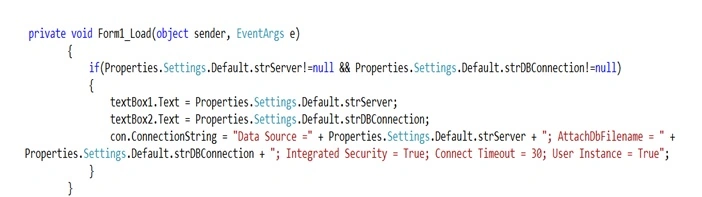
Step 6 - Enter the following code in form Load event. If we have set a database connection, this will be connected and show details in text boxes.
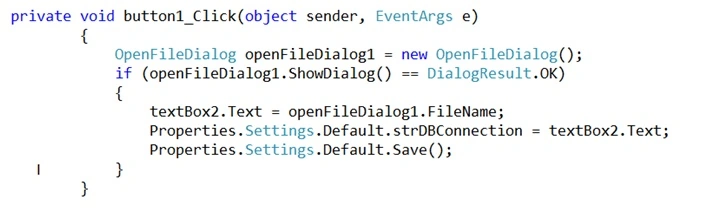
Step 7 - Database Open button click event. This will find database and store the file path in the properties variable as in Properties.Settings.Default.strDBConnection.
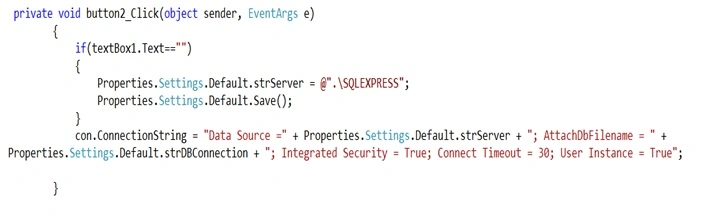
Step 8 - “Change database” button click event. In this event we will store server in the property string as in Properties.Settings.Default.strServer And we store the new connection string.
Last Step - Select data from data base with select statement and store the same in Combo Box.
sanjay kumarPosted May 21, 2016, 7:37 PM
Nice, Very Useful
Mohammed AshrafPosted May 12, 2016, 12:47 AM
thank you
Prasanna MuraliPosted May 11, 2016, 9:02 AM
Nice one
Raja TPosted May 10, 2016, 2:47 AM
Nice, Thanks for sharing
Kuppurasu NagarajPosted May 9, 2016, 11:56 AM
Nice Sharing..
Debasis SahaPosted May 9, 2016, 8:42 AM
Good One..
Muhammad Aqib ShehzadPosted May 9, 2016, 1:48 AM
nice tutorial
Humayun Kabir MamunPosted May 9, 2016, 12:31 AM
Nice...
Bhavik PatelPosted May 8, 2016, 10:50 PM
useful
Thiruppathi RPosted May 8, 2016, 3:15 PM
Its useful .nice Info..
Bhuvanesh MohankumarPosted May 8, 2016, 2:18 PM
Nice Mohammed, Its really good to see your interest in Programming, Keep it up