

Introduction
I discussed how routing works in ASP.NET Web API 2 in my previous articles. Now we will look into Routing with an example.
If you are new to Routing, then please read my previous article on Routing in ASP.NET Web API.
Requirements
- Visual Studio 2012 with Web API 2 Project Template or Visual Studio 2013 and above.
Example
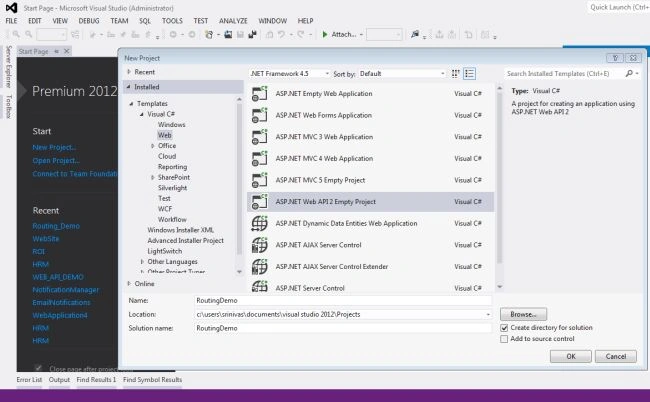
Step 1: Create a Web API Project.
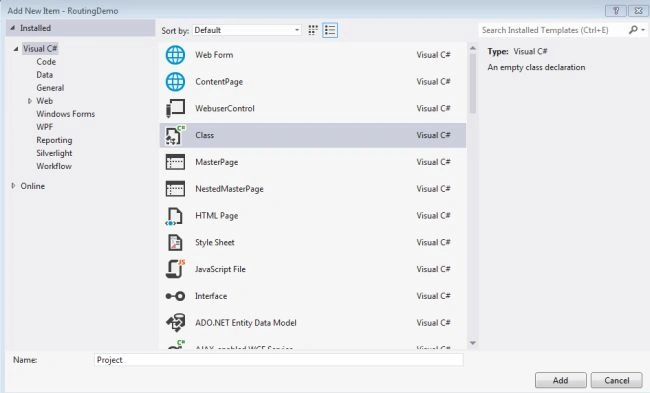
Step 2: Create a Model called Project.
Right click on Models and add a new Class.
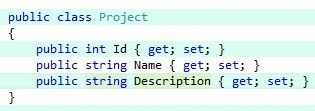
And Project model is,
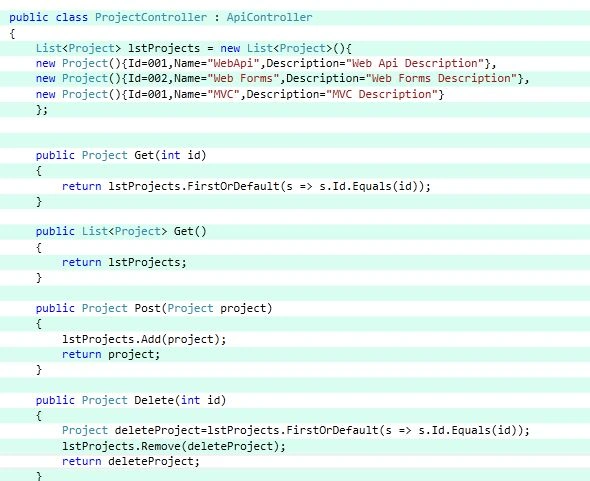
Step 3: Create a Web API's empty controller called Project Controller and create the following action methods.
Note:
- If you observe the code, the action Methods are similar to HTTP Methods.
- Defatult Route in WebApi.Config is:

Scenario 1
Just run the application as is with HttpGet and observe the things in Restclient.
Run with the following url: http://localhost:53077/ and http://localhost:53077/api and you will be redirected to 403 error page. After that use the url http://localhost:53077/api/Project and you will get the list of projects.
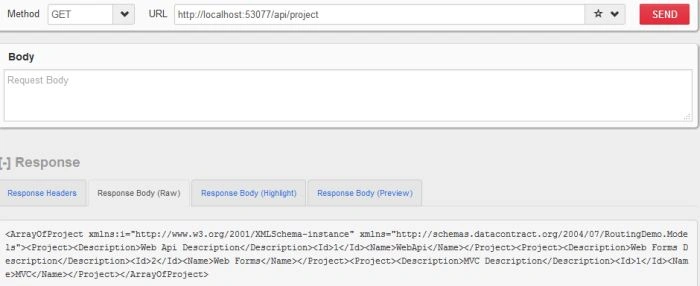
- The framework first found is Route Template that is exactly matching with the above URL. The Default route's Route Template is similar to the requested URI.
- The literal "API" matched with the Route Template's API and Route dictionary will create a KeyValue pair as Controller="Project".
Note: If we give another controller name, the API will throw 404 error. But we have given the right controller.
- Now, time to select the right Action method of Project controller. We have not given any attribute above the Get Action Methods. The framework looks for the methods that starts with Get.. Here the framework finds two methods: Get(int id) and Get(). But the URI does not have any parameter, the framework routes the URI to the Get() method. Hence, all the projects are returned.
- If we give the URI http://localhost:53077/api/project/1, the poject with Id=1 will be returned.
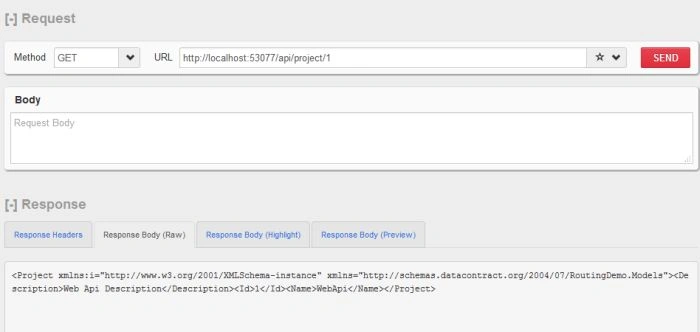
Similarly, you could check for post and delete methods as well and you will find the same observation.
Scenario 2
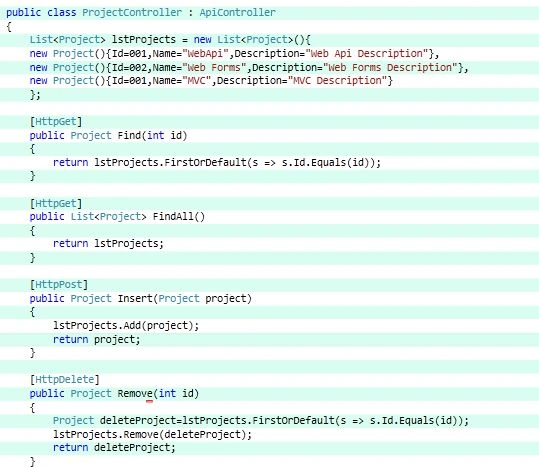
Place the Http Method as attribute above the Action Methods and change the Action Methods name.
Just run the application and observe the Routing.
If you use HttpGet method and URI as http://localhost:53077/api/project.
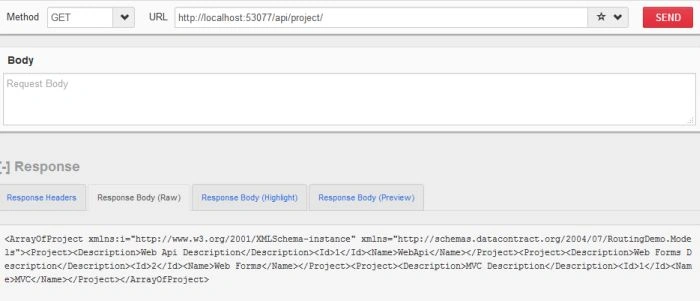
As we used HttpGet, FindAll action method of Project is called. Now routing is done based on the Http Method attribute that is placed above the action method. If we use http://localhost:53077/api/project/1, then Find Action method will be called. In this example also, the framework finds the exact route template, then selects an appropriate controller. Then framework took it's path to FindAll methods based on the HttpGet attribute.
Scenario 3
Now we will pass the value of controller in the Route and will see what happens.
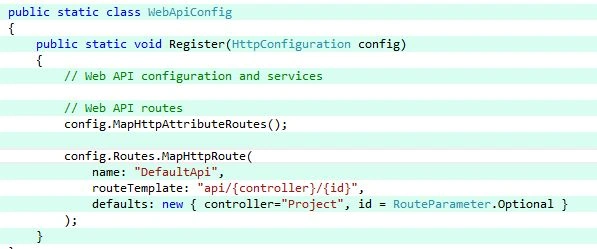
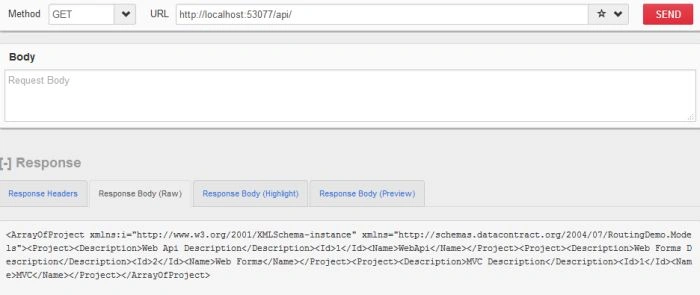
URI is : http://localhost:53077/api/ and HttpGet are used.
As we have mentioned the Controller value in defaults of Route, the URI directly goes to FindAll action method.
If we use http://localhost:53077/api/1, then it will show 404 as No similar Route Template is found.
The result of the http://localhost:53077/api/ is as in the following screenshot:
Similarly, you could give wrong URI and observe the result.
Scenario 4
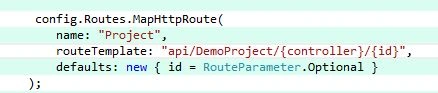
Now we will observe the Routing by adding a literal value to the Route Template.
We have added the following Route in WebApi.Config
Note: Remove or Comment Default Route
The URIs http://localhost:53077/api/ and http://localhost:53077/api/Project does not work here. The Route Template will not match with the URI as we have added literal called "DemoProject" in the Template. If you use the above URL's you will be redirected to 404.
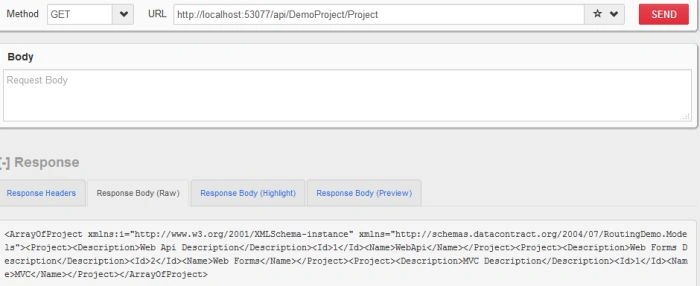
Now use http://localhost:53077/api/DemoProject/Project, we will get a list of Projects as FindAll Action method is invoked.
Conclusion
In this practical lab, we observed how routing takes place in Web API. We have run this exercise based on my previous article "How Routing in ASP.NET WEB API Works". Change the Routing templates and observe how routing works in Web API.
Humayun Kabir MamunPosted Sep 11, 2015, 2:31 AM
Nice...
Santhakumar MunuswamyPosted Sep 8, 2015, 3:19 PM
Thanks for nice share
RakeshPosted Sep 8, 2015, 12:22 PM
Nice sir
Pankaj Kumar ChoudharyPosted Sep 8, 2015, 8:48 AM
Nice Explain Sir........
Mozart HePosted Sep 8, 2015, 5:21 AM
Thanks for sharing.
Karthikeyan KPosted Sep 8, 2015, 3:30 AM
Good one sir...Thanks for sharing us