

As an avid enterprise software developer, using the right kind of tools keeps me productive by helping me track my work, manage time, and making my daily life easy.
These tools have helped me over the years in my daily work life. So, I thought of sharing it with the community. I have categorized these according to their usage.
Pure Development Tools
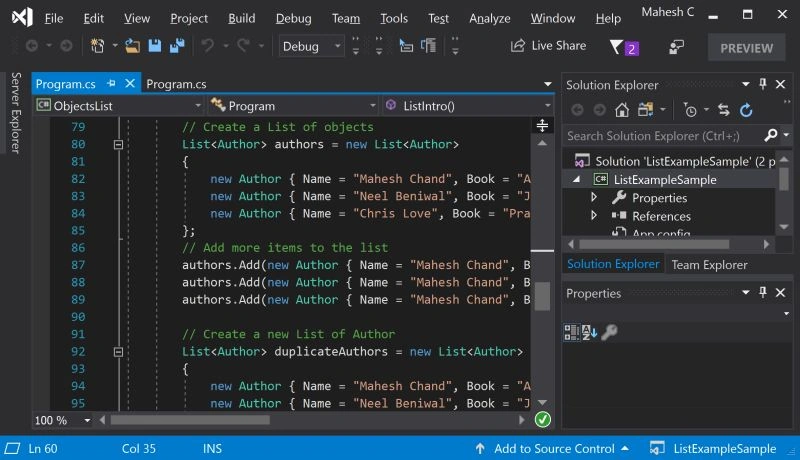
1. Visual Studio IDE
World's one of the most powerful software development tool that can write any kind of software for Microsoft related languages and non Microsoft programming languages. Visual Studio also provides features for all phases of the software development life cycle including documentation, functional requirements, coding, test cases, team collaboration, source code management, deployment, and bug fixing.
Visual Studio Community version is the free edition.
2. Visual Studio Code
Mostly used for client-side SPA-based projects, like Angular, Vue etc.
3. Git
Source Control Management.
4. GitKracken
Git Client for working Git repository. Super powerful for Git-based projects.
5. SQL Server Management Tools
Connects to SQL Server DBs (either local or remote).
Writing Tools
As an enterprise developer (even as a freelancer), there isn't any day we would write documentation, e-mails, ask questions, and give answers on forums. These tools help us write better.
6. Typora
Markdown editor used to write documentation, blogs in markdown format. It's super easy to use and instant preview. Covers most of the Markdown features. My blog is a static site and Typora helps me write content quickly.
This is one of my personal favorites. It is an online English grammar, spell checking software. It can be used as a browser add-in, desktop app, or even as an add-in for MS Outlook. Writing with proper grammar and spellings enhances your reputation with a clear message.
All in One Tools
Wonder why such a name as "All in One"? Let me tell you. Is there any software which quickly tests code snippets, and connects to DB acting as a client, runs SQL scripts, tests LINQ or RegEx code etc.
8. LinqPad
Yes, this LinqPad is a tiny software to quickly test some code, connect to DB, and run SQL. I use this option instead of working with VS IDE or SQL Server Management Tools for a quick check.
My Diary Tools
The everyday work involves so many things to remember, like - to take meeting notes, to reply to emails, to work with project related documents, presentation, project management and so on. The following tools helps me with them.
9. Microsoft One Note
10. MS Office
Who isn't aware of this software? Some of the tools in this software suite are - Outlook, Word, Powerpoint, Excel.
Small yet Powerful Tools
Every tool has its own purpose. These are some small yet extremely powerful tool I use every day.
11. Postman - Any web-based API (REST or SOAP or ASMX) can be tested using this. Very powerful, easy to use, can automate most of the work of API testing.
12. Fiddler - Capture your network traffic, esp when developing with web-based projects.
13. Cmder - Being using it recently. It's a console emulator with tab interface, can be used as a Bash shell. It actually minimizes lots of console windows.
14. Snipping Tool - Windows own screen capturing tool, very essential & quick to use.
15. Everything - The legend of its own class. Indexes all files, helps you search files, folder. Super fast, just remember a file name but forgot its location, "Everything" will help you find it quickly.
16. FsCapture - Another screen capture tool, has lots of options, records screen movement. It's not free but not expensive too.
17. Notepad++ - Want to quickly check any file content, take quick notes, play around with different language files in one tool. Then use this.
Browsers
18. Google Chrome - Can't imagine without it. As regular or as a developer, its such wonderful tool esp Dev tools. I write JS code most of the times in Chrome debugger only.
19. FireFox - A super alternative, used esp for web application testing or even browsing.
Collaboration & Communication Tools
20. Zoom - It's a meeting solution software in both audio & video way. Its actually paid software but free version goes in for 40 minutes. Even on the mobile internet, it works well with no hassle in installation also.
21. Skype for Business - Communication as Instant Messaging within office or intraoffice premises, this is the best tool.
Summary
These are the software I have been using for quite a few years, they keep me working every day. Do share your tools or software which I have missed but makes your work life easy.
Jefferson S. MottaPosted Feb 1, 2019, 10:27 AM
ReSharper is a very usefull tool too, it's almost a colleague helping you. The price worth it.
Ashish VishwakarmaPosted Jan 31, 2019, 4:48 AM
For browser I prefer Brave
Ashish VishwakarmaPosted Jan 31, 2019, 4:47 AM
I use Visual Studio extension for MarkDown so I don't lose focus while switching to some other editor https://marketplace.visualstudio.com/items?itemName=MadsKristensen.MarkdownEditor
Divyang DesaiPosted Jan 27, 2019, 11:43 PM
List may vary person to person, personally I use Postman, FileZilla, Microsoft-TODO, Beyond Compare, Brave browser, VS Code and dozens of other plugins.
Sumit DeshmukhPosted Jan 25, 2019, 6:04 AM
Thanks..good share:-)
Prabu ElavarasanPosted Jan 18, 2019, 4:21 AM
Good to see "All in one" place :-). Thanks much sharing. Done Bookmarking this article :-)
Ano MepaniPosted Jan 14, 2019, 9:02 AM
TortoiseGit for GUI based interactive git client. SQL profiler or express profiler for dubug or tracking sql queries. Prefix by stackify one of the best and free dot net profiler for developer or dev server
Paulo StradiotiPosted Jan 14, 2019, 7:34 AM
ShareX is a screen capturing tool that is free
Sagar Pandurang KapPosted Jan 14, 2019, 12:50 AM
Got to know Very Useful Software Some of them not even heard.Thanx.
Jeetendra GundPosted Jan 14, 2019, 12:00 AM
Thanks for sharing @Mithun
Arvind SinghPosted Jan 13, 2019, 11:18 PM
Greate topic mithun.. thanks for sharing...
John IwaszPosted Jan 13, 2019, 1:50 PM
I wasn't aware of the Everything file indexer. I'll give that a shot. I'd also add Slack to the list of collaboration tools. I use that every day.
Ano MepaniPosted Jan 13, 2019, 11:00 AM
Nice article and choosen topic is very useful for everyone.
Mahesh ChandPosted Jan 13, 2019, 9:04 AM
Thanks Mithun. My list includes VS, Chrome, Excel, SSMS, PowerPoint, Word, IrfanView, Notepad, OneNote, MS Project, Visio, and Blend. I do more Architecture and Writing work now than coding. All coding is done via Visual Studio only. Cheers!