

Introduction
In this article you will learn about Selection Tools. Selection tools are divided into four parts.
Selection Tools
- Move Tool
- Rectangular Marquee Tool
- Photoshop Lasso Tool
- Quick Selection Tool
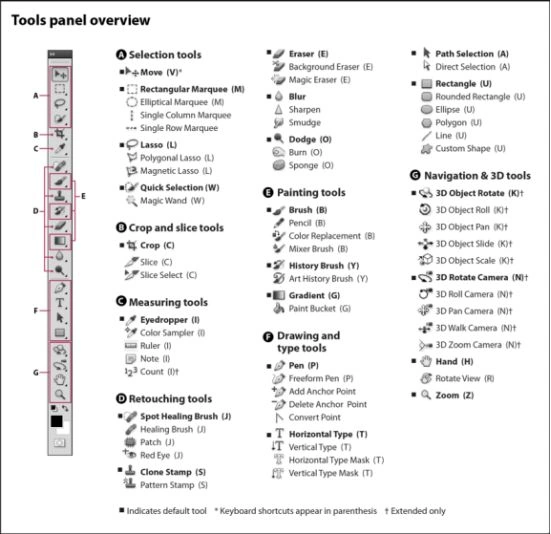
This tool moves an image/layer and adjusts the image/layer around.
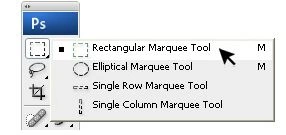
This tool selects your image in a rectangular shape. If you press and hold the Shift key while dragging your selection then it will always create a perfect square. If you press and hold the Alt key while dragging then it will set the center of the rectangle to the point where your cursor had started.
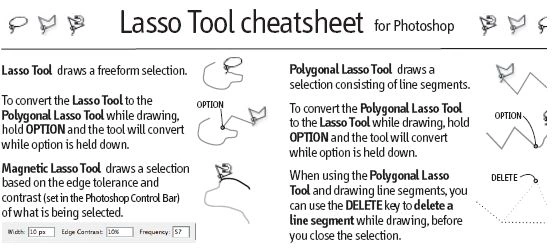
The Lasso Tools allow you to select precise areas of an image by drawing or tracing the selection outline. There are three Lasso Tools available:
-
Lasso Tool
We use a Lasso Tool to select an image in whatever shape we want. In order to close the selection we can either click on or just double-click it. When we hold the Ctrl key down then see the cursor change, and the next time we click, it will close our selection.
- Polygonal Lasso Tool
The Polygonal Lasso Tool is part of the standard Lasso Tools. It is available in the Tools panel. Click on the Lasso Tool, then hold your mouse button down until a fly-out menu appears showing you the additional tools that are available. Select the Polygonal Lasso Tool from the list.
-
magnetic Lasso Tool
The Polygonal Lasso Tool is part of the standard Lasso Tools. It is available in the Tools panel. The magnetic Lasso Tool detects and snaps to the edge of an object as you to trace along its outline. The Magnetic Lasso Tool options used for this image are shown to the right. The Lasso width controls how close the edge you need to stay as you trace the image. The Frequency controls how often points are laid down, and edge contrast helps you fine turn the edge detection.
When we hold the Ctrl key down, we'll see the cursor change, and the next time we click, it will close our selection.
Quick selection Tool (W)
-
Quick Selection
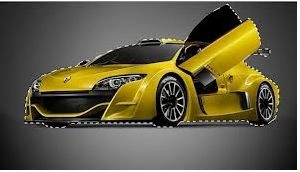
The Quick Selection Tool is similar to the Magic Wand in that it also selects pixels based on tone and color. But the Quick Selection Tool goes far beyond the Magic Wand's limited abilities by also looking for similar textures in the image, which makes it great at detecting the edges of objects. And unlike the Magic Wand where we click on an area and hope for the best, the Quick Selection Tool works more like a brush, allowing us to select areas.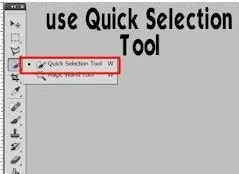
-
Magic wand
The Magic Wand tool allows you to select an area of an image based on its color. When you click an area in an image with the magic wand, all areas that are a similar color are selected.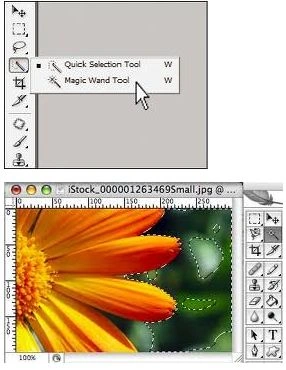
Balaji vadivelPosted Apr 9, 2015, 12:16 AM
R u der sir? Can u reply..?
Balaji vadivelPosted Apr 7, 2015, 12:59 AM
Can i have source Code of this project sir?