

Introduction
This is a simple application for beginners that shows how to create a gradient color text on a canvas using HTML5. We know that HTML 5 is the advanced version of HTML. Basically HTML 5 can be used to develop 3D applications. This article is intended to help with the use of HTML5 tools to develop a gradient color text on a canvas application. <canvas> is an HTML element which can be used to draw graphics using scripting. It can be used to draw graphs to make photo compositions or do simple animations. The <canvas> element is a bitmap drawing API and once you have committed to a set of pixels you are stuck with them. The Canvas tag is an important tag of an HTML 5 that is used to show the image and text in an HTML 5 application. I hope this article helps to create a gradient color text on a canvas using HTML5 tools.
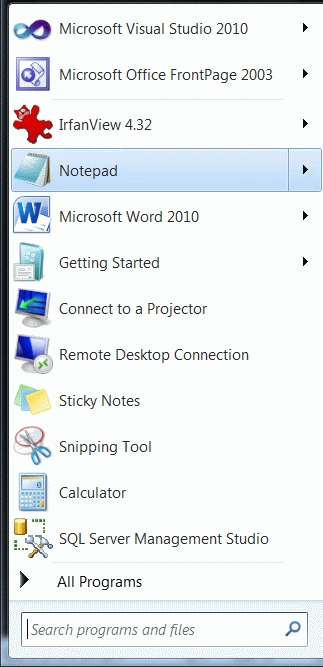
Step 1: First open an HTML editor such as Notepad.
- Open start->Notepad.
- The name of the editor is "Text".
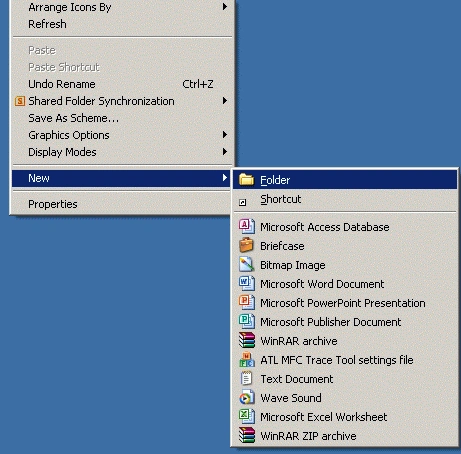
- Right-click on desktop->new->Folder.
- Name of folder is "Sam".
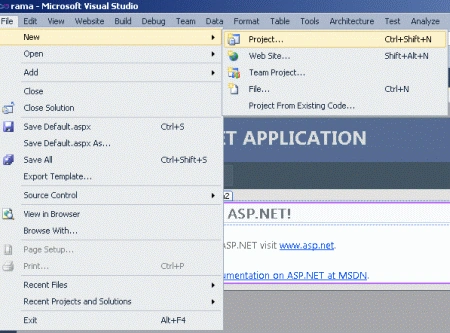
Step 3: Open Visual Studio.
- Go to file -> New->Projects.
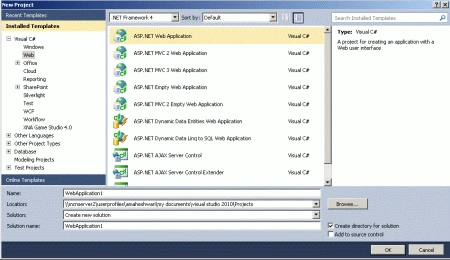
- Crete an ASP. NET Web Application.
- Name of "DemoTextColor.aspx".
- Right-click on Solution Explorer.
- Add->add new item->HTML form.
- The Name of the HTML form is "gradient.html".
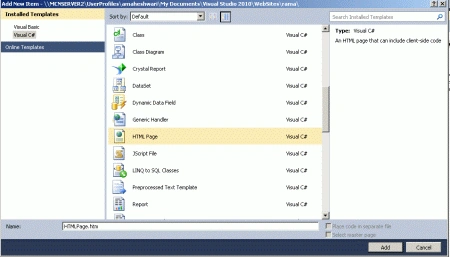
Code
- window.addEventListener('load', function ()
- {
- var elem = document.getElementById('myCanvas');
- if (!elem || !elem.getContext)
- {
- return;
- }
- var Syntext = elem.getContext('2d');
- if (!Syntext)
- {
- return;
- }
Step 6: Now in this step we set a color hex code of a text and set destination of an x and y coordinate.
Code
- var COLOR, hue = [
- [0, 255, 0],
- [255, 255, 0],
- [0, 255, 0],
- [0, 255, 255],
- [0, 0, 255],
- [255, 0, 255],
- [51, 255, 153]],
- gradient = Syntext.createLinearGradient(0, 0, elem.width, 0);
- for (var i = 0; i <= 6; i++) {
- COLOR = 'rgb(' + hue[i][0] + ', ' + hue[i][1] + ', ' + hue[i][2] + ')';
- gradient.addColorStop(i * 1 / 6, COLOR);
- }
Step 7: Now in this step we used a gradient for the fill Style and draw a rectangle with a black shadow.
Code
- Syntext.shadowOffsetX = 10;
- Syntext.shadowOffsetY = 10;
- Syntext.shadowBlur = 8;
- Syntext.shadowColor = 'rgba(0, 0, 0, 0.5)';
- Syntext.fillRect(10, 10, 400, 200);
Step 8 : Now in this step we set a text family of a color text
Code
- Syntext.font = 'bold 200px sans-serif';
- Syntext.textBaseline = 'top';
- Syntext.font = 'bold 200px Verdana';
- context.textBaseline = 'top';
- Syntext.font = 'bold 200px sans-serif';
- context.textBaseline = 'top';
- if (Syntext.fillText)
- {
- Syntext.fillText('Csharpcorner', 10, 220, 300);
- }
- . Syntext.strokeStyle = '#666';
- if (Syntext.strokeText)
- {
- Syntext.strokeText('Csharpcorner', 10, 220, 300);
- }
- }, false);
Step 9: The complete demo of a color text code is given below.
Code
- <html>
- <head>
- <title>Tom application</title>
- <script type="text/javascript">
- window.addEventListener('load', function () {
- var elem = document.getElementById('myCanvas');
- if (!elem || !elem.getContext) {
- return;
- }
- var Syntext = elem.getContext('2d');
- if (!Syntext) {
- return; }
- var COLOR, hue = [
- [0, 255, 0], [255, 255, 0], [0, 255, 0], [0, 255, 255],
- [0, 0, 255], [255, 0, 255],
- [51, 255, 153]],
- gradient = Syntext.createLinearGradient(0, 0, elem.width, 0);
- for (var i = 0; i <= 6; i++) {
- COLOR = 'rgb(' + hue[i][0] + ', ' + hue[i][1] + ', ' + hue[i][2] + ')';
- gradient.addColorStop(i * 1 / 6, COLOR);
- }
- Syntext.shadowOffsetX = 10;
- Syntext.shadowOffsetY = 10;
- Syntext.shadowBlur = 8;
- Syntext.shadowColor = 'rgba(0, 0, 0, 0.5)';
- Syntext.fillRect(10, 10, 400, 200);
- Syntext.font = 'bold 200px sans-serif';
- Syntext.textBaseline = 'top';
- Syntext.font = 'bold 200px Verdana';
- context.textBaseline = 'top';
- Syntext.font = 'bold 200px sans-serif';
- context.textBaseline = 'top';
- if (Syntext.fillText) {
- Syntext.fillText('Csharpcorner', 10, 220, 300);
- }
- . Syntext.strokeStyle = '#666';
- if (Syntext.strokeText) {
- Syntext.strokeText('Csharpcorner', 10, 220, 300);
- }
- }, false);
- </script>
- </head>
- <body bgcolor="#ff99cc">
- <p><canvas id="myCanvas" width="600" height="500"></canvas></p>
- </body>
- </html>
Step 10: Press Ctrl + F5 to run the application in a browser.
Output
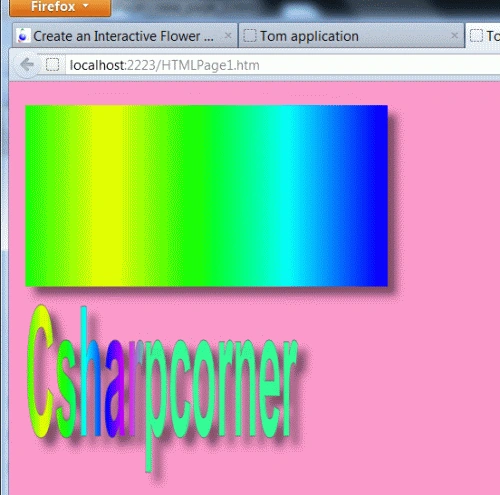
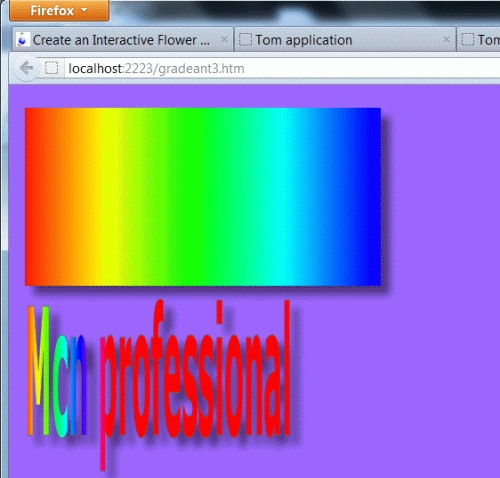
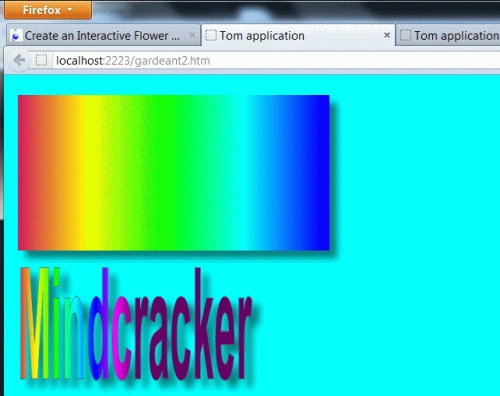
Here are some useful resources:
Join the conversation! Your thoughts help the community grow.